The game starts in 1280x1024 full screen by default... This sometimes causes the game to not display anything if this doesn't match your desktop resolution (still don't know why, don't have time to figure out). Anyway, the easy way to go around is to either activate window mode, or to change the resolution to the desktop one.
To do so, just edit the "res.txt" file... First line is the width, second line is the height. Third line is fullscreen mode: 0 turns it off (goes windowed), 1 turns it on.
Game might also misbehave in screens that aren't 4:3 (don't have a setup here to test it at the moment)...
Other than that, have fun!
Bug fixed version (not compo allowed, I think) fixes the following: - Initialization stuff on DirectX when desktop resolution is different than the fullscreen resolution - ESC no longer skips levels - Level 4 should be a bit easier - Lighting should be correct on all computers now
Even if you evaluate the compo version, take a look at this one and feel free to commen! :)
Very nice! Also quite difficult in places. Once I died I pressed Escape which transported me to the next dungeon ;) The only minor problem is the brightness, it's way too dark to differentiate walls from floor.
Hum... the ESC thing is weird... But my ESC key wasn't working properly, so I might have screwed up somewhere... Oh well, have to leave that for post-compo version... The brightness in level 2 is supposed to be low, but on the rest, it should be visible just fine (like in the screenshots above)... it wasn't that what you were seeing? If not, can you send me a screenshot at covenant (you know what's here) shadowcovenant.com?
Yeah, every level looked exactly like level 2 for me (never tried the light, it didn't seem necessary!). Hard to spot where walls weren't with some of the angles. ESC definitely skipped you to the next level too, which was sad, because death came VERY easily and took HOURS to finish. I found the death situation really frustrating. If I could just instantly restart the level I'm on (like say by pressing ESC...), I would've had a lot more patience for the scary challenges that awaited. That time level was BRUTAL. It pretty much took a full charge to get past each guy (in the tiny hallways 3 blocks wide). I did not make it to the end, but thanks to ESC, I won the game anyway!
Found some bugs related to the packaging and final release compilation... should have tested stuff better... not sure if I can update the game now (it's just bug fixes, mainly the lighting issues, the ESC thing and some initialization stuff which makes the game not display anything if the desktop res is different from the game res in fullscreen)... The death might be too slow, I was under that impression, but kept pushing that fix to the very end, and I ended up forgetting it... Level 4 is kind of brutal in the version you guys have... I packaged the wrong script which leads to less time available on the Hourglass... :\ It should be about 4 times longer (I had two versions of the scripts, my test stuff and my real stuff), you guys ended up with the test script of the hourglass... :\
Awesome game, fun & funny! I also accidentally skipped two levels when pressing Escape after dying and waiting forever... Also, that 4th level mechanism with slowing down the time didn't really do it for me, not because it took a lot of time to recharge, but because I had no incentive to hurry up, so nothing stopped me from waiting for the recharge, which made this both the easiest & most boring level. Looking forward to more of this, though!


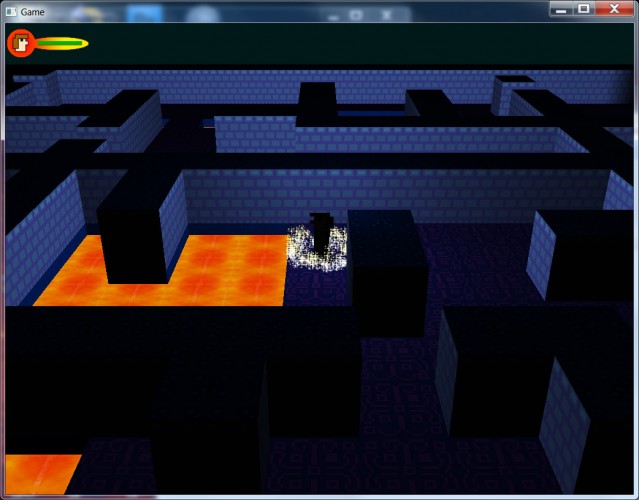
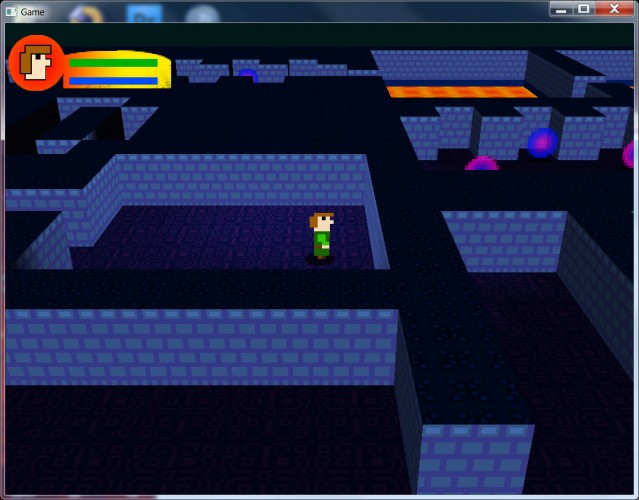


The only minor problem is the brightness, it's way too dark to differentiate walls from floor.