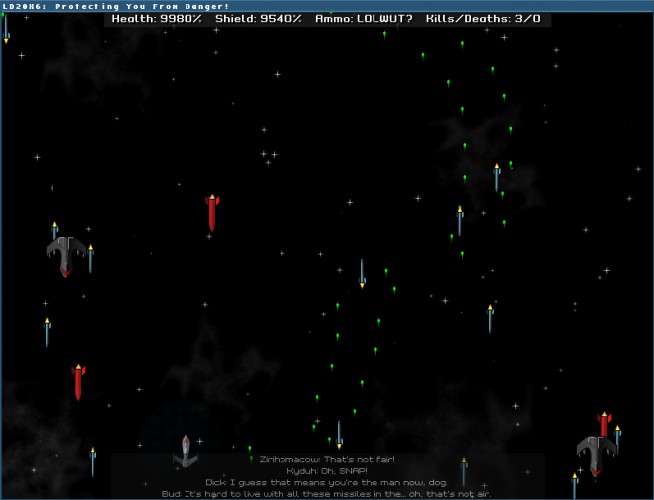
This is a basic space shoot-em-up, similar in concept to Tyrian. There's a ton of ideas I never got around to actually adding to the game, but that will definitely happen post-compo. For now, it runs decently, and should be playable on most systems.
Code is licensed under the MIT license; see the `LICENSE` file for details. Content is licensed under the Creative Commons Attribution-NonCommercial-ShareAlike 3.0 Unported. For more information, see the `README.mkd` file in the .zip.
Prerequisites ------------- You'll need to install Python, followed by PyGame.
On Windows, you'll specifically need Python version 2.6, and the PyGame installer for Python 2.6, since PyGame doesn't have a 2.7-compatible installer.
I don't have any specific instructions for this since I don't have a Mac, but my best guess is you just need the appropriate PyGame installer, since Mac OS X comes with Python.
Other Systems
Most Linux distros come with Python pre-installed. Most distros also have packages for PyGame, but if you can't find a package for it, use `easy_install`:
I'll take a stab at a Windows executable tomorrow... since I almost never run Windows, it didn't really cross my mind. In the meantime, provided you've installed Python and PyGame, you should be able to just double-click on ld20.py. I'll update instructions on http://projects.g33xnexus.com/ld20x6/wiki/README/ as well once I've made an executable.
Comments3