UPDATE: I've posted a link to some shaders that use GLSL 1.4 and have the GL_ARB_texture_rectangle extension declared. If you get shader errors, then try these. Replace the shaders in the 'assets/shaders' folder with these. If they don't work, then I won't be able to help I'm afraid, but if you post a comment about it then please can you state your OpenGL version and GLSL version.
UPDATE: I won't be able to get GLSL 1.1 shaders up =( The game requires instancing by glDrawArraysInstanced for the floor tiles, which isn't supported by OpenGL 2.1 or GLSL until GLSL version 1.4. And using glDrawArrays normally 600 times would make the game grind to a halt. Sorry guys! =(
UPDATE: Windows exe finally up! =D
Hi everyone, This is my first Ludum Dare, I've had fun, and I'm extremely tired and need to get some sleep! I was quite busy this weekend but I'm pleased with what I got done. I wish I had time to make more levels though (there's only one. Levels are split up into 12 short stages/rooms).
At the moment there is only a zip for Linux (which may require installing some extra packages, such as SDL). I'll try and get a Windows executable up as soon as I can!
Okay, I've posted a link to some GLSL 1.4 shaders. Bear in mind that these might not fix the problem, as I've recently found that my game requires a minimum of GLSL 1.4 and OpenGL 3.0 =/
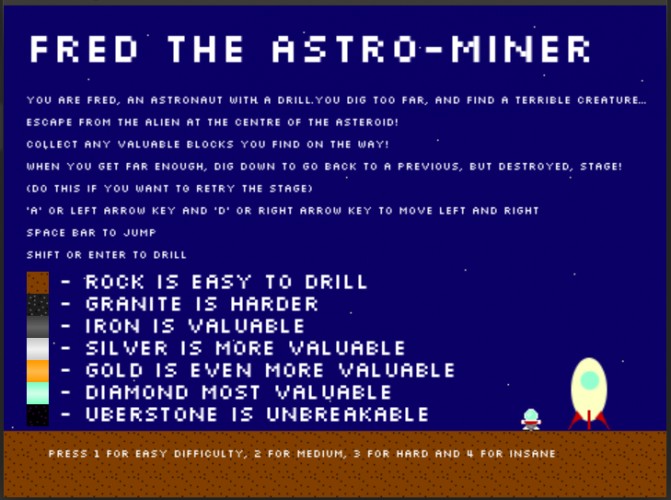
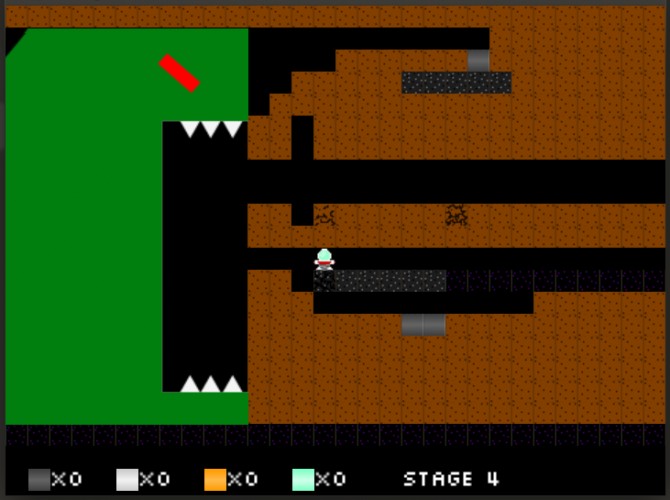
Like the idea. Obsid... i mean Uberstone is quite indistinguishable against background. Not sure I get the level layout, I started going in circles and soon the urgency of monster behind died. Could use better level design, more interesting levels. I see potential. Would be epic if the monster chewed all the bricks in front of it.
Nice little game! Might be my monitor at work, might be intentional, but I struggled to see some of the darker blocks against the background. Still, got to the end. Love the music too :)
Thanks Neilo! I admit that the Uberstone block is a bit too dark, my original intention was to have a better background, but I didn't have time.
@summaky: It seems your graphics card can't compile the shaders. Try the GLSL 1.4 shaders, and if it still doesn't work, then I'm afraid your graphics card is too old to run the game =/
In windows, I got it to run by adding the line: #extension GL_ARB_texture_rectangle : enable to sprite_fragment_shader.fs, right underneath #version.
It's a nice game. The music is really good but I wish it didn't restart after each death. The control is weird. My character ends up bouncing all over the place when I try to execute some jumps.


Comments20
Only error message I get is: "bash: /home/puffi/Desktop/LD/fred_the_astro_miner_supermaximo93: cannot execute binary file"
I could start the game, but I just had to uninstall fglrx because today my computer wouldn't boot with it :O so it fails when GLSL 1.50 isn't found
Maybe I'll try again if I get the fglrx driver working
Link to the log:
http://dl.dropbox.com/u/1043484/games/LD21/stdout.txt
@summaky: It seems your graphics card can't compile the shaders. Try the GLSL 1.4 shaders, and if it still doesn't work, then I'm afraid your graphics card is too old to run the game =/
#extension GL_ARB_texture_rectangle : enable
to sprite_fragment_shader.fs, right underneath #version.
It's a nice game. The music is really good but I wish it didn't restart after each death.
The control is weird. My character ends up bouncing all over the place when I try to execute some jumps.