This game is a quick (and pretty simple) point'n'click adventure game. The player is a commander of a spaceship when, somehow, something goes wrong and...
...reality isn't what it seems.
Without spoiling anything, the theme itself (Tiny World) may not be apparent at first, however at the end of the game it should be clear enough. The rest is free to interpretation.
Enjoy the game! :)
GAME DETAILS:
Since I didn't have much time to polish the game as much as I wanted and make it user friendly (I wanted to make a small tutorial screen, oh well.. ) I'm going to explain it here a bit:
INVENTORY: To access the inventory simply move the cursor at the bottom of the screen, it's a black bar with all your items.
ICONS: To use items, there's the USE icon (pretty straightforward). This also works for things like doors and portals. To combine two items together (be it in the inventory or on screen) use the HAND icon. Just select the first item (in your inventory) and click on the item you want to combine with. To pick up items, use the SATCHEL icon (the one with the hand gripping at a small bag). To examine/look at items, use the EYE icon.
UPDATE: Ported the game to windows successfully (after a whole day of trouble... curse you Microsoft!). If the game doesn't run for you, you may have to install the vs2008redist.exe file...
What on earth did I .. or what in the void did I just experience? Rarely does a game leave a feeling of "what the hell just happened" in me that I can't pin-point, yet this game does exactly that.
I think the ending was too much story, and not enough gameplay, for how long it was, but...well..whatever it was it was effective at leaving me with a weird feeling of the game.
I liked the art-style and the sound and the concept of the theme, a whole universe from a tiny world...yeah...man I'm confused.
I'm on netbook resolution, so the bottom got cut off a little, but I could still half-see the inventory. I was worried because it stopped responding at one screen, but it came back.
I used to play adventures all the time (and I signed up for Tim Schafer's Kickstarter), so I'm glad to see one in the competition. I liked the music too.
It had a bit of Xenogears Syndrome :) One giant wall of text at the end.
I think there were a few too many different types of actions - mebbe take out the grabby action and the "hand" action and make those context sensitive?
I totally agree with you guys, both with the ending dragging on for too long and the whole puzzles/context interaction thing. I'll be writing a post-mortem article explaining why such things happened. Mostly because I had a bigger idea behind the whole thing and a very definite story I wanted to implement, however the time constraints forced me to cut out a lot of it and the game itself suffered from it :)
I've got Windows XP. Yup, the EXE doesn't work at all. That's a shame, because I liked the screenshots and was eager to test the game.
I've listened through the soundtracks though and the Inside.ogg is really my kind! You recorded it yourself, didn't you? I wish I could play guitar, I really like the sound. Cheers!
I think you overdid yourself a bit. I'm all for artsy games, and the premise is interesting, but the final dialogue carried on for waaaaay to long, and ended up being longer than the game itself.
If you cut the final dialogue a lot, and add somewhat harder puzzles, this game could be quite interesting!
On a side note, maybe you could put the "icons" on top? Rotating with the right mouse button got a bit tiring after a while.
I'm sorry, the game is developed in C++ using AngelEngine, it's a library that works on Linux, Windows and OSX. However I do not own a Mac (and I promptly refuse to, honestly). It took me a long enough time to port it to Windows as well as I'm currently on a very underpowered Linux PC (because my main Windows computer broke down a few days before LD... talk about luck).
I'm really sorry :( You might try and get it to run inside wine (if OSX has wine, I think it does..). I know it runs in wine on my Linux.
D
DangerBlack26 Apr 2012, 16:22
Nice game! I have fun! A bit short but I think it's lack of time. Music is so creepy =D
@Raptor85 depending on your distro, you have to install the package libdevil-dev (debian/ubuntu/mint/crunchbang) or DevIL-ILUT-devel (fedora) or try looking for the related package for your specific distro.
Well, that was an interesting experience :) Props for getting that much content in it in the timeframe! The ending could've been a bit shorter though. Awesome music made an awesome mood to the game, liked it a lot. Slightly scary, which added some serious out-of-this-world feelings to the game, a good bonus for any game :)
@Morgawr It's unreasonable to expect users to install your dev frameworks and match to your exact version to get the game to run , I already have devil installed..just an incompatible version. Please just include those 3 files in the download so anyone can play it without hassle.
I absolutely loved this one! Point and click adventures are probably my favorite genre that doesn't get enough love. :P I really enjoyed your story too, depressing stuff.
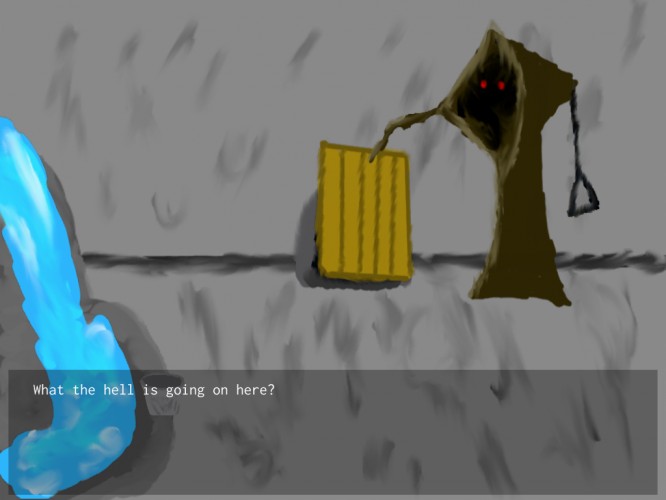
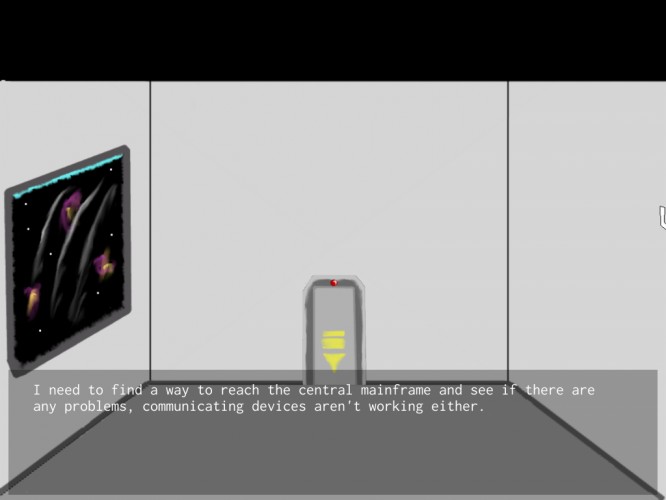


I think the ending was too much story, and not enough gameplay, for how long it was, but...well..whatever it was it was effective at leaving me with a weird feeling of the game.
I liked the art-style and the sound and the concept of the theme, a whole universe from a tiny world...yeah...man I'm confused.