*Edit I had by mistake uploaded a 64bit version of my game. I have now fixed this so hopefully the game will run for everyone! Thanks for testing it! *
*Edit 2 I've added a Mac and Linux version. I haven't been able to test either, but hope they will work.
To run the game (these instructions are copied form love2d.org):
-- MAC ----------------------------- On Mac OSX, a folder or .love file can be dropped onto the Love.app application bundle. On the Mac OSX Terminal (commandline), you can use love like this (assuming it's installed to the Applications directory):
open -n -a love "/home/path/to/game"
In some cases it may be faster to invoke the love binary inside the application bundle directly via the following:
/Applications/love.app/Contents/MacOS/love mygame
You can setup an alias in your Terminal session to call the binary when you use love by adding an alias to your ~/.bash_profile (open -a TextEdit ~/.bash_profile):
alias to love
alias love="/Applications/love.app/Contents/MacOS/love" Now you can call love from the commandline like Linux and Windows:
love "/home/path/to/game"
If you debug using the print command, it is useful to see this printed in realtime. In which case the following will open an extra window that will show the printed text.
love /home/path/to/gamedir/ love /home/path/to/packagedgame.love If you have installed the .deb, you can double click on .love files in your file manager as well.
----------------------------------
Run in fullscreen mode:
To change tofullscreen to window mode: change love-file's ending to zip. Edit the conf.lua inside setting fullscreen = true (and then change the file ending back to "love" *
A game by Andreas Hedin
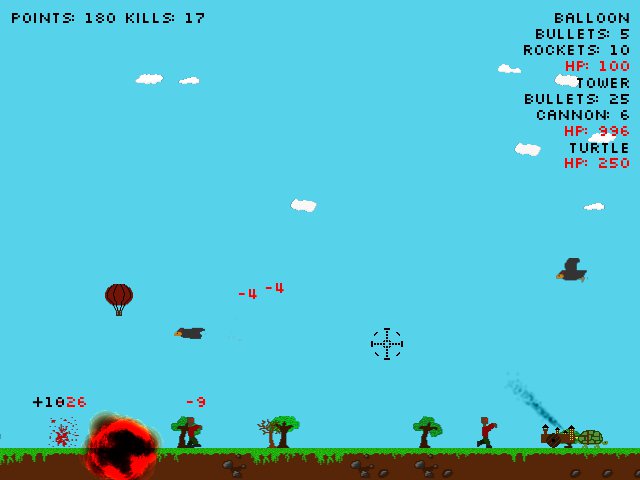
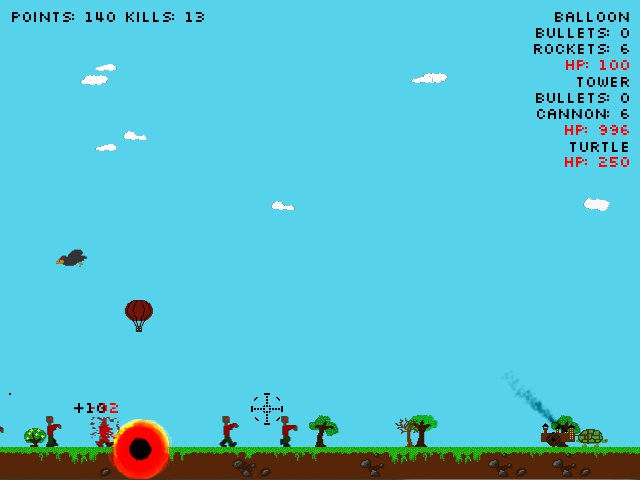
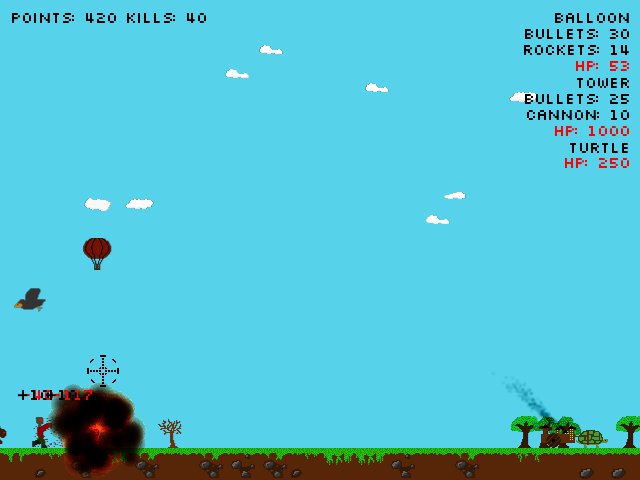
Control the balloon and tower to defeat the zombies, evil birds and beasts.
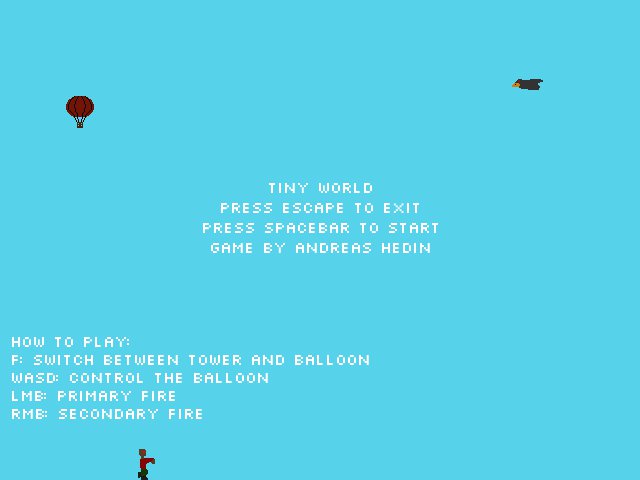
-- Controls: F: Switch between balloon and tower WASD: Steer the balloon Left mouse button: Fire primary weapon Right mouse button: Fire secondary weapon
Excellent game! 5 stars for fun and overall :). Best game I've played yet. Your implementation of the swapping between characters is flawless, and the enemies make it super interesting. Nice job!
I liked this entry. I definitively liked the idea of switching shooters AND i liked friendly fire, Together they make quite unusual gameplay, which is really fun and addictive.
I really liked your title screen, this was the first entry I played with a name attributed (I think). The idea of switching vehicles is appealing, though I was disappointed when I saw that they basically behaved the same. The UI was a bit hard to visually parse -- I had a lot of difficulty managing the zombie herd and moving to look where in the text block my life was represented. So much so, that I eventually gave up. I would have loved to seen what music you paired with the zombie-hot-air-baloon concept. Overall, I enjoyed it there was something refreshing about the game -- with some UI-audio-mechanic touches this could be pretty rad.
Oh man, I feel like a jackass. I just realized the two alt-fire mechanics are indeed different. This game rocks. Also, love the small touches like the cloud parallax. The animations on the airship crashing and the bird are great as well. OH AND THE TURTLE, I'll play any game with a turtle in it. Aesthetically, I just noticed that the particle effect is a little jarring with the nicely hand-drown graphics. I don't know what is clashing, maybe the blur or antialiasing... I blame LOVE2D's goofy particle system. Anyways, SHOOTER OF LD23 AWARD.
I liked the core mechanic of having 2 vehicles to shoot from. It is just that the action wasn't very satisfying because the projectiles make little impact and there is a constant spam of enemies.
But I do see the foundation of a good shooter game here. Music would've been nice.
I had something weird happen to me. I'm sure it has nothing to do with your game, but when I opened it, another Love game opened instead, Wulcan, also from LD. It wasn't even the last one I had played. I had to delete all Love games from the hard drive and then redownload yours to get it to open. Very weird!


Comments31
Says version is not campatible with this version of windows.
Fun game
modify conf.lua t.screen.fullscreen = false do disable fullscreen.
PS I like how you can shoot your own balloon down!
But I do see the foundation of a good shooter game here.
Music would've been nice.
I had something weird happen to me. I'm sure it has nothing to do with your game, but when I opened it, another Love game opened instead, Wulcan, also from LD. It wasn't even the last one I had played. I had to delete all Love games from the hard drive and then redownload yours to get it to open. Very weird!
I scanned my computer yesterday and found 33 files infected with Paramite A. You might have become infected from playing my game.
I'm really sorry about this.