Hello! This is my first Ludum Dare entry, so I hope I did well for my first time.
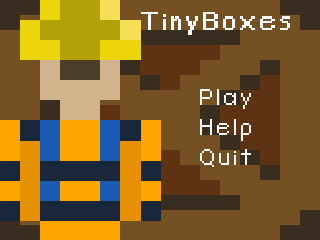
Use space and WASD to control the menu. You can press R to reset the level. This is very useful if you get yourself stuck. If you press space, you can shoot yourself.
If you are DESPRATE, please watch the low quality walkthrough. http://youtu.be/eKgmgoJYUKA If you like the game so much, you want to make a better walkthrough, or a speed run, message me and I'll put it in this description.
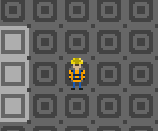
All content was created within the 48 hours. Please read the help, its really short, and will tell you the controls. It is your job to figure out how to solve the puzzles. If how the theme fits in is unclear, the whole game is played on a 20x15 tile area. That's a really small world. If you can't get past the second level, here's a hint: you can wrap around the world. Some of the levels at the end are very hard, but they're all possible.
To play, download the zip file, extract everything, to a folder if you want, then run extract_then_run.bat. If that doesn't work, you can do into the dist folder and run TinyBoxes.exe.
32-bit isn't working right now, I'm working on it ASAP. Please come back to it later, you can bookmark it if you want. There are 3 weeks of judging. If you really want to play it, just install python and pygame in 32 bit, and run the tinyboxes.py, just like a Mac. -EDIT- 32 bit is being a real bugger. I'm very sorry. If you are reading the comments and want to play it, an install of python and pygame is required. They're not bad things to have though. Just use the same instructions as for a Mac and it should work. Let me know if you try this and it doesn't.
If you have a mac, you can download the Windows distribution, and install python and pygame. Then, in the dist folder, run tinyboxes.py
Seems like a cool concept. I like the tile mechanics and looping edges. I too got stuck on the second ice puzzle. How to get the box out from against the edge? I tried shooting myself into it.
Very nice game. You weren't kidding when you said that some of the levels at the end were hard! I made it to the Fin! Yay! The level designs were challenging and fun. I also felt the music and sound effects fit the game nicely. Good job!
Didn't run on Win 7 32-bit, error: "The version of this file is not compatible with the version of Windows you're running. Check your computer's system information to see whether you need an x86 (32-bit) or x64 (64-bit) version of the program, and then contact the software publisher."
"if you press space you can shoot yourself" Jesus D: I couldn't get it to run I ran the batch file and tried the exe but it says it isn't compatible with my windows, it's not designed for a x64 is it? as mine's x86
Yeah, sorry everyone about it not working in 32 bit systems. When it was written it was made for x64, I read that you should use x32 anyways. Until I can get the packaging to work properly, if you want to play it, a manual install of python and pygame for 32 bit is necessary.
Best rating I've given so far; this was tons of fun! Very devious and clever puzzles! It also has a nice polished feel to it; can definitely tell you put some time into this. Thanks for sharing your game!
[Comments and ratings from this account come from various team members] Tried to make my way through the whole game but unfortunately got stuck on the level with the single strand of ice that runs from left to right. Simple yet effective graphics, good music, well thought out puzzles. Overall pretty good! Great work for your first dare :D
Doesn't run for me on Ubuntu (32 bit). No idea why. When I run python tinyboxes.py it just hangs. No traceback or anything. I have to kill -9 it. Sorry! :-/
Sorry cosmo. I'm assuming you have pygame installed. I have never heard of Ubuntu either. I looked it up and it looks like its Unix distribution. There is a pygame download here http://pygame.org/download.shtml is pygame isn't installed.
The levels ramp up a bit too fast in difficulty and it's not really explained when you need to use new mechanics to pass a level. Other than that... the sound was good, really nice art-style and game idea :)
lots of good content here. i got stuck in an infinite loop on the second level, got boxes pinned in corners or against walls a lot too. a 'restart level' option would be great. download/install process was a bit much. would be nice to get it all in a single exe or as a web game. nice music! not quite sure how it relates to the theme :P. nice job!
This was a lot of fun! Very simple, but the level design and the introduction of new concepts into each level was well done and kept me interested. The only trouble I could really find were minor quirks: Sometimes shooting myself into an infinite loop, getting the timing right on the crate tricks later on and wishing I had a reset button other than going back to the title screen each time. Great job!
Nice! Too bad the last teleporter in the stage with lot of them stopped working for me. Oh well, really nice and well done concept, this was fun to play, good job!
I had to edit a few lines in tinyboxes.py to get it to run on linux. But after that the game worked just fine.
I wish the shooting mechanics was used for more things than just sliding though (and racing against the clock). Some of the later levels were a bit annoying because of the restarts needed when making a mistake.
Pretty clever puzzler. Challenging, well done for a first LD. Why did you choose left hand controls as a default? The music became a little annoying after some while.


Comments41
"The version of this file is not compatible with the version of Windows you're running. Check your computer's system information to see whether you need an x86 (32-bit) or x64 (64-bit) version of the program, and then contact the software publisher."
I couldn't get it to run
I ran the batch file and tried the exe but it says it isn't compatible with my windows, it's not designed for a x64 is it? as mine's x86
Tried to make my way through the whole game but unfortunately got stuck on the level with the single strand of ice that runs from left to right. Simple yet effective graphics, good music, well thought out puzzles. Overall pretty good! Great work for your first dare :D
+ very nice tune
+ clean, functional graphics
I listened to the soundtrack but I probably shouldn't rate the sound without playing the game too, so no ratings from me!
- Inês Almeida from Evil Sandwich Studios
I wish the shooting mechanics was used for more things than just sliding though (and racing against the clock). Some of the later levels were a bit annoying because of the restarts needed when making a mistake.
The music became a little annoying after some while.