This is my first entry. It was rather challenging getting a game up and running from scratch in 72 hours, especially since I only ended up being able to work part of the weekend.
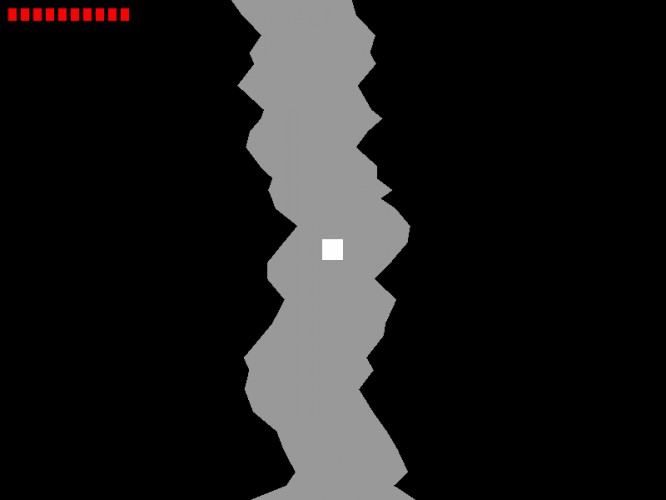
I coded this in C++ using Visual Studio Express 2012. I used the SDL and OpenGL libraries for the graphics. All graphics are generated in code. The cave is randomly generated as you go.
To play just extract the zip and run the "LD48-26.exe" file. Controls are listed below.
Having done something similar, I like what you did with the health bar and making the walls your enemy. In ours, we made it so you could bounce off the walls, but there were rocks and stuff that killed you. The walls being damaging is more intuitive I think.
How'd you implement collision detection with the walls?
Good game. I had some problems with the game speed. First time i had about 4000+ fps and the game was insanely fast and then second time i turn vsync on and then the fps was 60 all the time but then the speed was very slow. I don't know if i'm at fault here but a good entry anyhow.
@peaveyj The passage is represented by a series of horizontal slices with two coordinates, (x,y) and (x2,y2). The collision detection function takes a rectangle to represent the object. The collision detection function looks at each slice and the next slice as a quadrilateral.
First it checks the y and y+h against each pair of slices to see if the object is vertically between the two slices, the same way you'd handle it in box collision detection. If not, it moves on to the next pair.
Next it checks if either the left side of the object is to the left of both slices' x coordinates, or the right side of the object is to the right of both slices' x2 coordinates. If it is, then the object is already inside the wall.
If the it gets to this final step, the left side's x position is between the two slices' x position, or the right side's x position is between the two slices' x2 position. I then use the slope of the wall to calculate at what y the wall, a line, will collide with the relevant side of the object, also a line. If the y value is between the y and y+h value for the object, the object collides with the wall.
I hope my explanation is clear. Let me know if I need to draw it out.
@Sh1rogane I don't know why the game's speed was weird. I programmed it so it would run at 60 FPS max, so it shouldn't have run any faster than that. I might look into that later, but I probably wasn't doing it the best way anyways.
Not bad. But I seemed to have the same problem as Sh1rogane. Got 4000+ FPS normally and it was too fast to play, then with vsync i got 60 but it was too slow to play :/
@sPOCkEr2 Why were you confused about the play direction? Was there not enough feedback? Would it have made more sense if there was an animation for the player, like running?
I really recommend having all your calculations be delta time bound, since you will otherwise experience dramatic speed differences in different computers, and in different parts of your game. Good luck :)
Works fine on my computer. Good gameplay, but I have a few suggestions: 1. A click to start (or an equivalent), so that the game doesn't start the instant the program is run 2. A less abrupt ending (quits when you die), and possibly a score counter.
I believe the latter could be done with a simple counter which increases the score by one each frame.
That aside, a nice game which I believe has potential :)
@EricTheCoolDude I've actually run into that with other programs and games before. I've heard it has to do with things made with visual studio. Go here to get it:


Having done something similar, I like what you did with the health bar and making the walls your enemy. In ours, we made it so you could bounce off the walls, but there were rocks and stuff that killed you. The walls being damaging is more intuitive I think.
How'd you implement collision detection with the walls?