Tamawatchi

Coolness★★★★★★★★★★26%
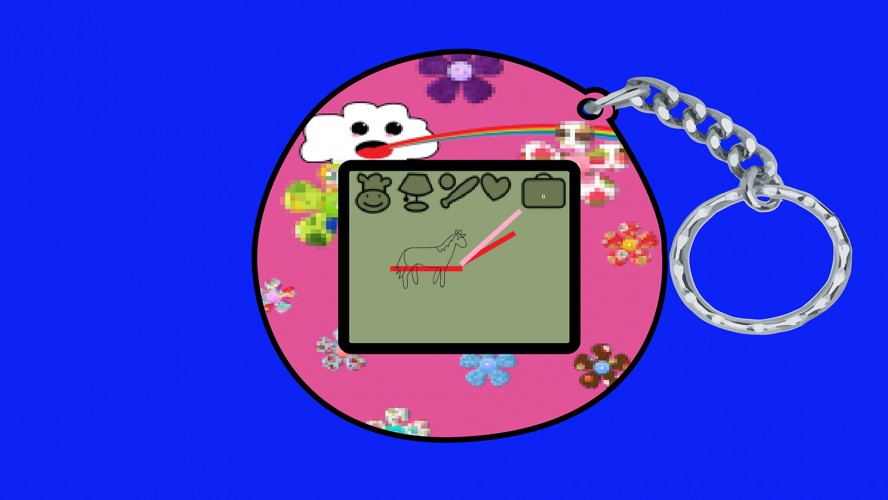
A tamagotchi game made with haxe.

Installation help:
- unpack the whole game at the place you want it.
- go to the bin folder, open the ludum dare swf.

screenshot

Comments17

Perry29 Apr 2013, 11:23
Could you please put up a guide on how to play the game. I have no idea how to open the game, I have tried putting the .swf into my browser, but I just get a blank page.
HelkeGames30 Apr 2013, 15:13
Nice game, I found the idea very interesting and innovative ;)
lanz2 May 2013, 20:56
Can't run, same as Perry...
someone
someone2 May 2013, 21:06
I am also getting a blank screen.
KEFIR
KEFIR2 May 2013, 21:09
Reminds me one of my first games :) Cute!
aeveis
aeveis2 May 2013, 21:12
Not sure what the clock is there for and what some of the objects do, like the briefcase. It is a cute game though.
BrainSlugs83
BrainSlugs832 May 2013, 23:54
Same here, just a blank screen -- also -- if it's an .swf why did you label it as Windows only?
patrikspengler3 May 2013, 18:26
That was weird but the idea is good. To people who can't play the file: you must extract the zip first, it won't work if you try to execute from the zip itself.
Jellycakes4 May 2013, 20:48
Pretty cool. I liked it, it was bit confusing. But I'm glad the horse had no legs when it slept. Good job
rykounanbaauthor6 May 2013, 18:54
The problem with blank screen should be fixed when you extract the game. If not please hit me up because I screwed something up. We could have done much to make it less confusing, but my partner in crime was highly frustrated as it was her first time working on a game. Thanks for all the feedback!
Jorjon
Jorjon6 May 2013, 19:38
The game resolution is is fixed to 1920x1080, so those using laptops can't play at all. Also, there are no instructions of what icon do what.
Canard Sauvage6 May 2013, 19:41
I also got only a blank page, Win7 with Chrome (the game is extracted). Just opening in Chrome didn't work.
ovenchips
ovenchips6 May 2013, 22:08
Tried dropping the SWF into IE, Chrome and FF. No luck I'm afraid.
rykounanbaauthor8 May 2013, 12:40
I tried using it in my browser itself and it gives problems. Thanks for showing me this problem. I always run it as a shockwave flash, never trough the browser. Doing that would solve the problem. I think the problem with the browser lies in the NME loader class and needs the browser loader class in haxe. Also the resulotion is fixed to 1920 X 1080 currently but using the native flash you are capable to fit it to your resolutions. I tested this on another pc.
SuperlevelSebastian9 May 2013, 19:04
Same problem. Blank screen.
Sheep13 May 2013, 11:10
It's a fun idea, it fits the theme. But I can't see any progess in the game, like how my pet is doing.
Found a bug?
Tell us on Discord