There is an easter egg potato in the game. Only cunning players will find it.
I don't have a linux or mac machine to compile a linux or OSX build of the game, however the source is included and should build with a standard SDL install.
------- stuff that didn't make it into the readme that you should know-----
If you are inclined, you can make your own levels by adding more .txt files to the levels directory, and then changing the 5 to another number in levels.txt
the level format is pretty simple.
each line starts with a command character
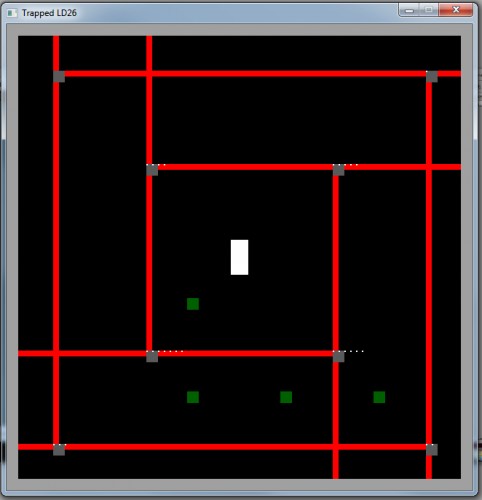
l (lowercase L) for a laser then the X and Y coordinate from 0 to 4 followed by the direction for the laser. 1 points up, 2 points right, 4 points down, 8 points left, and OR-ing them together will give you combinations. eg, 15 is all four directions
s for a switch then the X and Y
c is a switch connection then the switch id (zero-based) then the laser id (zero-based) then the direction the laser will change to same rules as laser direction
the lasers are on a 5x5 grid the switches are on a 4x4 grid so 0-4 for laser coordinate, 0-3 for switch coordinates
the way it works, you can edit the level#.txt (where # is the level you are editing) and if you are playing the level in the game, press R to restart the level, it will re-load the level data, allowing you to interactively build the level and playtest it at the same time.
a switch can have any number of connections too so a single switch can control any number of lasers
BUGS: if a laser is set to 0 for it's direction, the beams are invisible and the player will still die.
Nice concept. It is too difficult to pass on the other side of a switch without touching it and without getting hit by the laser. It was fun to play, could have been more forgiving :)
Pretty simple, but that last level is a little tricky. With a little (a lot) of cleaning up this could be a fun little puzzler. Bonus points for shipping a game jam game with a level editor :D
Comments7