I didn't have time to complete everything that I've planned. Actually there's so much more that I wanted to do. But I don't have any time left. You can see started mechanics that didn't make it to the game every here and there, but I guess it doesn't spoil the game much.
INSTRUCTIONS:
Click everywhere. Your task is to send a distress signal so you and your friend Renard could be rescued.
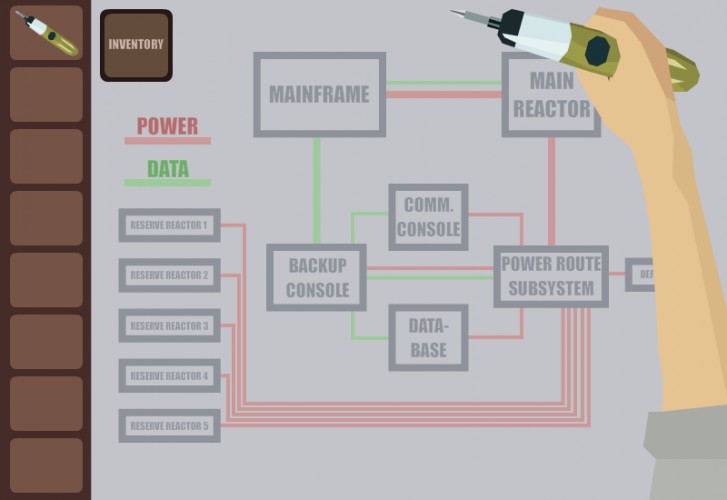
Power management mechanics I've implemented is sure not the most obvious thing to figure, so I wrote few hints to help you get around and I may or may not write some more later.
Backup console has 5 items buttons on the left and 2 control buttons (left and right) at the bottom of the screen. Items buttons are used to chose items from command lists. Control buttons are used mainly for navigation and command confirmations. All active buttons are always labeled on the screen - press corresponding button in order to do what the label says.
HOW TO RUN INSTRUCTIONS:
First navigate through items and find instruction you want to run e.g. Activate generator 1, select it. After that, instruction is added to the queue. To run queue go to the main menu - run instructions. You will see all queued instructions and time in ms that it takes to run them. Note that you have only 10013 ms in the beginning of the game. If you want to run queued instructions - chose "run" now.
the complication is pretty overwhelming, I don't quite understand what is happening. I know you didnt have enough time, so maybe write out some more instructions on what to do? The graphics and sound were really good though!
Thank you for the feedback people. I know that controlling Backup Console could be frustrating and I really wish I had time to do it better.
I wrote few hints on game basics and on what to do in the very beginning. I hope at least some people will beat the game and have a fun time doing it. Please leave a comment if you are one of them. :D
I have to agree with all the "whoa cool this is awesome but I can't make sense of any of it" comments :)
Using the ten seconds as a resource to execute commands is a great idea. I think if I had more patience I would figure out how to beat the game through experimentation.
Nice work! I got stuck for a while because I was trying to send both a short range and long range signal at the end, it ran out of power before the long range and I thought I was missing something... I love the graphics style and the atmospheric music was perfect.
Great idea, atmosphere and presentation! I also liked the whole Interaction with your hand and the intentionally clunky interfaces, but I think the idea with a limited mainframe power and chained commands is strong enough to support itself and would have been better without the traditional click&point adventure mechanics.
I like the atmosphere of the game and it's a great use of the theme. I couldn't get very far though, even with the hints. If you do write a complete walk through, or set of hints, I'd really like to try again.
Superb game! I managed to finish it. I think it wasn't too difficult for adventure games players. Nice graphics style that reminded me of Another World.
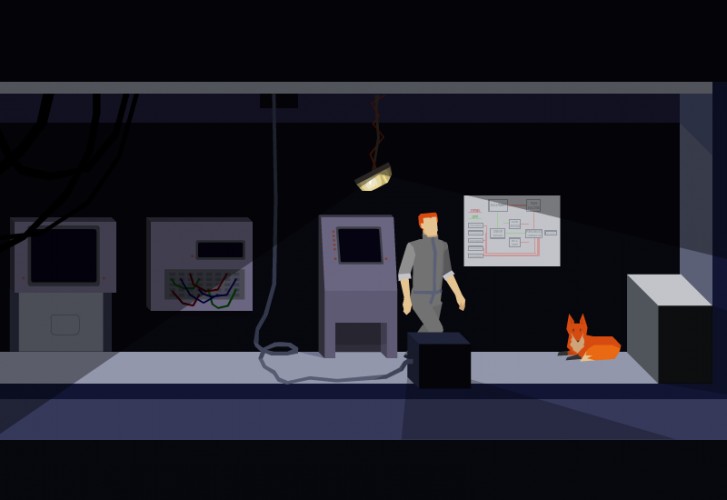
Great game! I really liked that since you only have 10s, you have to think about what would be the most energy efficient solution. The style is also nice, and I liked the small movements of the fox :)
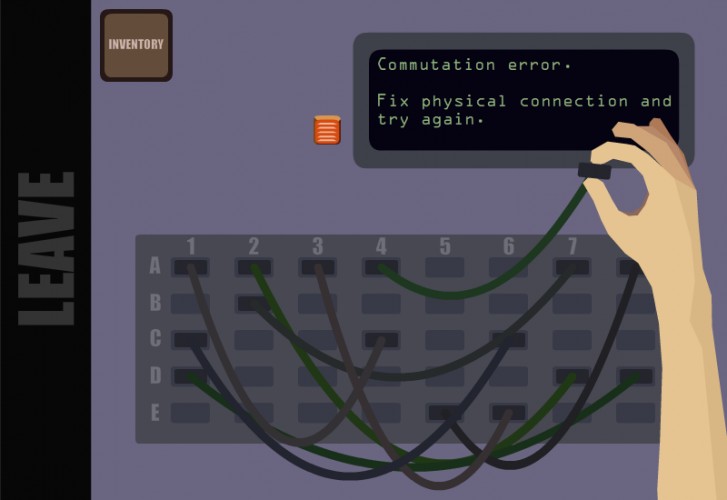
Great game! Took me a bunch of tries to finish it, though it did get a wee bit repetitive to keep rewiring the comm panel each time.
I think that lower costs on commands, so that you've got more room to experiment, would have been nice. Also a display of the remaining time on the main screen, since I'd often not remember how much I had left to work with.
Art style is great, sound was atmospheric and the use of randomization to make the diagnostics important each time was good. Overall, best game I've seen from this LD so far!
"Rescue team on its way" and I am grinning like mad. Now I'll look at the hint page if I've missed anything. Ah - most of it is the text that you've written above. I'm not sure why I would need help with the backup console, it's rather clear.
What would've improved the backup console for me would be a visual depication of how much power I'll use and how much I still have. Numbers, pfff.
I love that you chose to have the arm and hand visible instead of just having a mouse pointer. It adds so much to the game.
The super clean graphics. The sound effects. The music. The mood they create together so dense, I feel like I can touch it.
There are a lot of red herrings in the game - I guess some are to feign complexity or to make solutions non-obvious, and others seem like they just weren't completed. Fine with me though, I just was a bit disappointed that it was over so fast and I didn't have to use all the elements the game hinted at. Will you make a post-compo version? If you do, please notify me!
I liked the riddles a lot, and I get point&click adventure and Myst-vibes from this, which is a VERY good thing in my book. Amazing job, and while it's certainly not something for everyone, I enjoyed it tremendously!
PS: I wanted to click on my fox. Why can't I click on my fox!
I was not really sure what I was ment to be doing but I had a lot of fun doing it. The art style is greate and the game macanic and feel is well executed. Greate work!
This is an excellent entry. I feel like its biggest failing is the lack of a simple "restart" button. It took me several tries to finally get it to work, and something about manually restarting felt wrong. The graphics and audio were great, and the puzzles were refreshingly different from the completely improbable things you'd encounter in other point and clicks. Nice use of the theme, great work overall.
Nice! Feels strangely nostalgic (Another World), overall it appears very polished and both audio and graphics evoke a nice mood and general feel, hope you expand it further to a series of rooms or "Another World"-esq type adventure. Great work!


Comments28
I wrote few hints on game basics and on what to do in the very beginning. I hope at least some people will beat the game and have a fun time doing it. Please leave a comment if you are one of them. :D
And thank you for playing my game.
Using the ten seconds as a resource to execute commands is a great idea. I think if I had more patience I would figure out how to beat the game through experimentation.
Cool concept, and I liked that nothing is explained outside the game but once you're in there you can get access to a lot of info.
I think I will take note of issues mentioned and make a kind of full finished game later maybe.
I think that lower costs on commands, so that you've got more room to experiment, would have been nice. Also a display of the remaining time on the main screen, since I'd often not remember how much I had left to work with.
Art style is great, sound was atmospheric and the use of randomization to make the diagnostics important each time was good. Overall, best game I've seen from this LD so far!
What would've improved the backup console for me would be a visual depication of how much power I'll use and how much I still have. Numbers, pfff.
I love that you chose to have the arm and hand visible instead of just having a mouse pointer. It adds so much to the game.
The super clean graphics. The sound effects. The music. The mood they create together so dense, I feel like I can touch it.
There are a lot of red herrings in the game - I guess some are to feign complexity or to make solutions non-obvious, and others seem like they just weren't completed. Fine with me though, I just was a bit disappointed that it was over so fast and I didn't have to use all the elements the game hinted at. Will you make a post-compo version? If you do, please notify me!
I liked the riddles a lot, and I get point&click adventure and Myst-vibes from this, which is a VERY good thing in my book. Amazing job, and while it's certainly not something for everyone, I enjoyed it tremendously!
PS: I wanted to click on my fox. Why can't I click on my fox!
It would be cool to implement all the stuff that I've planned for this game but didn't have time for, I hope I'll get to it at some point.