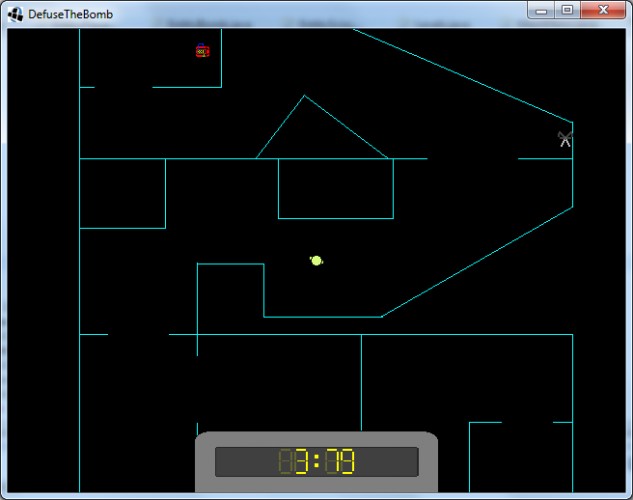
Get the scissors and go to the bomb to stop its timer! Use WASD to move.
If you want to add levels, its pretty simple but you must use the .jar version: create a new .png file called level<insert a number here>.png
like: "level6.png" /!\ The number must be the next on the current highest (if the last level nbr in the jar is 5, you MUST put 6) Draw the level art on it.
Then, create a new file called "level<your number>_mask.png" Put the areas where the player can't go in red. Put the spawn of: the player in Green (RGB: 255,0,0) the bomb in Black (RGB: 0,0,0) the scissors in Blue (RGB: 0,0,255) (Be sure to use the correct values)
Once that done, put the two files you've created in the .jar "dtb.jar" located at: "%appdata%/Roaming(on Windows, else it's your user directory)/.ludumdare27-dtb/bin/dtb.jar". You must put then in the folder "data/levels/" of the jar.
I agree entirely with the first poster. Fun game, but the level transitions were a little jarring. I liked how fast paced it was and it played quite well. I also liked the old school aesthetic of the levels, TOOK ME BACK TO A (maybe)BETTER TIME. Anyway, great job!
Hey another libGDXer here! Nice idea. Simple graphics but they do the job. I'm stuck in lvl 5.
I'm curious, how did you create the windows .exe? :O I would thank you so much if you tell me how to, because some people is having trouble to run my jar :(


Comments9
I'm curious, how did you create the windows .exe? :O I would thank you so much if you tell me how to, because some people is having trouble to run my jar :(
Controls adapting to your keyboard is great!