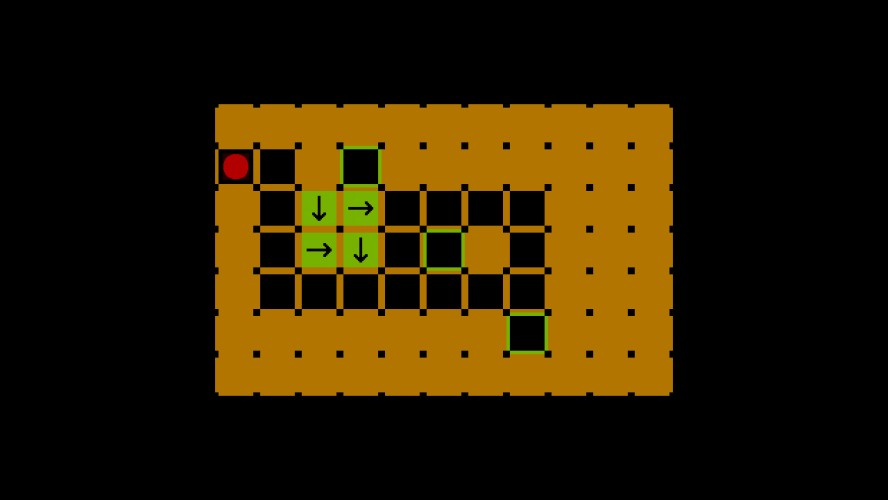
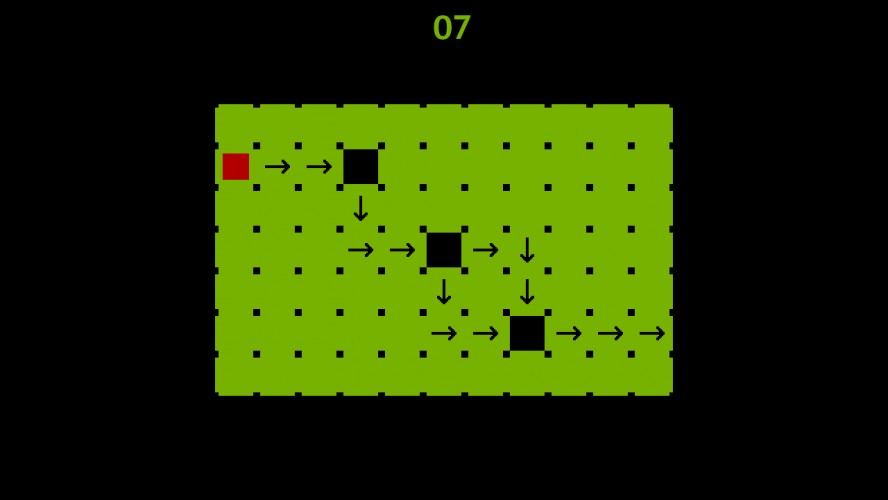
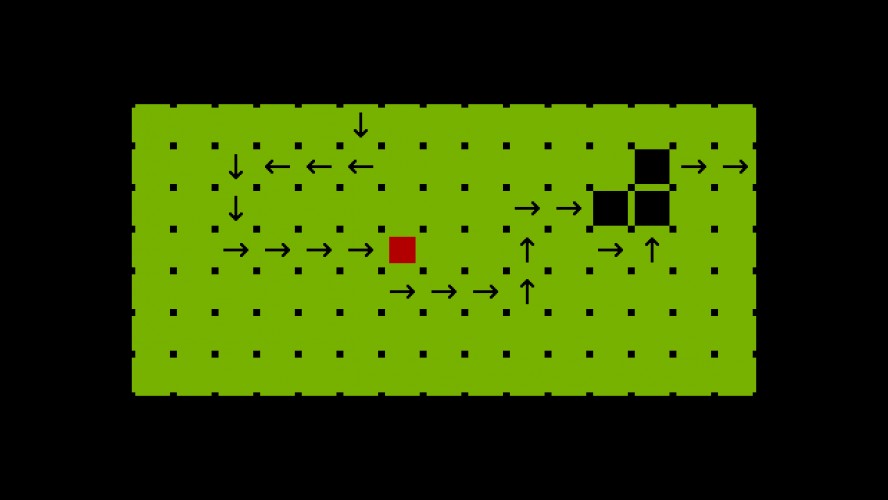
Above the surface the squares follow arrows. Unfortunately some tiles are missing. Below the surface you, a very stylish circle, are tasked with pushing arrow tiles into the gaps to guide the squares across the board.
Time pressure means there is no in-game tutorial so here are the fundamentals:
Arrow keys move you around the level. For every step you take, the squares on the surface take 1/3 of a step. You have to push arrows around the level to provide direction to squares that pass on top of empty tiles.
Space toggles between the surface view (green) where the progress of the squares and location of gaps in their paths can be seen, and the underground view (orange) where you are pushing blocks around.
If you want the squares to advance without moving yourself (such as at the end of a puzzle when you're waiting for the squares to reach their exits) press 'w' to wait.
'u' goes back one step at a time and can rewind back all the way to the start of the level. 'r' resets the level back to its original state. 'm' quits the level and returns to the menu.
In the menu the up/down arrow keys scroll between levels and space starts a level.
Enjoy!
03/05/14 : Added a link to a copy of the game that includes an attempt at on screen buttons to control everything. It should work with both mouse and touch inputs (i.e. should work on mobile as well). I'm not certain if this counts as porting to another platform after the deadline. If you're here to rate the game (and have a keyboard) then please use the fist link.
Very well designed and simplistic, art style hits it's point for this game because fancy art is unnecessary in this scenario. Only two downfalls are the lack of audio and a true tutorial which is in no way a true hindrance outside of the lack of audio, nice job.
Right off the bat, the controls are a bit awkward. A lot of people are more comfortable with WASD, and from the outside, it looks like you have little to lose in mapping the movement controls to WASD as well as the arrow keys. While U is a memorable undo button, it suffers from being too far from any of the other keys you use. Might I suggest taking a look at Puzzlescript games' controls?
The mechanics imposed a set number of moves to solve a puzzle, which imposes a sense of every action mattering, a sense I had already begin to suspect the moment I saw it had an undo button (love the undo button, by the way). Whenever every move counts, it makes you really think several moves ahead, which honestly makes you feel rather clever whenever you solve a puzzle. Optimizing your solutions to squeeze out that final step too many is a nice feeling, one I quite appreciate.
Sadly, the graphics are lackluster, and there doesn't appear to be any audio (correct me if this is an issue on my end), and the font you've used for text clashes with the pixellated art style of the game. Making a game comprehensible with such a small colour palette is a noteworthy achievement, kudos for that.
I always prefer when the theme is implemented mechanically rather than through story, it makes the game feel far more tailored to the theme, rather than shoehorned in at the last moment.
Right off the bat, the controls are a bit awkward. A lot of people are more comfortable with WASD, and from the outside, it looks like you have little to lose in mapping the movement controls to WASD as well as the arrow keys. While U is a memorable undo button, it suffers from being too far from any of the other keys you use. Might I suggest taking a look at Puzzlescript games' controls?
The mechanics imposed a set number of moves to solve a puzzle, which imposes a sense of every action mattering, a sense I had already begin to suspect the moment I saw it had an undo button (love the undo button, by the way). Whenever every move counts, it makes you really think several moves ahead, which honestly makes you feel rather clever whenever you solve a puzzle. Optimizing your solutions to squeeze out that final step too many is a nice feeling, one I quite appreciate.
Sadly, the graphics are lackluster, and there doesn't appear to be any audio (correct me if this is an issue on my end), and the font you've used for text clashes with the pixellated art style of the game. Making a game comprehensible with such a small colour palette is a noteworthy achievement, kudos for that.
I always prefer when the theme is implemented mechanically rather than through story, it makes the game feel far more tailored to the theme, rather than shoehorned in at the last moment.
While puzzle games aren't really my type of game, I can tell that for people that enjoy them, its a fun game. Though you really should have an in-game tutorial, I had no clue what I was supposed to do at first. The graphics are kind of lacking, but not to the point where the game is a pain to look at.
Great idea! Really makes you think in an interesting way. You should develop it further, if it worked with a mobile interface somehow that could be awesome. Good job!
Was not sure what to do at the start, but got deeply into it once I understood the mechanics. Love the puzzle concept & design! Simple yet effective in stumping the player. GJ!
Interesting game, I am not sure that I understood it... I included your game in part 1 of my Ludum Dare compilation video series, if you'd like to check it out! http://youtu.be/2Ja__FAtoAQ
This is a really neat puzzle. I got stuck on level 4 and quit. If it was mouse based input and had music/sound then I would seriously play this. Very good job and awesome entry!
Nice puzzle game :) One point would be that I wouldn't be able to see any relation to the "Beneath the surface" theme without reading your description. Doesn't change the fact that it's a good game!


Comments26
The mechanics imposed a set number of moves to solve a puzzle, which imposes a sense of every action mattering, a sense I had already begin to suspect the moment I saw it had an undo button (love the undo button, by the way). Whenever every move counts, it makes you really think several moves ahead, which honestly makes you feel rather clever whenever you solve a puzzle. Optimizing your solutions to squeeze out that final step too many is a nice feeling, one I quite appreciate.
Sadly, the graphics are lackluster, and there doesn't appear to be any audio (correct me if this is an issue on my end), and the font you've used for text clashes with the pixellated art style of the game. Making a game comprehensible with such a small colour palette is a noteworthy achievement, kudos for that.
I always prefer when the theme is implemented mechanically rather than through story, it makes the game feel far more tailored to the theme, rather than shoehorned in at the last moment.
The mechanics imposed a set number of moves to solve a puzzle, which imposes a sense of every action mattering, a sense I had already begin to suspect the moment I saw it had an undo button (love the undo button, by the way). Whenever every move counts, it makes you really think several moves ahead, which honestly makes you feel rather clever whenever you solve a puzzle. Optimizing your solutions to squeeze out that final step too many is a nice feeling, one I quite appreciate.
Sadly, the graphics are lackluster, and there doesn't appear to be any audio (correct me if this is an issue on my end), and the font you've used for text clashes with the pixellated art style of the game. Making a game comprehensible with such a small colour palette is a noteworthy achievement, kudos for that.
I always prefer when the theme is implemented mechanically rather than through story, it makes the game feel far more tailored to the theme, rather than shoehorned in at the last moment.
Congratulations!