Parallel

by cosinep
Overall★★★★★★★★★★2.15
Fun★★★★★★★★★★1.78
Innovation★★★★★★★★★★2.12
Theme★★★★★★★★★★2.00
Graphics★★★★★★★★★★2.29
Coolness★★★★★★★★★★62%
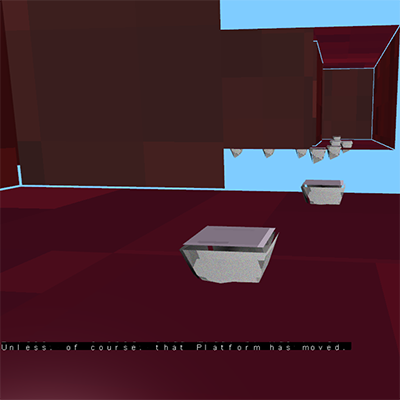
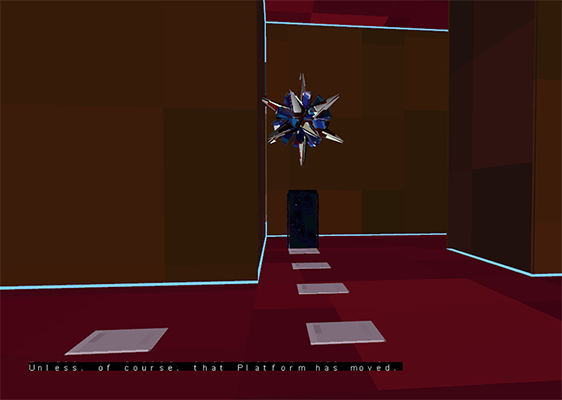
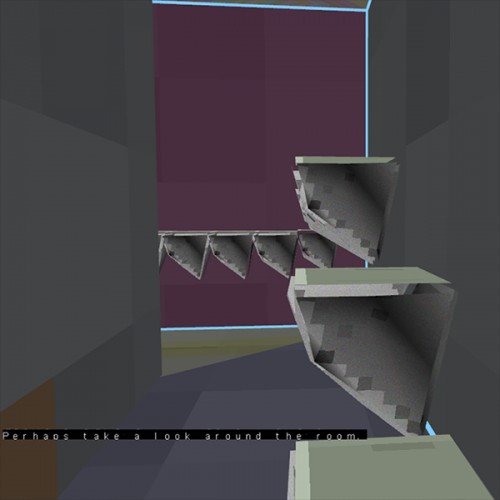
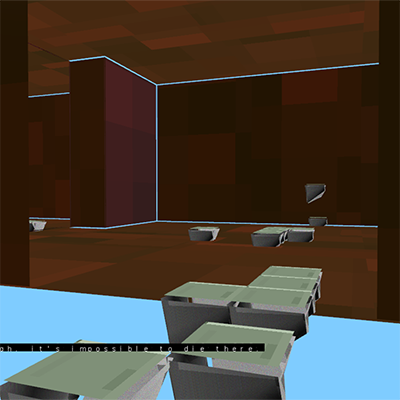
3D Platformer in First Person.
"Parallel is the universe beneath the surface of every object."
Since it's built with GLFW and OpenGL, it IS compatible with Mac, but I do NOT have access to a Mac to port it. If anyone would like to help, it would be greatly appreciative. Otherwise, Windows Only.
Enjoy!

Comments36

hexagore
hexagore28 Apr 2014, 09:39
I got a MSVCR120.dll error trying to run this. Sorry :(
mtrc28 Apr 2014, 09:45
I'm also getting the same error as hexagore.
Cosineauthor28 Apr 2014, 18:26
The DLL has been added; it should be fixed now. If not, please tell me! OpenGL is evil in consistency across different machines.
DragonXVI
DragonXVI28 Apr 2014, 18:59
"Application Unable to start correctly" error, any more missing dependencies? (Running 64-bit Windows 7)
Crabman
Crabman28 Apr 2014, 18:59
Hm, it's not working for me. It just says "application was unable to start correctly (0xc000007b)"
Covenant28 Apr 2014, 19:01
"The application was unable to start correctly (0xc00007b). Click OK to close the application" on startup... :(
Airwaffle
Airwaffle28 Apr 2014, 19:06
Really hard to navigate around. I could hardly get anywhere in parallell (delta issue perhaps?). Seemed like a solid experience though, and a well presented story. Color me intrested!
skymen
skymen28 Apr 2014, 19:13
Does not work for me :/. Same error as hexagore and mtrc...
Kragnir28 Apr 2014, 20:05
The jumping feels really odd. If you didn't respawn right were you fell it would be unplayable and it almost still is. Got to a ladder but I fell through it so I don't know how to go forward from there. The story seems interesting but there need to be something done to make the jumping better.
Cosineauthor28 Apr 2014, 21:28
Fixed the error now (hopefully). 64-bit people were using their 64-bit opengl with the 32-bit application. Should be fixed now.
ix
ix28 Apr 2014, 21:47
I get "Error. Failed to retrieve context version string" on Windows 8.1 64-bit.
Biliogadafr28 Apr 2014, 22:10
Textures are flickering slightly. It is too hard to jump...
gikdew
gikdew28 Apr 2014, 23:11
Interesting, polished game. Really hard!
Phyyl28 Apr 2014, 23:17
I couldn't move properly unfortunately, when I was moving it was like 5km each frame so I kept falling and gave up! :(
dpulrich28 Apr 2014, 23:34
Yeah, it doesn't work for me either
Jason Lay29 Apr 2014, 00:10
Unable to retrieve context string?
Spotline
Spotline29 Apr 2014, 11:53
Couldn't launch the game :( I had a rather blurry error like 'the application couldn't start properly (0xc000007b)'
dylanigan
dylanigan29 Apr 2014, 23:06
It didn't work. :( 0xc000007b strikes again!
davidwparker29 Apr 2014, 23:12
Looks interesting- port to web so others can play?
Rock4830 Apr 2014, 02:23
Crashed On startup "application was unable to start correctly (0xc000007b)"
BubuIIC30 Apr 2014, 11:18
Doesn't work for me as well. Crashes with the(0xc000007b) error. I think this is (still) a x86 vs x64 problem. I'm on a 64 bit system and the 32 bit game tries loading64 bit lib from my system.
Can you provide a 64bit build?
Cosineauthor30 Apr 2014, 18:22
I tried a 64-bit build, but even on a 64-bit OS, I have a 32-bit OpenGL. Do you have any idea how to fix this?
Ragzouken
Ragzouken1 May 2014, 15:28
works for me! the gravity is very strong and first person platforming is already hard enough! like the aesthetic a lot but even some basic audio would bring everything to life more
WhiteWolf931 May 2014, 15:46
same 0xc00007b error, I'm in 64 bits too :/
kirbytails73 May 2014, 03:12
Same 0xc000007b error for me as well.
Also, might I recommend using .png files instead of .bmp? 158MB is pretty hefty for a game jam game, although the compressed size is obviously better.
HeroesGrave3 May 2014, 05:42
I tried compiling for Linux, but got a load of compiler errors about missing methods/fields.
Cosineauthor3 May 2014, 22:23
Thanks for trying HeroesGrave! Did you install glfw, glew, and glm? Sorry I can't do it myself, I don't have linux handy.
HeroesGrave4 May 2014, 00:05
Sorry about the plug, but I thought I'd let you know I've (hopefully) fixed up the windows build of my game.

About your game: Can we have a copy of all the source code you used (including the Indigo Engine) because the github repo seems to have something different to what you used.
Cybs4 May 2014, 04:52
sorry, still not working
garygreen
garygreen7 May 2014, 17:32
Unfortunately I couldn't run the game. It gave me a message: "This application was unable to start correctly."
Cosineauthor9 May 2014, 19:43
HeroesGrave, yes, I've been working on the Indigo Engine since Parallel's release. Thanks so much for trying to help! Here's the code as it was when I released Parallel on github: https://github.com/CosineGaming/CodeIndigo/tree/10532cc8fc91e2de5b362d599b4c78c1a9d073c0. Important things about my configuration you should probably know: Needs to be run from the solution directory Top Level (Not /CodeIndigo/). The file 29.cpp is the file for Parallel, the file CodeIndigo.cpp is a file all commented out from another game I'm working on (I know, bad git practices, whatever) Indigo Engine is on CodeIndigo/Indigo/ along with the shaders on the Top Level. Requires GLFW, GLEW, and GLM.
kunzbe14 May 2014, 20:41
hm, there's an error :/

Other games by @cosinep

Found a bug?
Tell us on Discord