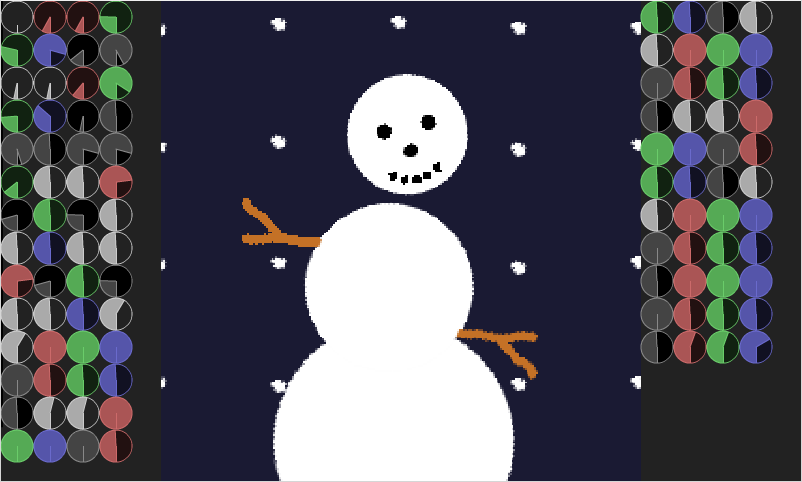
Play with snow as you've never done it before. Click-drag the knobs to adjust each parameter. Right click to reset a knob. Certain SPECIAL KEYS will do other things(there are only a few).
Nice simulator, good concept, some of the knob combinations made me laugh! Unfortunately the knobs are a bit hard to adjust, and there are sooo many of them... I didn't try all...
This is a really funny toy. The knobs seem to respond to moving the mouse along a single axis, instead of moving the mouse around the circle of the knob, which can be a little counter-intuitive.
Hi, I am going to do a few small improvements to this in the future. I built the LD submission into a "multicart" game I'm making which shares a framework and loader.
Regarding knob UX, I just went through my VST plug-in collection to compare my implementation against theirs and found that each one is tuned a little bit differently and has somewhat different ideas. However there is a strong convention to use vertical axis movement only, while I am using both axes - so I will change that in the future to follow the convention, and also do some further tuning to make sure it feels OK on pointer configurations that aren't my laptop's touchpad.
There are a minority of developers that do a "rotate around center" knob as TheMeorch suggests, but it's actually much harder to work with as it makes the response to your movements less consistent.
I liked the game. The idea was interesting, but it would be nice to have a "randomize" button, and also the meaning of knobs, showing when hover cursor over them.
That was actually really fun and funny. A button or key to randomize everything would be great (maybe there is one but I didn't find it). A better UI for the nobs would be a plus. Can you create challenges for the player and goals? That would be cool too.


Comments18
Regarding knob UX, I just went through my VST plug-in collection to compare my implementation against theirs and found that each one is tuned a little bit differently and has somewhat different ideas. However there is a strong convention to use vertical axis movement only, while I am using both axes - so I will change that in the future to follow the convention, and also do some further tuning to make sure it feels OK on pointer configurations that aren't my laptop's touchpad.
There are a minority of developers that do a "rotate around center" knob as TheMeorch suggests, but it's actually much harder to work with as it makes the response to your movements less consistent.