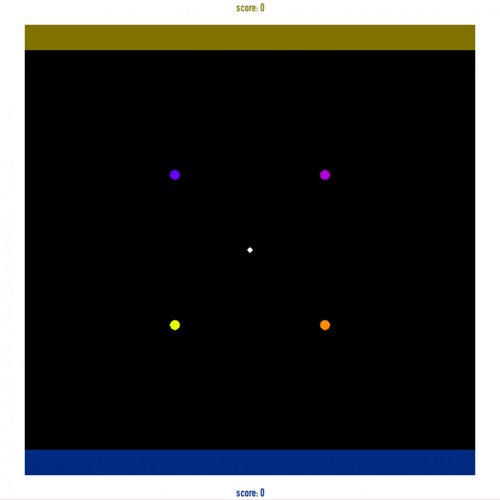
This is a Micro-Jam game - I worked on it for ~5 hours (exclusive the initial idea and preparing the builds). It's a 4 player team game (2 vs 2) that can be described as a very minimalistic football game.
You have to pick up the ball, then point toward where you want to throw it (only you know the direction). Blue and purple are team 1, yellow and orange are team 2. Throw the ball in the end-zone and pick it up there -> touchdown. There is no end condition.
Use eighter 4 PS3 controllers (left stick is used), or remap the controls in the standard unity interface (e.g. shared controller). Remark: I only had one controller at hand, and I could not test the gameplay with other people, so I have no idea how fun the gameplay is :D
I don't have any controllers and I'm not sure how to change the unity settings... Sorry :( I'll be happy to come back later and try again, though! it sounds interesting.
@JayCee23: I tried to do a keyboard mapping as well, but with 4 buttons per player, where about 8 are pressed at the same time, this doesn't work - the keyboard can't process them all.
@ceosol: You start the game, Unity's configuration window opens first, where you can set resolution and graphics quality. There's a second tab for input, you click on the input axis you want to configure and press the stick/ button on the gamepad.


Comments13
@Croze: Thanks for the tip, although setting up network connection with Unity's core functionality shouldn't be a big deal anyway :)
@ceosol: You start the game, Unity's configuration window opens first, where you can set resolution and graphics quality. There's a second tab for input, you click on the input axis you want to configure and press the stick/ button on the gamepad.