Ludum Dare #31compo
Space Docking Sim 2014
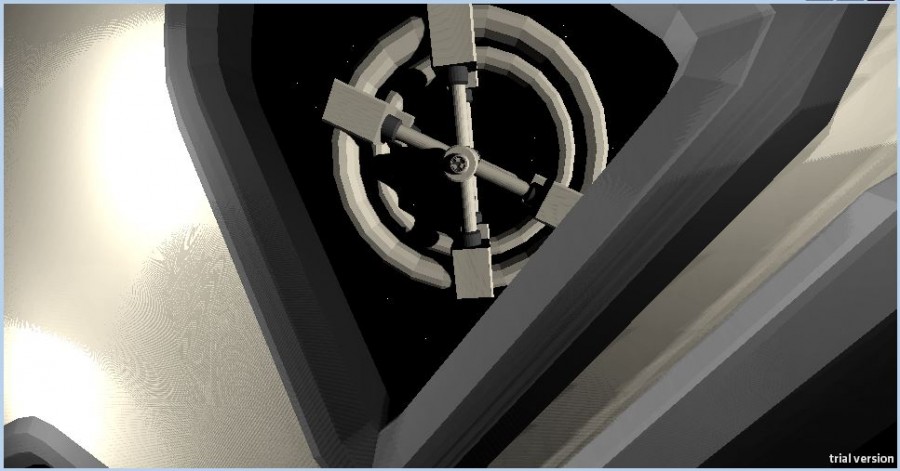
Use the rockets to align your ship with the space station docking port then gently bring your ship in and make a connection. There is a green marker on the gimbal, bring this to the top to align your ship's axis with the axis of the station (in Baby Difficulty, it is already perfectly aligned)
Use R to reset and T to change the difficulty, there are four settings:
>Baby (just thrust towards and you'll align perfectly)
>Standard (keep calm and you'll ace this too)
>2001 (match rotational axis then start spinning!)
>Interstellar (it's not impossible, it's necessary)
All these controls are with respect to the forwards view from your cockpit
W/S - Pitch Down/Up
A/D - Yaw Left/Right
Q/E - Roll Left/Right
I/K - Thrust Forwards/Backwards
J/L - Thrust Left/Right
Y/H - Thrust Up/Down
Left Shift (hold) - Use Main Engines
Space - Look Through Window
R - Reset Current Difficulty
T - Cycle Difficulty
(The standalone version likes to pop into fullscreen randomly, just press R and it should window again)
Use R to reset and T to change the difficulty, there are four settings:
>Baby (just thrust towards and you'll align perfectly)
>Standard (keep calm and you'll ace this too)
>2001 (match rotational axis then start spinning!)
>Interstellar (it's not impossible, it's necessary)
All these controls are with respect to the forwards view from your cockpit
W/S - Pitch Down/Up
A/D - Yaw Left/Right
Q/E - Roll Left/Right
I/K - Thrust Forwards/Backwards
J/L - Thrust Left/Right
Y/H - Thrust Up/Down
Left Shift (hold) - Use Main Engines
Space - Look Through Window
R - Reset Current Difficulty
T - Cycle Difficulty
(The standalone version likes to pop into fullscreen randomly, just press R and it should window again)


Comments25
Axial alignment is the key, if you're in the right position, but the ring is rotated a few degrees it wont lock.
It's a nice concept and well executed.