*Intended for mobile web* Controls are optimized for touch screen Tip: Duck + Jump = Super Jump
This entry came from the mind of my 9 year old nephew. I showed him the Kenney Asset Package and Construct 2 engine we had to work with and he came up with all the game play elements and level design. I simply "transcribed" his ideas as they unfolded over many small iterations. Each "level" is assembled from areas he pre-designed. We didn't have time to add enemies which would have been killed by calling down nearby stars from space.
Keyboard Controls ------------------ Left/Right - Arrows Jump - Up/Space Duck - Down Super Jump - Jump while ducking
Gamepad Controls --------- Left/Right - Left Stick Run - Left or Right Trigger Jump - A Duck - X Super Jump - Jump while ducking
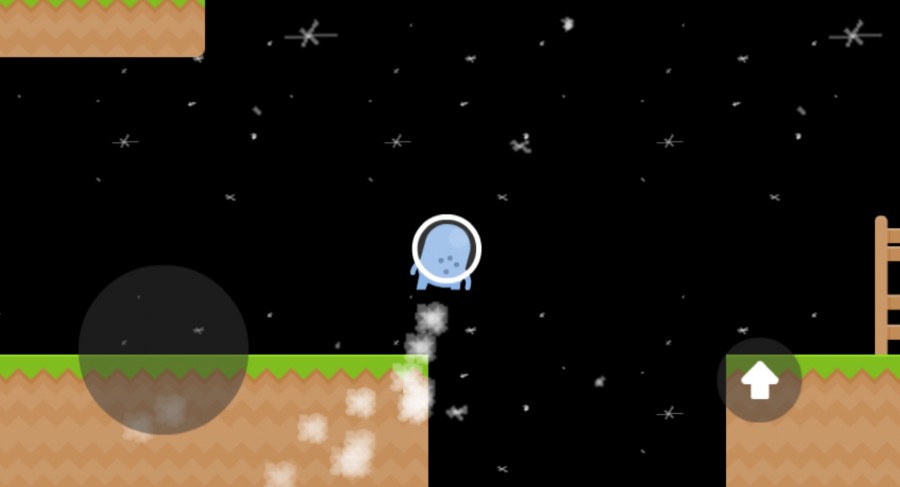
Web Controls ------------ Left/Right/Run - Thumb Pad Duck - Down on Thumb Pad Jump - Up arrow button Super Jump - Jump while ducking
Diego Mondragon - Game/Level Design Jeff Neet - Programming
Sorry, I didn't include the "Super Jump" (Jump while ducking) in the description. That should get you over those long spike areas or let you jump up onto a platform.
Not sure where the theme was in this game. Controls are definitely awkward for keyboards, but I won't hold that against you since you said it's made for Mobile.
One thing I kept wishing for was the camera to be fixed on the Y access. There were multiple times where I would jump to my doom because I couldn't see what was coming beneath me.
Never-the-less, I still enjoyed playing, and think this has potential if you choose to keep working on it.


Comments10
Maybe the distance is too far?
One thing I kept wishing for was the camera to be fixed on the Y access. There were multiple times where I would jump to my doom because I couldn't see what was coming beneath me.
Never-the-less, I still enjoyed playing, and think this has potential if you choose to keep working on it.