Smileraser ##################################################################### NOTE: If the keyboard input in webGL isn't working just switch to fullscreen with the bottom right button. It works for me and others. Or try the windows standalone version. #####################################################################
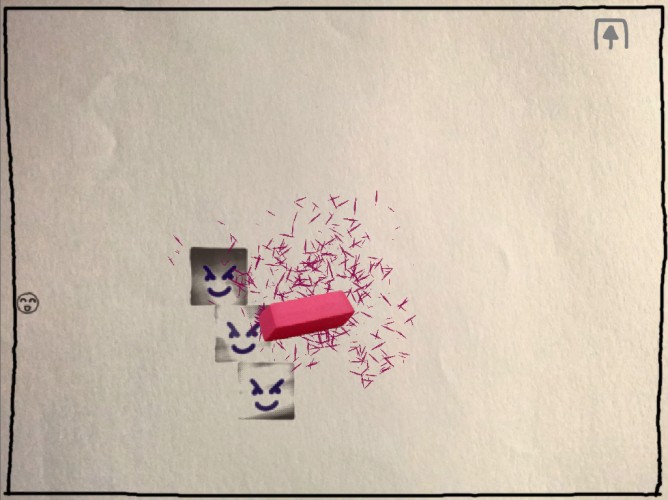
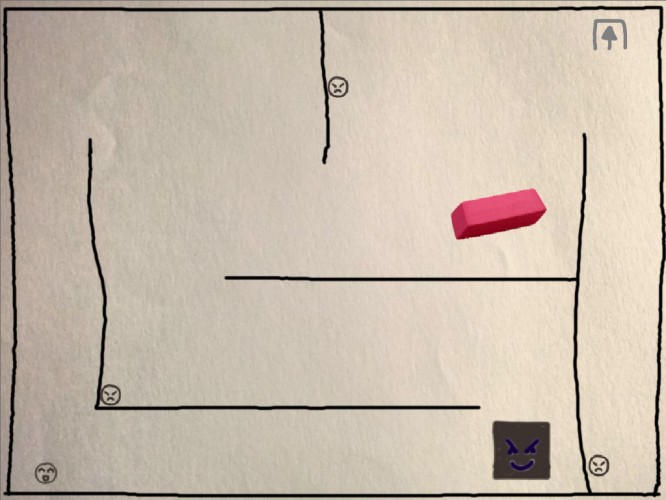
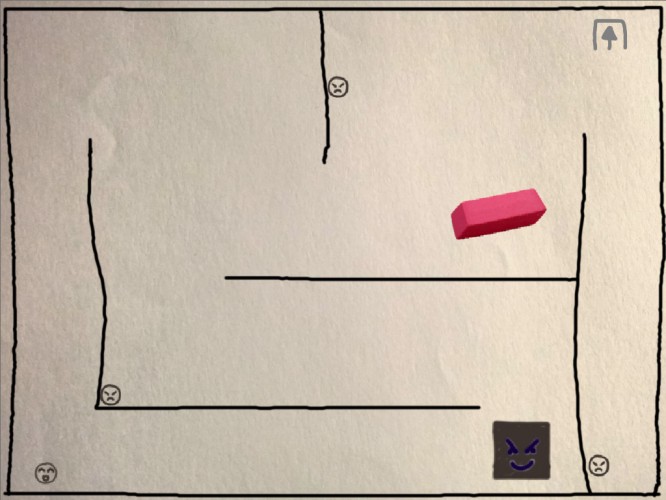
VERY SIMPLE INSTRUCTIONS: -you control the happy smile and the eraser -you need to move the happysmile to the upper right corner in every level and maybe to do that you need to erase some things like enemies or walls. -Erasable things are dark grey(pencil) or dark blue (ballpen). That includes little walls blocking the way and anything that moves. -You erase things by pressing left mouse button and moving the mouse in any direction like in reality. Fast moves are better. -You die when you erase the happysmile or any enemy hits you.
I really like the idea. It was a bit difficult to erase things, which is something I may have adjusted. You weren't joking when you said to warm up your arm, haha! Nice work!
-to dyfer, TwittleCreator: If the keyboard input in webGL isn't working just switch to fullscreen with the bottom right button. It works for me and others.
-to jstzwd: understand what?
-to guoboism: which block enemy? you dont need to kill any block enemy until the final boss which is blocky too. The game isn't that hard... just look the walkthrough. I mean I have a little practice while making it but not so much lol.
Cool original idea, but it just took too much out of my wrist to do all that erasing at panic speeds!
Also, the sound effect of blowing the residue off the page plays very often in this game. But it's exactly the same sound every time, maybe would be great to have two or four versions of the sound and/or modulate the pitch by 1-3% randomly on each play of the sound effect. This will prevent it from feeling repetitive to the player.
I feel like this could be really fun with a stylus/touchpad. But with the mouse I couldn't erase fast enough for the spiral level (once I could no longer just 'kite' with WASD).
Great idea, and a great visual style. Maybe I'm just lazy/stupid, but I found it nearly impossible to actually erase anything though! Leaving behind bits of eraser and blowing them away is a lovely touch.
Cool idea, nice take on the theme. I think the eraser takes to long to work and it seems to be a bit 'off' in terms of detecting when it is or isn't touching the pencil marks. But all in all a good game.
-to Alice: I kept looking at the code and found that framerate is affecting the eraser intensity, also it only erases if the center of the eraser (origin, not the sprite) collides with the object to erase. So yep it's not ideal now, but I'm trying to solve that for a postjamp build.
The idea is great! Although I would do the enemies easier to erase (fewer strokes) and if that made the game too easy, added more of them. The way it is it is too much of a clicking excercise.
I really liked this game, but the spiral level was too damn hard! It's interesting that the eraser is a double-edged sword which can affect the smileface too, makes it more challenging. Nice audio and simulation of the eraser crumbs falling all over the paper
Well that was really too hard for me. It takes too much time to erase stuff and I couldn’t get pass the maze level (it probably doesn’t help that I use a trackpoint device).
The idea is nice, though, it has a Crayon Physics feel to it. And thank you for providing a WebGL version, it makes it playable on Linux.
Good idea, thought the enemies required a little too much erasing, also games where "move this really fast!" is a mechanic become very tiring very quickly. Couldn't fullscreen the WebGL version (game ran fine though, OS X + Safari).
I love the concept and the hand drawn art and eraser effects actually fits the game very well but the number of "strokes" needed to actually erase something needs to be reduced.


Comments29
-to jstzwd: understand what?
-to guoboism: which block enemy? you dont need to kill any block enemy until the final boss which is blocky too. The game isn't that hard... just look the walkthrough. I mean I have a little practice while making it but not so much lol.
Also, the sound effect of blowing the residue off the page plays very often in this game. But it's exactly the same sound every time, maybe would be great to have two or four versions of the sound and/or modulate the pitch by 1-3% randomly on each play of the sound effect. This will prevent it from feeling repetitive to the player.
I feel like this could be really fun with a stylus/touchpad. But with the mouse I couldn't erase fast enough for the spiral level (once I could no longer just 'kite' with WASD).
Think this would work really well on a tablet (possibly smartphone, may be too small) or indeed with a graphics tablet on PC!
Good job :D
Maybe I'm just lazy/stupid, but I found it nearly impossible to actually erase anything though!
Leaving behind bits of eraser and blowing them away is a lovely touch.
The idea is nice, though, it has a Crayon Physics feel to it. And thank you for providing a WebGL version, it makes it playable on Linux.