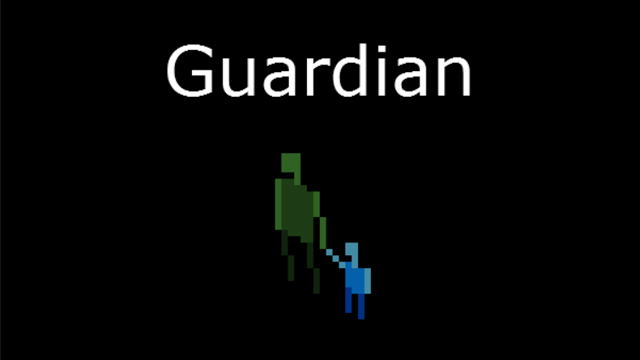
Make your way through the unknown as the guardian of a lost child. Experience multiple phases of the child's life -- each with its own gameplay variations.
---
CONTROLS (for customizable controls, check out the post-jam version!) Q: Move/attack northwest W: Move/attack northeast A: Move/attack southwest S: Move/attack southeast Z: Turn left X: Turn right Spacebar: End your turn
---
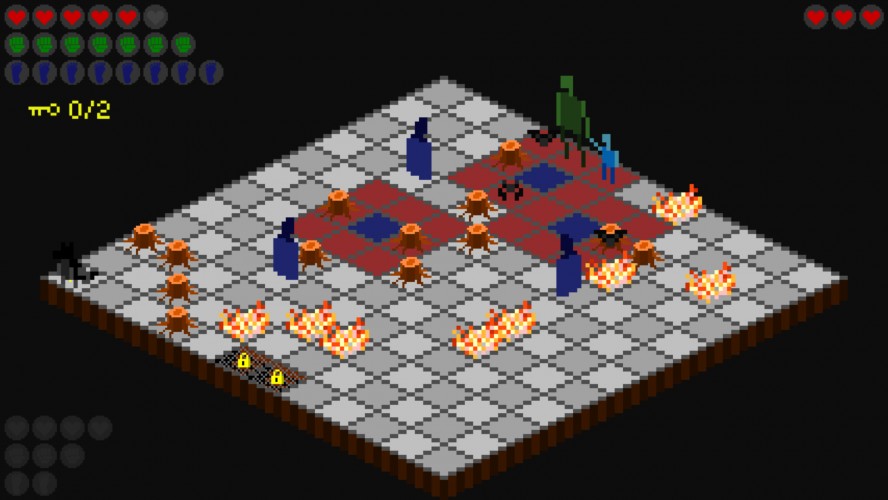
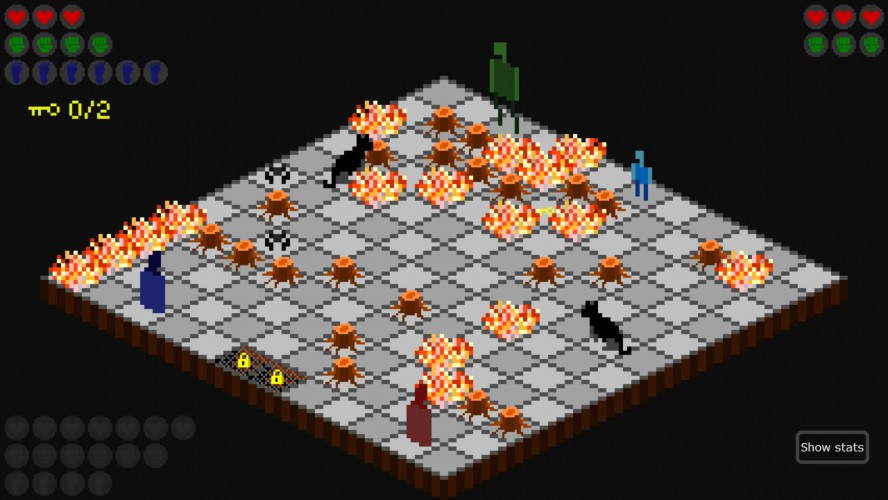
Red heart icons represent your health. Green fist icons represent your strength. Blue foot icons represent your energy -- MOVING COSTS 2 ENERGY. ATTACKING COSTS 3 ENERGY.
To open an exit, find 2 keys by searching your surroundings and defeating enemies.
---
Press F to toggle fullscreen (download version only).
Alternate controls for AZERTY keyboards (selectable on the title screen): A/Z/Q/S to move or strike. W/X to turn.
---
Update: I've made a post-jam version with a few new options (accessible by clicking the pause icon in the lower-right corner during your turn). - Remap controls (letter keys only) - Faster turns - Restart level Also, I've added additional movement controls to the arrow keys and numpad.
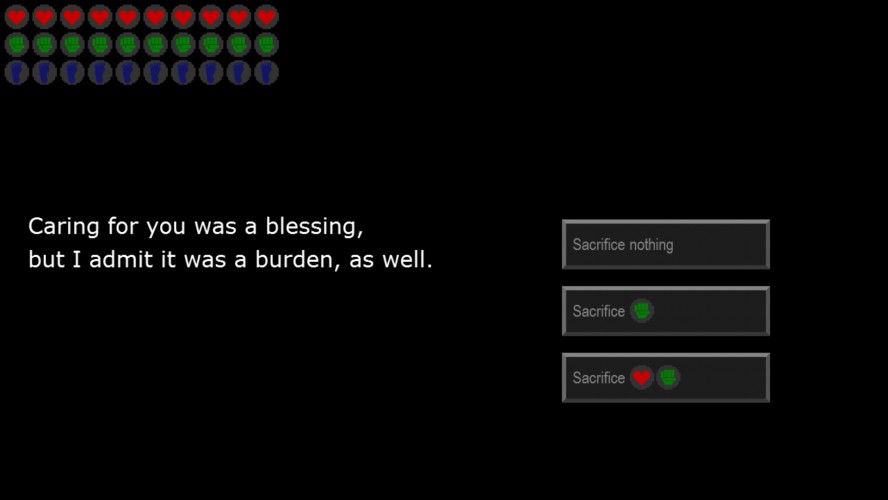
Fantastic. Themes of growing and nurturing very strong in each level. Game mechanics support overall themes. Sacrifice as another component was a nice touch that wraps up well in the end. The game took a little experimenting with to grok the mechanics, but it all comes together pretty well. Well worth the play time.
T
thelasttankmage15 Dec 2015, 05:15
Very cool idea, love how the gameplay evolves with the theme. Each puzzle feels well constructed and thought out. I don't have children, but this is basically what I imagine parenthood to be.
I would gladly play for a complete version of this. That's pretty rare from a Ludum Dare game. This is honestly the best game I've played from this whole thing so far! Very nice work.
Really nice concept. I enjoyed playing the game quite a bit and found it quite challenging sometimes. The whole guardian thing at first and then knowing that your protege must also get some hits in order for both of you to succeed is really cool. I wish enemies animations were a bit fast though. Controls could also get better.
A great sense of dread came over me in certain moments, so the game definitely has mood going for it. Love the concept. And the gameplay works. The one issue I'd love to see fixed somehow in an expanded version is that once you've moved, you can't undo. In some cases I thought I was striking an enemy but instead I just moved and I wished I could undo that. Also being able to restart the level at any point would be good, but again - for a later date. Overall a fantastic entry and incredible that it was done in 72. Congrats!
Good extended take on the theme. Certainly not easy, with or without weapons! Shame that it has no sound. Nice!
C
Cake_Catastrophe16 Dec 2015, 00:52
Fantastic work, love this sort of turn based combat! Found some of the various mechanics for controlling both characters to be a bit of a pain though. I guess it was intended to feel like a burden - but I just enjoyed the simpler levels most.
Genuinely loved the ground-targeted enemy attack forcing you to move a certain way. All the sprites and their animations were perfect, too! Loved the teleporting guys. It all just felt 'right'.
Didn't quite get the point of the keys since it seemed like it would be harder not to kill everything before progessing. The mechanic for giving up power to train the child was interesting. Kinda nice to feel the main character growing weaker as a source of difficulty. I usually find this kinda 'moralizing' mechanic a bit trite - I assume the result of not doing it is a 'gotcha!' near-impossible final mission? I've not played both ways, so maybe I'm missing something, but I would assume that means an easier final mission for player who challenge themselves and a hard final mission for players who want an easy time!
Anyway, that's kinda nit-picking. I loved this - easily one of the best game I've played this LD.
Oh! I did have a hard time remembering which button was which direction! I think regular ol' WASD (designating one diagonal 'up') woulda felt more natural. Although that's just a guess!
This is probably the best game I've played from this jam so far. The execution on the theme is perfect, and the combat puzzles were very intelligently laid out. The only issues I had were the graphics and the control scheme (I got screwed by the weird controls a couple of times), but those are nitpicks. Very cool idea, very good execution on the idea.
The HTML5 version was sooooo slow, but the Windows build was ok. It took a while for me to figure out some strategies but then I enjoyed it a lot considering that I'm usually not a fan of turn based strategy. Well done!
Fantastically well done, would gladly pay for a polished version. Only suggestion would be to color squares where enemies are standing, or otherwise indicate where they are; I had trouble discerning which direction I needed to swing to strike the bats in particular.
I was pretty confused for a while, but it made sense once I got the controls down. Wish there was sound to go with it. I stopped playing because it took too long for enemies' turns to play out.
I think it's really ambitious to do a turn-based strategic game in LD. I like turn-based game though! I think the Q/W/A/S scheme is a bit awkward, consider restrict player only doing action on the facing direction. And IMO it's nice to add some sound effects to it. Well done!
I stumbled over the controls initially (the presence of the rotation controls made things a little more confusing too), but eventually got a feel for it.
Conceptually, I like the puzzles, but keep bouncing off the hands-busy-with-baby ones. I'm sure having all these LD games to play is making me less patient than usual, but said puzzles do feel like they could be tightened up a bit. The inability to attack could also be made a little more explicit -- perhaps just by greying out the attack icons -- as I kinda expected him to be able to just redistribute the baby (into one hand/arm-crook, onto the ground, into a bundle, etc) while attacking. I think the slowness (though it works very well for the mood) is also off-putting, patience-wise.
I'm kinda hooked by the minimalist narrative, subtle, world-building and elements of sacrifice, though. Looking forward to checking out the post-jam version after voting's over.
The controls don't quite move intuitively. WASD would of been better in my opinion than QWAS. After getting past that it was actually quite smooth to play. Nice job.
Great game. I was a bit confused at the beginning when I could not attack when I was carrying the baby, but it made sense after a short while. Felt the middle levels were the most challenging. Really enjoyed the narrative and the sacrifice mechanic! Would be great to integrate some sound, if you continue working on it. Nice job!


Comments30
Genuinely loved the ground-targeted enemy attack forcing you to move a certain way. All the sprites and their animations were perfect, too! Loved the teleporting guys. It all just felt 'right'.
Didn't quite get the point of the keys since it seemed like it would be harder not to kill everything before progessing. The mechanic for giving up power to train the child was interesting. Kinda nice to feel the main character growing weaker as a source of difficulty. I usually find this kinda 'moralizing' mechanic a bit trite - I assume the result of not doing it is a 'gotcha!' near-impossible final mission? I've not played both ways, so maybe I'm missing something, but I would assume that means an easier final mission for player who challenge themselves and a hard final mission for players who want an easy time!
Anyway, that's kinda nit-picking. I loved this - easily one of the best game I've played this LD.
Oh! I did have a hard time remembering which button was which direction! I think regular ol' WASD (designating one diagonal 'up') woulda felt more natural. Although that's just a guess!
I think the Q/W/A/S scheme is a bit awkward, consider restrict player only doing action on the facing direction. And IMO it's nice to add some sound effects to it.
Well done!
Interesting puzzles and very engaging, good job dude!
Push :: Execution Error - Variable Get -5.currentKidEnergy(100039, -2147483648)
at gml_Object_obj_spacebar_end_turn_Step_0
I stumbled over the controls initially (the presence of the rotation controls made things a little more confusing too), but eventually got a feel for it.
Conceptually, I like the puzzles, but keep bouncing off the hands-busy-with-baby ones. I'm sure having all these LD games to play is making me less patient than usual, but said puzzles do feel like they could be tightened up a bit. The inability to attack could also be made a little more explicit -- perhaps just by greying out the attack icons -- as I kinda expected him to be able to just redistribute the baby (into one hand/arm-crook, onto the ground, into a bundle, etc) while attacking. I think the slowness (though it works very well for the mood) is also off-putting, patience-wise.
I'm kinda hooked by the minimalist narrative, subtle, world-building and elements of sacrifice, though. Looking forward to checking out the post-jam version after voting's over.