move with W and S or arrow up and down, can be customized since i used unity3d
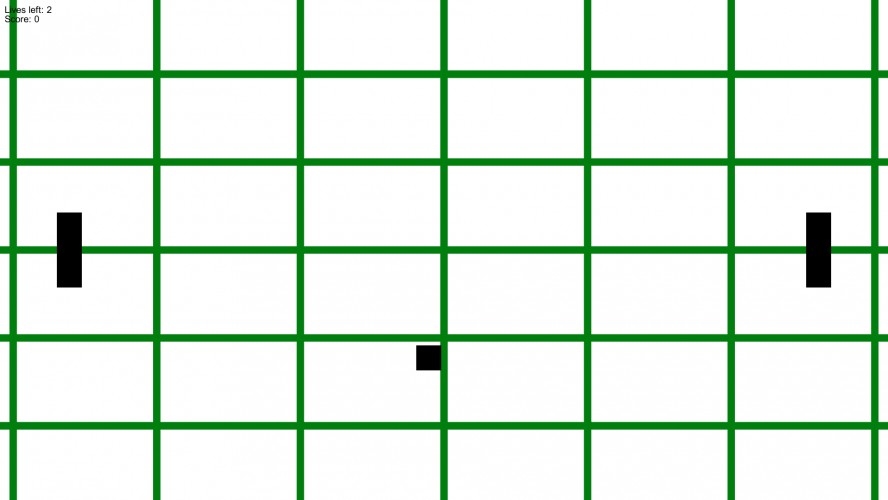
So this is pong, you play both sides though (didn't have time left for making an AI since i actually started on sunday) Originally i had a better/bigger idea but unity3D severely limited what i could do without using a plugin(i am to inexperienced for now to make it myself in the 48 hours) and i am 100% certain i don't wanna enter the jam.
The game actually only uses 2 textures which are 1px big the green lines are generated on runtime though that was done just to learn how to do that.
I will try making something better the next Ludum Dare. :)
Also it would be cool if you guys comment the highscore you got.
cornand34, it's extremely difficult to complete a game, as I just learned myself. I personally wish I had an AI plugin, I had to write a few scripts to pretend at AI myself.
By-the-way, I'm a beginner myself, but I added the source code to my project as per your request.
That being said, it's much easier to just find a good tutorial online. Also, pretty much every question I had for my game, someone already asked it on the Unity forums. After that, listen to the Debugger. And use the hotkey "'" if you use Monodevelop, so you can see the documentation. That was all the advice I can muster right now. Time for sleep.
On a sidenote, i could have decreased the size i learned, the textures we're actually just 3kb altogether(fits the 2 colors theme quite well i geuss xD)
You made a game in 48 hours, that's pretty bloody amazing in anybody's book! I also bit off more than I could chew with my original design and all the final actual gameplay was thrown together in the last 6 or 7 hours. Yours is one of the few games where I've actually downloaded the source because I want to see exactly what you did to get those lines :) And I enjoyed it a lot more than I have a few other entries where everything apparently went according to plan.
Hi there. 1600X900 on my Alienware laptop from about years ago. I also just tried it on my desktop PC at 1920X1080 and had the same result. Both PC's running Windows 7.
since you used Unity, you could also export a file for web, linux and OSX pretty easily also, making a simple AI for pong is actually not that hard, but I can understand you didn't have the time / resource to do it :/ unity can be a hassle to understand, and ppl won't like the filesize and bloatyness of Unity, but well, everyone starts small at some point :)
Welcome to ludum dare and Unity ! Making a game is a tough job so congrats on finishing this one even if it's as classic as Pong. That being said you could look to the new Unity UI system, it is not much more complicated than the OnGui function and allows to make pretty things in a short amount of time. Also the collisions behave a bit weirdly but hey ! keep faith, keep practicing and you'll soon amaze yourself.


By-the-way, I'm a beginner myself, but I added the source code to my project as per your request.
https://github.com/jdmazz/LD35_WhoLetTheChicksOut
That being said, it's much easier to just find a good tutorial online. Also, pretty much every question I had for my game, someone already asked it on the Unity forums. After that, listen to the Debugger. And use the hotkey "'" if you use Monodevelop, so you can see the documentation. That was all the advice I can muster right now. Time for sleep.