The objective could have been conveyed better, and music would have been nice, but it looks good and I like the mechanics. This would make a great App.
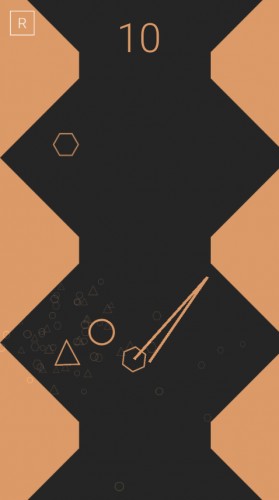
Definitely like the simplistic graphics, the physics isn't bad although flicking is a bit tricky with a mouse. Might have done better with a touchscreen.
Not a bad game which reminds me UltraFlow. The problem (which I know on Unity) is that the bounces are not really realistic - sometimes we can see a strange behavior. However the simple aesthetic is ideal to play. Well done ++
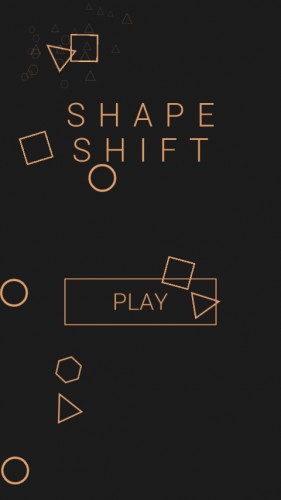
I managed to click on a square with 1 in it to probably select level 1. Then I cannot understand how to play the game.
But then, what should I do to control the game? I tried to click as the instructions says so, but I cannot see how it changed anything in the game. I have clicked on all 4 squares and on the circle. Only clicking on [R] seem to do anything - reset the game.
I tried both the Web version in Chrome on my computer and the Android version on my tablet with Android 5.1.
I probably missed something on how the game should be played, and would like to rate your game if I just knew how to play it.
I see now. You shouldn't click. Instead you shall depress the mouse on the circle and then move in some direction and then release the mouse button or your finger (touch). I guess your description is fine, just not the way I read the word 'click' as a programmer as for me that means an event that get triggered when you release the mouse button/finger. :-)
Anyway, once figuring out how to control the game, I think it is quite fun to play. Seems to be a game designed more towards tablet/phone which is nice to see a few fellow phone games on this LD.


Comments13
This would make a great App.
But then, what should I do to control the game? I tried to click as the instructions says so, but I cannot see how it changed anything in the game. I have clicked on all 4 squares and on the circle. Only clicking on [R] seem to do anything - reset the game.
I tried both the Web version in Chrome on my computer and the Android version on my tablet with Android 5.1.
I probably missed something on how the game should be played, and would like to rate your game if I just knew how to play it.
Anyway, once figuring out how to control the game, I think it is quite fun to play. Seems to be a game designed more towards tablet/phone which is nice to see a few fellow phone games on this LD.
Tutorial wanted. Description read, but initially could not be well operation.