
Fancy meeting you here
Linux / Windows / Mac Play _Fancy meeting you here_
WebGL, Unity: Play _Fancy meeting you here_
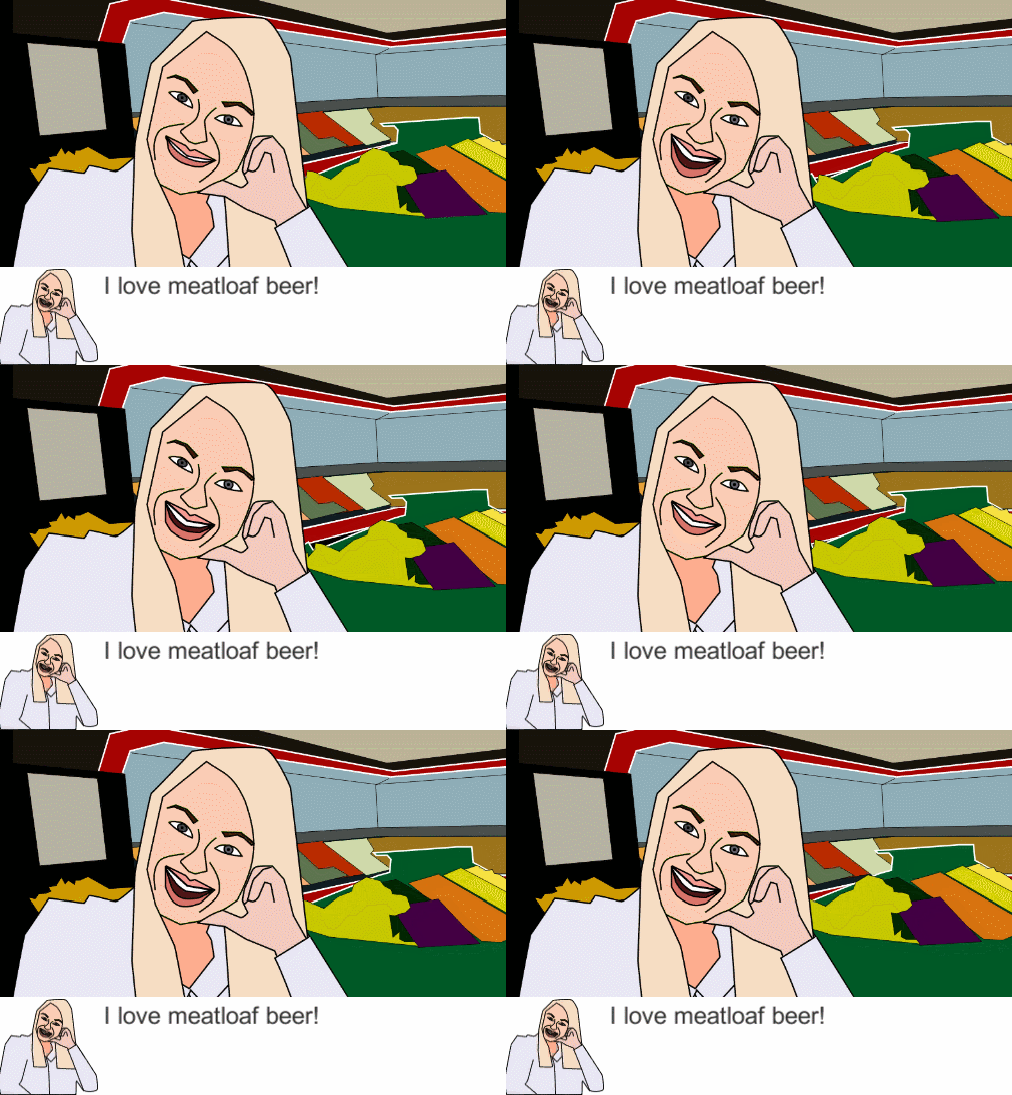
Our game is about trying to keep conversations alive with people you'd rather not have to talk to, while trying to get away from the same people.
I don't know how comments will work but I will try my best to comment back on games and I try to give good feedback.
In each mini-game you have three outcome types: `Silent Response`, `Say something they like`, `Say something they don't like`. As long as you keep talking about things they like, you are not failing at the conversation.
Tip: You can click on their icon or name in the dialogue scene if you need a reminder about their preferences.
Use `WASD` or arrows to fly the mouth and collide with ball.
* `Up` / `Down` gives thrust forwards backwards (right / left according to initial orientation)
* `Left` / `Right` gives rotational thrust.
Use mouse to `click on balls` you don't want to say before they leave your body.
`A`/`D` or `Left`/`Right` to block balls you don't want to speak from hitting your mouths.
WebGL, Unity: Play _Fancy meeting you here_
Source On GitHub
WebGL, Unity: Play _Fancy meeting you here_
Our game is about trying to keep conversations alive with people you'd rather not have to talk to, while trying to get away from the same people.
I don't know how comments will work but I will try my best to comment back on games and I try to give good feedback.
Mini-game instructions
In each mini-game you have three outcome types: `Silent Response`, `Say something they like`, `Say something they don't like`. As long as you keep talking about things they like, you are not failing at the conversation.
Tip: You can click on their icon or name in the dialogue scene if you need a reminder about their preferences.
Space-mouth
Use `WASD` or arrows to fly the mouth and collide with ball.
* `Up` / `Down` gives thrust forwards backwards (right / left according to initial orientation)
* `Left` / `Right` gives rotational thrust.
Word-burp
Use mouse to `click on balls` you don't want to say before they leave your body.
Hand-over-mouth
`A`/`D` or `Left`/`Right` to block balls you don't want to speak from hitting your mouths.
Links
Linux / Windows / Mac Play _Fancy meeting you here_WebGL, Unity: Play _Fancy meeting you here_
Source On GitHub
Tags: #humor
Comments47

🎤 Local Minimum26 Apr 2017, 13:43
@avavt, yes the mini-games really all could use some touch-up to make them more easily navigated... It was a rather large scope to have three games and the main story, so we kind of decided to incorporate the confusion into the story and hopefully that way, they partly illustrate the feeling of experiencing such conversations...
The bug you had should be solved now in the patched version.
The bug you had should be solved now in the patched version.

iseeicy26 Apr 2017, 21:30
That talking sound effect is top notch, lol. And the gameover screen might give me a few nightmares. Initially I was a tad confused, but I figured things out along the way. Overall, it held my attention for a lot longer than I initially thought it would!

XAVIER_INDIE_GAMEDEV28 Apr 2017, 15:47
(double post ignore this / how do I delete this)
XAVIER_INDIE_GAMEDEV28 Apr 2017, 15:47
I'm not really sure how to play the minigames! I tried pressing the letters as they came up (the most intuitive thing to me) but nothing seemed to happen lol.
The concept is a strong match with the theme, the graphics are genuinely scary (good job), and the speaking sound effects work well (although they sometimes conflict each other in quite a loud way).
If you let me know how the minigames work I'll give it another shot:)
Also, if you have time, check out my game! https://ldjam.com/events/ludum-dare/38/no-minor-task-party-of-a-lifetime
The concept is a strong match with the theme, the graphics are genuinely scary (good job), and the speaking sound effects work well (although they sometimes conflict each other in quite a loud way).
If you let me know how the minigames work I'll give it another shot:)
Also, if you have time, check out my game! https://ldjam.com/events/ludum-dare/38/no-minor-task-party-of-a-lifetime
Avon28 Apr 2017, 19:46
Very funny and creative game. A lot of humor in the texts, and I found the minigames to be quite addictive when I figured them out. The one where I controlled the moving mouth was still pretty difficult though. I think you should consider telling us the controls at least, while maybe leaving the win/loss conditions to be figured out by the player.

simonhutchinson29 Apr 2017, 00:11
Absolutely terrifying. I think this is definitely a new genre that needs to be explored more.
I had a bit of trouble knowing what the heck I was expected to do (but perhaps that's in the nature of these Warioware-style games). Great idea, and overall aesthetic, and genuinely creepy!
I had a bit of trouble knowing what the heck I was expected to do (but perhaps that's in the nature of these Warioware-style games). Great idea, and overall aesthetic, and genuinely creepy!
Lars DK29 Apr 2017, 04:36
I played the WebGL version.
In general I liked the concept of having the mini-games to simulate elements of social anxiety. Like some of the others, I struggled to figure them out. I also wasn't entirely sure whether I was meant to win or lose, or how I was even supposed to do those things. Which I guess might be accurate to real life, but kinda annoying as a player, to the point where I'm actually more invested in the cutscenes (which are hilarious) than the game. The mini-games also came across as fairly short.
There's nothing to complain about in terms of the graphics, which were adequate, although some of the mini-games could possibly have been polished up in terms of their effects (like throwing some particles in there). I'd rather have a smaller number of mini-games well-made and presented, with clear directions. I thought the "blah" sound captured lots of things nicely about the game. Would have been a cool idea for it to slowly build up as the game progressed. I wasn't sure about the music - it was simple and retro, but also weirdly quiet during the non-minigame-parts, and a touch generic-arcadey.
I really liked the design concept and especially how the characters' personal traits corresponded to the mini-games. I liked the use of humor and the theme use was creative. I hope your judging goes well overall :)
In general I liked the concept of having the mini-games to simulate elements of social anxiety. Like some of the others, I struggled to figure them out. I also wasn't entirely sure whether I was meant to win or lose, or how I was even supposed to do those things. Which I guess might be accurate to real life, but kinda annoying as a player, to the point where I'm actually more invested in the cutscenes (which are hilarious) than the game. The mini-games also came across as fairly short.
There's nothing to complain about in terms of the graphics, which were adequate, although some of the mini-games could possibly have been polished up in terms of their effects (like throwing some particles in there). I'd rather have a smaller number of mini-games well-made and presented, with clear directions. I thought the "blah" sound captured lots of things nicely about the game. Would have been a cool idea for it to slowly build up as the game progressed. I wasn't sure about the music - it was simple and retro, but also weirdly quiet during the non-minigame-parts, and a touch generic-arcadey.
I really liked the design concept and especially how the characters' personal traits corresponded to the mini-games. I liked the use of humor and the theme use was creative. I hope your judging goes well overall :)

red-fan-games30 Apr 2017, 02:45
Creative mini game design, really fit the mood. I feel like I have seen this concept in a movie or you-tube video somewhere but I can't quit place it. Overall well done, but with some creepy graphics.

tinyworlds30 Apr 2017, 19:22
Interesting concept! Took me some time to figure out to different control schemes for the puzzles, maybe this could have been more consistent. But once I got it, it was really smoothly.
There also is a bug for me that the game sometime doesn't start the first dialogue when I load it up. Had to start it multiple times for it to work.
Graphics reminded me a bit at the game Facade, and worked well with the idea.
Interesting idea, love to see a game tackling awkward conversations x)
There also is a bug for me that the game sometime doesn't start the first dialogue when I load it up. Had to start it multiple times for it to work.
Graphics reminded me a bit at the game Facade, and worked well with the idea.
Interesting idea, love to see a game tackling awkward conversations x)

camilo30 Apr 2017, 23:05
This will sound weird but I loved the game over scene.
Interesting concept, you made a lot of work creating all these sequences for each level.
It took me some time realize how to play each minigame, but in the end I managed to avoid all the awkward conversations. That guy from the polar bear made me laugh a lot hehe.
I would love to see some kind of tutorial and more levels! also the music is very ambiental but it's amazing, good work!
Good game! Congrats!
pd: the end is an horror game on its own!!
Interesting concept, you made a lot of work creating all these sequences for each level.
It took me some time realize how to play each minigame, but in the end I managed to avoid all the awkward conversations. That guy from the polar bear made me laugh a lot hehe.
I would love to see some kind of tutorial and more levels! also the music is very ambiental but it's amazing, good work!
Good game! Congrats!
pd: the end is an horror game on its own!!

Ace171 May 2017, 13:02
Loved the music!

RockhopperGames1 May 2017, 14:59
Just as Dr Frankenstein was pursued to the North Pole by his creation, so do my former colleagues pursue me with their insistent conversations!
An excellent interpretation of the theme, and quite an evocative presentation! I do feel there's something missing in only showing the acquaintances likes and dislike, though. Perhaps in a more fleshed out version, you'd have to contend with your own sanity slipping as you are forced to talk about strawberry pies over and over, or require you to change the topic every time politics comes up.
Regardless, this was a most disturbing experience!
An excellent interpretation of the theme, and quite an evocative presentation! I do feel there's something missing in only showing the acquaintances likes and dislike, though. Perhaps in a more fleshed out version, you'd have to contend with your own sanity slipping as you are forced to talk about strawberry pies over and over, or require you to change the topic every time politics comes up.
Regardless, this was a most disturbing experience!

furazin1 May 2017, 17:44
HAHAHAH crazy game! I love this "small world ecape" from talk with people. I was fun playing mini-games while try to avoid the conversation. Graphics with low-detail and low animation and the "bla bla bla" sound a bit... weird XD. I think this idea is very interesting.

Jakob Willforss1 May 2017, 19:22
Haha, nice! First one that really drew a laugh out of me. So relatable. I think the minigames overall went well together with the rest, but it was the setting and the dialogue that made it really interesting for me. Also, best take on the theme I have seen this far.

schizoid2k1 May 2017, 19:42
Fun... in a creepy sort of way!
Shurty1 May 2017, 21:29
That was strange and creepy... and also fun! Graphics are special but fits nicely, and the questions/answers are fun! That's a very interesting game, good work!

FireSlash2 May 2017, 05:02
This was... strange.
The first "minigame" was confusing and I never quite figured it out, though I had better luck with the others.
The first "minigame" was confusing and I never quite figured it out, though I had better luck with the others.

andyman4042 May 2017, 05:03
I loved this innovative take on the small world theme - bumping into people who want to talk, and the social anxiety part of it. This happens too much in real life for me (I live on an island!) I didn't quite get it the first few times through, but was amused by the mini-games, dialogue, artwork, and voices. Eventually I read the directions (lollylollol) and realized I was supposed to only let the topics/letters that the person liked through, and I think I finally won(?) with the many lips screen? Well done!
I don't know if this is part of the challenge of the game, but it would be a bit easier if it showed what things the person liked in the mini-games. I know there wasn't time for it in the 72 hours, but if you continue with this game, I'd love to see the letters in circles replaced with little drawings or icons. M's and W's look very alike when they are rotating and in different orientations. A great source for free icons is the Noun Project.
I don't know if this is part of the challenge of the game, but it would be a bit easier if it showed what things the person liked in the mini-games. I know there wasn't time for it in the 72 hours, but if you continue with this game, I'd love to see the letters in circles replaced with little drawings or icons. M's and W's look very alike when they are rotating and in different orientations. A great source for free icons is the Noun Project.

szczebel19952 May 2017, 06:21
Haha the game is amazing, 5 stars at humor, minigames are rather confusing at the beginning because information is thrown at a player and its hard to pick it up immediately, but after a while I understood mechanics, the only problem I had was with this space mouth minigame, I just can't crack controls. The concept is pretty original, I can relate to the main character :P. Great job!
Gleb Mineev2 May 2017, 07:27
Perfectly captured experience of talking to boring people :D Minigames are indeed confusing at first, but I think it just makes it more realistic. Nice stylish graphics, I just know who these people are when I see them. Though would like a bit more personality in them (unique lines, personal minigames etc.) I see potential in this game =)

Porcus_Pie2 May 2017, 08:07
Great game, I laughed out loud for some of the sections I must admit (Polar Bear mainly). I also love the interpretation of the theme. I did have some trouble with the space mouth minigame however, as it was really slow and sluggish and felt increadibly heavy. Altogether a great game and I had fun
SwampHen2 May 2017, 08:08
This was great, I loved the art style and vocal effects. The asteroids mini game was difficult to control, but the others were great. It could use some instructions in game, but overall I really enjoyed the attempt at stuff videogames don't usually try!
Bunnery2 May 2017, 10:06
I love social games and this is such a good idea! Although it was tricky working out what to do - I presumed that's just me! It is pretty funny and made me laugh and I love how you go to an English pub :-) It would help to make the instructions a bit clearer - but a great game.
JayTord2 May 2017, 14:11
Space-mouth is too hard to control >_<. On the other side, word-bulp is too easy. Actually all mini-games have easy win-conditions, maybe you should've make them a bit harder, like you need to "make a sentence" (pass 3-5 balls) with balls from preferred topics only.
Nice sound effects, but the game ts very creepy, it reminds me how dangerous is outside.
Nice sound effects, but the game ts very creepy, it reminds me how dangerous is outside.
dskeppstedt2 May 2017, 14:56
What the fuck did I just play? Really funny sound effects and the graphics fits the games style! Liked it.

peringo2 May 2017, 19:38
The background sounds are incredibly weird and funny. The gameplay is a bit wonky but it's actually playable. I just didn't get how the game fits the theme.
zotapianola3 May 2017, 01:06
Very interesting. I loved the concept.

dracominer3 May 2017, 01:14
THis game is pretty good. My only problem is with the sound effects when people talk. Although it could be argued that the sound there should be annoying to set in the fact that you don't want to talk to those people. Overall the game just works good with all of its parts together. I like the art style and the interesting take on the "small world" theme. Good job!
DeathStorm3 May 2017, 07:13
Interesting Game, Unfortunately nothing really for me.
But in general good Job for LD
But in general good Job for LD
Eldan_Knight3 May 2017, 16:47
lol what have I just played? The concept of "social horror game" is really fun. The obscure minigames and the weird sound effect contribute to the creepy atmosphere.
CheesyMoo3 May 2017, 22:18
:laughing:
The premise, dialogue and audio are amazing.
The mini-games are confusing and nearly uncontrollable, which just makes me more befuddled and amused.
5/5 would play again
The premise, dialogue and audio are amazing.
The mini-games are confusing and nearly uncontrollable, which just makes me more befuddled and amused.
5/5 would play again

Sean S. LeBlanc4 May 2017, 01:10
Definitely one of the more interesting interpretations of the theme I've seen so far! The stiff character art paired with slightly animated backgrounds gave it a nice queasy feel, and the audio really helped to sell the weirdness of it all. I did find the text a little bit too obviously computer-generated (repeated phrases made this a bit more noticeable).
As a few others have mentioned, the choice to do a bunch of mini-games meant that they each didn't get as much polish, and they probably ended up a bit more confusing than intended. In particular, having something less abstract to represent the conversation topics than a single letter would have been a bit clearer, and could have provided a good way to add more variety in the gameplay (e.g. have a few different images for each instead, and introduce new ones as the game progresses).
Overall, it was a nice entry!
As a few others have mentioned, the choice to do a bunch of mini-games meant that they each didn't get as much polish, and they probably ended up a bit more confusing than intended. In particular, having something less abstract to represent the conversation topics than a single letter would have been a bit clearer, and could have provided a good way to add more variety in the gameplay (e.g. have a few different images for each instead, and introduce new ones as the game progresses).
Overall, it was a nice entry!
seanohue4 May 2017, 02:15
Hilarious. I loved the combo of the animations and weird talking sound. Not to mention the vaporwave-y music during the minigames. I actually really enjoyed the game over screen, too, as weird as that sounds.

Poffle4 May 2017, 10:08
Haha. This game was pretty ridiculous, in a good way! Some of the random dialogue killed me. It felt a bit confusing at fist but I went back to read the instructions and had more fun the second time. I loved all the art and the characters were all people I'd hate to get stuck in a conversation with. Nice work on a strange idea!

kpded4 May 2017, 12:41
Hilarious game. The idea is fun! But minigames are a little bit misleading
Music fits perfectly especially with that blah-blah sound)
Music fits perfectly especially with that blah-blah sound)

Franklins Ghost4 May 2017, 13:12
Always enjoy playing your quirky entries and seeing how you interpret the theme. Fun surprise each time.
Liked the whole social interactions aspect and the way you had to proceed through these dialogues with individuals while also at times having minigames thrown in to control the way the conversation proceeds. Thought it was quite clever and added an interesting twist with the dialogue. Only real suggestion I have is that the conversation options in the balls could be made clearer to the player. Besides that it was another really interesting entry with sound that worked well in getting the social aspect across. Favourite screen was the mouths at the end. Liked the way they appeared.
Liked the whole social interactions aspect and the way you had to proceed through these dialogues with individuals while also at times having minigames thrown in to control the way the conversation proceeds. Thought it was quite clever and added an interesting twist with the dialogue. Only real suggestion I have is that the conversation options in the balls could be made clearer to the player. Besides that it was another really interesting entry with sound that worked well in getting the social aspect across. Favourite screen was the mouths at the end. Liked the way they appeared.

Mega Munch4 May 2017, 19:46
Seems interesting from the screenshots I've seen, but the graphics don't show when I play only text.
blaster3914 May 2017, 20:34
Took me a couple of the minigames before I understood what was going on but then I really started to enjoy the bizarre dialogue and weird stalking sounds.
Maybe to build on this idea you could not mention the likes/dislikes straight away, but instead make it so the player has to work out the persons likes from their dialogue.
Also out of all the minigames I found space mouth very difficult to control.
Maybe to build on this idea you could not mention the likes/dislikes straight away, but instead make it so the player has to work out the persons likes from their dialogue.
Also out of all the minigames I found space mouth very difficult to control.

randomhuman9 May 2017, 22:23
Appropriately horrifying. I really liked the art, the audio, and the random phrase generator that produced some weird stuff. I found the space-mouth game very hard to control though - too slow and spinny, and no clear indication of which way is forwards!
I really like your interpretation of the theme as well. It is not one that I have seen many people tackle.
I really like your interpretation of the theme as well. It is not one that I have seen many people tackle.

Jupiter_Hadley10 May 2017, 16:06
Really neat game! I included it in my Ludum Dare 38 compilation video series, if you’d like to take a look :)
Grim15 May 2017, 09:00
Oh my gosh, for some reason this game spooked me the hell out! I love the conversation mechanic mini game , the sound effect for talking was what my the game for me, I didn't know to either laugh or cry in fear.
The mini game took some practice to get use to but it worked fairly well.
I can see a comedy dating sim being created like this, excellent work
The mini game took some practice to get use to but it worked fairly well.
I can see a comedy dating sim being created like this, excellent work

Takusan15 May 2017, 20:16
The pure randomness captures the essence of bull*t small talk so well I'm out of words (pun intended) :)
And with the ending... you really weren't kidding with the horror, were you 0_0
Interesting visuals and matching audio. Surreal as hell, just the jam-my vibe we all love :)
Mini-games are fine, but the space-mouth would need some work for me. While others were straightforward, that one I couldn't get right. It's not easy to navigate, and though I finished the game (again, the ending...) with that one it was rather random. Maybe if you added something like an exhaust to know in which way player is adding force at current moment to make it clearer?
Overall, I had fun, I was surprised, I chuckled really sensibly and laughed other times. Randomization in conversations works well with the game.
Well done, very good jam entry. Cheers!
And with the ending... you really weren't kidding with the horror, were you 0_0
Interesting visuals and matching audio. Surreal as hell, just the jam-my vibe we all love :)
Mini-games are fine, but the space-mouth would need some work for me. While others were straightforward, that one I couldn't get right. It's not easy to navigate, and though I finished the game (again, the ending...) with that one it was rather random. Maybe if you added something like an exhaust to know in which way player is adding force at current moment to make it clearer?
Overall, I had fun, I was surprised, I chuckled really sensibly and laughed other times. Randomization in conversations works well with the game.
Well done, very good jam entry. Cheers!
boorik16 May 2017, 23:52
Excellent!!!
Did you know that sandra has 6 twins?
Did you know that sandra has 6 twins?

Ithildin18 May 2017, 01:55
Brilliant idea! As a socially awkward person myself I could easily link the tension of succeeding at the minigames to the mental process of reading the other person, making lots of interpretations (most of them wrong) and then trying to come up with the right words. At the beginning this was even enhanced by a slight disorientation while getting used to the mini-game controls.
The speech sounds also reinforced the discomfort of having to engage in small talk with those people. I liked how all those elements play to strengthen the point of the game.
Great entry, congrats!!
The speech sounds also reinforced the discomfort of having to engage in small talk with those people. I liked how all those elements play to strengthen the point of the game.
Great entry, congrats!!

crefossus19 May 2017, 10:53
The writing had me laugh out loud a few times, which few ld games accomplish so good job there. The mini games were probably the weakest point as far as gameplay goes. It wasn't always clear what to do, although I suppose this is a bit intended (also whoops just read the further instructions per mini game on this page). However they did provide an interesting way to respond compared to straight choices and the wacky variety was fun. Great art and music too.
Colm Eccles19 May 2017, 19:22
This game nails the horrors of social interaction. The mini game elements were an innovative and challenging way to make gameplay selections and I like them a lot. I appreciated the jarring art style and sound design and felt it really highlighted the terrifying and ugly side of awkward conversations. The dialogue was sharp and funny and really well done. I was horrified playing this game, which is why it's so great! Really awesome job!


The mini games are hard to understand though. I got how 2 of the 3 games I've seen after some failures, but I can't find out how to control in 1 of the mini game though - the one where your mouth fly around in dark space.
On my best try it froze at the 3rd scenario, just when the woman show up. I got a screenshot if it helps: