(TL;DR: The pretty pictures and download links are below. Scroll down.)
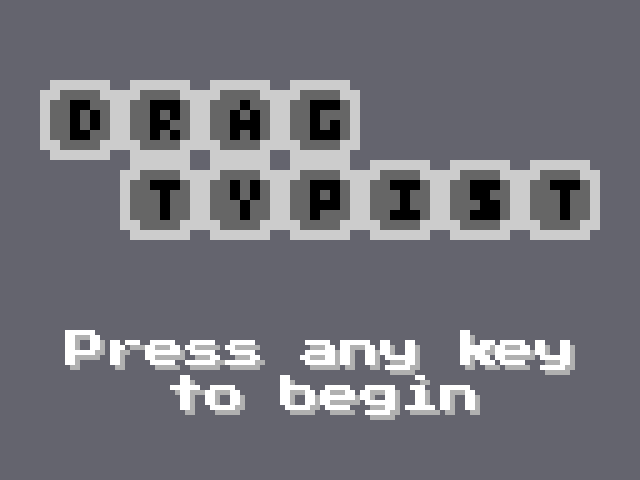
DragTypist
When I say DragTypist, I don't mean someone in the office is stepping out a bit with their fashion choices, although I'm not _not_ saying that, either...
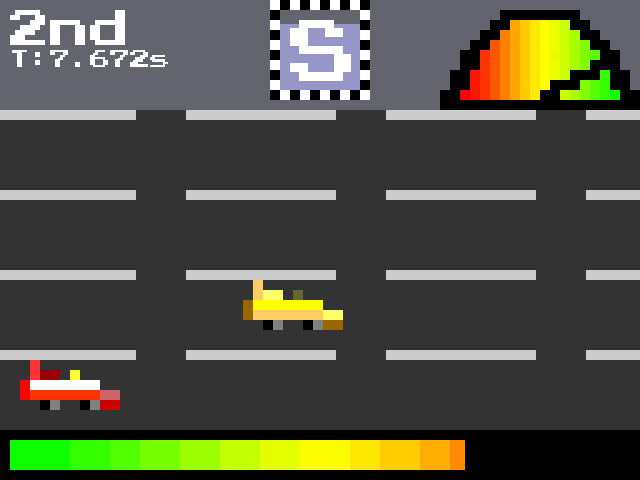
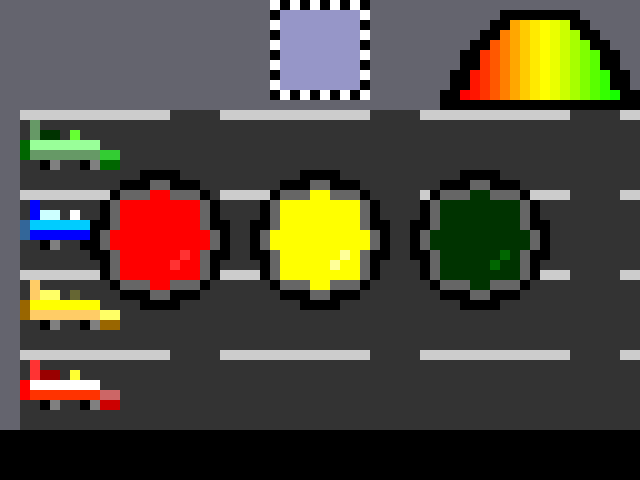
Err, anyway, this is a typing racing game. Because I've always bemoaned the lack of a keyboard behind the wheel. Press each letter as it appears in that cute little box above the track to move. That might sound easy (and it starts off pretty easy, but like most predators, I'm here to lull you into a false sense of security), but the faster you go, the harder it gets. Just like real driving, right? (I wouldn't know, I _always_ follow the speed limit). But seriously, as you go faster, the letters get harder to reach and you have less time to press them. Oh wait, I didn't tell you have to press them before they time out? See, I already trapped you!
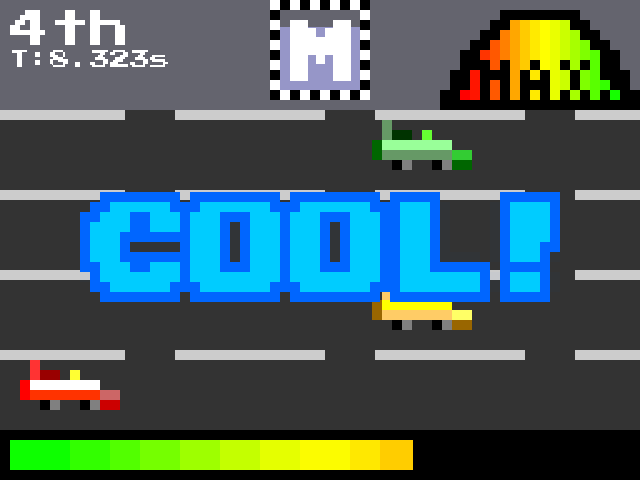
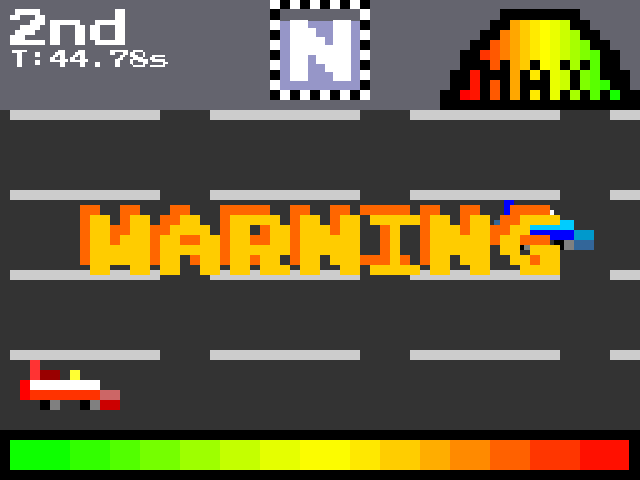
Also, there's this other thing where if you go too fast for too long, your engine will blow up. Don't worry, it's not serious, you'll just stop completely. But you can go again right away, so it's not too bad. If you need to cool down, just miss a couple of letters (press the wrong one or let them time out, I don't really mind). Or just to make things interesting, press a lot of them in a row without missing any and you'll get a cooldown bonus!
Much as I'd love to crowd around a keyboard with a friend or two, multiplayer isn't something I had time for. There's "AI" cars though. They're not very smart, but they don't need to be. They only have to go in a straight line. A better way to compete would be for the quickest time. Actually, speaking of that,
Please share your times in the comments!
Some people have said that it's a bit too hard, so I made an easier version, but remember _that is not the compo version, play that one (the download link is at the bottom of this post, before the comments), and score it_ then if you want to try the easy version, the download link is in the comments.
Alternatively, I don't know if anybody thought it was too easy, but I made a hard version. The download link for that is in another comment further down, but for the sake of my reviews, please remember to *play and score the regular version first*.
How to Run
Windows: extract the zip and run dragtypist.exe.
Linux (Thanks to @mrspeaker in the comments): If you have Python 3 already installed (most distributions should, if running `python3 --version` doesn't give you an error, you should be alright (I've only tested with 3.6 so I don't know how well earlier versions will run), if not, consult your distribution's documentation for how to install it), install pygame with `pip3 install pygame`, then extract the source code zip into a folder, open a terminal in that folder and run `python3 ./dragtypist.py`
Other platforms: download the source code, extract it somewhere and run dragtypist.py in Python. You'll need Python 3 and pygame (which you should be able to install through pip). If I have time later, I'll see if I can provide a precompiled version for Linux (ironically the platform least likely to need one).
Controls
Press the letter that's in the box. It's that simple!
Well, except for pause. Press escape to do that.
Developed in:
Python, using Pygame. Sound effects generated using Bfxr, musical cacophonies made in Bosca Ceoil.
System Requirements
- Not much, really. Haven't formally tested it, but it's worked fine on the two systems I've tried it on. Anything that supports SDL, I guess, but it only uses software rendering, so I don't see why anything couldn't run it. Please don't take this as a challenge. - A 640x480 minimum screen resolution. It'll probably run at less than that, but you won't be able to see all of it. Which would be bad. But as an added bonus, if your desktop resolution is at least 1280 x 960, it'll run at that. - One actual note here: it only takes screen resolution into account, not scaling. This can both be a good thing (set scaling in Windows to whatever you want it to and it'll follow that) and a bad thing (it can go off screen if game resolution x scaling is above your actual resolution).
- Software requirements: - Windows: A relatively modern version of Windows. Not sure if XP would work. 8.1-10 probably have all they need already. 7 may or may not need the Visual C++ Redistributable available from https://support.microsoft.com/en-us/help/2977003/the-latest-supported-visual-c-downloads. - Other platforms: Python 3.6 and Pygame 1.9.3. Not sure how well earlier/newer versions would work. Hopefully well.
Any problems?
Hit me up (preferably not literally) in the comments section - I'll be keeping an eye out!
Woops forgot to look at my score, but I got second place 😄
It's a pretty tough game, I'm not the best typist and when it comes down to random letters, I think it makes it much more challenging (I almost wish it were words instead of letters).
The sounds and graphics fit very well with the themes you chose. Also the motion on screen looked smooth and nothing felt out of place.
51.454 :D Very challenging and it feels good to get a few in a row. I noticed it's actually a bit forgiving when you type a letter late which IDK if it's intentional but it's nice haha. Good stuff 👍
I got 48.644 - after I figured out to quickly reduce speed before overheating! but my greatest accomplishment was getting the game running: I don't have windows so I ran it from source. Anyone who wants to do the same my steps were (and I already had python3 installed): `pip3 install pygame` and then `python3 ./dragtypist.py`.
Ok, back to the game: I thought it was a blast! (though I am partial to typing games... I made Flappy Bird Typing Tutor a few years ago).
This game really reminded me of the hours I spent on Mavie Beacon Typing Tutor - they had a racing car game too! I personally like your graphics better - they are perfect.
I didn't really understand the cool down bonus system though... I like that you can't just type like a maniac to win, and had to "throw the game" to cool down, but I'd like more indication of how far away I was from getting a cooldown bonus. Like, if I new the next correct letter would get me a bonus then I wouldn't hit a bad letter to avoid overheating.
Annnyhooo, great work - I'm glad I got it running!
@colin-misbach - If you only got second and think you can do better, play again - the CPU cars pick a random speed each time so you might get a slow pack 😉
@conrad-etherton - Glad somebody noticed. It is intentional, when I was testing I found there was nothing more annoying than missing a letter by *that* much, so now that each letter lasts *that* much longer, it's harder (I hope) to blame the game
@mrspeaker - Thanks for those instructions - I haven't really used Linux in a while (want to, never quite get around to it) so I didn't want to post any instructions (which I thought would be something like what you suggested, but not sure exactly) in case I was wrong. I think an indicator for how close you are to a cooldown would be a good idea (honestly didn't think of it, but since the cooldown was one of the last things to go in I'm not sure I would have had time anyway). If it helps, you need to hit 5 in a row without missing any to get a cooldown.
@conrad-etherton & @mrspeaker - Nice times! I don't think I could crack the 52 second barrier in my testing (and who likes to get beaten at their own game?)
Everyone: Thanks for the kind words! I haven't had a chance to try all your games yet but the ones I have have been pretty good.
Those letters come really fast, so it feels great to get a good streak. It feels a little more like a reaction speed test than a typing game, but that kinda works with the racing aspect.
Nice pixel art, good sound, and good music. And great job managing to do all 3 of those things at once! Also, great job with the UI and the tutorial! The UI worked flawlessly and the tutorial was very effective at visually showing me how to play.
Hey, I really liked your game. Definitely a great entry. The idea is solid and the main task quite straight forward. My biggest issue was, that the letters are swapped after a certain time frame. Often I would miss the current letter by like a fraction of a second and therefor fail the subsequent one as well. Keep up the great work. Looking forward seeing more in the next LD!
I noticed there was a little bit of leeway after a letter switched :> thanks for that! It would have been pretty hard otherwise. I like the overheating mechanic - much better than Mavis Beacon!
I found that I was very quickly hitting the overheating and spent most of the time waiting for it to cool down, it'd be nice to have a version where it was a little harder to overheat so you could actually enjoy typing the keys when they come up. :)
Seriously, it's kind of hard to balance between the speed and the additional mechanics. Maybe I'm just a casual, but the speed gets way too fast for me to keep pushing buttons until the expected explosion, I just lose my streak earlier. So, maybe, a bit too hardcore for us slow typers? Anyway, a great game, I used to play something similar and I love the idea!
@Slashee-the-cow I think for me it was too easy, not too hard! I found that I was quite quickly getting up to maximum speed and then just spending most of the time just not really having to press anything at all!
Very cool game. I think the difficulty was well balanced. Sometimes it felt like the letters changed two times instead of one, not sure if that's just something I imagined or something weird happend. Maybe it was I missed the streak or something.
I like the pixelart and the tutorial was good and helped me understand the game. Adding a scoreboard would be pretty cool too.
Overall very cool entry, glad I got around to playing it. 😃
@linus Where it feels like the letters changed two times instead of one - could be if you got a letter a little late, that would go something like this: 1. First letter times out 1. New letter is picked (second letter) 1. Hit first letter during the short time after it times out where it's still valid, new letter is picked (third letter) which instantly replaces the one (second letter) that was there
Hmm... when I put it that way, probably shouldn't have made hitting a letter a little late draw a new letter, should have just had it continue the previous letter it picked.
A solid submission. It was hard for me to play when the letters sped up super fast, but that's more of a personal thing. Really clever idea. I think it would have been nice if the other cars stuck around a bit more in the beginning just to ramp things up.
I'm not sure if anybody asked for this but I felt like it, so I made a harder version. The changes aren't too many, but hopefully should make it suitably impossible: - The grace period you have to press a letter after it times out has been shortened significantly - The AI cars now go from "fast" to "really fast" instead of "that slow guy who always seems to be in front of you" to "sorta fast, on a slow day" - The heat bar display hasn't changed, but the warning now doesn't show up until you're closer to overheating - You no longer cool down completely when you overheat (but you'll still lose a fair amount of heat from losing all your speed) - __Probably most importantly, the key sets have changed - instead of starting with some letters, adding some more as you go faster and use all of them at top speed, you start with all the letters, then it adds numbers (number row only, not numpad), then adds punctuation.__ - A few fairly minor changes to the source code to support all that - Fixed a minor crash bug (minor as in if you quit the game by closing the window before the race, it crashed quit instead of smoothly, calmly quitting) - Oh, and I changed the title screen to show how hardcore you are. But if you want to mess with your friends, just replace it with the regular version, they're just PNGs in the game's folder
I will however repeat this just so nobody misses it: __*this is definitely not the compo version,*__ play that one first (the download links are at the end of the game's listing before the comments), rate my game, share your time, then download this one *only if you want to see how much of a cruel, vindictive person I can be*. There's an easier version a few comments before this if you'd rather go that way.
Cool game, I had fun :) My best score was 51.327s on my 5th attempt. The music during gameplay is great! I think that the speed at which the letters change gets a bit too fast at higher speeds. I would prefer that they changed a bit more slowly, while removing the possibility of hitting a key after they disappear, since that feels a bit confusing. Great submission nevertheless.
Phew, got 57.91 seconds, that was pretty tense and made me realise how my typing just collapses under pressure :P I liked the effort put into the polish, the sound and effects were really well put together. I think some kind of clearer UI would be good (with full screen colouring or something for overheating) because it was really difficult to keep track of everything while still staring at the target letter. Overall, a great entry, I enjoyed it :)
Got a 48.674 on my first try. Really fun game, the time system adds some replayability to this game! The letters are a little fast in the Compo version, though it wasn't too fast.
I'm personally not really a fan of the menu music, but that's just taste I guess.
Something that I'm really not happy with, are the tutorial screens. I was a bit overwhelmed by the amount of text thrown at me. It's better to introduce the controls to the player in such a way that you only have to give a minimal amount of explanation, that's something you could think about for your next project.
@vasco-freitas Being able to hit the keys after they disappear isn't really something I wanted people to take into account as part of the valid time to hit the letter, I could just tell from my own testing that it's _really_ frustrating when it's a case of "I'm sure I hit that letter in time!" (which I did feel sometimes, even though if the timing system in the game lies, it's news to me).
@ciaranw While I agree the UI could use a little more work (not quite accurate to describe everything in an LD compo game as "last minute", but for me at least, everything is usually "how I'd do it if it really was the last minute, because if I take too long on any one thing, it will be"), having the UI (specifically the heat bar and the current letter) in different parts of the screen was a deliberate decision to try to force you to look away from the current letter. The overheat warning being more visible is a good idea though (I could make the background of the UI at the top flash or something) and doesn't really go against that principle because it has an audio warning too, so it's supposed to be something you notice whether or not you're looking at it... but I guess not everybody plays with sound (one of those "wait, people aren't testing it the same way I've been testing it for two days?" realisations).
@shimapleleaf Wow, that's a great time, especially for a first try (the best I could manage in testing before I uploaded it was about 52, I've since managed to crack the 50 second barrier, but not by much). The menu music and tutorial screens really were last minute things - the sounds were about the last thing to go in overall, so for the music I just did what I could that covered the criteria of: - "doesn't take too long" - "sounds retro enough" - "doesn't make my ears bleed", sorry if it didn't live up to that one
The tutorial screens were something I realised I'd need fairly early on (after I decided to implement the heat mechanic), but not something I could work on until near the end (the UI, other than the current letter, went in not long before the sound, and I needed that done to take the screenshots), so I didn't really have time to get my graphic design on. I wouldn't want to split it up into more screens (nobody wants to have to press enter five or six times just to get to the game) but I can definitely see how they're a wall of text with no indication of where to start (or continue), so I'll definitely try to see how I could do better next time.
Finally, to mostly everyone: something I probably should have made clear in the description (or possibly thought to mention in a comment before now) is that I tuned it so that going at maximum speed, other than overheating, is designed to be really really hard (basically hard enough as to be almost impossible), that's why the AI cars won't go faster than 8/10, so you can still beat them even if you can't go max speed - I made the game and even I can't keep up max speed for more than a single cooldown streak, two if I'm lucky.
Once the engine gets hot and the letter time gets super short I found it to be just chaos. I think something like this would be much easier with a Guitar Hero-style queue of letters (even if you have to still match it to a fret bar equivalent). If you're going to go with just pure response time I'd think about slimming it down to just arrow keys or asdf.
@bloodyaugustSorry, was so busy rating other games I forgot to check out your video, but I just did - I'm happy I could give you guys a laugh or two, next time I'll try and remember to make the AI hate everyone equally. And maybe put all the assets in a subfolder so you don't have to hunt for exe 😃
Really liked the game, was fun to play and beat previous highscores! Really impressed that you made this in Python, nice job! I think the letters can go very fast when you get up a combo. Nice job on finishing in time though! :)
Though I would have liked an "easy mode". Not because the game is hard (I won by a mile despite performing horribly) but because I'm bad at typing fast, I feel the time it takes to change letter decreases way too fast as you get more speed, and it made it less fun cause I kept missing the letter, trying to match its speed. So a "slow typer" mode would have been nice for people like me who still use 2 fingers to type in 2018.
I didn't take it into account for the ratings, but I also tried the post-jam version and this one showcases an issue that probably exists in the base version but that I only noticed on the post-jam: It's not "all types of keyboards" friendly. :T I have a swiss keyboard, meaning all keys like ; : ! and things like these (although I only saw ; ) aren't at all at the same place and most even require to press shift; on top of that, y and z are reversed. So when I see z, I actually need to press y to match the base keyboard layout. ... And unlike most games that use that layout, it's pretty much a problem cause changing the keyboard layout with my computer (since I don't have an english keyboard laying around) doesn't help since I don't know where things like ; are placed. Also, O and 0 are confusing, you might need to add a / to your 0, so that we can distinguish it from O. (from what I experienced, I typed O while it was 0, don't know if there actually is an O in the patterns)
Hehe, pretty fun and challenging. I had the same issue as @Kwisarts regarding keyboard input; I use an alternative keyboard layout (colemak) but was forced to type as if my keyboard was set to qwerty layout instead. I know that's probably more of a PyGame thing than anything and in any other game it would actually be nice, but for a typing game, not so much. Luckily my qwerty skills are still workable so it ended up being ok...



This is excellent and frustrating. Exciting music, fantastic art, loads of fun. Great job!