Ball on keys

Overall★★★★★★★★★★1.88
Fun★★★★★★★★★★1.93
Innovation★★★★★★★★★★2.74
Theme★★★★★★★★★★2.10
Graphics★★★★★★★★★★1.64
Audio★★★★★★★★★★1.86
Humor★★★★★★★★★★1.40
Mood★★★★★★★★★★1.57

Ball on keys is a game in which you click keys on the keyboard in order to create borders around them.


And there is also a ball.
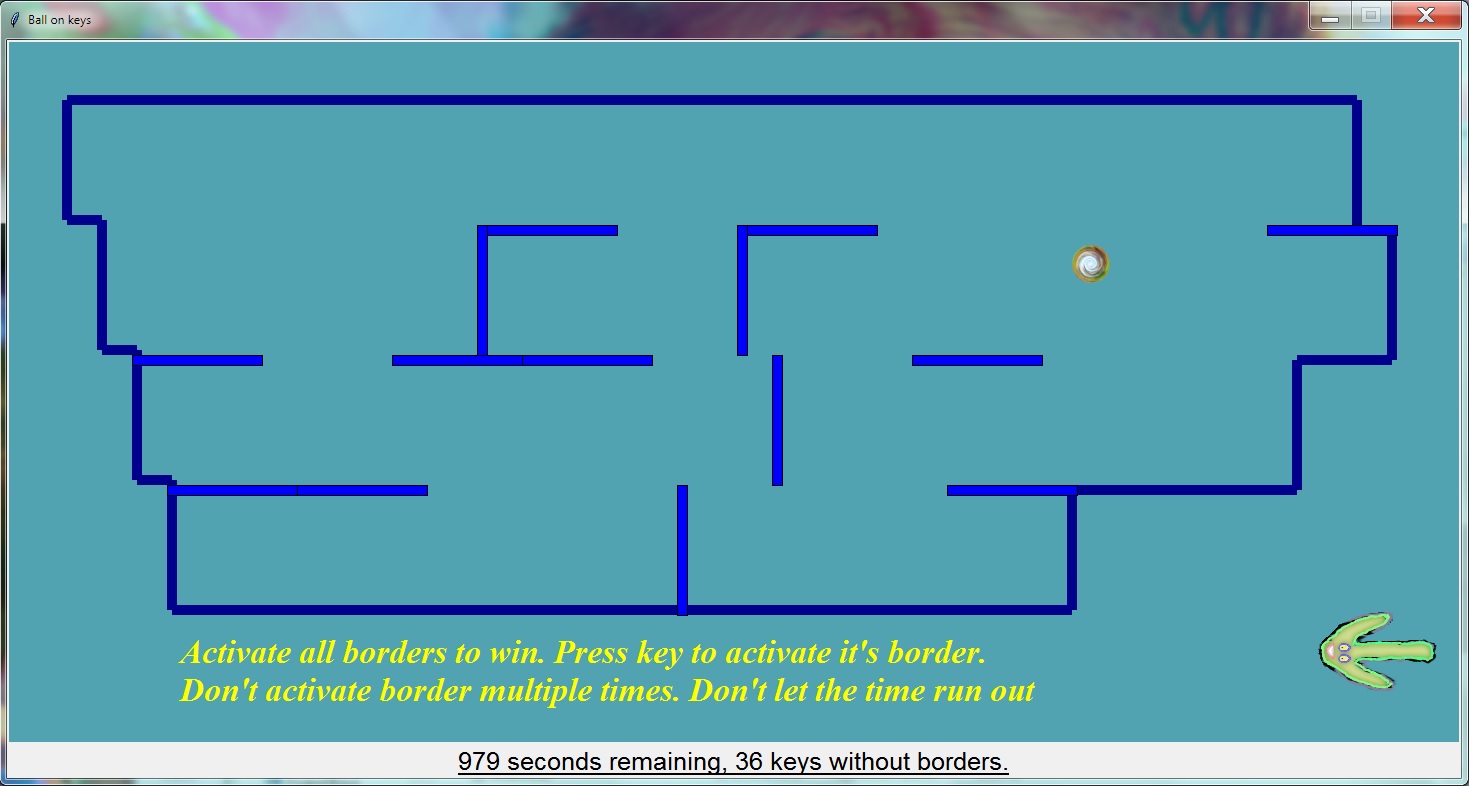


Border around the key will be created on the side in which the arrow is pointing.

#### Game was made using python 3 and its graphic library tkinter in Notepad++,

#### bfxr and musiclab for making music, Paint.NET for making graphics.

To run the game extract it and open main.exe file.
Tools: Bfxr, Paint.net

Comments15

ZZR13 Aug 2018, 15:15
File not found, what a pity.
BitJester Media
BitJester Media13 Aug 2018, 15:16
Yes, first exe link is broken.
Downloaded with the source code, but I don't have winrar
GameJMunk13 Aug 2018, 15:29
A little confusing in the start, but overall very nice game with good innovation.
Sentmoraap13 Aug 2018, 20:42
Interesting concept. Extra hard on non QWERTY keyboard, the game uses characters not physical positions. It would be nice to restart the game without having to close and re-open it. I like the game over sound, it sounds sad but funny sad.
Sentmoraap13 Aug 2018, 20:42
Interesting concept. Extra hard on non QWERTY keyboard, the game uses characters not physical positions. It would be nice to restart the game without having to close and re-open it. I like the game over sound, it sounds sad but funny sad.
Xwilarg
Xwilarg14 Aug 2018, 00:41
It took me a while to understand how the game work, the idea is great but maybe a bit too hard from my point of view (but I guess I should know my keyboard better...)
LastLeaf
LastLeaf14 Aug 2018, 15:57
Impressive concept. It is hard for me but I still feel the idea is interesting. Good job!
Suchista
Suchista14 Aug 2018, 16:50
It's a nice (and quite hard) game, but a little tutorial would be appreciated
Mieeh
Mieeh14 Aug 2018, 22:23
Hard to grasp at first but after some time it got a grasp on the game, nice seeing a tkinter game! I've tried python+tkinter before (years ago) and never realized you could create games like this with it!
Great job!
outstar
outstar15 Aug 2018, 16:47
Hey, a better tutorial would be appreciated, I didn't quite get the controls at first and prompt messages weren't helpful. Also, is there any way to restart it or quit it? When I lose it, pressing escape just causes a sound :) Good luck in the jam!
ludum1118
ludum1118author15 Aug 2018, 17:56
@outstar thanks for your feedback. There were a lot of comments about controls not being clear, but when you open the game it says on the bottom in yellow letters how to play; can you elaborate on what isn't clear about those instructions. Also in description it says `Border around the key will be created on the side in which the arrow is pointing.` With regards to resetting sorry time ran out before i could add that.
posho
posho16 Aug 2018, 01:44
I love that the game feels and sounds like an old DOS game. At first I got very confused until I payed extra attention to the screen, and to my surprise, the map IS keyboard!

This is a really interesting concept and it is unlike anything I've seen before so I believe some fleshing out could probably lead to something really cool.

If I had anything to suggest you to improve is to give an indication on the map about where the keys would be. Most of the time I ended up trying to calculate which key was related to the wall I wanted to create, but with a fast ball moving around it becomes kind of hard.

Overall this is a great concept and I would tell you to improve on it. Congrats!

Here's a small gift:

[Edit] Hey, by the way... I saw you rated my game before I had the chance to edit the page. I would appreciate it if you went back to it and gave it a proper review if possible. Sorry for the hassle.
DarkGuardsman
DarkGuardsman3 Sep 2018, 19:54
Good concept, with a little work could be a great game.

Other games by @ludum1118

Found a bug?
Tell us on Discord