Get yourself out of space and back onto the terrible planet that you love.
Control with keyboard or gamepad. Make as many landings as you can to maximize your score. The planet terrain gets more extreme as the levels go on.
How to play:
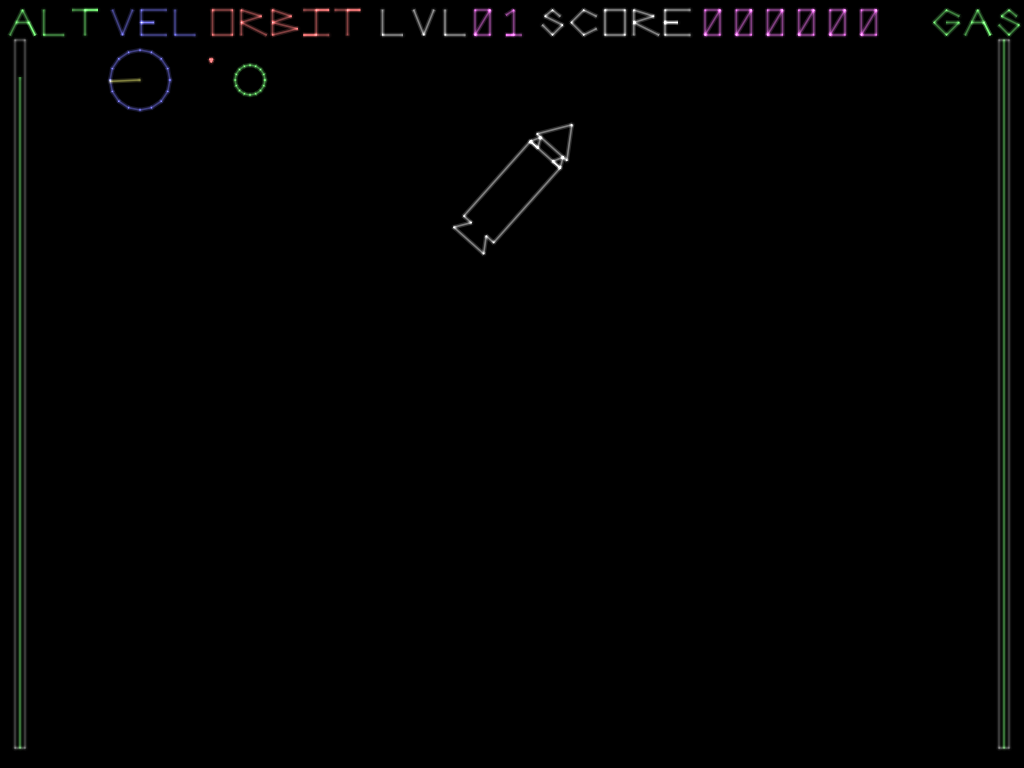
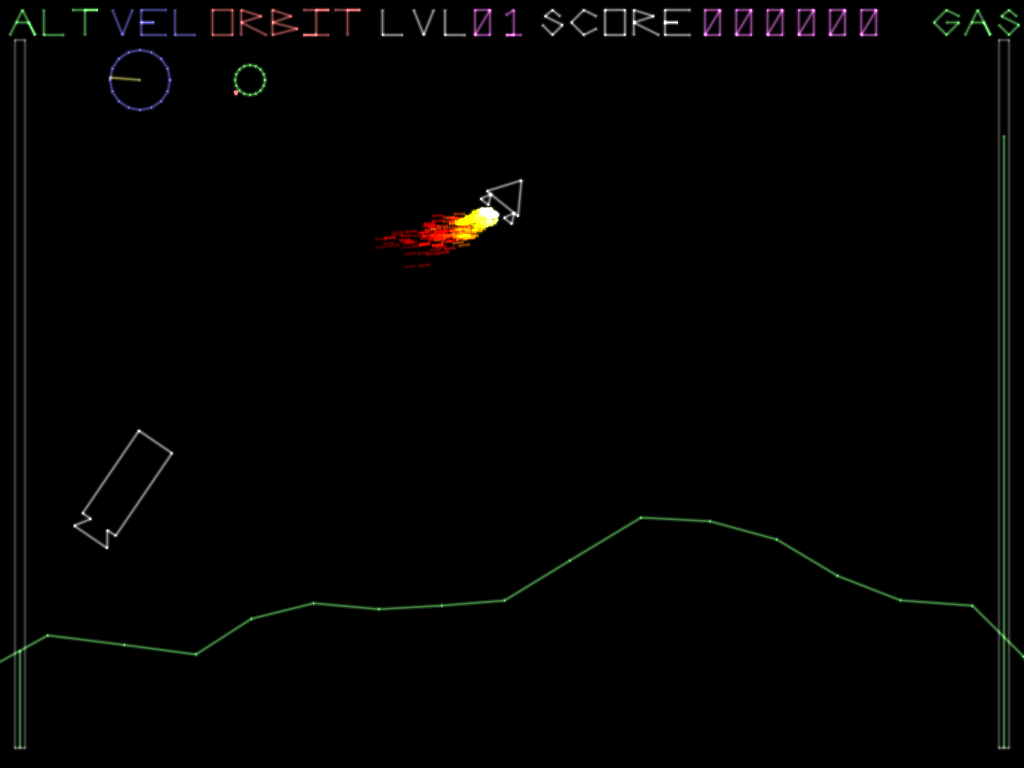
You start in orbit around a small planet. You want to bring your orbit in until you are close to the planet, then separate your lander from the booster to make your final descent. The lander has more thrust, since it is less massive, but it also has much less fuel, so time your separation carefully. If you've played a space game like Kerbal Space Program or Lunar Lander, it will be familiar. If not, this video talks about a similar landing in KSP. But the basic idea is that if you burn facing away from your current heading you will slow down, and if you slow down your orbit will get lower.
The camera in this game is always oriented so that the planet is beneath you, so down on the screen is the direction of gravity, and the direction you will need to go to reach land.
Your UI from left to right is:
ALT (altitude): Your altitude with maximum being your starting altitude, and minimum being sea level of the planet (note that terrain can be higher than sea level!)
VEL (velocity): Your current heading relative to your viewpoint. If the yellow line is facing right, then you are going clockwise around the planet. If it's facing down, you're heading straight for the surface!
ORBIT: A simple map of your position relative to the planet. This view is not adjusted to your perspective.
LVL (level): The current level you're on.
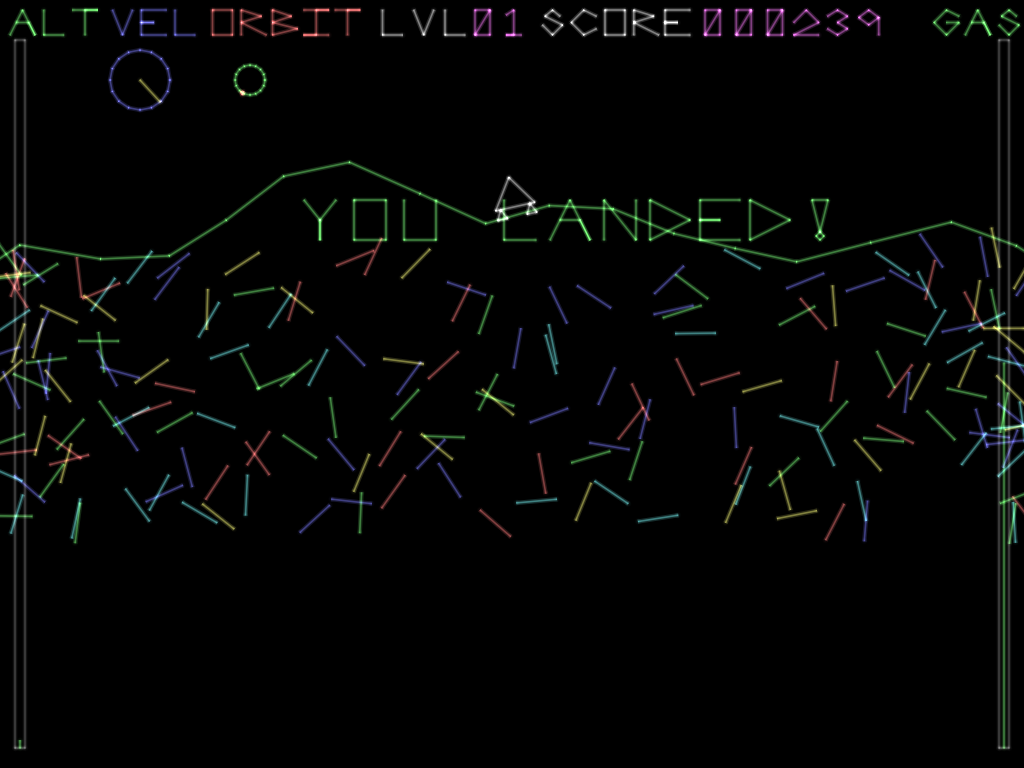
SCORE: How many points you've earned. You earn points for each level you beat, and the more fuel you have left over the more points you earn.
GAS: The amount of fuel left in your current stage. The booster and lander have separate fuel reserves, but the lander has much less, so use it wisely.
Controls:
A/D or left arrow/right arrow - Rotate counterclockwise/clockwise
W or up arrow - Thrust
Space or return - separate the lander from the booster
I found the dials a little confusing at first. I kinda thought that the two circles represented 2 planets for some reason. Once I figured that out, though, this was a fun little lunar lander game!
I struggled at first because I didn't realize the screen is rotated so the ground is below the ship at all times so I didn't know which way to orient my burns. Great game but maybe link to a periapsis and apoapsis adjusting tutorial. Best so far is 3 landings in a row.
This was so confusing in terms of orienting where I was. Like the comments said, I didn't realize that the screen was always rotating so that the player was below the planet... and even then I still couldn't do it ;_; Great game though!
Took me a while to orient myself, but the compass helps out a ton! Landing was quite hard, specially the first time when I didn't realise the screen was rotating. That first approach couldn't really be qualified as a landing.
Great game, the music, mood and idea were all well done.
Nice game (if a little confusing initially) and I really liked the simple graphics style. I found it pretty difficult though - even the smallest burn seems to send you way back up above the planet again.
I was confusing in the beginning, but after read you description that earth is always beneath you then it is quite fun to play~The key is to remove your tangent speed~
Orienting myself was really tough to begin with but pretty fun and challenging to play. There's a really good feeling of panic when the surface of the planet appears and you have to control your speed for the safe landing. Good job!
Neat game! Quite difficuly for me since I'v never played a game like Kerbal Space Program before. Reading through this page made it clear what I needed to do, but besides altitude and gas I would have been pretty confused with the general mechanics I think. Like others have stated, I think that orientation to the planet is probably the largest hurdle.
Yeah, that worked. It's minmus mission all over again:D It's freaking hard :D I think a SAS like mechanic is needed but adding it kinda destroys the challenge. But overall great game!
@wolderado Thanks for giving it a try. I tried to make it pretty generous with what it considers a safe landing, but there's still quite a bit of difficulty getting safely out of orbit in the first place.
@kirillr Thanks. Based on the feedback, I am definitely prioritizing better communication, and a tutorial if I work on a post-jam version.
This game is a blast! It was just the right amount of hard (maybe leaning too much on the hard side), and as others have said, it takes a bit to orient yourself. Lovely art and music.
Nice vector graphics! I like the sense of space that is created even when just knowing your location and velocity relative to the planet. Good sounds too.
Possibly a bit too hard to land - a couple of first levels that was much easier would smooth out the difficulty curve a lot, since now it was a lot of dying over and over again at first.
Really enjoyed this entry, intended to just quickly check it out but ended up playing multiple rounds until finally nailing a landing. Feels real and makes me feel more impressed of Apollo astronauts who managed to do this for real. It's easy to end up in an extreme orbit and suddenly find yourself hitting the planet at high speed.
I really the graphics, remind me of older times. And the music is pretty cool though. I had a pretty hard time at first but I got hooked pretty fast and couldn't leave the game until I manage to land at least once. I haven't played games like KSP but I like what you did here. Small complaint may be about the theme, not sure how it's fitting here. But anyway, really original entry!
@rend Thanks for playing. I'd agree about the theme. I mostly got reminded of Lunar Lander by the idea of getting out of actual outer space, and then got inspired to experiment with vector style graphics, so that's where most of the time went.
I love the neon visuals and especially the music. Reminded me of "Plantasia" by Mort Garson. Game is very simplistic and challenging, sound effects are cool as well. Great work! :)
Took a few tries, but the confetti made it all worth it.
I'm a sucker for vector-style graphics, so I also want to join in and say that it's an incredibly pretty game. Took me a while to figure out up and down, but it was a lot of fun once I had things figured out. I think the explanation text was pretty clear though, it was just me having poor reading comprehension there. So yeah, very cool game.
Found it really hard to judge were I was and where I was moving. I would have appropriated absolute vertical and horizontal velocity. The "Vel" indicator looked a lot like a dial, so it took me some time to get that it was supposed to be a 2D artificial horizon.
Vector graphics Kerbal Space Program! Shut up and take my money! 💵
I'm an avid KSP pilot, and as such had a decent idea of what was going on, but...had a bit of trouble with the lander. In a nutshell: it really probably shouldn't be the same mass as the main stage. I've done quite a few landings in KSP (in fact, that's basically what I'm best at by now), and typically, my landers are always packed with a lot of thrust, and not much fuel. I get up to (possibly dangerous) velocity dropping towards the planet on a radial-in trajectory, then point radial out and burn the landing thrusters a kilometer or two above the surface.
But...that's not how it works here. The lander seems to have the same mass as the booster, and its thrusters are equally powerful, there's just less fuel. I didn't have too much trouble de-orbiting, but the lander portion got me. Only managed a safe one once, all the others were either a crash with the lander, or a crash with the main stage trying to slow TO landing speeds. I think that's pilot's error, though - everything else is really solid.
@cliffracerx Hey, thanks for your very detailed feedback. You're right that there are some weird things about the physics. The first thing is that I didn't implement gravity falloff because by the time I thought of it the game was already working and I didn't want to break it. As for the thrust, the booster has thrust equal to half of gravity, and the the lander has 50% more than gravity.
The way I developed to play the game as I was making it was to circularize to a very low orbit, slow down as much as possible with the booster, and separate the lander as late as possible to kill the remaining velocity to reach ground. Although, that has as much to do with how the points are scored as it does with physics, since conserved lander fuel is worth more than booster fuel.
I was a bit doubtful at the beginning about the graphical part but it is perfectly fine. Next, I will never be an astronaut either because after more than 10 attempts I am still not able to land on this plantet :( Anyway I liked playing it and the sound is good too! Well done!
I feel like you need to zoom out a lot more, the game is too zoomed in to really see what you are doing, and the mini-map should have an arrow to let you know which way you are facing.
Nice game, Love how everything is balanced! Good luck, Don't forget to take a look at ours if you don't mind and see what it's like when we just focused on graphics in this game jam! Game Link: https://ldjam.com/events/ludum-dare/42/spacelab-42a
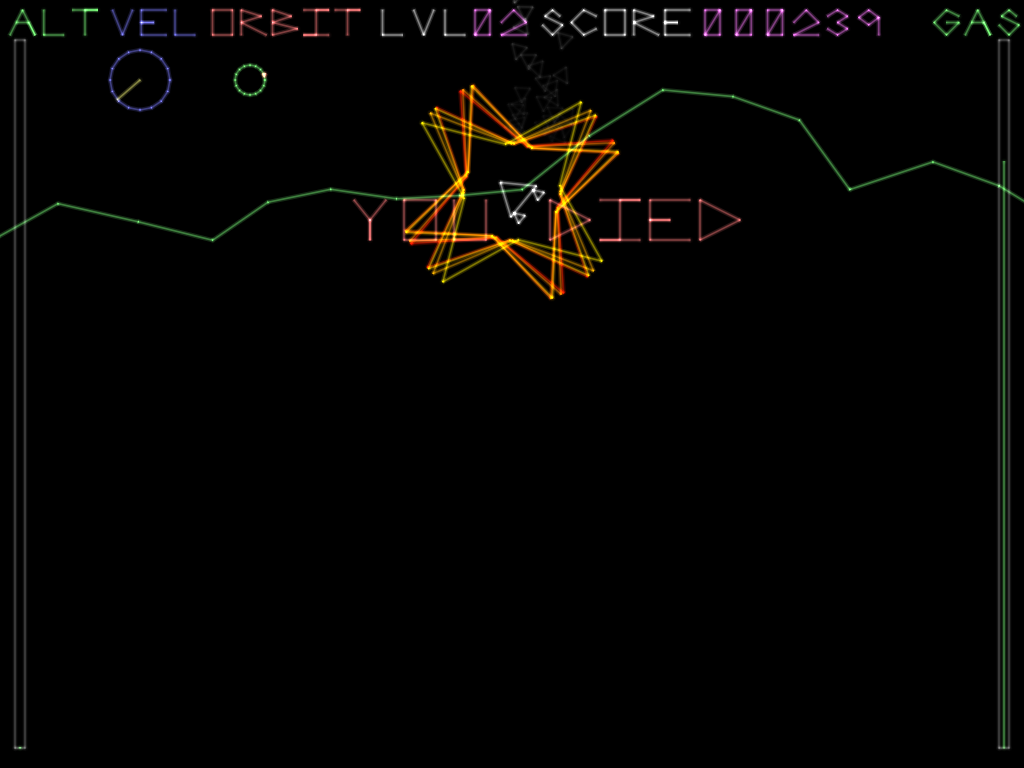
I'm actually pretty good at KSP, my first mun landing was actually a success. This is difficult, I was surprised to see the kraken included in the game. When I got to level two, burning retrograde, a mysterious force suddenly bumped the ship straight towards the planet with no mercy.
Orbital mechanics are a little strange here, the trajectory does not look Keplerian. All those orbital mechanics things I learned from KSP don't apply. The gravitational acceleration should increase as objects get closer together. The force applied to the craft should be (some number / distance^2), which makes the orbits the right shape. The source code is 404, but love EXEs can be opened with 7zip, I saw that gravitational acceleration remains constant, as I suspected, seeing ```local gravity = vector.smul(-100, vector.normalize(r.position))```, thinking it should be something like ```local gravity = vector.sdiv(someConstantFromTrialAndError, r.position * r.position)``` (completely untested). Great job nonetheless.


Comments38
Great game, the music, mood and idea were all well done.
@kirillr Thanks. Based on the feedback, I am definitely prioritizing better communication, and a tutorial if I work on a post-jam version.
Possibly a bit too hard to land - a couple of first levels that was much easier would smooth out the difficulty curve a lot, since now it was a lot of dying over and over again at first.
Try our game too, maybe you'll like it)
Keep it up
Good Luck🍀
I'm a sucker for vector-style graphics, so I also want to join in and say that it's an incredibly pretty game. Took me a while to figure out up and down, but it was a lot of fun once I had things figured out. I think the explanation text was pretty clear though, it was just me having poor reading comprehension there. So yeah, very cool game.
I'm an avid KSP pilot, and as such had a decent idea of what was going on, but...had a bit of trouble with the lander. In a nutshell: it really probably shouldn't be the same mass as the main stage. I've done quite a few landings in KSP (in fact, that's basically what I'm best at by now), and typically, my landers are always packed with a lot of thrust, and not much fuel. I get up to (possibly dangerous) velocity dropping towards the planet on a radial-in trajectory, then point radial out and burn the landing thrusters a kilometer or two above the surface.
But...that's not how it works here. The lander seems to have the same mass as the booster, and its thrusters are equally powerful, there's just less fuel. I didn't have too much trouble de-orbiting, but the lander portion got me. Only managed a safe one once, all the others were either a crash with the lander, or a crash with the main stage trying to slow TO landing speeds. I think that's pilot's error, though - everything else is really solid.
Graphics = 💚
The way I developed to play the game as I was making it was to circularize to a very low orbit, slow down as much as possible with the booster, and separate the lander as late as possible to kill the remaining velocity to reach ground. Although, that has as much to do with how the points are scored as it does with physics, since conserved lander fuel is worth more than booster fuel.
Anyway I liked playing it and the sound is good too! Well done!
Good luck, Don't forget to take a look at ours if you don't mind and see what it's like when we just focused on graphics in this game jam!
Game Link: https://ldjam.com/events/ludum-dare/42/spacelab-42a
Orbital mechanics are a little strange here, the trajectory does not look Keplerian. All those orbital mechanics things I learned from KSP don't apply. The gravitational acceleration should increase as objects get closer together. The force applied to the craft should be (some number / distance^2), which makes the orbits the right shape. The source code is 404, but love EXEs can be opened with 7zip, I saw that gravitational acceleration remains constant, as I suspected, seeing
```local gravity = vector.smul(-100, vector.normalize(r.position))```, thinking it should be something like ```local gravity = vector.sdiv(someConstantFromTrialAndError, r.position * r.position)``` (completely untested). Great job nonetheless.