Senbir is a game of sorts about programming a small virtual machine in a custom Assembly language. Your goal? Poke around on your harddrive and run a program from it.
WARNING: ABOUT RATING
I've managed to push a bugfix update that should deal with some of the most glaring/game-breaking bugs. BUT. It also includes the DEBUG TOOL, a new feature added so I (and any other brave souls interested in developing for the TC-06) can have an easier time, well, debugging. It includes a RAM viewer, disassembler, register views, etc. *DO NOT USE THE DEBUG TOOL DURING YOUR STINT WITH THE GAME FOR RATING PURPOSES.* If you're interested in playing more after? Use it! It's great! But it should be treated as though it doesn't exist for rating purposes, being a new feature & all.
Also worth noting, I still haven't been able to test & verify all the op-codes. Some of them may still be explosive - such as PMOV, which has consistently been the most unpredictable. If anything blows up, and I mean *anything*, let me know so I can try to patch it ASAP, or provide a correction if the problem is that I didn't document it well enough (like with the recent confusion over SETDATA)
ABOUT
It's the most sandboxy game I've ever created for Ludum Dare, and I'm trying to embrace that fact. Senbir gives you a *fully featured* virtual computer/virtual machine, with its own form of assembly language, its own RAM, monitor, harddrive, keyboard, etc. You're free to program ANYTHING in it - once you've gotten to grips with the TC-06 assembly language & architecture, you're set to build whatever your imagination demands of you!
It comes with three modes/difficulties, too, meaning you're free to experiment more!
ORIGINAL MODE
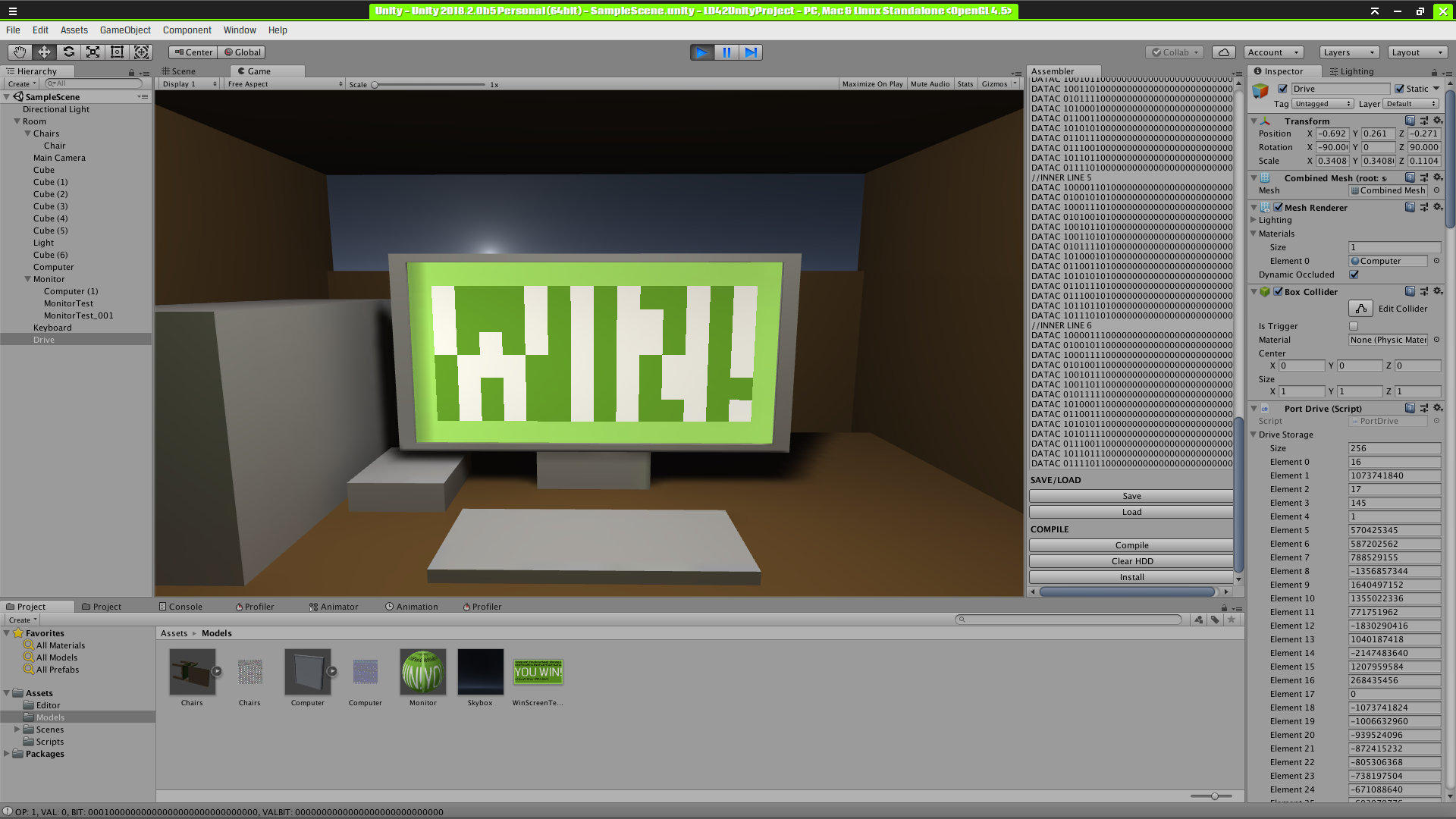
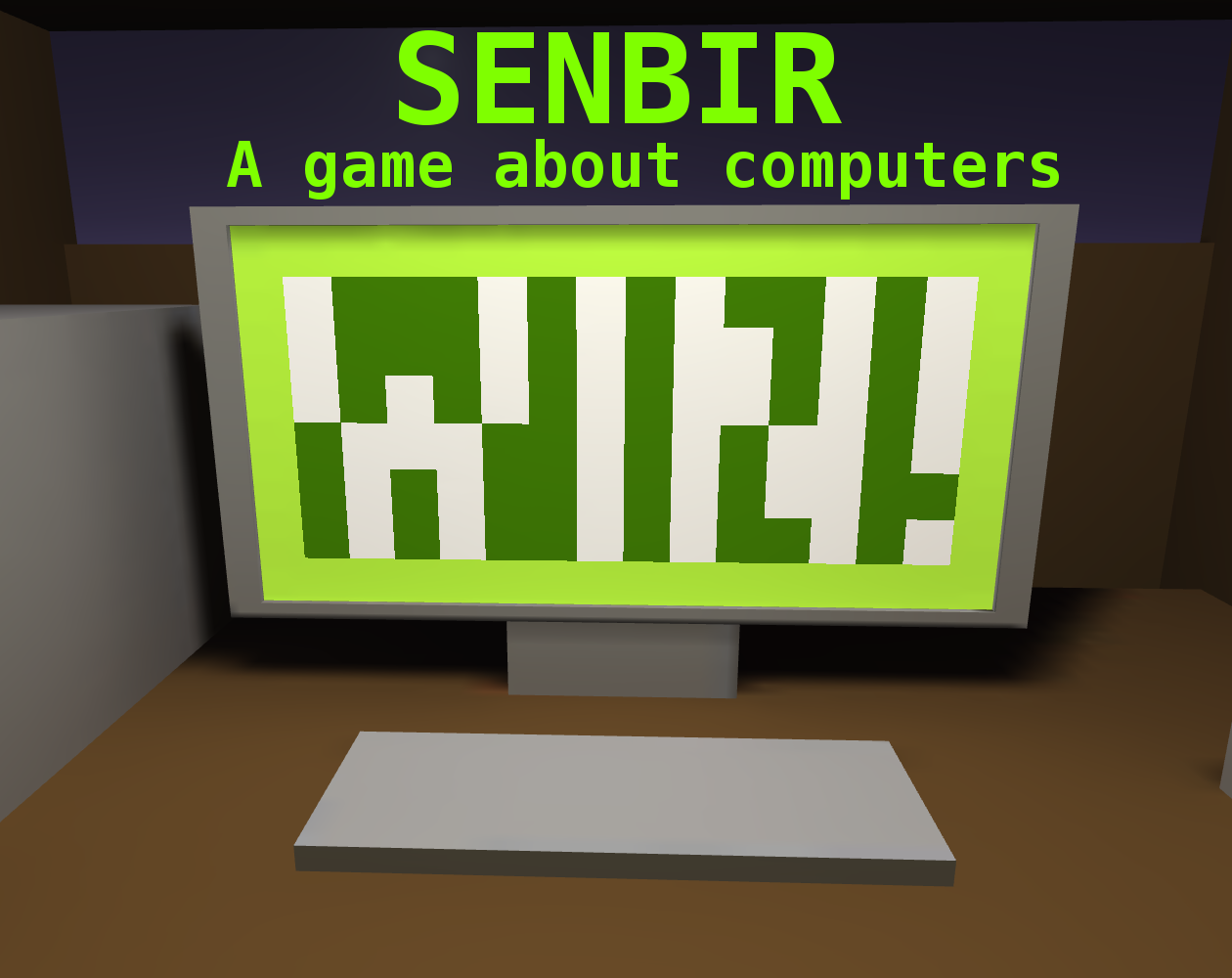
The original mode designed to fully embrace the theme of Ludum Dare 42 - you are RUNNING OUT OF SPACE. Your computer only has 128 bytes of RAM - 32 memory addresses. Your drive isn't much bigger - only 1 kilobyte, or 256 addresses! Your monitor is tiny, too, clocking in at 16 (ginormous) pixels wide & 8 tall, with only 4 colors available. In this mode, the default harddrive contents are literally just a program/"OS" that renders the "WIN!" screen included in the screenshot below.
EXTENDED MODE
This mode is designed to still keep you pretty severely limited, but not by quite so painfully much. Your computer's up to 1KB of RAM (256 addresses/1024 bytes), the drive has 8KB (a whopping 2048 addresses/8192 bytes), though the monitor stays the same resolution, just with orange colors 2 & 3 instead of the green of the original. Its drive contents also remain unchanged - just a tiny program to render a WIN screen.
CUSTOM MODE
This mode is much more up to you - you can select any amount of RAM (up to 16MB, due to limitations in the language), any size of harddrive (up to 16GB, don't do that unless you have an UNGODLY amount of IRL RAM), and change the monitor stats a good deal to make it your own. If your goal is to make something BIG, like an operating system, or a more advanced game, you should do it here, and share the custom preset file along with your disk image, so other players can jump straight in.
DISCLAIMER
I'd been screwing around with developing the raw *IDEA* for the processor architecture for a few days before Ludum Dare, and the actual ingame implementation code was built from a half-finished Unity implementation I was working on for about ~24 hours before Ludum Dare. The full implementation & architecture documentation are available at the provided Gitlab link, as well as a copy of the docs being included in every downloaded game for obvious reasons.
If the masses believe this should disqualify it from being a Compo entry, I'll gladly change it to Jam. Assuming that's possible once it's published, anyway.
Also worth noting, there is *CURRENTLY* no Mac build released. If you want to play on Mac, well...fire up Wine or similar? Or compile the game yourself? I'll work on getting the Mac build tools installed, but can't guarantee functionality. Modern Unity mac support is finnicky at best.
FINALLY: I built the game entirely in XUbuntu 16.04, so please keep that in mind. Linux Unity makes different Windows builds than Windows Unity. It might be wonky. Also, the Notebook folder in the source code is for use with the Zim desktop wiki, and contains the prettified documentation for everything in source form.
1. Version 0.42a - the version originally published for Ludum Dare. Filled with potentially catastrophic/game-breaking bugs. 2. Version 0.43a - the first major post-ish-LD release. Fix all the bugs. ALL OF EM'! Live on GitLab now, slooowly pushing to Itch. * Mostly? Just fixes a heap-ton of major bugs I found while playing in Custom mode. * What are major bugs, you might ask? Areas where the assembler, or op-codes, break down. * I know it's generally bad form to push bugfix updates, but when the op-codes required to win levels aren't working right? Then we have a problem. * There were also some op-codes that were literally rendered *defunct* on several levels, such as the extended ``SETDATA`` one. The Assembler itself would wig out and spew broken data when asked to compile one, and the monitor (a major use-case for extended setdata) didn't have any means of making use of the code that was written for extended SETDATA calls. This has since been remedied. * There's also a DEBUG TOOL now built into the game. For the purposes of Ludum Dare ratings? Don't use the Debug Menu. Once you're done playing to rate? Dig in - it's super helpful. 1. It lets you pause the processor, so you can step along manually. 2. It also has a built-in RAM viewer, so you can view up to 32 addresses in bit form. The program counter's current address is also highlighted. 3. As well as a Register viewer that you can turn on to see the status of all 16 registers, either parsed into integers, or in their raw 32-bit form. 4. Finally, it comes with a DISASSEMBLER (WIP) that lets you, well, disassemble the code in RAM. Similarly, it lets you see it on an address-by-address basis, and automatically highlights whatever the program counter's currently on. 5. Oh, and as a bonus, it also supports viewing drive data (similar to the RAM viewer), as well as disassembling its contents. If you want to see what the win program looks like, this is your way to do so. * Misc. other fixes, such as making the color-selector menu on the Custom options screen a bit more usable. In my install at least, you still can't scroll with the scrollwheel (for some reason), and the scrollbar was basically invisible for some reason. That made customizing monitors that use more than 2 bits of color a *wee* bit tricky. 3. Version 0.43a.1 - *forgets to add the ability to select the ruddy keyboard* * Press F while looking at the in-game keyboard to switch to, well, Keyboard Mode. * Right Control (or Escape) frees you from it. * Similarly, F can be used to activate the mouse, and RControl/Escape to free from it. * Left Alt can also be held down to temporarily free yourself from Mouse Mode, so you can activate the mouse, then the keyboard, then look at the screen. 4. Version 0.43a.2 - More bugfixes! Grab it now, and pray there aren't anymore bugs! My internet's not gonna last forever. * A lot of trial-and-error tweaks to PMOV trying to get it to work consistently and functionally. Not much luck yet. * Made the monitor GETDATA function work as expected. It returns the *exact* command used to set the color at a given pixel. Thing is, there was nothing to set the commands at runtime, or reset them after reboots. This lead to a lot of yelling at my IRL monitor until I realized why. Oops. * Probably other stuff I forgot!
@team-on I've put the downloads in the description as a backup. Not sure why the usual downloads/links widget isn't displaying right, but...Everything's exploding, basically. Would advise coming back ~24 hours from now to actually play/rate the game - there're some nigh game-breaking bugs still kicking around in the build that got pushed before my internet died. Will hopefully have a fixed version up tomorrow.
I am embaressed to say that as a computer engineer I was unable to illuminate the first pixel. It's a very robust system here. You've essentially created a computer within a computer. I usually try not to be too hard on games made in a 48 hour period, but I really wanted this one to work. That said I had trouble with the following:
-Some arguments were accepted as decimal, while others are read as binary. I never bothered with hex. Perhaps the counting system (base2,10,or 16) could be made more clear. (i.e SET 0 3 255 will actually compile to 01110xxxxxxxxxx25500000000000 or something to that effect.) I would also like to note that this contrasts with the documentation which reads that a set command should compile to 01111 in the first 5 bits. -For the second tutorial I was trying SETDATA 0 3 1048576 (which is decimal for 01000000.... which should mean color White, at (0,0) and the 0 fill the rest) It compiles to something unexpected and does not function.
At this point I stopped tinkering, and would like to take a step to just appreciate all that is good here. -The fact that there is documentation is cool and very realistic. -The flow of the game is good with instructions and hints along the way. -The potential for creativity is here. Players can use the game to develop games of their own in theory. This I like a lot and find quite inspirational.
Keep up the good work. Curiosity is key, and I can only imagine all the knowledge you'll accumulate from working on a project like this.
@michael-feldman Thanks for the feedback! I dunno if the docs are clear enough about this, but SETDATA's second argument (the 3 in your case) is a flag which decides what it's supposed to actually draw data from. Flag value 3 is "draw from register", meaning the argument you pass in should literally just be a register ID with the value you want (1048576, in this case) stored within, which you could set beforehand with, say, SET 0 0 01000000. My included "blinkenlights" program is this, roughly: ``` SET 0 0 11000000 //Set register 0 to the the command to pass to the monitor SETDATA 0 3 0 //Run monitor draw command (CCXXXXYYY000...) from register 0 (color=3, X=Y=0) HLT 28 //Halt for 28 cycles SETDATA 0 3 1 //Run monitor draw command (CCXXXXYYY000...) from register 1 (color=X=Y=0) HLT 28 //Halt for 28 cycles JMP 2 4 //Jump back 4 addresses to the first SETDATA operation ```
I'm really excited to keep working on hammering out the details (so less people have this sort of trouble with it x3), and to see what others come up with. I, myself, have set the ridiculous goal of writing an entire command-line operating system for it in Custom mode.
Sorry I couldn't get into it after being on a computer for 72 hours with minimal sleep. I started playing and it was something like being on a computer, after being on a computer, being a computer, I'm a computer, what's a computer.
You're an absolute madman for this and I mean that in the best way lol. This has to be the most ambitious jam entry out there. Regarding the UI, it was ultra tiny on my 4K monitor. It'd be nice if it would scale up. Very interesting and unique submission!
Boy, that's one ambitious game/project. Unfortunately the 3d environment is rather detrimental to the actual game. On my PC the lights on the PC didn't work, so I had to guess by the appearance of the menu. The game would've worked completely without the 3d part.
I do use assembler (with my trusty C64), and so was confused why the tutorial mission solution would be SET 0 3 11111111. The intention of 3 seems to be to indicate the lowest byte of the 32bit value. I was thinking in little endian and would've thought 0 would indicate the lowest byte :)
Really really awesome what you created in a mere 48 hours, but also really very niche :)
I'll echo everyone's sentiment that this is massively ambitious and impressive, not just to make a full simulated CPU and assembler for a 48 hour game jam, but to get as far as implementing a sequence of tutorial levels and documentation pages for it. Very cool.
However, I'll also echo the sentiment that even with assembly programming experience, I was unable to make any headway in this game. Basic things like what base the arguments should be provided in, which direction bits and bytes are counted from, etc. were not clear. I also had the bug where the computer's power light doesn't show up, and there's no reticle in mouse capture mode so I couldn't even tell if I had turned the computer on or not.
I know you wanted the game to be about discovering how to use the computer, but for as complex as a CPU architecture can be, it's hard to expect people to try to comprehend the documentation and work it out by trial and error (not to criticize your documentation, but anything produced in a 48 hour sleep deprived state is going to be a little all over the place).
For example, in the blinkenlights tutorial the hint merely says "you pretty much NEED to start off with a DATAC or SET operation" but it's unclear to me why that is. Shouldn't this command
SETDATA 0 0 0100000000000000000000
accomplish the correct thing? From my reading it should shift the argument into the correct place to be read by the monitor, but it doesn't work and I don't know why.
I think it's awesome you made this, and I think there's a lot of places you could go with it. I'm a big fan of Zachtronics' assembly puzzle games, and I've even shown the game Human Resource Machine to non-programmers and had them enjoy it a lot, so I think this is an idea worth pursuing as long as it could be made less opaque.
Well, first of all, I have to commend you for the sheer audacity of this game. I know you had some planning down on paper already, but to build an entire virtual computer in 48 hours, complete with such an in-depth tutorial... wow. That's impressive. (And a lot more original than my game was!)
Could have done with being a little more in-depth in explaining the controls, but I saw you acknowledged that in your post-mortem, so hopefully something for you to work on in the future. The UI could also use a lot of polishing, but considering the amount of work it must have taken just to get the actual game working, I can forgive you for not spending too much time on it.
As for the actual game, I'm not very good at it. I have no experience with assembly writing and can't wrap my head around the documentation, which is probably it. The lack of feedback doesn't really help either - I couldn't tell whether the computer was on or not because the indicator light doesn't seem to work (64-bit Windows build), and I didn't know whether or not I'd passed the first tutorial level until I went back and saw I'd unlocked the second tutorial level. So I assume I passed it.
Not the most "game" game here, but a fascinating piece of work nonetheless. Well done!
@f1krazy What graphics quality did you pick? I think it's possible the power light might not work right on low qualities. Alternatively, it's possible your compiled ROM took up >32 addresses - if you try to power on the computer like that, the game will silently error out and the computer won't turn on.
@f1krazy It shouldn't. Very odd indeed. Could you send me your log files? Probably either in C:\Users\\AppData\LocalLow\The 006 Cooperative\SenbirGame\Player.log, or in the SenbirGame_Data folder wherever you extracted the executable. This isn't the first report I've gotten about the lights being wonky, and I'd like to know what's going on.


Comments17
That said I had trouble with the following:
-Some arguments were accepted as decimal, while others are read as binary. I never bothered with hex. Perhaps the counting system (base2,10,or 16) could be made more clear. (i.e SET 0 3 255 will actually compile to 01110xxxxxxxxxx25500000000000 or something to that effect.) I would also like to note that this contrasts with the documentation which reads that a set command should compile to 01111 in the first 5 bits.
-For the second tutorial I was trying SETDATA 0 3 1048576 (which is decimal for 01000000.... which should mean color White, at (0,0) and the 0 fill the rest) It compiles to something unexpected and does not function.
At this point I stopped tinkering, and would like to take a step to just appreciate all that is good here.
-The fact that there is documentation is cool and very realistic.
-The flow of the game is good with instructions and hints along the way.
-The potential for creativity is here. Players can use the game to develop games of their own in theory. This I like a lot and find quite inspirational.
Keep up the good work. Curiosity is key, and I can only imagine all the knowledge you'll accumulate from working on a project like this.
My included "blinkenlights" program is this, roughly:
```
SET 0 0 11000000 //Set register 0 to the the command to pass to the monitor
SETDATA 0 3 0 //Run monitor draw command (CCXXXXYYY000...) from register 0 (color=3, X=Y=0)
HLT 28 //Halt for 28 cycles
SETDATA 0 3 1 //Run monitor draw command (CCXXXXYYY000...) from register 1 (color=X=Y=0)
HLT 28 //Halt for 28 cycles
JMP 2 4 //Jump back 4 addresses to the first SETDATA operation
```
I'm really excited to keep working on hammering out the details (so less people have this sort of trouble with it x3), and to see what others come up with. I, myself, have set the ridiculous goal of writing an entire command-line operating system for it in Custom mode.
Unfortunately the 3d environment is rather detrimental to the actual game. On my PC the lights on the PC didn't work, so I had to guess by the appearance of the menu. The game would've worked completely without the 3d part.
I do use assembler (with my trusty C64), and so was confused why the tutorial mission solution would be SET 0 3 11111111. The intention of 3 seems to be to indicate the lowest byte of the 32bit value. I was thinking in little endian and would've thought 0 would indicate the lowest byte :)
Really really awesome what you created in a mere 48 hours, but also really very niche :)
However, I'll also echo the sentiment that even with assembly programming experience, I was unable to make any headway in this game. Basic things like what base the arguments should be provided in, which direction bits and bytes are counted from, etc. were not clear. I also had the bug where the computer's power light doesn't show up, and there's no reticle in mouse capture mode so I couldn't even tell if I had turned the computer on or not.
I know you wanted the game to be about discovering how to use the computer, but for as complex as a CPU architecture can be, it's hard to expect people to try to comprehend the documentation and work it out by trial and error (not to criticize your documentation, but anything produced in a 48 hour sleep deprived state is going to be a little all over the place).
For example, in the blinkenlights tutorial the hint merely says "you pretty much NEED to start off with a DATAC or SET operation" but it's unclear to me why that is. Shouldn't this command
SETDATA 0 0 0100000000000000000000
accomplish the correct thing? From my reading it should shift the argument into the correct place to be read by the monitor, but it doesn't work and I don't know why.
I think it's awesome you made this, and I think there's a lot of places you could go with it. I'm a big fan of Zachtronics' assembly puzzle games, and I've even shown the game Human Resource Machine to non-programmers and had them enjoy it a lot, so I think this is an idea worth pursuing as long as it could be made less opaque.
Could have done with being a little more in-depth in explaining the controls, but I saw you acknowledged that in your post-mortem, so hopefully something for you to work on in the future. The UI could also use a lot of polishing, but considering the amount of work it must have taken just to get the actual game working, I can forgive you for not spending too much time on it.
As for the actual game, I'm not very good at it. I have no experience with assembly writing and can't wrap my head around the documentation, which is probably it. The lack of feedback doesn't really help either - I couldn't tell whether the computer was on or not because the indicator light doesn't seem to work (64-bit Windows build), and I didn't know whether or not I'd passed the first tutorial level until I went back and saw I'd unlocked the second tutorial level. So I assume I passed it.
Not the most "game" game here, but a fascinating piece of work nonetheless. Well done!
Could you send me your log files? Probably either in C:\Users\\AppData\LocalLow\The 006 Cooperative\SenbirGame\Player.log, or in the SenbirGame_Data folder wherever you extracted the executable. This isn't the first report I've gotten about the lights being wonky, and I'd like to know what's going on.