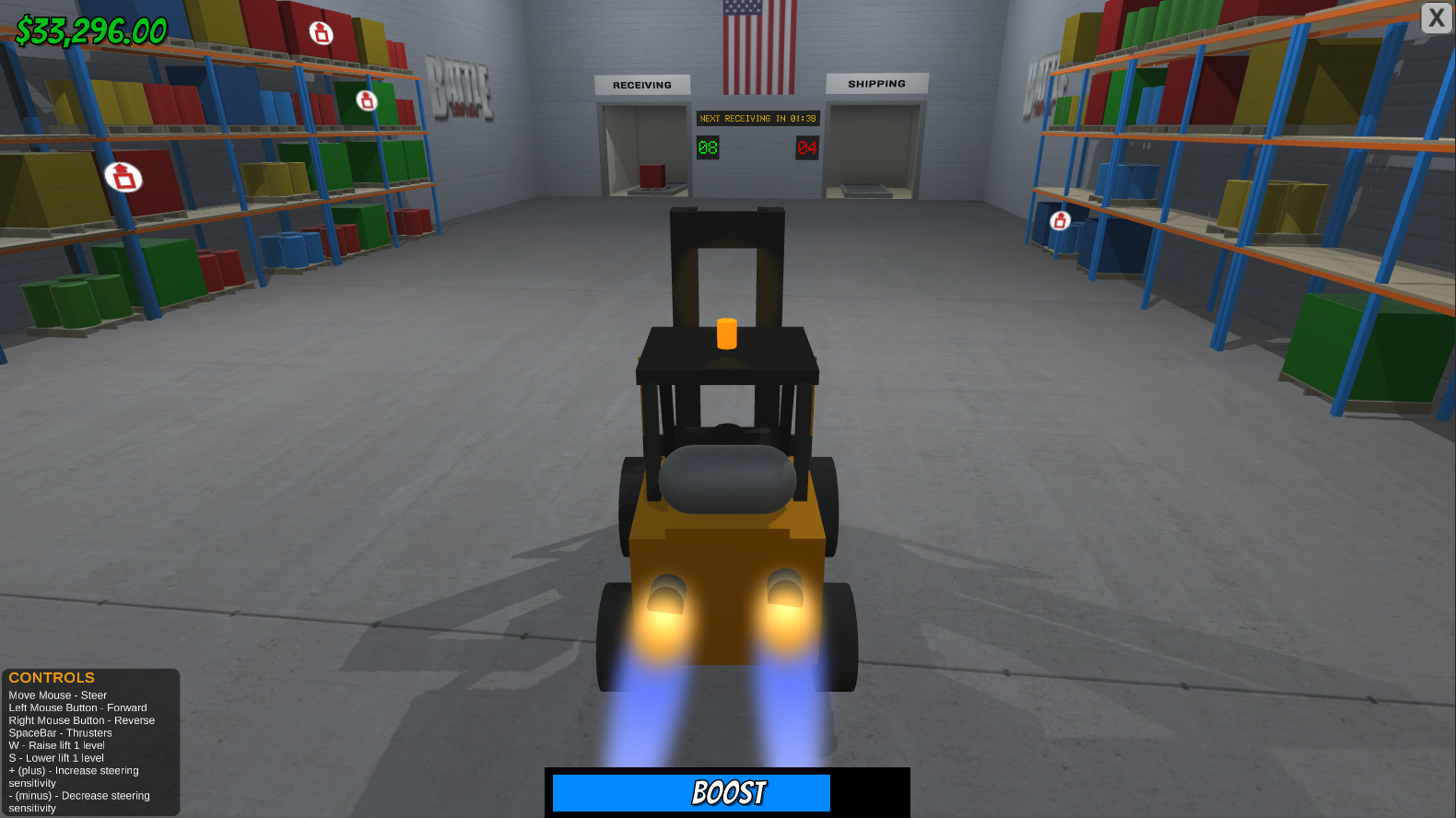
THE STEERING SENSITIVITY IS ADJUSTABLE WITH THE + AND - KEYS
Rules:
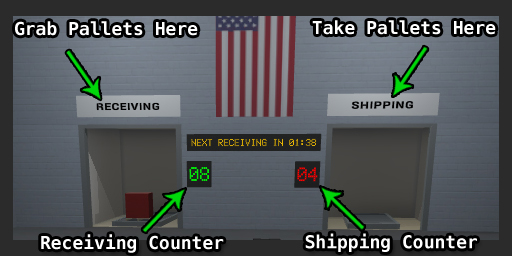
- Grab pallets from the RECEIVING bay and take them to the shelves. - Take marked pallets from the shelves to the SHIPPING bay. - The green counter indicates how many pallets need to be shelved from Receiving. - The red counter indicates how many pallets need to be grabbed from the shelves and taken to Shipping. - When the timer reaches 0:00, more pallets will arrive in Receiving. - When more Receiving comes in, your booster fuel is replenished. - Match any 4 (four) or more same colored pallets, either horizontally or vertically, to remove them and get a bonus. - The game ends when you clear the warehouse by matching and shipping.
Description:
This is my COMPO entry for the Ludum Dare #42. It is my first ever entry to Ludum Dare.
In this game, you operate a forklift and race against the clock to store pallets that come in from Receiving and grab pallets off the shelves to send out through shipping.
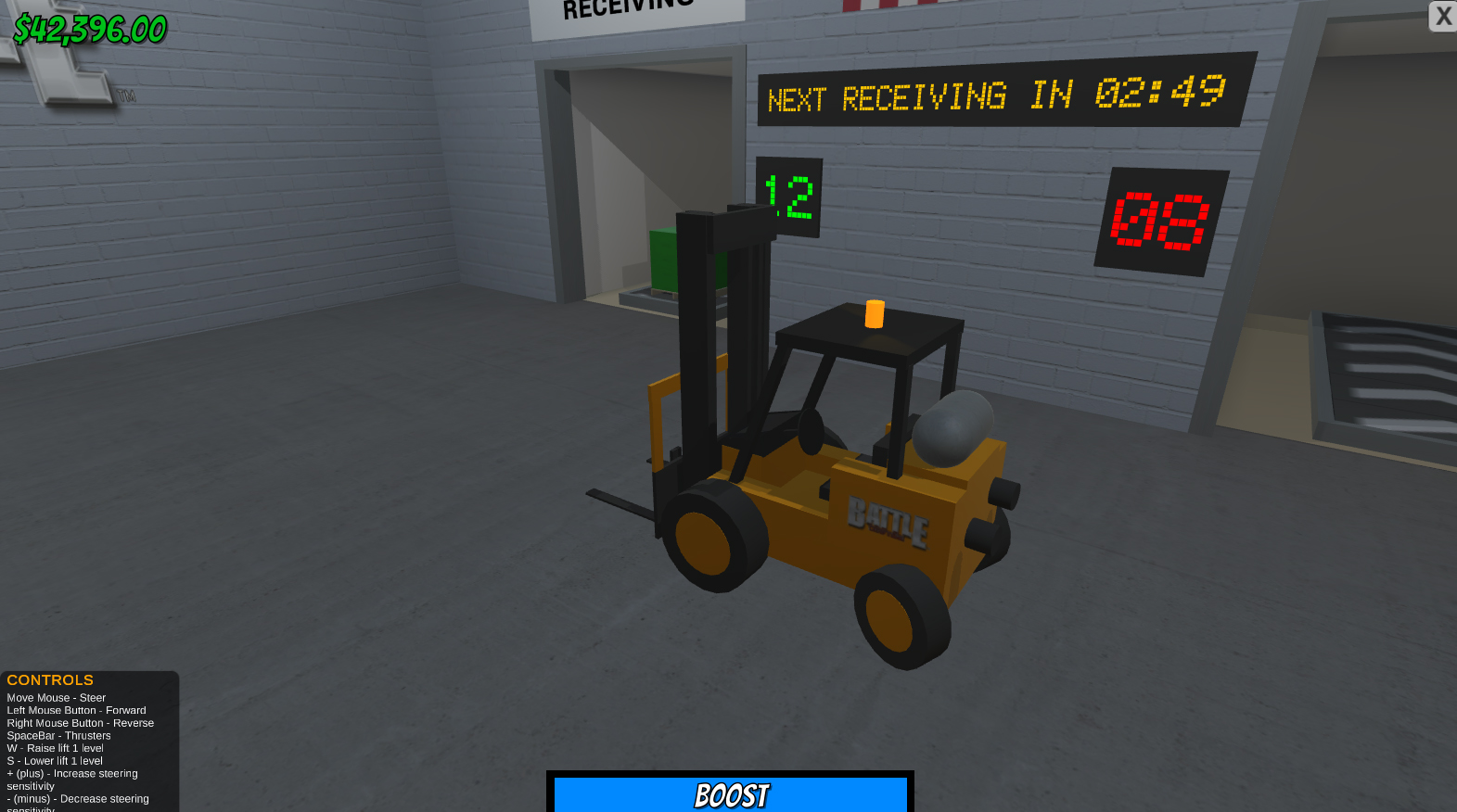
If the Receiving counter reaches 20, you are fired and you lose the game. If the Shipping counter reaches 10, same result. Time is money so no messin' around!
Enter the Receiving bay to grab a pallet and then place it on a shelf anywhere you like. When the receiving counter reaches zero, you will get $1,000 for every second left on the timer.
Match any 4 (four) or more same colored pallet either horizontally or vertically and gain a $1,000 bonus for each pallet matched. They will also be removed from the shelf.
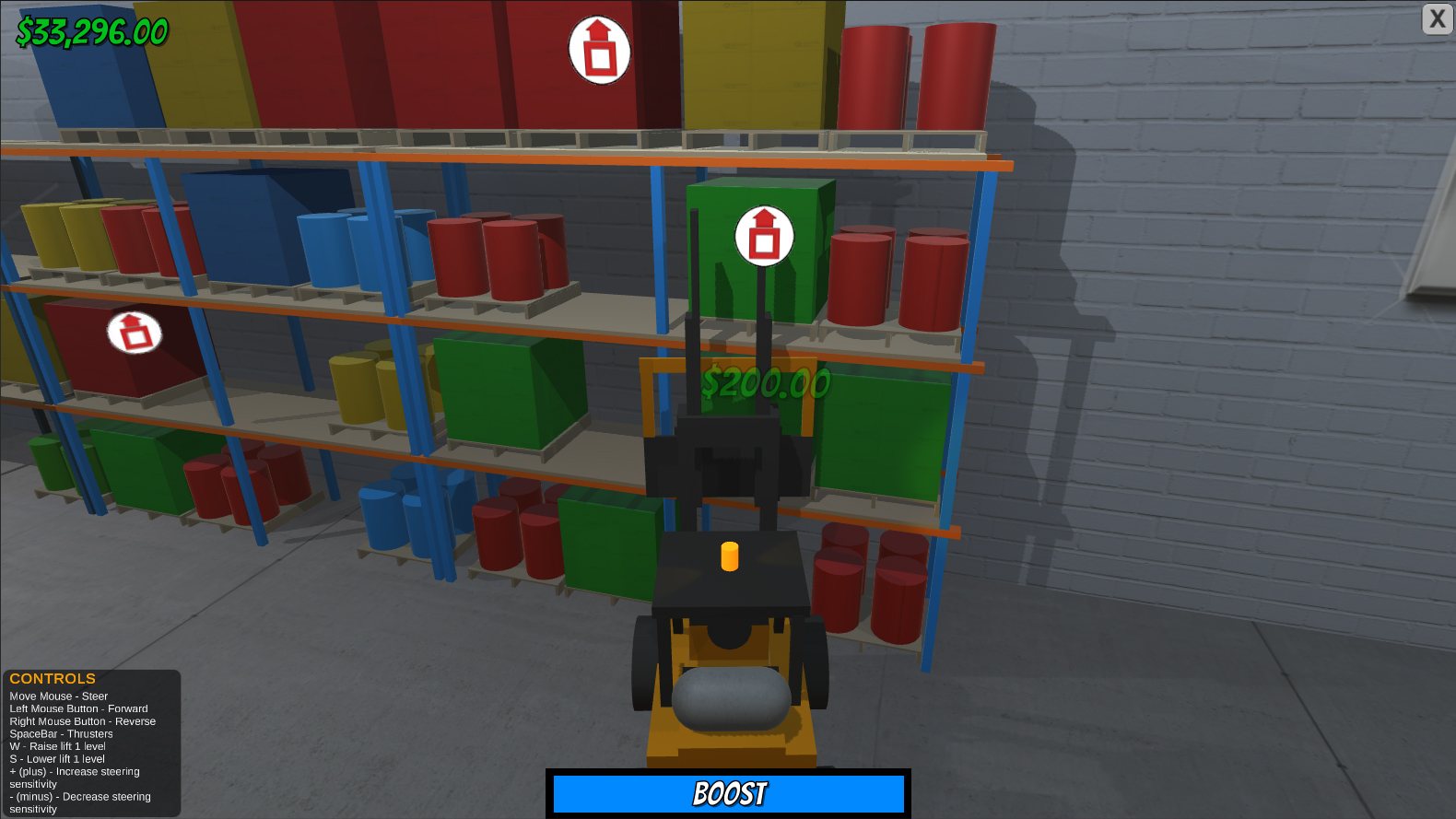
Pallets to be shipped will be marked. Grab them from the shelf and take them to the Shipping bay when the red shipping marker appears over them.
To Operate the Forklift:
*Press the TAB key to swap controller schemes.*
Controller Scheme 1 - Mouse - Steer - Left Mouse Button - Forward - Right Mouse Button - Reverse - W - Raise Lift 1 Level - S - Lower Lift 1 Level - Spacebar - Activate Thrusters - (+ plus) - Increase Control Sensitivity - (- minus) - Decrease Control Sensitivity
Controller Scheme 2 - A/D - Turn Left/Right - W - Forward - S - Reverse - Mouse Scroll Down - Raise Lift 1 Level - Mouse Scroll Up - Lower Lift 1 Level - Spacebar - Activate Thrusters - (+ plus) - Increase Control Sensitivity - (- minus) - Decrease Control Sensitivity
All the objects are made from Unity primitives such as Cubes, Capsules, Spheres and Cylinders. The textures were made in Photoshop with the help of a few tutorials and the nVidia Normalmap Filter (not much of an artist). The sounds were recorded using my voice and pitched, filtered and amplified with Audacity. The music was made with a music creator called Bosca Ceoil.
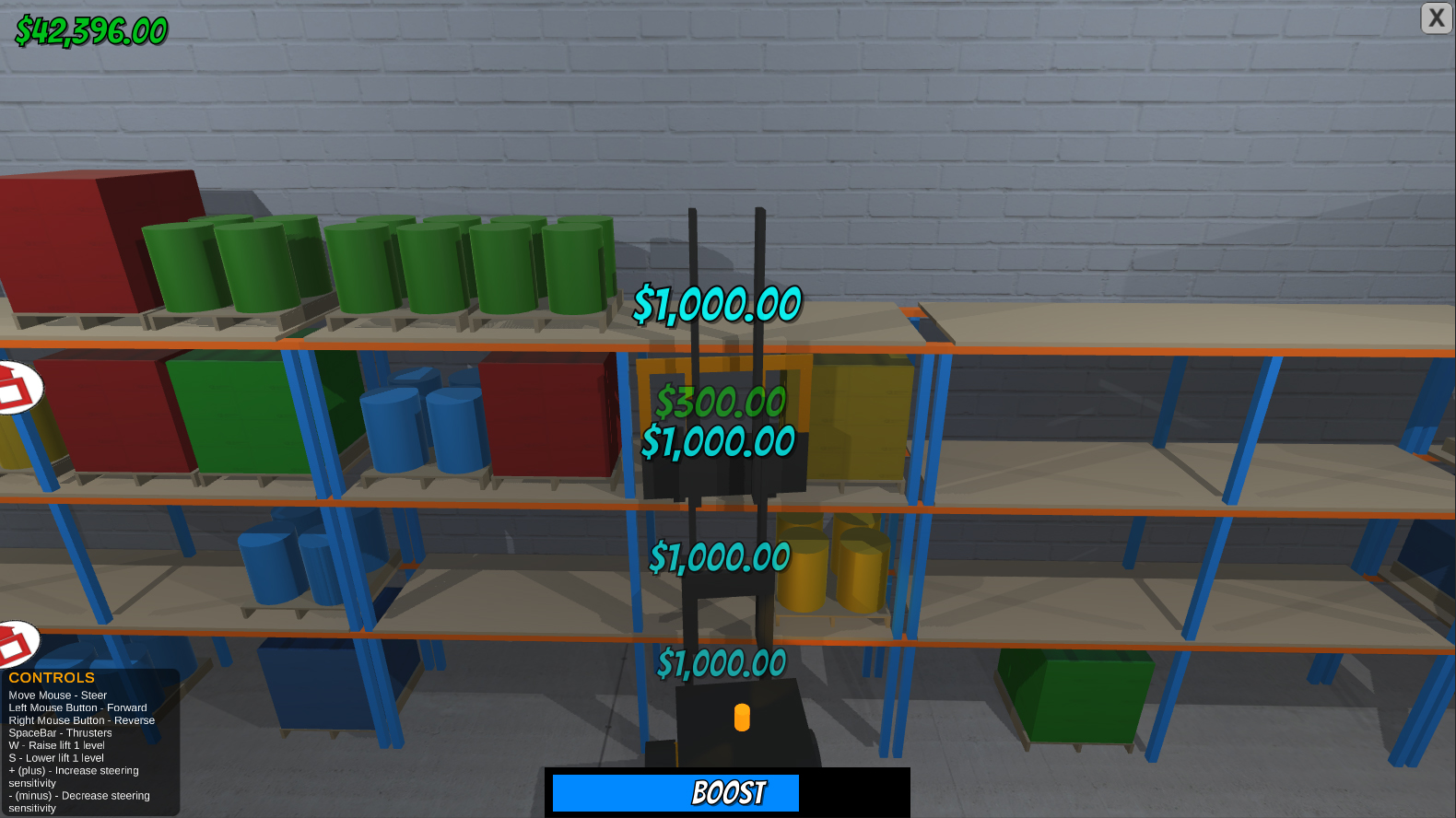
In-game Screenshots:
Tips:
- Only remove pallets from the shelves that don't match or are blocking a match. Since you can only have 10 marked pallets on the shelf, you may be forced to remove ones you don't want to. - Clear Receiving as soon as possible to get a bonus for each second left on the clock and also so you have time to clear marked pallets from the shelves. - Use the boost when taking pallets to Shipping.
This was a was a very cool game, the controls are very smooth once you get used to them and VERY Cool by using the mouse to steer insted of the standard ways. I was a little confused as to what to do even tough the your description tells me but the Receive and Send pallets area dosent actually spawn pallets and the hit boxes are deep inside the tunnel areas, once i figured that out the game play was smooth.
The visual fit very vell with the game. 48 houer i am impressed
The sound hahah is that you going over to the darkside 👿? What you have is really good even tough you missing some.
For a Game made in 48 houers All ALONE this game is Cool i give it 24 👏 GJ ERIC SMITH
Very nice for your first time in a jam! Really enjoyed the overall gameplay, graphics, and mechanics! The steering was hard to get used to (and still not quite used to it). Not sure how to fix the "hitbox" on placing/grabbing things on the shelves but really good for a first time!
I liked everything about the game apart from the controls. I appreciate the fine controls that a mouse can give you but the sensitivity can be too much. also experiment with the scroll-wheel to move the forklift up/down - but leave the current controls too as there are MAC users with a mouse with no scrollwheel.
For a first gamejam, Its great. I know how hard it is to make a 3D game in 3 days. Congrats.
I think you did a great job with the graphics, concept, and connection to the theme. The controls were unique, and only took about three restarts to figure out. Though, they were overly sensitive at times. Installation instructions may be helpful for the non-tech-savvy since its in a rar. The yellow message that tells you to go into the receiving bay wasn't on the screen long enough, so I didn't actually see it until the third try, which made it really confusing. After I realized how the game worked, I found it really enjoyable though. With the exception of a few glitches (falling out of the map, using the forklift to pull yourself into the shelves and getting stuck), it is a great game!
You should upload a post-compo version with mouse sensitivity controls. I would definitely need to turn it down quite a bit, I was spinning a lot and that got really frustrating. I also got stuck spinning in walls sometimes when I turned too fast against the wall, not to mention that it was very difficult to line up with the boxes that needed to ship out. I like the idea a lot and think I would really enjoy it if the controls weren't too sensitive for me.
When I first started playing the controls felt way over sensitive and I thought it would be near impossible to fetch the pallets, but I quickly got used to the controls and when you combine that with the forgiving nature of picking and placing, I started to feel like I could really rip around the warehouse quickly. I would still recommend turning the sensitivity down a bit because I felt like I was death-gripping my mouse to minimize my movements, but it's still a great entry. Graphics, Music, and theme are all top notch. Congrats!
This game reminds me a little of when I used to drive the forklift at Kmart, but our backroom was never that organized ;) My biggest gripe would be to make the list of controls bigger, so that it is more readable. I got about 10mins into my play before I bothered to read that text that told me how to lower the steering sensitivity. Also, I think a WASD control scheme would have worked better, with the mouse wheel operating the fork height. Very fun game overall.
never thought that driving a forklift can be so hard! lol! pretty nice concept for the theme. i like the simple graphics too. with some polish, this game can be really great and addicting.
So the controls are crazy! i both love it and hate it. Once i started out it felt so difficult to get any pallets, however once you start getting a better understanding of them it can turn into a fun little challenge, im glad you made it so that only active pallets can be manipulated. However, sometimes it can still get a bit out of control once you think you are getting better and that can get a bit frustrating. The graphics are simple and effective. The music works for the theme of the game, however it does get a little repetitive. Great job!
Nice game. The controls however... Controlling the forklift with the mouse made it really hard to control. Adding keyboard controls would probably make it easier.
I did like the graphics and the overal feel of the game.
Nice game! as others have mentioned, the controls for the forklift are a bit weird and takes time to get used to it. WASD on keyboard would be better, with maybe Q/E to raise/lower the forklift. I would also make it clearer that you can only interact with marked boxes. other than that fun entry!
Love it dude. Graphics are awesome. Sfx and music is nice but can get repetitive and annoying, I think you should add some variance next time. Gameplay and core mechanics is pretty easy to understand. Controls were hard at first but once you get the hang of it, you've got it. Very intuitive. Man you're a freakin monster if this level is compo. I also love the details like the light bouncing of the wall from the lightrotator(?) of the truck.
Took a while to get used to the controls, but once I did I felt like a forklift pro. Very satisfying. I liked the minimalistic graphics. If I had one suggestion, it would be to make a bigger penalty to bad driving, like when you run into shelves too quickly. I spent the first half driving my forklift masterfully and precisely before realizing I could just kinda run into shelves and pick stuff up and turn away all while driving forward without needing to back up.
Really fun though. I just think it should be a bit harder. Is it possible to lose? I'm sitting at $41k and stopped to type up this feedback but the game is still running and I haven't lost yet :P
This game is very fun. I played for much longer than I thought I would. It takes a while to lose, so I didn't feel a lot of pressure. I think once I had my fill, I let the game sit for ~4 minutes before I lost. I Was up somewhere around $100k.
The steering is a little weird. I feel like there should be a max amount of steering angle, because I found myself consistently spinning way further than I meant to. I think you have some kind of mouse acceleration in there, but not sure.
Overall, the game is very entertaining, and if there were some other interactions in there such as sub-goals and that kind of thing, I would put a lot of time into this.
There have been multiple games that focus on managing some kind of storage / sorting containers / shipping and receiving. Of all of the ones I've seen in that broad category, I've enjoyed this one the most.
Wow, this thing has everything, maybe it will be on of the entry to study game project in Unity. The machanics are working and I m enjoying this one. Very very good job dude.
Fun game! The rocket booster is a nice touch, lol. It's a little difficult to line up with crates to take them off the shelves, I think the forklift can actually get bumped upwards if you drive directly at the shelf, which makes you have to back up and attempt again. The music and sounds effects are pretty decent. I'm red-green colorblind, and unfortunately your yellow and green colors blend together for me. I'd recommend making the green a little darker, or the yellow a little brighter (making the green darker would probably be your best bet). Overall the game flow is excellent, once you get used to the controls it plays fantastically! Well done!
I saw someone else made a warehouse management game where you play as an anthropomorphized forklift and I had to play it!! I love the boost mechanic and how clean the game is. It never felt very hectic which I think would make it a more engaging game. The controls were a little hard to get a hold of but once I got them I was fine. All in all a fantastic entry and I am very happy to have played it. Thanks!
This is an amazing game. I hope you improve and evolve this in a post jam version. It would be very nice if it has an multiplayer version to play with or against a friend. One of the best game I played this LD. Good job!
I like the crossover of match-4 & forklift simulator mechanic in this game! 👌
Very Smart idea of switching control schemes: 👍 - I just think it was too much text for beginning (instead break it up to animated-slides or interactive on-boarding steps with highlighted cues and way-points.. (controls info-block, pickup icons and the signage took over as an effective-trifecta of visual cues..)
- The 1st control scheme took a while to get used to (switched over to control scheme 2). After a while (couple shipments later) I give control scheme 1 another chance.. then it clicked to me to think of it like a R/C vehicle. I think it's fantastic to switch control schemes without interrupting the flow of game-play (immediate feedback). - I was hoping you had option to stack multiple skids for shipping; instead they z-fight squish together (that'll do, lol)
Optional Suggestions: - Option to allow 3rd control scheme (user-defined) - IMO, Control scheme 1: since it's majorly key-based, have Left-shift and C for Higher/Lower Lift - Control scheme 2: since it's majorly mouse-based, mouse-Wheel Up/Down for Lift and Mouse-wheel click for boost.. - Somehow I could see this game evolve further into co-op local-multiplayer; (may introduce stacking pallets) for requested vertically stacked combos.. (In addition to the signage of the shipping/receiving ports, a chart pinned to wall showing suggested desirable combo-stacked pallets for shipping).. - Introduce variations of warehouse layouts.. or Secondary form of match-#: eg. match-3 for vertical stack same-color and/or type of pallets. - (or combine 'strays';(1..3 of 4 barrels ), 'spares'(single) into a solid clean pallet (4 barrels units).. - Variation of Time-limits, Ship/Receive limits..
I like where its going, look forward to see how it gels in future builds.. 💫
@acronaut Thanks for the great review! I like most of your ideas and some of those ideas I have thought of. Like matching pallet types for instance. I've already started to take it to the next level but Im going to wait until the voting period ends to see where Im going with it.
This was a really cool concept! Once I got used to the controls it was fun to play too. I think your high score might have made more sense with a lower score being better since the victory state is emptying your factory. Thanks for sharing your game with my stream awhile back. Your game was played around 1:36 into this vod: https://www.twitch.tv/videos/299925225



I was a little confused as to what to do even tough the your description tells me but the Receive and Send pallets area dosent actually spawn pallets and the hit boxes are deep inside the tunnel areas, once i figured that out the game play was smooth.
The visual fit very vell with the game. 48 houer i am impressed
The sound hahah is that you going over to the darkside 👿? What you have is really good even tough you missing some.
For a Game made in 48 houers All ALONE this game is Cool i give it 24 👏 GJ ERIC SMITH