Colors of Your World
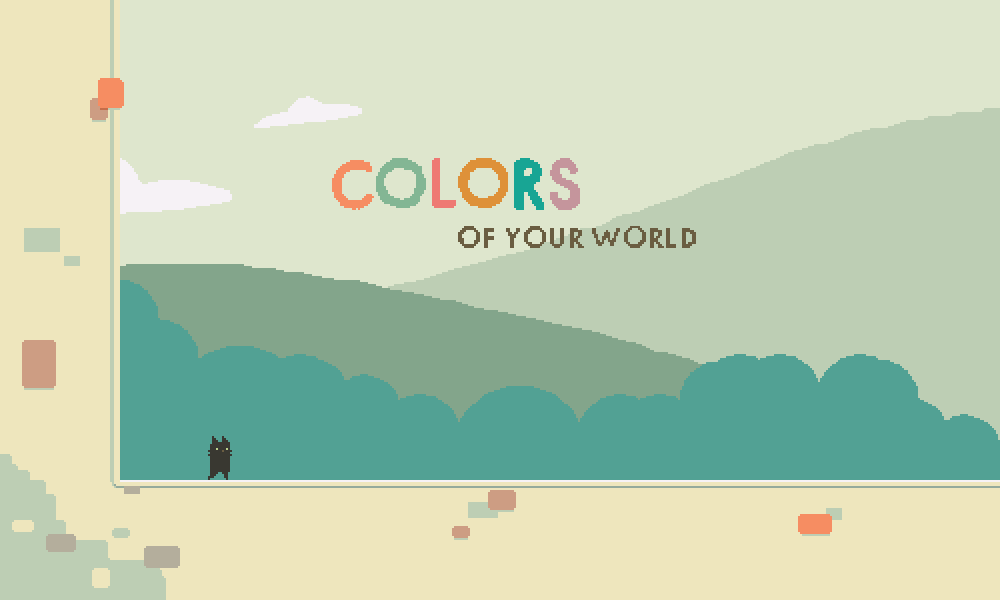
Cocoa Moss presents Colors of Your World, a platformer about the colors of life.
- A short platforming adventure.
- Sacrifices must be made to progress.
- What will become of your world?
Post-jam version (v2.11): https://cocoamoss.com/colors-of-your-world/colors-of-your-world.html
Jam version (v0.04): https://ddrkirby.com/games/colors-of-your-world/compo-version/colors-of-your-world-compo.html
Soundtrack download: https://ddrkirbyisq.bandcamp.com/album/colors-of-your-world-original-soundtrack
```
Controls (default):
Movement - Arrow keys
Jump - C or Z
Dash - X
Pause Menu - Escape
Controls (alternate):
Movement - WASD
Jump - J or L
Dash - K
Controls (additional bindings):
Movement - Gamepad Left Stick, Gamepad DPad
Jump - Space, Numpad 1 or 3, Gamepad A or Y
Dash - Numpad 2, Gamepad X or B
```
Changelog:
```
v2.11 (Post-Jam Version)
- Fixed a bug introduced in 2.10 that allowed dashes to carry over across screen transitions
v2.10
- Fixed a bug where the timer would advance for some frames when starting the main game before inputs
were able to correctly be read. This caused movement to be delayed anytime when loading from menu.
- Fixed a floating-point imprecision bug that caused physics state timing to be inconsistent.
The following states were affected:
Dashing state: Was previously 12 or 13 frames (random), now 12 frames
Walljump state: Was previously 12 or 13 frames (random), now 12 frames
Period after mushroom bounce for being unable to bounce again: Was 30 or 31 frames, now 30 frames
Period after mushroom bounce for being unable to dash/cling: Was 6 or 7 frames, now 6 frames
The end result is that dash lengths will be slightly shorter overall, but consistent instead of
random.
v2.09
- Fixed a bug with speedrun warps where mushroom bounce velocity could be retained
- Fixed some speedrun warps being broken in world 3 in normal mode
v2.08
- Added speedrunning warp-to-screen cheats, enabled via "Speedrun Shortcuts" menu option
- When enabled, press both shift keys and a letter on the keyboard to warp to a specific screen
- Shortcuts are organized according to QWERTY key layout
So 1-1 is Q, 1-2 is W, 1-3 is E, 2-1 is A, 2-2 is S, 2-3 is D, ...
- The in-game-timer will be prefixed with a screen name to indicate where you warped to
For example, if you started on the first screen of world 2, it might read "(2-1) 00:23.126"
- Every warp will start you at the screen transition from the previous screen, or alternatively,
the point at which a cutscene ends. You'll have half a second worth of transition time to buffer
movements and prepare before the timer starts.
- Note: You'll need to let go of the shift keys before you can register inputs normally
- Note: These shortcuts don't work during cutscenes, but they do work during death
v2.07
- Change a collision generation flag to fix remaining tile collision issues (world 2 challenge mode, etc)
v2.06
- Fix a game-breaking collision bug in screen 3-1
v2.05
- Actually use WebAssembly linker target (bug in build settings meant asm.js was still being used)
v2.04
- Update site lock code
v2.03
- Recompile to allow offline play via the itch.io app
v2.02
- Update to Unity 2019 and WebAssembly, recompile to allow itch.io hosting
v2.01
- Adjusted spike hitboxes to be more smaller/more lenient
- Slightly tweaked the positioning of the stars and spikes in challenge mode screen 3-6 to make it
more difficult
- Fixed a bug where climbing adjacent to a spike tile would result in being unable to climb downward
- Removed most instances of being able to stand on the very edge of a spike tile
- Dash or jump inputs that close the pause menu no longer cause a dash or jump once the menu is closed
- Wallclimb no longer initiates from a grounded state (you need to be falling or jumping),
so walking into a wall no longer puts you in wallclimb
- Fixed minor timing alignment of stars in screen 3-6
v2.00
- Added challenge mode -- a complete set of new, much more difficult levels that will really put
your abilities to the test!
Challenge mode is unlocked after finishing the game (persists across sessions)
- Added a title screen which also functions as the menu for selecting between normal and challenge
mode
- Added a pause menu option to quit to the title screen
- Added a pause menu option to retry the current screen (in case you get stuck somehow)
- Added unique background particle effects to each world
- Lightened the background a bit and made the player/crows darker for world 3, to make them easier to
see
- When dashing out of the initial phase of a walljump, you can now control your dash direction by
holding the desired direction while pressing the dash button (by default you dash away
from the wall) -- this allows dashing back into (or over) the wall you were climbing on
- Changed in-game text to prefer saying "Press C" instead of "Press Z" (both still work)
- Fixed an input bug that caused jump and dash inputs to carry over across respawns and transitions
- Made mushroom bounce distance consistent -- previously the exact distance depended on your
position as you triggered the mushroom
- Fixed a rare bug where you could stand on the edge of a mushroom without bouncing
- Tweaked some physics code slightly, mostly noticable for mushroom bounces
- Tweaked moving platform code slightly
- Water edges and waterfalls now push you upward or downward when climbing on them
- Water no longer pushes you while in initial dash startup or dash end cooldown
- Squared up some corner tiles in world 3 to fit better against the spikes
- Very slightly tweaked the water tile visuals in screen 3-7
- Fixed a slight visual layer opacity issue in screen 2-4
v1.04
- Reworked cutscene text to be more consistent and easier to read
- Changed the cutscene screen tile layout slightly to accomodate the new text position
- Minor first-time initialization performance improvements
- Added a tile to screen 3-7 to make it slightly easier
- Fixed a minor visual bug where waterfalls could become out of sync when backtracking
- Added "Press Z to Continue" prompt for first cutscene if you don't press anything for a bit
v1.03
- Fixed a minor tile collision issue in screen 2-4 introduced in v1.02
- Added jump input buffering -- jump inputs will now carry over into the next few frames, so you'll
still jump even if you pressed the button slightly too early (e.g. while you were still falling)
v1.02
- Changed the collision of the starfish to use circles instead of squares, so they are consistent
regardless of orientation
- Changed the last part of screen 2-4 to make it more clear that you need to jump before dashing
v1.01
- Fixed a framerate-dependent input bug that would sometimes cause jump or dash inputs to be dropped
(patched forward from v0.04 compo build)
- Decreased minimum jump height and made jumps end more quickly when releasing the jump button
- Reworked the end credits screen and added a function to restart the game
- Added version number to the end credits screen
- Track total time taken (pauses during menus, screen transitions, and cutscenes, but not respawns)
- Added time taken and total death count display at end screen
- Added a pause menu, available by pressing Escape, P, or Gamepad Start
- Added menu function to restart the game from the beginning
- Added menu option to show game timer and death count in-game (for speedrunning)
- Added menu option to skip cutscene text (for speedrunning)
- (The above two options persist across game sessions)
- Fixed a few missing tiles for a screen transition at the very end of the game
- Made a minor change to the mushroom bounce code that could prevent some potential issue with
getting "stuck" repeatedly bouncing on a mushroom
...
```
...Changelog continued at https://ddrkirby.com/games/colors-of-your-world/colors-of-your-world.html


Comments67
The music is extremely good, my favorite LD game theme I've heard in some time. The first one in particular is really good!
Challenging as well. The last area took me a few tries.
I've been caught in wanting to design games with more exploration in mind... at first, I wanted to look at upwards/tilebased games for exploration/adventure themes... but lately I've been wondering if platformers have a better advantage there? Something to do with the challenge of moving around, and having spaces you inherently won't go into... as opposed to top-down, where you inherently "can go NESW"...
*(oh, and it's wrote "Samurai Shaver v0.01" just under the game, a little forgetfulness, I guess ^^)*
I also liked your take on the sacrifice theme.
Good job!
I really like the build-up of mechanics and difficulty over the first few screens of each area. You made a fun engine where just moving through the world is satisfying. Huge props for that! That is a hard thing to do. I think there are specific spots in the levels near the end of the game that require too much precision though. The level where you need to do two frame-perfect dashes at the peak of a mushroom jump in a row is not a very fun challenge. I knew exactly what I needed to do, but pressing x during a 1-2 frame window twice was just tedious. It felt like I was fighting the engine more than anything.
I don't think you should allow the player to hold away from the wall to drop off. There were multiple times where I was holding away from the wall to prepare for the next jump and just fell to my death because of the ability to fall off. Players would likely be fine with just tapping jump to pop off a wall, so this is a case where simpler is better. I am going to reach a little here and say you made that decision to mirror Celeste, but I am going to explain why it didn't feel good: in Celeste, you are never fully attached to the wall. You have this constant feeling of panic as you slide down and it keeps your hands moving as you decide what to do. Since you are fully attached to the wall in this game and can hold up and down to carefully move around, the ability to pop off the wall doesn't have the same continuity.
With all that being said, I gave this game a 4/5 overall. I played through the whole thing and had a lot of fun with it!
I loved the aesthetics of the scene with the dramatic crows (ravens?), even though the "sacrifice" didn't really feel like a sacrifice in the continuing game. But trading part of your vision for a skill is an excellent deal to make...
@shadoninja: Thank you for the detailed feedback! It helps a lot. The game has been patched to address some of the difficulties you encountered.
Holding away to drop from climbing was something I was conflicted on myself, as I also found it unwieldy at points, but was not sure whether players would find it unintuitive that moving away from a wall now requires a new input (jump) and locks them into doing a walljump away from the wall (unless holding down). From reading your feedback I think this is definitely the lesser of two evils though, so I've changed the behavior as you suggested. For the record, when using the climb function in Celeste, you ARE fully attached to the wall, and in this case you are also NOT detached if you hold in the opposite direction.
Screen 3-4 (I believe this is the one you are talking about?) was definitely not intended to be that demanding. One of the spike obstacles has been removed and the other has been made significantly more lenient to address that.
Thanks again for helping improve our game!
@picapica: Thank you for keeping at it and sorry that you reached a roadblock in your progress!
I went through your game again just now and it feels way tighter! You changed the level I was talking about so yeah, I think we were both talking about 3-4.
Also, even though I forgot about how gripping walls worked (lol), Celeste is one of my favorite games *ever*, so I will probably be one of your pickiest critics on this ha!
i now realize forgot to mention a few details. one time after dying, when i started again i was running and falling off an edge, making me die again. this went on and was unresponsive for a few times and then went back to normal. (i might have been frustrated and pressed ALL the buttons when i made this happen). and one time i managed to land and stand still like this:
really not something that bothered me, but perhaps it's useful to you.
@picapica: That works! Once the game is feature complete (we would still like to put in some different tilesets for each world), I will also be recording a playthrough video.
Good catch on the mushroom standing bug, that's a known minor issue that I haven't really gotten around to addressing yet. I wanted the mushrooms to launch you a bit closer to their center point otherwise there would be too much variation in the launch point, so I adjusted some of the collision boxes, but with the unfortunate side effect of allowing the situation you show in your screenshot.
Not sure exactly what happened with the controls in the other issue you described...the game does accept gamepad inputs and also maps the "WASD" keys to movement, so that is one possibility. Otherwise, maybe just some funky issue with the key release not being handled correctly. In either case, I'm going to write that one off as a fluke. Thanks again for the report though!
Impressions as I was playing through (at first compo version, then updated version from stars):
The colour scheme is really pleasant to look at! So soft and subtle. Playable character is adorable and jumping on/from mushrooms is really fun. I do wonder what will be the sacrifice theme in such a happy peaceful world, though! (...) Are those... flying bird butts? (...) Ohh, a new ability! The "dash" animation is great. :3 But oh no. This will become really depressing to look at really soon, won't it? (...) I've dashed myself into the starts more times than I'd like to admit. :D But the controls are still fun. I appreciate that it saves so often, otherwise it could get frustrating. (...) I got stuck on the (first?) waterfall. But I'm not very skilled player so I imagine others can go through just fine. :)
A small detail you couldn't have possibly known, but on my non-English (Czech) keyboard, Z is reversed with Y and therefore it's really far from X and hard to use. I can switch them though, so it's not a big issue. Maybe just an interesting fact. :)
Overall I really enjoyed it!
I'm just a bit doubtfully about the sacrifices, taking back some colors seems to be a great idea, but it feels like it's not really impacting the gameplay, like we don't really "miss" those colors as we are focused on the platforms and stuff ! Maybe think about a way to find a direct use and purpose for each color, so as they disappear the game starts to get more difficult ?
But once again, really good job, your game is cute af. :)
Holy crap though - this was definitely a solid platformer with a lot of potential. I can say without a doubt that this really was a fun game that I enjoyed solidly. Having played a lot of games in this genre in the past, I might offer some feedback, and some things I enjoyed:
- Death was fast and smooth. Awesome. It allowed me to restart quickly and without the hassle of waiting for long animations.
- Downside: the enemies animation timer keeps playing, so every time I start a level, the enemies/platforms/everything else has been moving - this makes it hard to learn timings as every time I start the level, the enemies are in different positions. I kept wanting to jump, but I ended up having to wait, and reset mentally after every death to ensure that I didn't let muscle memory kick in when it wasn't yet time. This was a little bit annoying.
- The music was excellent and fit the mood perfectly.
- The way you guys taught the mechanics simply at first, then raised the difficulty often was incredible. Excellent tutorial technique and beautiful level design. It's not often that people are able to do this effectively. We tried that in our own game, but didn't get around to it.
- Lengthening checkpoints - I enjoyed how the game's checkpoints involved more and more micro-challenges as the game went on, and it was nice to feel the game getting more difficult as I played through.
I wish the mechanic of sacrificing colors had had a more noticeable effect, but all in all, this might have been one of the cleanest, fullest LD games I've played this year.
Man, honestly, your level design was incredible... the way you guys introduce simple ideas lightly.. oh, here's some water, but don't worry about it. Then you show it once or twice later, then it becomes part of the difficulty. You managed to teach some mechanics without any text or words, but with gameplay, and that, by itself is a laudable achievement.
My only other major gripe, is the controls: Z/X were getting annoying for my pinky and ring (later switched to ring/middle) and during some of the jumping/climbing puzzles, I kept messing up the order or pressing the dash when I meant to jump. I think having an alternate jump button, like space, might have been a bit more intuitive, but honestly, it's such a small thing.
I really enjoyed this. Thanks.
Ps. Starting Anew is stuck in my head!
@ynneblack, @aurel, @jeffrey-newton-evans: v0.21 adds additional keybindings which should have something for everybody! Here are the new options available:
```
Controls (default):
Movement - Arrow keys
Jump - Z or C
Dash - X
Controls (alternate):
Movement - WASD
Jump - J or L
Dash - K
Controls (additional bindings):
Movement - Gamepad Left Stick, Gamepad DPad
Jump - Space, Numpad 1 or 3, Gamepad A or Y
Dash - Numpad 2, Gamepad X or B
```
:thumbsup: I like the unique take on the theme, and especially how it was used to reduce the initial complexity of the game. The music and art were awesome, and the game was rather moody.
:bug: I think the players hit box grows (or shifts forward) when you jump, sometimes I would stop right in front of a spiny death star and jump straight up, and it would hit me even though it did not before the jump.
:point_right: The first zone reminded me of Sonic & Knuckles' Mushroom Hill Zone. I'm not a fan of masochistic platformers, you struck a good balance here making something fiendishly difficult with out going overboard... at least until the last level that was too hard (I had a lot of trouble with the last jump and there was no way to practice it until I got all the way back there)! ^_^
:star: Overall excellent job, I really enjoyed playing this!
The gameplay was pretty fun, although I gave up at the same spot @franfox mentioned in their post, as having to replay that whole room multiple times started grating on the nerves!
I really enjoyed the level design up to that point, slowly being given new mechanics and toys to play with at a captivating pace.
My only issue (except for perhaps the later difficulty) is the lack of adherence to the theme. It was fun to have a palette swap but I didn't feel like anything was being 'sacrificed'.
First thing is that the music is awesome but I don't think it really fit the game or the areas too well. Area 3 fit really well actually, but 2 had a really magical/coroful kind of vibe that didn't fit the simple greenish environment.
The water in area 2 was hard to read which direction it was going. Also I think there were a couple that animated in the wrong direction to the force.
The levels were generally cool but most of the obstacles were just waiting/timing, which is usually dull when you succeed and frustrating when you don't. The timers not being reset on death added to that too. I don't want to say that the gameplay was too basic, with the dash and climb powerups being really standard platforming mechanics (Celeste uses the same ones for example)... but it didn't feel too new or interesting to get new powers. This also largely contributed to the lack of "sacrifice" feeling. You're not really losing much with the color, and you're not really gaining much with the mechanics. The narrative metaphors of the mechanics were cool but it wasn't really expressed in the gameplay, just the cutscenes.
The platforming is solid and the art and music are wonderful. However, I felt that the game itself wasn't very innovative in terms of mechanics, and that the theme-based mechanic of losing a color at the end of a stage didn't have enough effect on the gameplay. The vulture(?) dialog scenes were on point and bumped you up a star in Mood.
The difficulty curve was very shallow at first but increased dramatically once the spikes were combined with the floating platforms. I actually was not able to reach the end of the game because of the difficulty (then again, I am notoriously bad at platforming). As I mentioned the 'losing colors' mechanic did not seem to have an immediate effect on the gameplay.
I really liked the general color palettes and the artwork, though I think a few more frames on the animations would have suited it a little better. The music and sound effects were well placed and tasteful, and as I mentioned I liked the lines that the vultures said.
While I didn't find that many flaws in your game, I reserve 4 stars and above for something that truly blows me away, and though your game was solid and certainly a top-tier jam game, it didn't captivate me in the way that warrants that fifth star.
It was a joy to play as usual, I look forward to seeing more of your work!
Overall: 3.5 Fun: 4.0 Innovation: 1.0 Theme: 2.0 Graphics: 4.0 Audio: 3.5 Mood: 2.0
I think however there's a distinct lack of tying the game mechanics to the jam theme. I would have loved to see more innovation here, because the team clearly have some talent. I had a lot of fun playing - I think I'll revisit this later to play the post-jam version. Overall, really great work! :slight_smile: :thumbsup:
P.S. I remember Samurai Shaver! I've given you a follow.
I honestly feel like this puts my own entry to shame. The platforming gameplay is simple, but challenging, with nice, short levels and tight controls. I like how instead of making you sacrifice abilities as you progress, like a lot of other entries, the game gives you more abilities but sacrifices the world's colours.
The graphics are good, and the music and sound effects are excellent. The cutscenes between worlds, and the way the graphics and music changed between them, really helped tie the whole thing together.
I did encounter a game-breaking glitch in World 3, though: at the start of one of the levels you just clip through the floor and fall to your death. If you're fast enough you can grab onto the left-hand edge of the screen and climb up it, taking you back to the previous level, but you can't progress any further. There were also a couple of times in World 1 where it didn't acknowledge my button inputs when I pressed Z, so I'd walk straight into a bottomless pit instead of jumping over it.
All in all, though, this is a great entry. Well done!
Gameplay felt top notch though and the graphics are really nicely drawn and animated.
It got surprisingly hard but it felt like a good challenge all the way through.
I appreciate that you allow space for jumping (In my country, y and z are swapped on the keyboard so it's frustrating when you can only jump with z.) but I think that it would be even better if you allowed jumping with the up arrow (especially since the up arrow is currently not in use)
It was a pretty cool moment when I turned into a bird in the end :)
The visuals and animations are nice and clear, the music the amazing and the platforming is super fun with the difficulty curve feeling pretty great.
If I had to nitpick, I'd say the jump grace period is too short. I can't easily tell the direction of movement from the waterfall platforms (that might be just me). Also, the game doesn't very much tie into the theme except for the story. At first I though losing colours would have some gameplay consequences, which might have been cool.
Just to be clear, I played and rated the jam (compo) version, though I'm gonna play the updated version later :wink:
*Edit: I played the updated version and I'd still bump up the grace period a bit. The extra screens were great meaning I loved the game even more*
The post-jam version of Colors of Your World addressed the issues I had with input, namely a lack of smoothing, right-hand jump button, and input buffering. It handles well and the graphical upgrades are quite nice :)
If you added in controller support and the ability to foreshorten your dash, you'd have a lot more options for level design.
Yes, there are cutscenes that shows the theme, but if there's a theme it should be felt with the core mechanics of the game too. People (yeah, like me) tend to skip texts even short ones because it's the mechanics that blends with the theme matters.
Anyway, favorite part of the game is the soundtrack. Good job.
Only thing for me is that the theme was not applied to the gameplay, it was actually applied as a story background. Which is ok, but if we could make a choice on what power to get, or choose what color to sacrifice, there, my friend, you would have totally nailed it!
Overall this is a really nice entry!
I tried the original compo version and the amount of content and polish is amazing. Everything is great for me, except maybe one thing: I loved your idea on the theme, but the outcome is pretty much null..I mean, if you didn't tell me that I was sacrificing colors I would have just thought that it was a slightly different theme for a new level.
One thing that would've blown my mind would have been if I had to replay always the same level, but with some colors (i.e. platforms or obstacles) removed. Of course I realize that from a level design point of view that's definitely not an easy task, but if you managed to create a level in which you can strip away layer after layer of platforms (or hazards) and balance that with the additional powers, that would have been truly amazing.
Anyway thank you for a great entry. Good job!
I really like the art style, music and concept and you should be very proud of achieving this within a jam timeframe. I am new to making content for games and this is something to aspire to!
If I had a small comment it would be that I felt the sacrifice theme was not totally embedded in the game (it could be the same game with or without the sacrifice concept, and still be as good).
Suggestions rather than criticisms but: Mechanically I would like a mouse-bind for jump as over long periods I find keyboard only gets a bit uncomfy, and also I found sometimes I would respawn so fast I'd still be pressing 'D' down and I'd run right off the ledge and die again, but this is minor in context of the rest of your game :)
I also use cats in my game ;)
The music sounds really nice too.
Good job!
Cheers!
Thematically it reminded me of Gris. But I liked how you removed colours one by one instead of adding them. It also had better gameplay than Gris so good job there.
Narratively I did not get why removing a colour would grant a power, but that's a small thing. Maybe it would be neat if the main character gained colours as they were removed from the world, or they flashed the colour they removed from the world when they used the ability they gained.