Keep `em alive!

Welcome to Keep 'em Alive:
The goal of this game is to keep the people of the city alive during the COVID-19 outbreak.
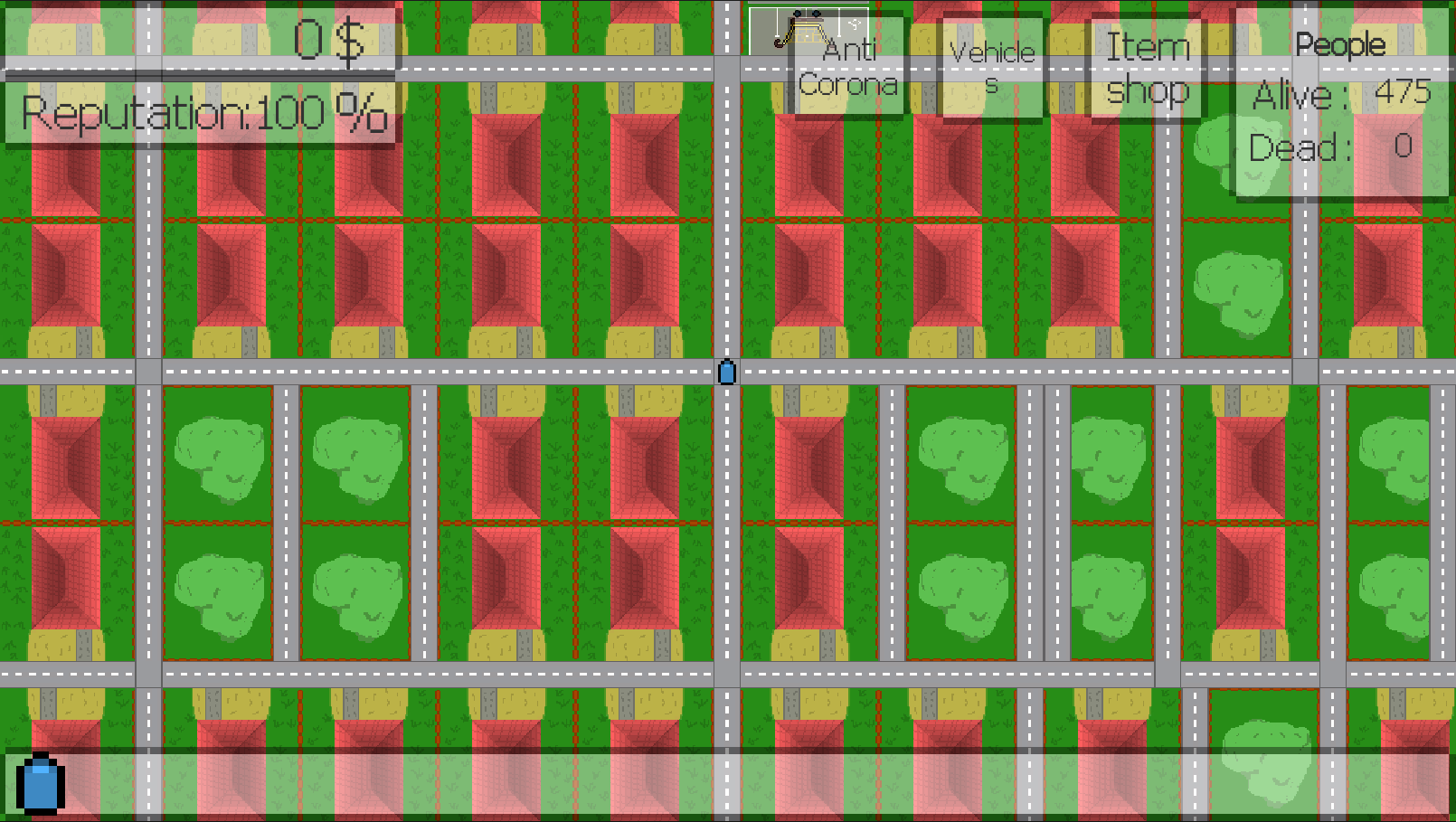
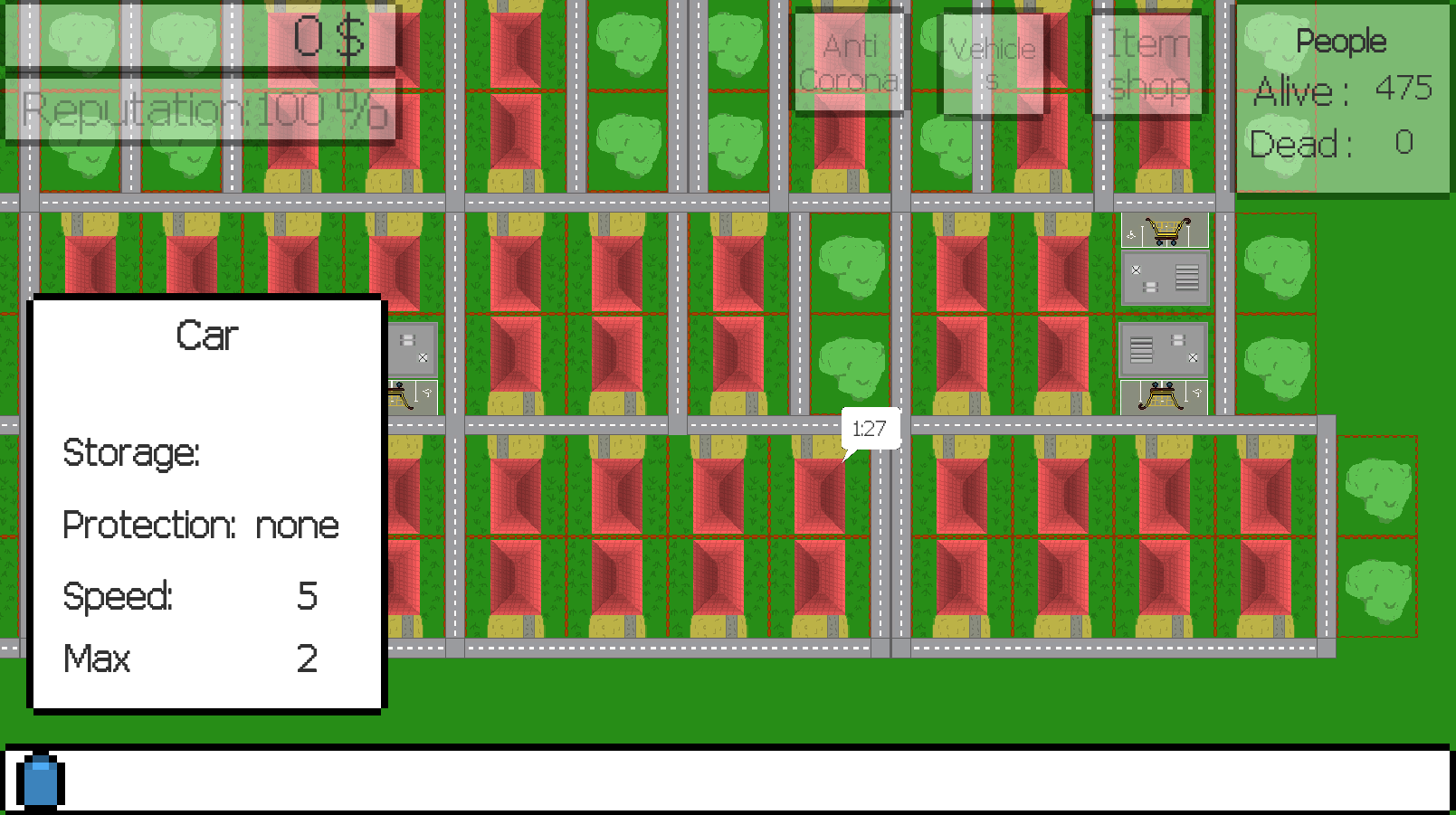
Houses: every house has a set amount of residents . The houses will ask for food every once in a while . If you fail to supply them with said food before the timer runs out the house will lose a resident.
Shops: you can get food from the shops . Every shop has a set amount of workers . More workers means that the shop can have a bigger stock. Shops periodically restock their supply based on the remaining workers .
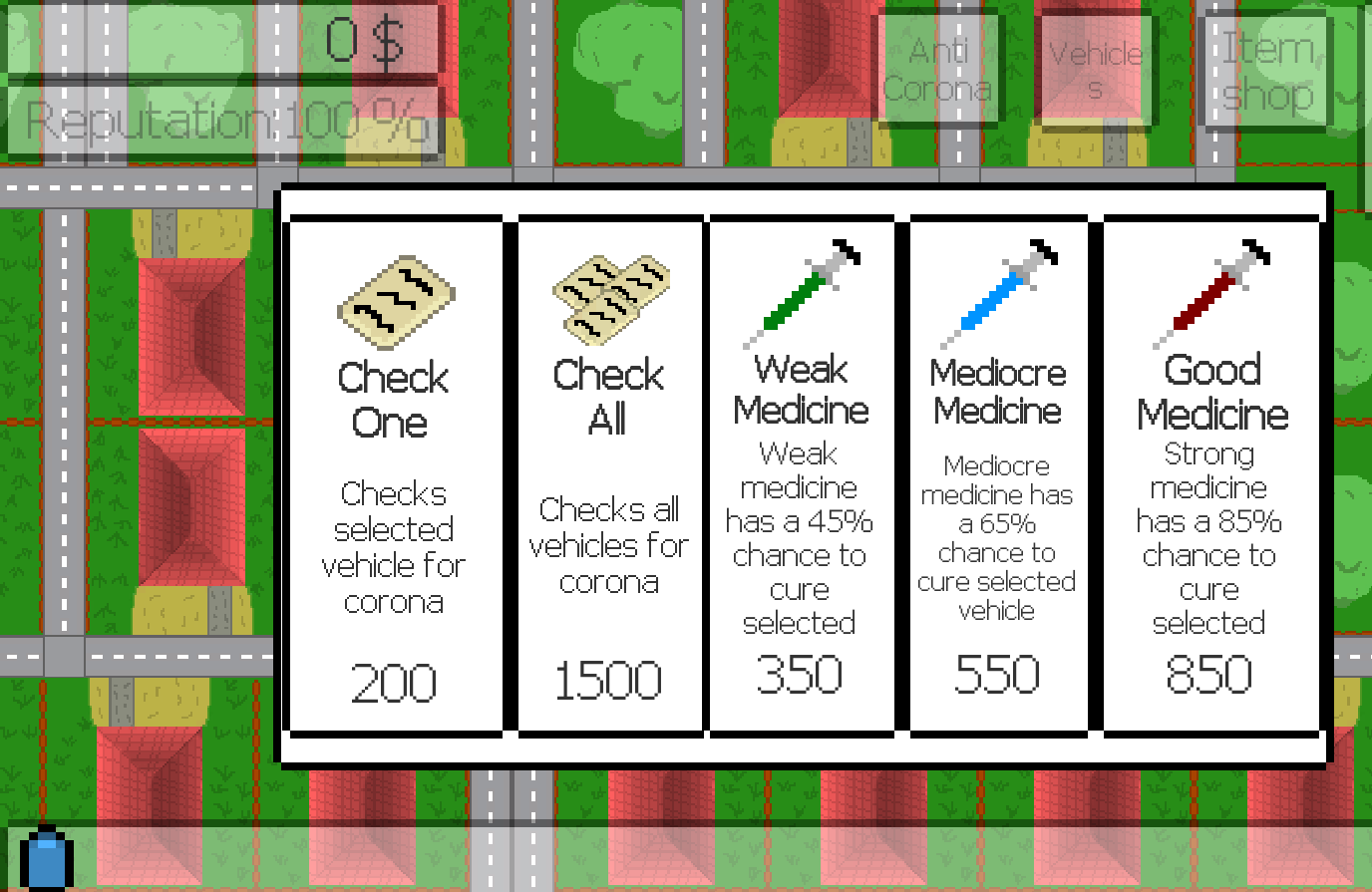
Infection: Your people can get infected by interacting with shops and houses , or by crowds and airborne viruses. If one of your infected employees gets in contact with a house or shop it will kill one of the residents or workers there.
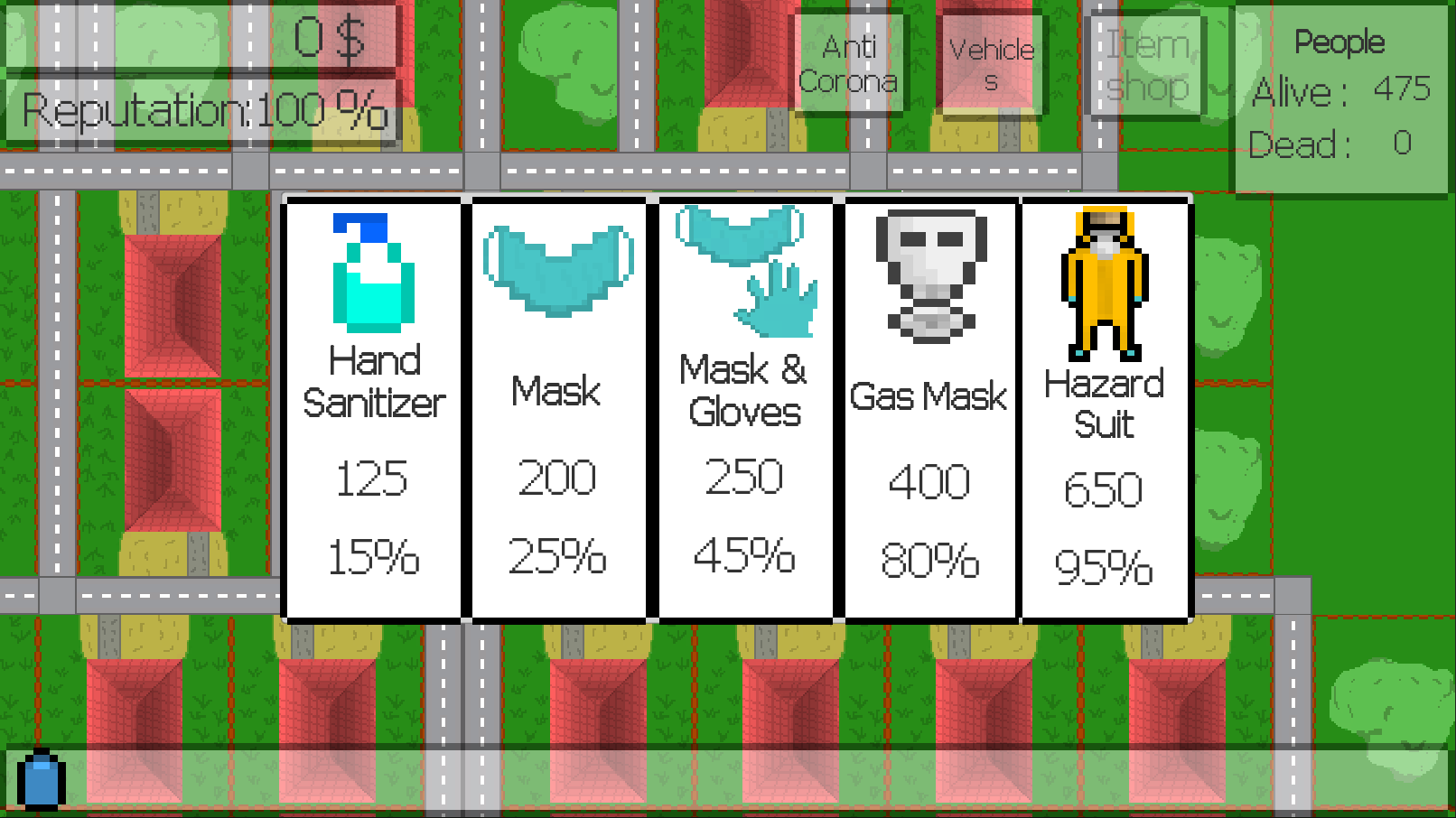
Protection: By supplying your people with protective gear you can lower their chance of getting infected (Note that buying protective equipment won't lower your chance of them killing the residents and the workers they interact with)
Reputation: Reputation increases or decreases the amount of money you can earn after a delivery. You earn reputation after every delivery , and lose it when your people die or they cause the death of other people.
End: you lose if the population of the city falls below 30% of the starting population or your reputation drops to 0% or when all of the workers die.
Controls: Right Click : place ONE way-point
Shift+Right Click: place MULTIPLE way-points
Space: Pause
Left Click : Select Vehicle (by clicking on it or on its icon on the bottom of the screen ), check the statistics of buildings (residents, workers etc.)
Music changes based on how you're doing :v:
All art and music was made by hand
Controls:
Move the camera by pointing to either end of the screen or by holding the middle mouse button
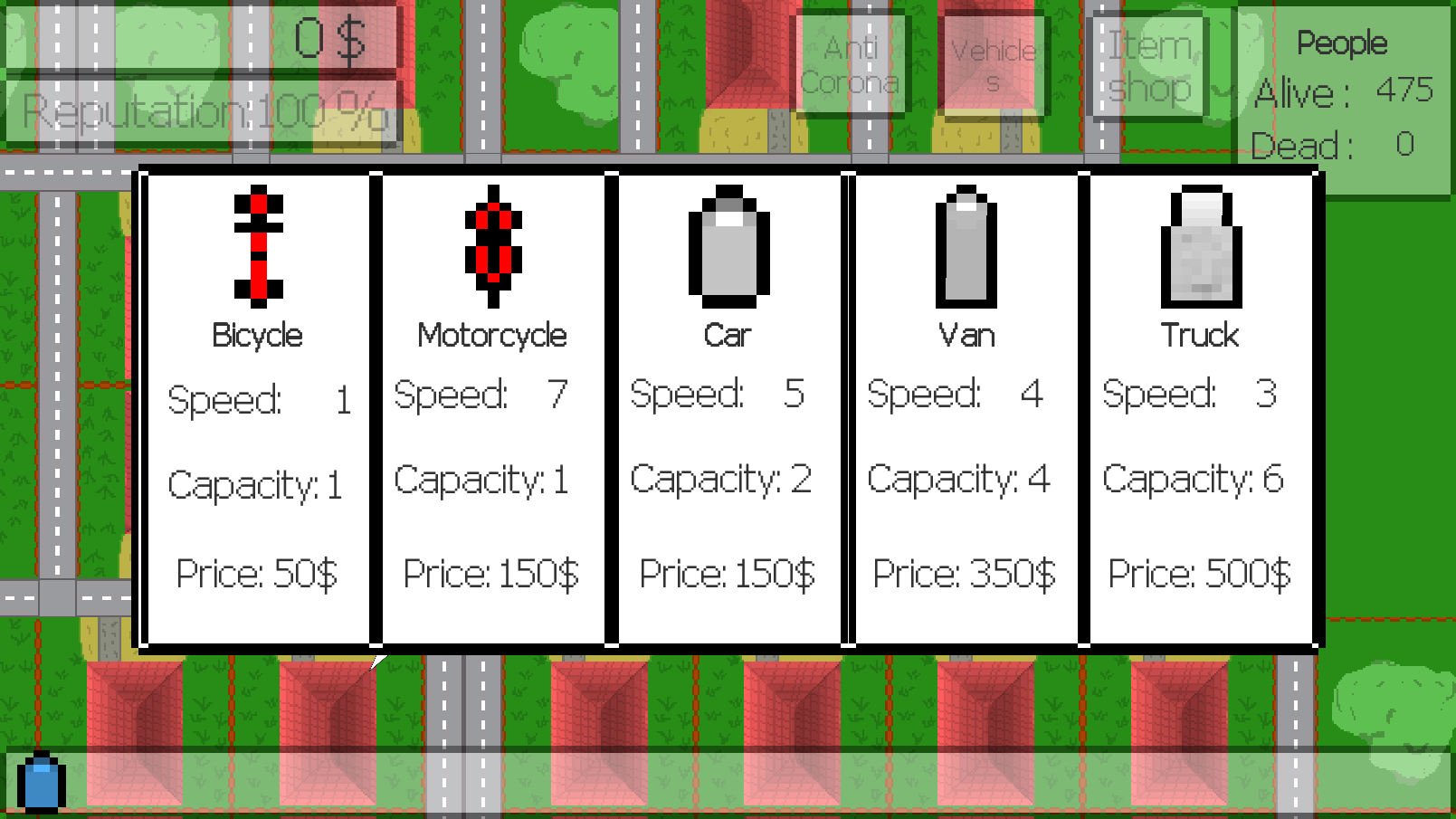
Choose a vehicle, by clicking on it on the map, or on the bar at the bottom
Set destination for the selected vehicle by right-clicking on the map, shift + right-click sets more waypoints. The vehicle will follow the waypoints in the order that you set them
View house and shop stats by left-clicking on them.
Space: pause all movements

Tools: Unity
Comments32
Took me a couple of attempts to understand how to exactly get supplies and deliver them. I was clicking next to the shop/house instead of exactly on top of it, so I was driving there but nothing was happening and a few people died. :see_no_evil:
It can get a bit complicated quite fast, but it's a jam and balancing is always a tough one to conquer, so overall, really good stuff!
@dario-sanchez I agree, on the post-ld version, there will be a tutorial to make sure the player knows all mechanics well. Thanks for playing the game and for the feedback!
@pandasekh Oh, okay, I'll change that in post-ld, thanks for the feedback!
Also, for other people: it's not listed in the controls section but you can zoom with the scroll wheel :)
I think maybe some automation could help a lot to switch from manually send cars to each house to a higher level of controlling our company.
Unfortunately I found that I was overwhelmed from even before the game loaded, the big wall of instructions and specific details were quite a lot to get through before playing. And once the game loaded, was still overwhelmed due to the size of the game map! (Zooming out did help but still)
I feel to help this game reach its full potential either it needs to be simplified or have the mechanics brought in gradually to help ease the player into it all.
This is an ambitious and very well thought out game. I really enjoyed playing and I think you are onto something great here! :smile:
A tutorial of some sort would help reduce some initial frustrations. I spent a lot of time just trying to figure out what to do.
I think knowing how much food a vehicle has before going to a house would be a good addition. It was a bit frustrating when I got to a house only to discover I didn't have any food to give.