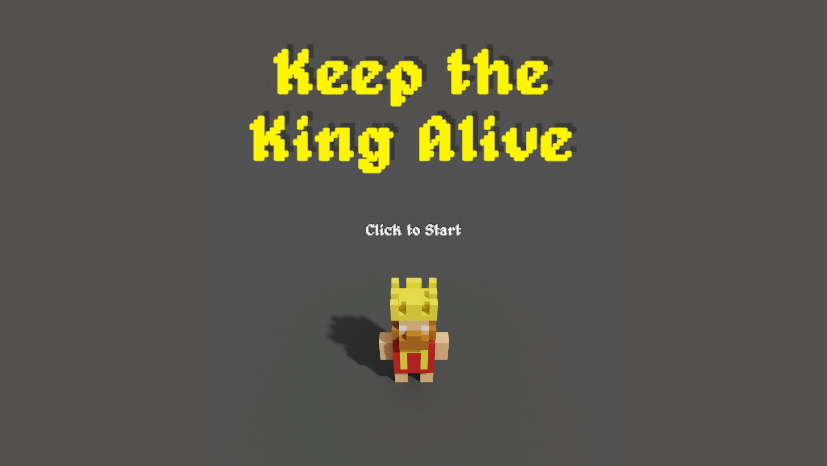
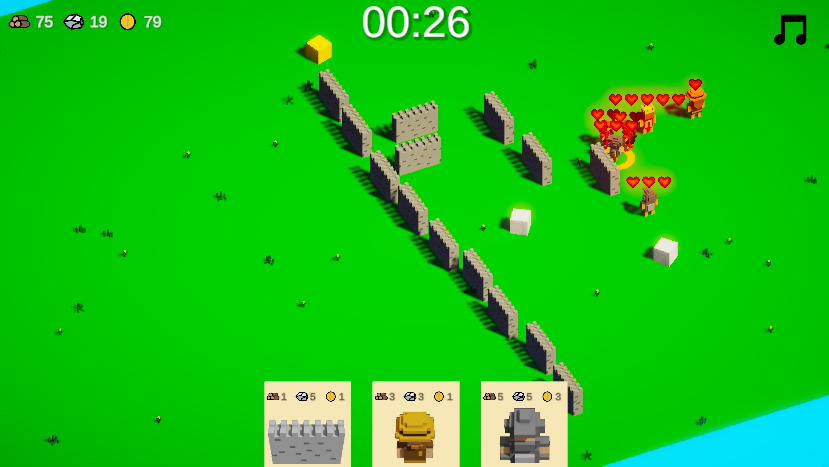
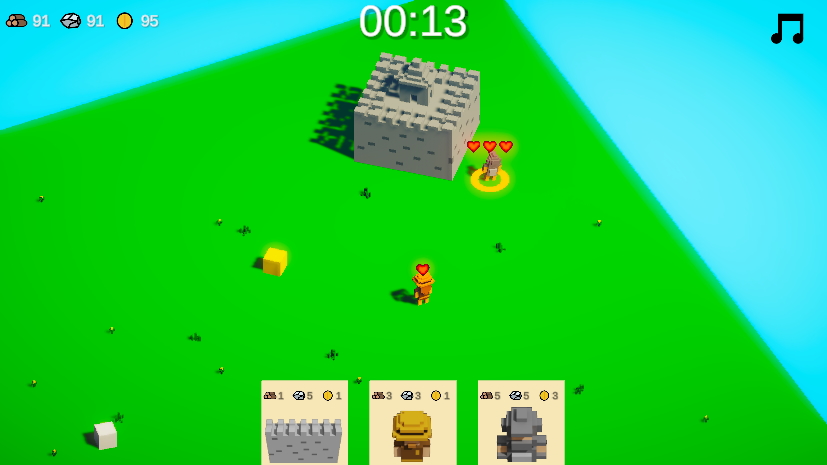
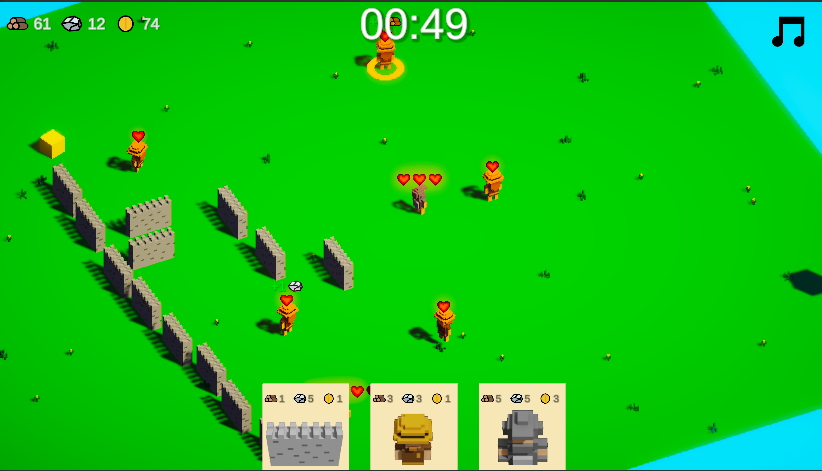
As you can see, it's a strategy game, and your goal will be to properly control your units to make sure the King stays safe.
How to play
Sorry, I spent so much time to work on the game that I didn't have time to create an in game tutorial, so I'm doing here instead as I think it's important to understand how to play 😅
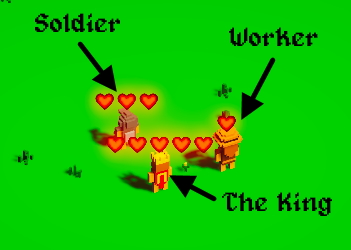
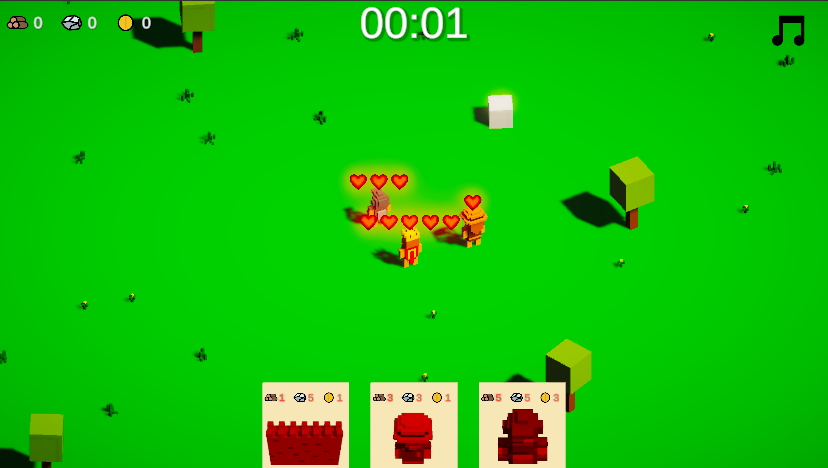
You start the game with 3 units: the King, a worker and a soldier.
Each unit can be selected, by left clicking on it, and moved around to a specific location by right clicking.
Workers
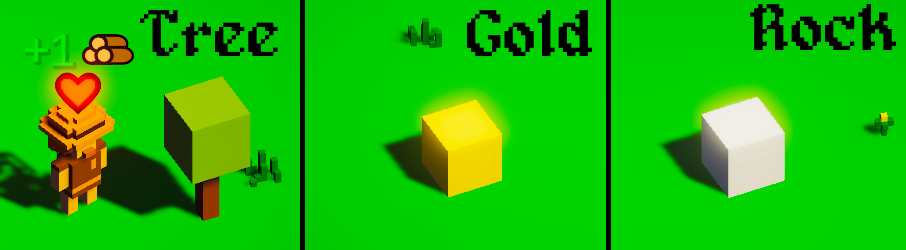
Workers are the only ones that can collect resources (wood, rock, gold).
Soldier
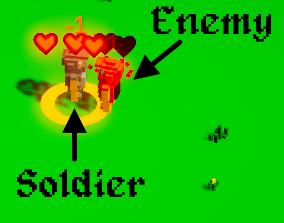
Soldiers are the only ones that can attack and kill opponents.
New units
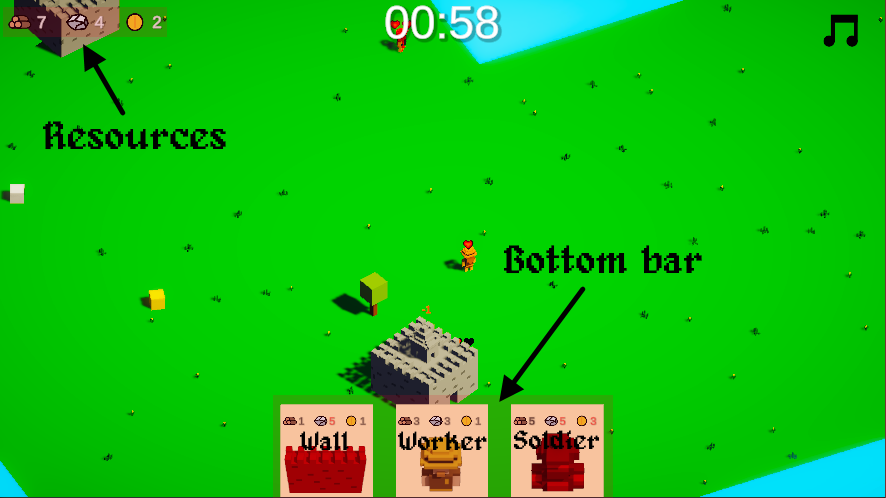
When you have enough resources, you can build new units.
Construct walls, worker or soldier using the bottom bar.
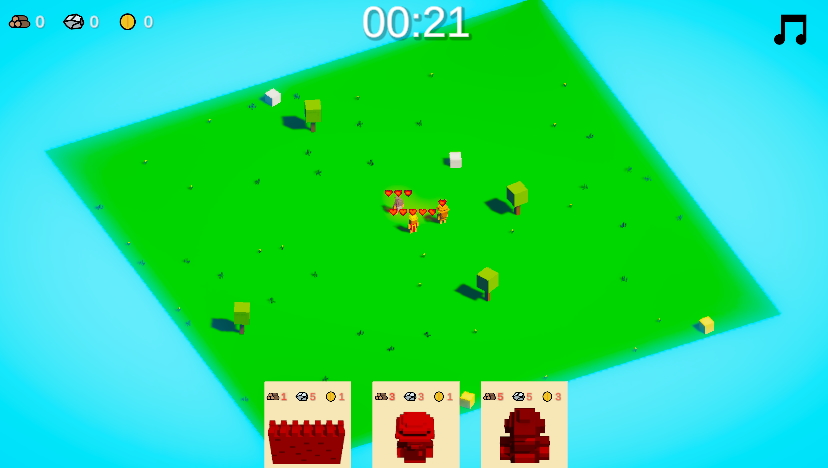
Each X seconds, a new world chunk is added with new resources and potential enemy castle(s). Use your soldiers to kill enemies and destroy castles before they spawn new enemies.
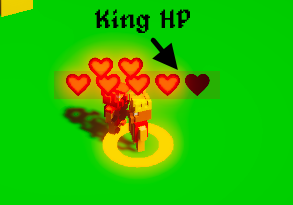
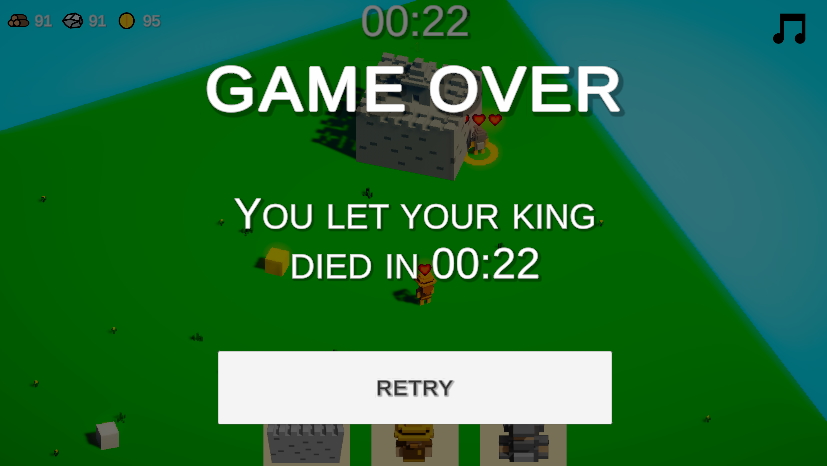
All units have health represented by the hearts above of them, if their health decrease to 0, the unit dies. If the King dies, the game is over.
Try to let your King alive as much as possible! Share your score in the comment 😉
Controls
Camera can move using the keyboard (arrow keys or ASWD) or the mouse by clicking on the screen with the middle mouse button and dragging it in the direction you want to go.
You can zoom in/out using the mouse wheel.
Left click is used to select units and right click to give order to a selected unit.
When you are in "build" mode (you clicked on the bottom bar to build new a unit/wall), left click is used to place the new unit/wall and right click is used to exit the build mode.
In build mode, you can also rotate unit/wall using R or CTRL keys.
Info
- 2nd compo - Cumulative time spent: 29.5h
- Tools used:
- 🛠 Programming: - Game engine: Unity3D - IDE: Visual Studio 2019 - VCS: Git (with SmartGit client)
- Reduce music volume - Fix a bug where ghost units could attack enemies - Fix a bug where we couldn't place new unit/wall for no apparent reason - Fix a bug where enemies could be stuck if no valid path exists to the king - Fix an issue where workers couldn't collect resources close to them - Tweak difficulty - Reduce camera speed and make sure it depends on the zoom when using keyboard controls - Fix issue where enemies was spawned during new world chunk animation - Make sure we can't select item from bottom bar if we can't purchase it
Hey really cool entry, multiple selection wold've bee really helpful!! I can imagine it's in your mind but couldn't make it in time with that. You build an entire resource system, building and random maps in 48hs, that's really impressive. Thanks for adding the music off button!! gets a bit tedious after a while. Solid entry!! Great job!
Great game! Sometime I had to click multiple times to select a unit/click on a ressource, but after I got used to it, it worked fine. I like how the music and at the beginning small map gives you a claustrophobic feeling, because you don't know where the next tile with enemies will spawn. Overall nice game!
Nice concept, I like the minimalist approach of a strategy game, it feels like that one villager that escape et try to create a new city in AgeOfEmpire^^ Visuals are catchy and soun design quite nice! Nicely done !
after understanding the rules I enjoyed playing. Little tutorial in the game would be great, but you have plus for making tutorial here. I wish that I could select few persons:)
Cool game with a lot of potential. The graphics are nice and the progressions seems good. A drag to select would be handy as sometimes it was hard to select units behind buildings. Really fun game in general though :)
Very cool entry! I agree multiple selection could be useful but this is a great entry to the Jam. I also thing camera rotation would be cool as I lost my guys behind a castle.
This is very interesting. I like the idea of this and can only see it being better if you add more structures to build. My only complaint would be the music - it was too short of a loop. Great game :)
You did all of this alone in 48 hours? That is insane, very well done! The art is very cute, the controls are solid, although clicking on moving targets was sometimes hit or mis. The music was one of the lesser things in this game. Keep this up please!
Style is great. Loved the game play too. And the way level expands would be great. I don't think multiple selection is need as it would make game easier.
I definitely liked this game. The gameplay loop is solid and balances risk and reward well. I would love to see a full release on this maybe on mobile. It would be a good idea to balance the RNG more because sometimes a map has enemies and no resources.
Nice game :) I hade a hard time grasping the gameplay and died alot. Maybe create an easier learning curve? The music gets a little repetive. It was hard differentiating the different characters. Beside that, loved the concept and the simple art style. Good job!
I don't often play strategy games but I liked the minimalist take on the genre. The fact that you can move what you need to defend offers a lot of possibilities. I can see this work as a mobile game !
Very interesting idea. This can definitely go somewhere. Tho not sure if single-select units is a good gameplay choice. I kept trying to drag a rectangle around them all to move as a group. Besides that, I'd totally drop the descending synth and just keep the bass tho. Way to monotone. Otherwise very good job!
I definitely enjoyed the game. I really like the use of emissive materials in your game. I wish the music was a bit lower in the mix and the camera controls (WASD) felt a little too fast for me.
Excellent concept and implementation. Props on doing all of that alone and thank you for including a timelapse video. Those are nice to watch.
- I had to mute the music. The problem is simply that your loop is too short. Video game loops can be short, but not that short. The player has a short term memory when it comes to music and will notice the loop and most likely be annoyed by it. Thank you for including a mute button. The rest of the sound design really fits!
- I was missing feedback on click, to know whether the character was going to walk next to the resource/enemy or harvest/attack it. Left me with a feeling of anxiety after each click :P
Most of what have been said is things that I wanted to do if I had more time 😢
- Multi selection for units => I obviously knew that it was one of the most important missing feature for a "STR" like game but for me it would be too complicated and time consuming to add it (selection rectangle, box cast, how to handle units that don't have the same abilities?, etc...), and I prefered to find a way to limit the unit count and let the "micromanagement" - The music loop is bad and I knew it too, that's why I took the time to add a mute button. But what I should have done, at least, would be to decrease the music volume. The music is way too loud and I should have take 10 seconds to do that.
But when I started the jam, I didn't think the idea I had in mind would be so hard to achieve in the given time and I've quickly been overloaded by the amount of work. I cut so many planned feature because I was running out of time that it was really difficult to choose what I must do and what I can remove from my planning.
Found a bug. Once you selected a soldier from the build menu, its placement blueprint is already active so to speak. It can be targeted by enemys and can attack back. Which let to the unusual tactic of the mouse laser :)
So my 11:59 run is not really legit, but I post a picture anyway:
@akronsus 🙀 Indeed, I didn't see that during the development. I'm wondering if it's allowed to fix this kind of bug post jam 🤔 If it is, I will fix that because it completely breaks the game 😰
Ok, I had times to fix some issues to the build submitted for the jam thanks to your feeback.
Unfortunatly, multiselection is a new feature, and it's not allowed to add features by the rules.
Here is what I changed:
- Reduce music volume 🎉 (@tylerstraub, @soldierbear) - Reduce camera speed and make sure it depends on the zoom when using keyboard controls (@soldierbear) - Fix a bug where ghost units could attack enemies (@drjedd) - Fix a bug where we couldn’t place new unit/wall for no apparent reason - Fix a bug where enemies could be stuck if no valid path exists to the king - Fix an issue where workers couldn’t collect resources close to them - Fix issue where enemies was spawned during new world chunk animation - Make sure we can’t select item from bottom bar if we can’t purchase it - Tweak difficulty


Comments26
I like how the music and at the beginning small map gives you a claustrophobic feeling, because you don't know where the next tile with enemies will spawn. Overall nice game!
after understanding the rules I enjoyed playing. Little tutorial in the game would be great, but you have plus for making tutorial here. I wish that I could select few persons:)
I also thing camera rotation would be cool as I lost my guys behind a castle.
Very impressive though!
Tho not sure if single-select units is a good gameplay choice. I kept trying to drag a rectangle around them all to move as a group.
Besides that, I'd totally drop the descending synth and just keep the bass tho. Way to monotone.
Otherwise very good job!
- I had to mute the music. The problem is simply that your loop is too short. Video game loops can be short, but not that short. The player has a short term memory when it comes to music and will notice the loop and most likely be annoyed by it. Thank you for including a mute button. The rest of the sound design really fits!
- I was missing feedback on click, to know whether the character was going to walk next to the resource/enemy or harvest/attack it. Left me with a feeling of anxiety after each click :P
Most of what have been said is things that I wanted to do if I had more time 😢
- Multi selection for units => I obviously knew that it was one of the most important missing feature for a "STR" like game but for me it would be too complicated and time consuming to add it (selection rectangle, box cast, how to handle units that don't have the same abilities?, etc...), and I prefered to find a way to limit the unit count and let the "micromanagement"
- The music loop is bad and I knew it too, that's why I took the time to add a mute button. But what I should have done, at least, would be to decrease the music volume. The music is way too loud and I should have take 10 seconds to do that.
But when I started the jam, I didn't think the idea I had in mind would be so hard to achieve in the given time and I've quickly been overloaded by the amount of work. I cut so many planned feature because I was running out of time that it was really difficult to choose what I must do and what I can remove from my planning.
So my 11:59 run is not really legit, but I post a picture anyway:
Thanks for the info 👍
Unfortunatly, multiselection is a new feature, and it's not allowed to add features by the rules.
Here is what I changed:
- Reduce music volume 🎉 (@tylerstraub, @soldierbear)
- Reduce camera speed and make sure it depends on the zoom when using keyboard controls (@soldierbear)
- Fix a bug where ghost units could attack enemies (@drjedd)
- Fix a bug where we couldn’t place new unit/wall for no apparent reason
- Fix a bug where enemies could be stuck if no valid path exists to the king
- Fix an issue where workers couldn’t collect resources close to them
- Fix issue where enemies was spawned during new world chunk animation
- Make sure we can’t select item from bottom bar if we can’t purchase it
- Tweak difficulty