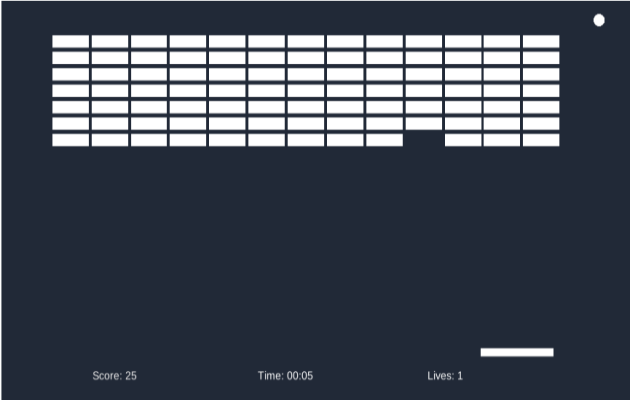
It's my first time joining a Ludum Dare game jam. I don't have extensive knowledge of Unity and this is basically one of the first games I've made with it. I've made this game from scratch in about 2 afternoons/evenings. No external assets were used (it shows :D).
Known issues:
1. Tried to add color to the squares post Instantiating, but doesn't seem to translate well, can see the color being added in the inspector, but not on the object. 2. Sometimes the ball gets stuck in the walls or ceiling ?? 3. The ball can sometimes ignore collision in corners and sneak a few extra blocks. 4. There is no sound. 5. I did not get to finish adding buffs/debuffs to the game. 6. There was supposed to be an increasing ball speed every 30 seconds or so to make survival a little harder, but it didn't really work out. 7. Couldn't find the time to create a proper start menu.
@wizart Thanks! Also the tip on the colors seems like really obvious haha. I'll try that.
@roboimuri I've tried to look up how I would do that but I couldn't quite work out how to find the right point of contact and correlate it to the side of the paddle.
Why not ? For a first submission, it looks promising. I like smooth movement - really well done. The way you manage the theme is interesting - one ball - so keep it alive. Try to use another font, colors and sounds. I guess that you will do better in the future with more knowledge. Don't give up ++
It's breakout, and it's playable! That's pretty good for your first ever Unity game jam. Colors and speed ups would have been cool. I also think you should try to add sounds. If you need to make sound effects, SFXR and LabChirp are great tools for game jams.
If you wanted to change angle of the collision based on the angle between the ball and the center of the paddle, you can put a script like this onto the paddle gameobject: ``` OnCollisionEnter2d(Collision2d collision) { //calculate the angle of the collision. Vector3 angle = Vector3.Normalize(transform.position - collision.transform.position); //Change the ball's angle, but use its old velocity. collision.rigidbody.velocity = angle * collision.rigidbody.velocity.magnitude; } ```
Really nice job for your first LD entry and if you ware not used to making games. What you made is solid and works well, and that is much more important than cramming lots of stuff in there that feel half broken, which I see a lot. Keep up the good work and keep learning :)
For a first its pretty well made, it really felt like the Breakout game. The one thing that would have added a lot to the game was as BluShine mentioned giving the ball an angle when it hits the paddle.
Your game works pretty well ! Even if it is not the most original game in the world, I have to admit for a first entry that's pretty cool, so a big gg to you for your work ! :)


For the colors, just iterate through the blocks after you instantiated them, get the component
for Example :
block.GetComponent().color = Color.red;