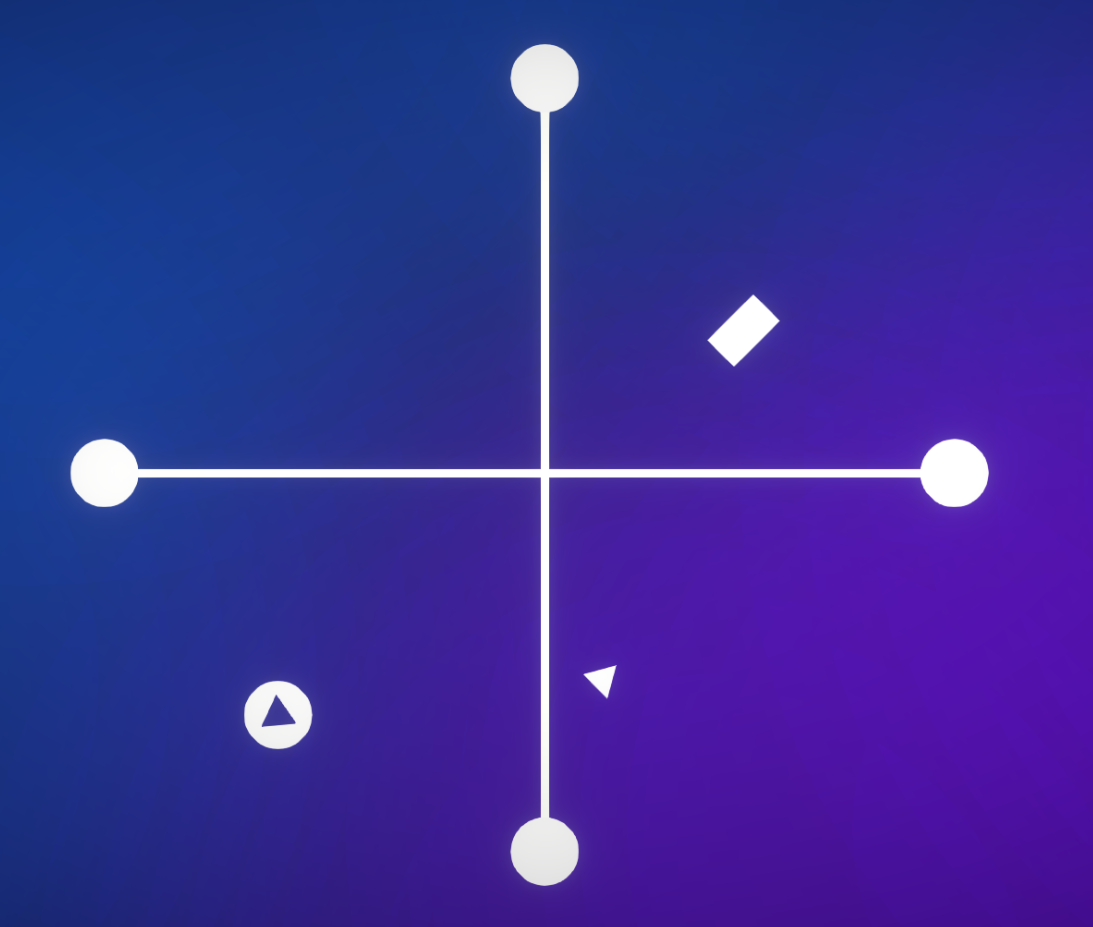
Click on the box with the triangle to launch the simulation into action. Click and drag on dots to create connections between them. _Right-click_ to remove connections
*Day 1:* The first idea I had was to make a game in which you had to organize a power grid connecting power nodes to keep a city "alive". After coding up nodes and connections I stopped and thought about the idea for a second and came to the conclusion that it was too big to create in 3 days without burning myself out completely.
*Day 2:* I came up with a second idea and it was to create some sort of neural connection between 2 points and have some sort of logic gates to complicate that. I continued work and liked the idea of the game being inside someone's brain. At the end of the second day I didn't like the gameplay that much so I scrapped that idea too.
*Day 3:* Final day, no real gameplay, what am I going to do? I was thinking some sort of physics game, because I had an entire engine worth of physics at my disposal. I came up with this. I scrapped a lot of code, created some gameplay and levels, stitched an intro and an outro to it and I kind of rushed the project in the end. That's why there are only a few levels :( I'm happy with the end result though!
The theme is incorporated in two ways Story-wise: The player is hooked up to this machine that gives control to one's neurons. If they cannot create connections, they will experience 'minor side effects'. Gameplay-wise: I didn't have time to create a destruction effect to the triangle :D but the point was to destroy it if it didn't reach the goal node.
----------------------------------------------------- *What did I learn?*
Good gameplay is extremely important. Before starting development, think about your gameplay thoroughly and whether it is entertaining. This time I struggled with creating good gameplay. Puzzle-games take quite a bit of time to create, especially good ones.
Really nice, I just saw now that you need right click to remove connections, I was just running the game over and over from start haha thank you for this game!
nice game ! the intro sequence was fun. the tutorial should have specified how to remove connections. the visuals are very nice and appropriate for an abstract puzzle game like this one.
overall a pretty good game liked the intro with the info about braindamage(headache...) nice Idea and the music is so good it matches the game theme so good.
I have played this for a good bit now and I am still not quite sure how the mechanics work. I also wish the intro was skippable. Other than that you picked nice style for a puzzle game and the music fits too.
I wish I understood the game better, but that's all me. You made a solid game!
Fun puzzle game! For some reason I didn't completely understand how the lines worked until the last puzzle, where I figured out it was mirroring the movement on the other side.
This was a really neat puzzle game. I liked the aesthetics for it and the simple gameplay mechanic. Even though the premise was simple it got very challenging towards the end!
I would say the two things that i found: 1. It would be nice if the tutorials appeared without you having to fail/wait a while when you're learning the mechanics. 2. It would be good to have a button to press to reset if i realise i've messed up rather than have to wait for hte triangle to hit the edge of the screen.
Brilliant aesthetics and great polish. The mechanics were a bit unpredictable for me, so in the later levels I had to resort to brute forcing and eventually gave up.
I was quite impressed with this game, it feels really polished. Nice glowing artstyle with suiting music, and also some quite interesting levels. Great job!



Comments13
thank you for this game!
I wish I understood the game better, but that's all me. You made a solid game!
I would say the two things that i found:
1. It would be nice if the tutorials appeared without you having to fail/wait a while when you're learning the mechanics.
2. It would be good to have a button to press to reset if i realise i've messed up rather than have to wait for hte triangle to hit the edge of the screen.