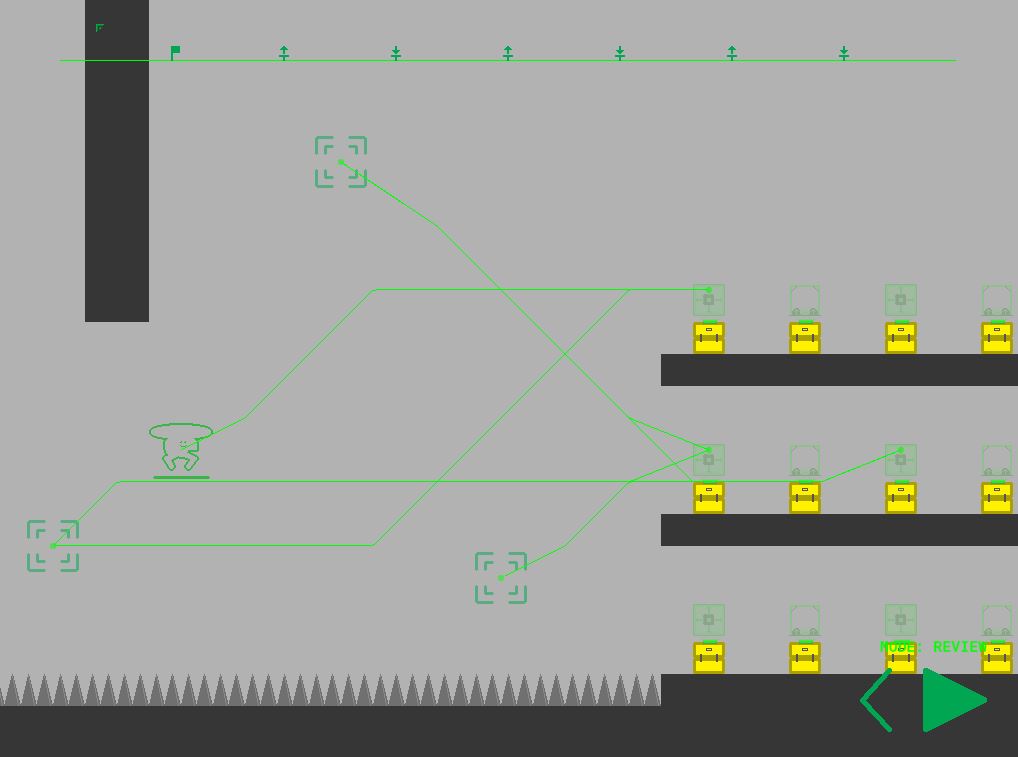
You are in charge of the Mobile Object Mover bot, a flying robot responsible for the safety of other robots in a factory. They aren't the brightest, so you'll have to use all the tools at your disposal to keep them alive.
FAQ:
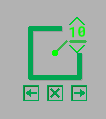
Changing/deleting waypoints:
With no tool selected (click the current tool again to unselect it), click a waypoint.
It'll highlight and give you the following options:
Top Right: Change delay amount (delay waypoint only)
Bottom row: Shift execution order (you'll see it update on the top bar) or delete using the button in the middle.
Game end error
The large level is the last, and the game will error out when you click continue after beating it. I didn't have time to handle this gracefully unfortunately, but congrats on beating the game!
Very interesting concept. I got stuck at some point as I assigned a lot of the same command, and couldn't figure out how to undo my commands, but maybe I'm just as 'smart' as the KID bots :up: I really liked the idea, and I'm impressed on how far you managed to take it in so little time. I'm a bit sad that I didn't managed to beat it, but maybe I'll come back later and try.
The on screen instructions were great, but I still found myself a bit lost sometimes, but did managed to beat some levels.
I thought the idea was clever, naming the robots with acronyms. However, I had a hard time understanding the instructions and did not know how to remove the actions from the planning mode.
The game is quite nice but I couldn't figure out how to delete inputs I had put in previously. The mechanics are fairly innovative and overall the game is fun. Good job!
Thanks for the feedback all! @adam-clayden@team-watt@mekuri I've added a small tutorial for editing command nodes. That was one area I couldnt figure out how to add a good tutorial for at the time. Hope it helps!
Good idea just needed some tighter controls/ui to make it a bit easier to play. A few small changes like being able to reset instead of deleting nodes one by one would go a long way.
The control scheme could do with some touching up, but I like the concept. I'm a big sucker for this sort of game. I think the other thing that needs to improve is the level design. A few of the levels, particularly the large one at the end, you just built stuff to guide the little KID. In these cases, there isn't really a point to controlling the drone, as you're really just building things without any care for the timing and dynamic abilities that controlling a drone gives you. Future levels should have things that need to happen after the little robot gets going, so you don't just watch a drone place things for a minute or so. Good work.
That was a lot of fun especially the last room! You should continue to work on this after the compo as you have something really special here.
As a reference here is the error I got after the last level. __________________________________________ ############################################################################################ FATAL ERROR in action number 1 of Mouse Event for Glob Left Released
for object objControl:
Moving to next room after the last room. at gml_Object_objControl_Mouse_56 ############################################################################################ -------------------------------------------------------------------------------------------- stack frame is gml_Object_objControl_Mouse_56 (line -1)


I really liked the idea, and I'm impressed on how far you managed to take it in so little time. I'm a bit sad that I didn't managed to beat it, but maybe I'll come back later and try.
The on screen instructions were great, but I still found myself a bit lost sometimes, but did managed to beat some levels.