Vivere Computatrum
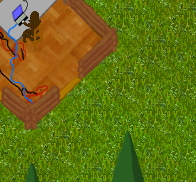
As civilization crumbled, your monastery kept safe a laptop containing the combined knowledge of humanity.
Now the laptop's batteries are failing and you must transcribe its contents into a library of books, keeping that knowledge alive for future generations. If the laptop turns off nobody remembers the password to log back in again...
Gather resources, trade for parts, and expand your monastery to fulfill your goal... Vivere Computatrum!
Windows Download (Post Jam)
Controls:
- WASD to move camera- Click on monks to select, then click a building to set and prioritize a job.
- Click on job in monk's priority queue to remove it
- Click buttons to open menus
- Press Space or click red X to exit menus
- Ctrl+Shift+R to restart
Help and Hints
- Monks are only human, once they become hungry or tired they will stop working on any job you give them and seek out food or a bed. If there are no meals in the dining room or free beds they will sit idle and unresponsive until their needs are met.- If all your monks are idle even though they are assigned jobs, then they are probably starving and out of food. Monks can only perform the Eat or Sleep tasks while starving so this is a loss state - there is nobody to charge the laptop. Press Ctrl+Shift+R to restart (the starvation 'Defeat' screen is fixed in the post-jam release).
- Monks will perform their highest priority job until they run out of work, then check their later priorities.
- A monk with a job that requires an item (for example grain for bread) will seek out that item.
- Once a monk fetches an item required for a job he cannot be interrupted until the job is complete (except book transcription). After the task is complete they will follow their new job list.
- The Charge Battery action requires an empty battery, which are "produced" at the laptop room. Likewise, Monitor Batteries moves charged batteries from bikes to laptop. Both jobs are required to keep the laptop running.
- The Laptop Room and Library each have two job types that can be set by clicking on different halves of the room.
- To sell an item in the Trade screen a monk must move it to the Trade Post structure. Click "Take from Post" to toggle the Inventory mode to "Move to Post" and assign a monk to the Trade Post to have them gather the items.
- Transcription requires a monk with mastery of a skill and a Blank Book bought via trade.
v1.2 Bugfix Update
Version 1.2 just contains some bug fixes and small interface tweaks that make the game a bit easier to learn. The intent, balance, and mechanics are unchanged and a full list of fixes is written in a comment below. This is the recommended version, however, if you want to judge the 72 hour versionthe v1.0 links have been left intact.v1.3 Post-Jam
Given that some of us are still modding the game for our own enjoyment, it makes sense to release a post-jam version. Version 1.3 is identical to v1.2, except that winning the game grants codes that unlock more challenging game modes. It can be downloaded here: https://github.com/NeptunianAxolotl/LD46/releases/tag/V1.3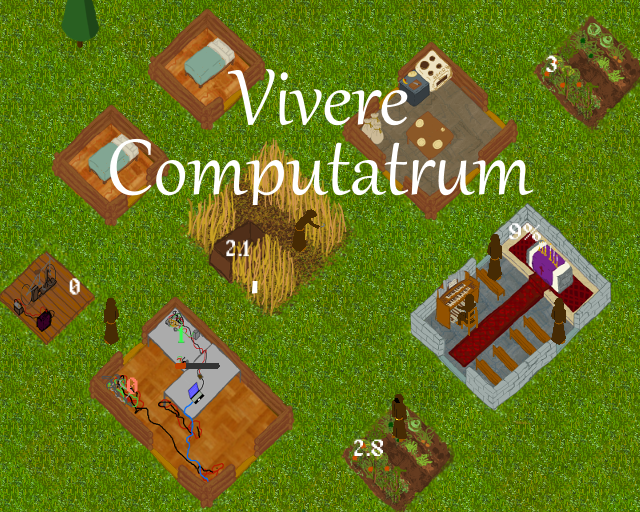
Tags: #management
Genres: strategy

Comments18
I feel like with a tutorial and a bit more handholding this could be a great game.
I hope this guide can be helpful.
The Monk
Monks can be assigned one or more Jobs, by first selecting the monk,and then clicking on a specific Job for the monk to do.
The monks will perform their highest priority Job until they run out of work on that Job,
and then they will perform lower priority Jobs until the higher priority Job becomes available.
Jobs can involve dependent Tasks
(For example:
Cooking food involves picking vegetables from a Veggie Patch
carrying them to the Dining Hall, and cooking them.
Building involves going to trees or mines, cutting down trees, mining for goods, collecting the results, taking them
to the building site, and finishing the construction.)
Fortunately the monks are pretty smart, and
will give themselves Tasks to satisfy the dependencies of their primary Job.
There are limits to this; for example, if a Veggie Patch has no ripe vegetables to pick,
a monk who is assigned to Cooking will simply wait or move to their next highest priority job, rather than
automatically tending to the field to make vegetables available to cook with.
While smart, the Monks are also human.
Once they become tired they will stop working on the Job you gave them, and will find an empty bed and sleep.
Once they become hungry, they will automatically go to a Dining Hall and eat any cooked food stored there.
Monks will NOT automatically cook food for themselves, so if there is no food available when a Monk becomes hungry, the monk will become unresponsive until a different monk prepares food for them. One way to soft-lock the game is for every monk to become hungry while there is no food available.
The Buildings:
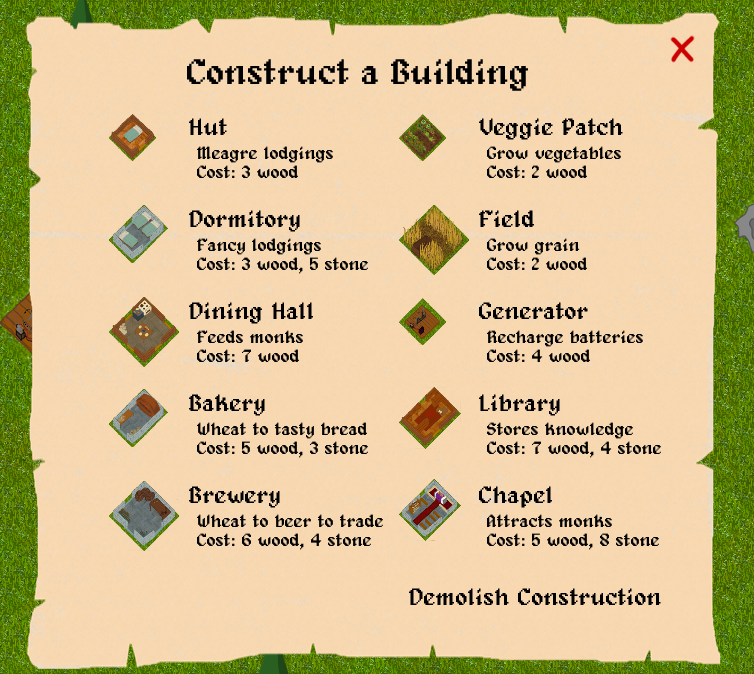
Hut; Dormitory:
These provide sleeping locations for monks.These can not be explicitly used; monks will automatically use the beds to sleep when tired.
Dining Hall:
Monks will automatically travel here and take cooked meals when hungry.The "Cook Meal" Job picks grown Vegetables, or finished Bread and transforms them Cooked Meals, that are stored in the Dining Hall.
Bakery/Brewery:
Produces bread/beer, which can be traded for money; and additionally (for bread) cooked into a meal in the Dining Hall.The "Bake Bread"/"Brew Beer" Job fetches harvested grain from a Field, and transforms it into Bread/Beer, that is stored in the Bakery/Brewery.
Veggie Patch:
Produces Vegetables, which can be cooked at the Dining Hall, in order to feed your monks.The "Tend Vegetables" Job creates ripe vegetables (up to the storage limit of the vegetable patch)
Field:
Produces Grain, which can be turned into Bread or Beer.The "Reap Grain" Job creates grain (which is then stored in the bag in the field)
Generator:
Charges laptop batteries.The "Charge Battery" Job takes a battery from the "Empty Battery" pile
charges it, and leaves it on the Generator.
(The number of batteries in the Empty Battery pile is indicated by a red number in the leftmost corner of the Laptop room)
(It is necessary to use the "Monitor Batteries" Job of the Laptop hall to move the now-full battery from the generator back to the laptop hall).
Library:
Produces Books.The "Transcribe Book" Job can only be performed by someone who has mastered a skill (this can be done via the "Use Laptop" Job in the laptop room).
The "Transcribe Book" Job takes a blank book (must be purchased through trading), and produces a book containing the knowledge about the Skill that the
monk performing the Job is a master of.
Chapel:
Attracts new MonksThe "Play Organ" job summons a new monk (they will walk in from the edge of the map).
Trading Post:
The trading post allows you to buy and sell goods.Buying
If you have the coin, press "Buy" against an item,and it will immediately go into the inventory in the trading post.
If "Take from Post" is shown against that item, Monks will take items from the post if they need them for another job.
(For example, if you buy Vegetables or Bread, a monk who is assigned to Cook Meals might take the vegetables or bread from
the trading post and use them to cood some food).
Selling
First you must get the item into the inventory of the trading post,either by buying it (probably pointless, since you will just lose coin this way),
or by setting the inventory mode to "Move to Post" (click on "Take from Post" in the "Trading Post" menu)
and having a Monk perform the "Trade" job.
Once the item is in the inventory of the trading post, you can sell it by pressing "Sell" against the relevant item in the "Trading Post" menu.
The "Trade" Job moves materials from their storage buffers (in each building/field) into the Trade Post (if "Move to Post" is selected)
Laptop Room:
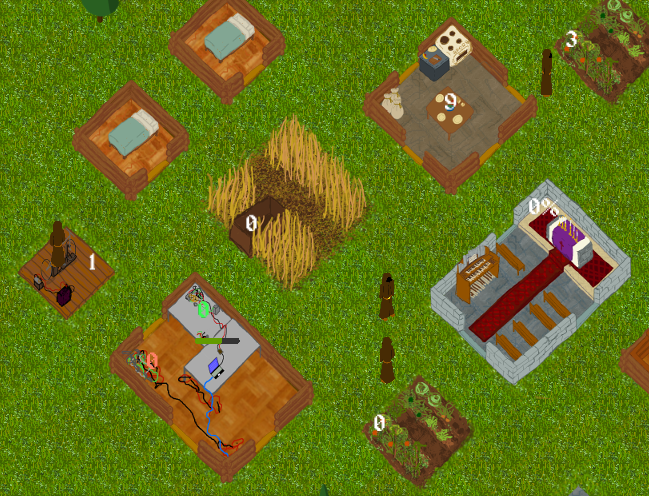
The "Charge Bar" indicates charge in the battery that is currently installed in the computer.The Green number near the top corner of the room indicates the number of full batteries that are ready to automatically be swapped into the computer when the current battery runs out.
The red number near the left corner of the room indicates the number of empty batteries that need to be charged.
The laptop room has two possible Jobs.
The "Monitor Batteries" job (click on the top-left side of the room) collects full batteries from any Generators, and replaces the current battery in the laptop.
The "Use Laptop" job gives a monk a skill.
A monk can only have a single skill at a time. The longer they use the laptop for, the better they become at that skill (until they master it).
Learning a new skill will make the monk forget everything they knew about their old skill.
I won't list all the skills here, since I'm not exactly sure about what each of them do, but generally, they make the monk faster/more effective at performing certain tasks, and able to write books.
I've noticed monks will sometimes take the less optimal path when doing jobs, and I had to redesign my base due to this. I'm not sure it's a bug but I couldn't Demolish Construction after some time - clicking on the button would do nothing. Lastly, I've been defeated (laptop battery went out) despite having a guy camp the laptop charging/monitoring batteries. I wonder what happened..
All in all, pretty nice pacing for a Jam game, I thought it would be overwhelming but it's actually quite relaxing
All in all, the game certainly posed an interesting challenge and was smooth enough to keep me playing. Well done!
Fixes in v1.2:
- Fixed a bug that caused monks to be less interruptible by the player than intended.
- Fixed a bug that caused some blocked task types to not advance the job queue in some situations.
- Fixed "Cancel and keep current skill" hitbox.
- Added a defeat message to deal with the loss condition of everyone starving (or having nowhere to sleep).
- Reworded Controls and Objectives slightly.
- Made the help screen say the title of the game.
- Darkened the Rest and Satiety bars when the monk is neither rested or satiated respectively.
- Replaced "Carrying" with "Busy With", except in the rare case where carrying does not make the monk busy.
- Made monks be "Busy With" Eat and Sleep.
- "Monitor Batteries" -> "Gather Batteries".
- "Demolish Construction" -> "Cancel Construction" and made the construction deconstruction slightly less confusing.
- "Order" -> "Assign"
- Changed the Order/Assign text colour when the monk is busy - indicating that the order will not be acted on immediately.
- Fixed some UI clickthrough.
- Fixed a UI discrepancy with Power Consumption For Next Battery.
but, truly, i actually looked forward to giving this another try after i got off work today. i want to get that victory! so, i think you guys have done a wonderful job here. the animations are nice, the mechanics are interesting and i love that little twist of flavor to it. great work!
Loved the names of the books, that was a really nice touch. I felt like the monks would go to sleep/eat way too early (looks like 30% of their bar remaining?).
It was funny seeing that it took me 36 years to complete (Is that minutes?)
This version has two more challenging modes in which the laptop requires more upkeep and the rate of discharge can grow without limit. The basic objective is harder and more urgent, but I am also really looking forward to seeing how long I can survive with unbounded charge requirements. The first mode can be enabled by typing 'challenge' and seems doable. I am not even sure if the second mode is possible.
Years are minutes, and 36 is pretty quick. Monks seek out their needs at 30% depletion. Delaying their sleep makes them sleep for a bit longer, but you are right that we probably could have rescaled everything so they sought out their need at 0%. There were plans to make bad things happen at 0% (slower movement, maybe even death) but the game turned out to not even need it, which I found to be quite neat.