Radiant Rewind
*
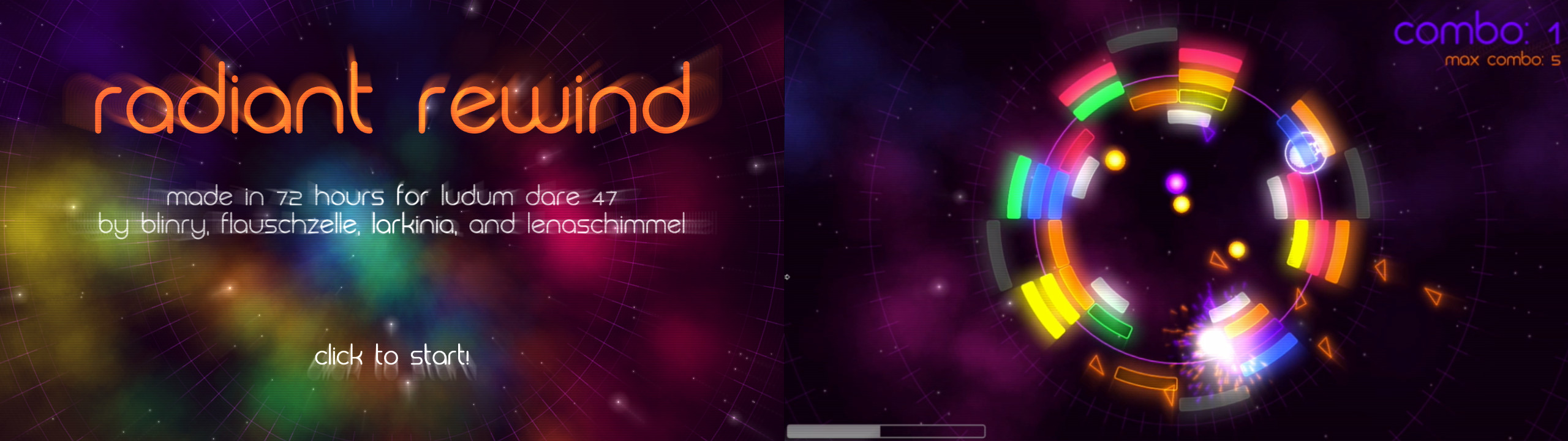
*Breakout! Slow motion! Time travel! Oh and also, you're a raccoon, looping around an orbit in space.*
Gameplay Video / Trailer
Basic usage
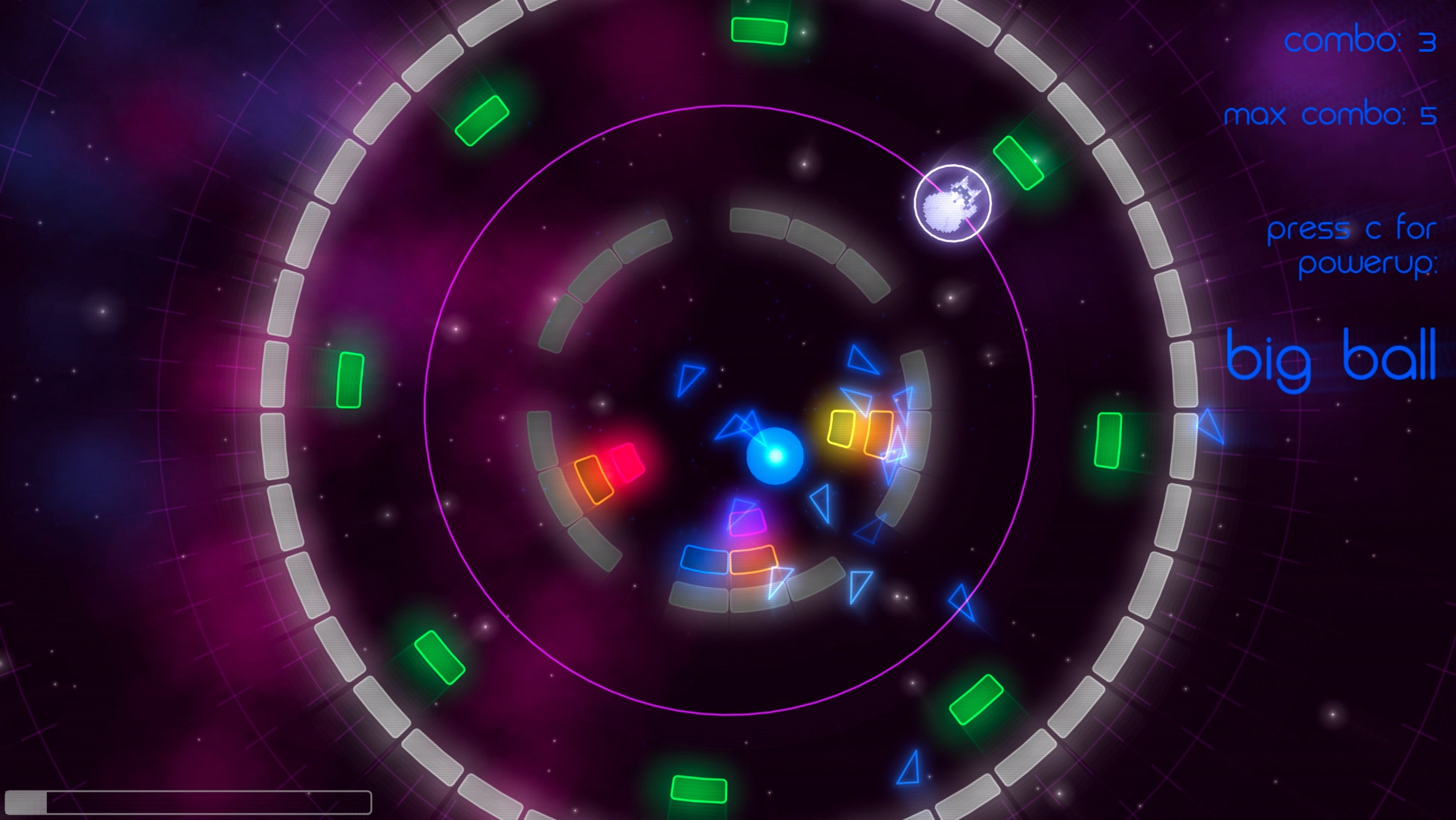
Use your mouse (or other pointing device of your choice) to move along the track. Touch the ball to change its course. Clear all blocks to advance to the next level.Combos and powerups: Hit _multiple same-colored_ blocks in a row to advance the combo count and unlock a powerup. Then press `C` to activate it, and do it before you break your combo!
You get _multi balls_ for red, orange or yellow combos, and _big balls_ for green, blue or purple combos.
Time control: Hold `ctrl` to slow down time for extra precision. Hold `space` to rewind time. The bar in the lower left shows the amount of time that you can go back. Rewinding time resets your combo count to zero.
Controls overview
Mouse: move raccoonHold `space`: rewind time
Hold `ctrl`: slow motion
`C`: activate powerup
`R`: restart level
`P`: pause game (and release mouse pointer)
`F`: toggle fullscreen
`Esc`: exit game
If you get stuck, you can press `1`-`6` to jump to levels directly.
_If you prefer other controls: The post-jam version has freely configurable key bindings, also including mouse buttons and gamepad support!_
Changelog - Jam version
*Small bug fixes etc. that we made after publishing the game, which we believe is allowed by the rules. If you find any more bugs, please let us know!*- Powerups balancing: bigger balls for higher combos, reset combo when powerup is activated
- Fixed crashes of the music or the whole game that occured when using slomo or rewind while changing levels
- Restored some particle effects that had gone lost during last-minute perfomance optimizations
- Fixed message at the end of the game disappearing too quickly
Changelog - Post-jam version
*This version contains new features that we developed long after the deadline, so _please do not_ take this version into account when rating us.*- advanced input methods:
- gamepad support
- default possibility to play with keyboard only (`W`/`A`/`S`/`D` or `arrow keys` to move the raccoon)
- default possibility to play mostly with mouse only (slow motion, rewind and activate powerup with mouse buttons)
- you can combine all input methods / switch between them as you like
- see info on start screen to configure mouse/keyboard/gamepad bindings
- better ball physics
- interaction between raccoon and ball is now more predictable
- multiple balls bounce off from each other
- when hitting the ball very quick, it will move very fast but return to normal velocity almost instantly
- mute/unmute the music by pressing `M`
- a little bit more juice, for example fast balls now have motion blur, and quicker balls now generate more particles when they hit a block
- fix: music seeking after rewinding the time, so that the music continues where is was before
- fix: when you win a level during slow motion mode, the level transition will still be quick now
- music now starts on the menu screen and does not reset to the beginning on level change
- simple high score system - saves the quickest time per level
- slomo is now limited by your time traveling budget - the more slomo you use, the less you can rewind, and vice versa
- during slomo you now get a line for each ball approaching the raccoon, showing you the direction in which it will be reflected
- many visual effects are linked to the beat of the music now - as long as the music is not muted
- you can press `E` to toggle the linking of music and visual effects, which reduces flashing
- motion blur for triangle particles
Misc
The music is *Severe Tire Damage* by Kevin MacLeod.Made with LÖVE. To run the Linux and macOS versions, install LÖVE 11.3.
Tools: LÖVE


Comments24
Fun idea for this one, never seen proper time mechanics in an LD game before. Felt hectic, but I liked that I could slow things down and take my time. I didn't expect that I would end up using both the rewind and the slow motion, but I definitely ended up needing each of them.
A small physics issue makes an outsized impact on the game: how collisions work when both the paddle and the ball are moving. Sometimes they slide against each other in weird ways, and sometimes they just go through each other. Can be frustrating in a game that's pretty hard to control already!
We already noticed the glitches that sometimes happen in the paddle/ball collision before publishing, but fixing them would have exceeded the time limit for the jam, as it seems to be a rather complicated problem...
It would somehow feel like cheating to put a lot of work into fixing that now, long after the submission deadline. As much as I, personally, would really like to fix it... the other bugfixes we made were mostly just one short line of code, but this one would probably be much more, so it doesn't seem fair... (if anyone has thoughts about this, please let us know!)
Good!
-----
- :medal: cute raccoon character
- :medal: cool music
- :medal: incredibly polished and stylized graphics
- :medal: innovative mechanic, really nice time controls
Better!
-----
- :heavy_plus_sign: this game would benefit so much from gamepad or keyboard controls.
- :heavy_plus_sign: I wish the ball behaved a bit more physically, especially when I clip through it
- :heavy_plus_sign: a little more juice here and there and this would be an overall contender for top 20!
Sweet Ludum Dare entry, I really liked it!
@thygrrr Thanks, we're very proud of the graphics in this one!
Hmm... *thinking* ... is it too late to at least add keyboard control for the raccoon's movement (the rest is keyboard anyway) now?
For gamepad support, we'd have to look into LÖVE's support of gamepads... might be possible too, but that would probably be a large update, and not really count as a bug fix, so... not sure if that's ok within the jam rules...?
Generally, I would always value efforts to improve accessibility as outside of the regulations of the Jam rules, because... it's for the greater good, always.
I think that it'd be cool to add a powerup or ability or something that you can use to affect the ball besides rewind and slow-mo, because sometimes the ball just hits at weird angles where it never really goes back towards the loop. When that happens you just gotta sit there doing nothing, waiting for it to hit a good angle. Or maybe add more than one loop, and let the player switch between them.
Anyways, this was a great submission. Good job!
However, being able to slow down the game indefinitely feels a bit overpowered and makes the game maybe too easy. Having a cooldown on that feature would make the game a lot more challenging.
Playing with keyboard only is hard, because you can either have fast movement or accurate movement, not the nuanced analog movement of a mouse or gamepad. But it's playable.
Using the gamepad is a really nice experience, I think I might already prefer it over mouse control though I never was a "gamepad person". Anyway, it's not yet ready for publishing because the mappings for buttons and axes seem to be different for each gamepad and as of now, it's hard-coded for my no-name model which has really weird axes.
Currently the only new feature in the _post-jam_ version is the new input system (proposed by @thygrrr) which allows mouse, keyboard, gamepad, or any combination thereof to control the game.
Other new features may follow at any time and will be mentioned in the description as well.
Also, I guess we should have made the hint to use _ctrl for slow motion_ more prominent?
The no-audio-bug is very strange. I encountered it for the first time today when a friend played on my machine, and you hit it twice in a row. But it's nice to have it recorded, maybe that helps us to fix it.
I also found it quite interesting how there was never a game over but it was still impossible to keep all the balls in the level.
It felt a bit difficult to aim balls though, especially if you had to hit one specific block in a level full of holes. Maybe a line indicating the direction that the ball would bounce to would help? That is just a minor remark though.
In general, a very nice game!
I also had the no audio bug in the last level. It got triggered when I pressed the button to rewind time. Maybe I did too many rewinds? :slight_smile:
I'd like to know what you think of the new way the raccoon interacts with the ball(s). If you hit a ball while moving very fast, the ball now also gets very fast, but slows down after a very short time, like 0.2 seconds. I'm not 100% happy with this solution, but I think that's the most plausible thing to happen so that the raccoon will not just glitch through the ball. Any other ideas?
* SloMo is now limited: The bar in the lower left of the screen is now your shared budget for using SloMo and reversing time (similar to the cool-down feature that @firetwoonenine mentioned)
* SloMo is now more powerful: During SloMo, lines show the direction in which balls will be reflected when they hit you (as @jeroenpx suggested)
* Particles are even nicer now
Thanks for your input!
PS: the no-audio bug is still there and I just encountered it myself, but we still have no idea what causes it and how to fix it :/