Train Wars
Background
In a weird society of the future, all human life has moved onto a 'vast' rail network. It's not clear why, but should any of the trains come to a stop, then all life onboard will perish.
In a twist of sadistic fate, there has also been an uprising of evil robots who are intent of crashing their trains into yours. This is how humans have come to life their lives, STUCK in a LOOP of train tracks.
BUGS
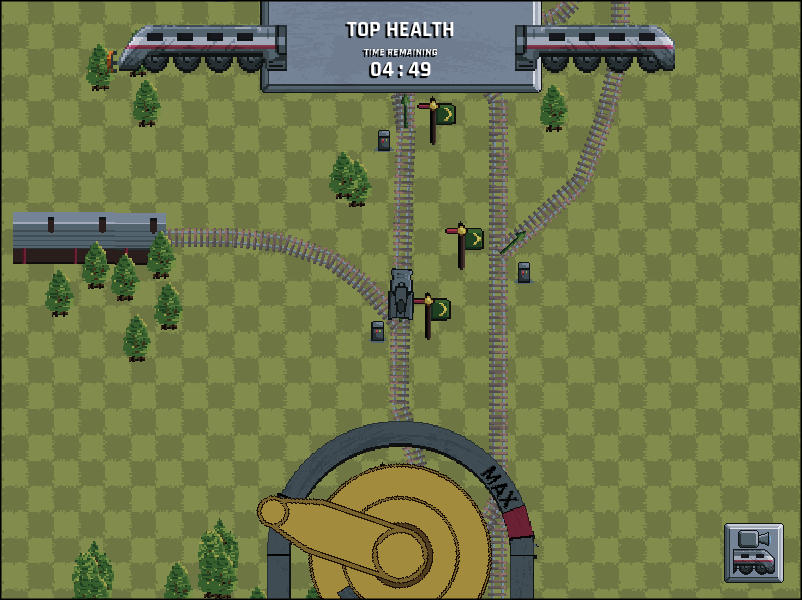
- [DONE] There is an issue when you manually move the camera to the top of the map, you can't manually move the camera down. You *can* however use the 're-center camera' button to fix it.- For details on edits to the Jam version, just check out git hub
Level Editor
This is a really, really rough level editor. One wrong click and you can corrupt the level file, so be prepared to restore the original file from the zip.It was an oversight of mine that after I had coded the tracks, composed of nodes and edges in a bidirectional graph, that I had no editor to actually create a rail network. Hence the level editor. Here are a list of keys you can use:
Tracks:
- Ctrl + Del : delete all nodes and edges- Ctrl + Left Click : place node
- left click not on node : deselect all
- left click on node : select node A
- left click on node: select node B (if A already selected)
- c : join selected edges
- v : toggle active edge (pink) between straight track or bezier
- 1 + left click : place bezier control point 1
- 2 + left click : place bezier control point 2
- K / L : toggle active edge (around selected node A)
- H / J : toggle active aux edge (around selected node A)
- U : create junction signal from active edge (node A must have 3 edges attached)
- hold B + left click: place signal box
- hold Z + left click: place lamp
Scenery:
- AltGr + Del : delete all scenery- AltGr + left mouse : place current scenery tile
- AltGr + 9 : prev scenery tile
- AltGr + 0 : next scenery tile


Comments23
but you are right, I ran out of time before properly testing the game, and I just set the timer arbitrarily to 5 minutes.
It definitely still needs work on the visual cues
I still need to write up the instructions for how to use the editor as I have almost all the keys on the keyboard mapped to some function.
Had a little bit of an issue with starting the game. The exe didn't seem to work on my computer but I managed to run it by manually running the jar with the included jre.
Could definitely be interesting extension if you actively had to deliver to certain locations while also keeping alive and not crashing.
Could you please let me know what was the issue running the .exe?
If you still have the game folder on your computer, there should be a debug.log file next to the exe file, could you let me know if there was an error message in the log?
Thanks
interesting mechanic more than any game on LD47. Thank you and good luck!
You also did a level editor, impressive !
I really liked the game, it was just a bit hard to press on the boxes and since theses have to be activated fast to avoid catastrophic collisions, it could be cool if it would be easier to press on then with a bigger hitbox.
I like the GTA2 style :-)
But is crazy all the stuff an mechanics you developed in 72h !
I was amazed to see that other trains can also crash onto each other.
If you have a minute don't hesitate to check our game.
PS : the idea of @sanojian sounds super cool as well.
Well done mate !