Thank you for purchasing DEEPER BROS. (R) DIGITAL COMPUTER v0.23! Your new computer comes with a beautiful 4-color display, a 5 Hz CPU, and a built-in programming environment.
The DEEPER BROS. (R) DIGITAL COMPUTER v0.23 is programmed using two languages: Deep Assembly language, and Deeper Microcode. Programs are written in Deep Assembly, and Deeper Microcode is used to create custom Deep Assembly commands.
NOTE: Programming the DEEPER BROS. (R) DIGITAL COMPUTER v0.23 is not for the faint of heart.
To run on Linux, download `deeper_bros`. Then, in a terminal, run: `chmod +x deeper_bros` `./deeper_bros`
Windows isn't recommended, the game stutters. It does work, though. To run on Windows, download the source code, install Python 3 and Blessed, and run `python3 game.py`.
If you enjoy this game, also check out TIS-100 and Shenzhen I/O!
As a programmer, I enjoy these sorts of things, I would not have thought of deep as in deep down in the software, nice idea. This is a very clever game and probably the only python entry I have ever seen in ludum dare before. Nice job!
It's super risky making a programming game. You did it anyway and it's great!
I'm gonna be diving into the rest of the levels for sure! Though i might need my ortho keyboard that's got arrow keys instead of the 60% i'm on right now!
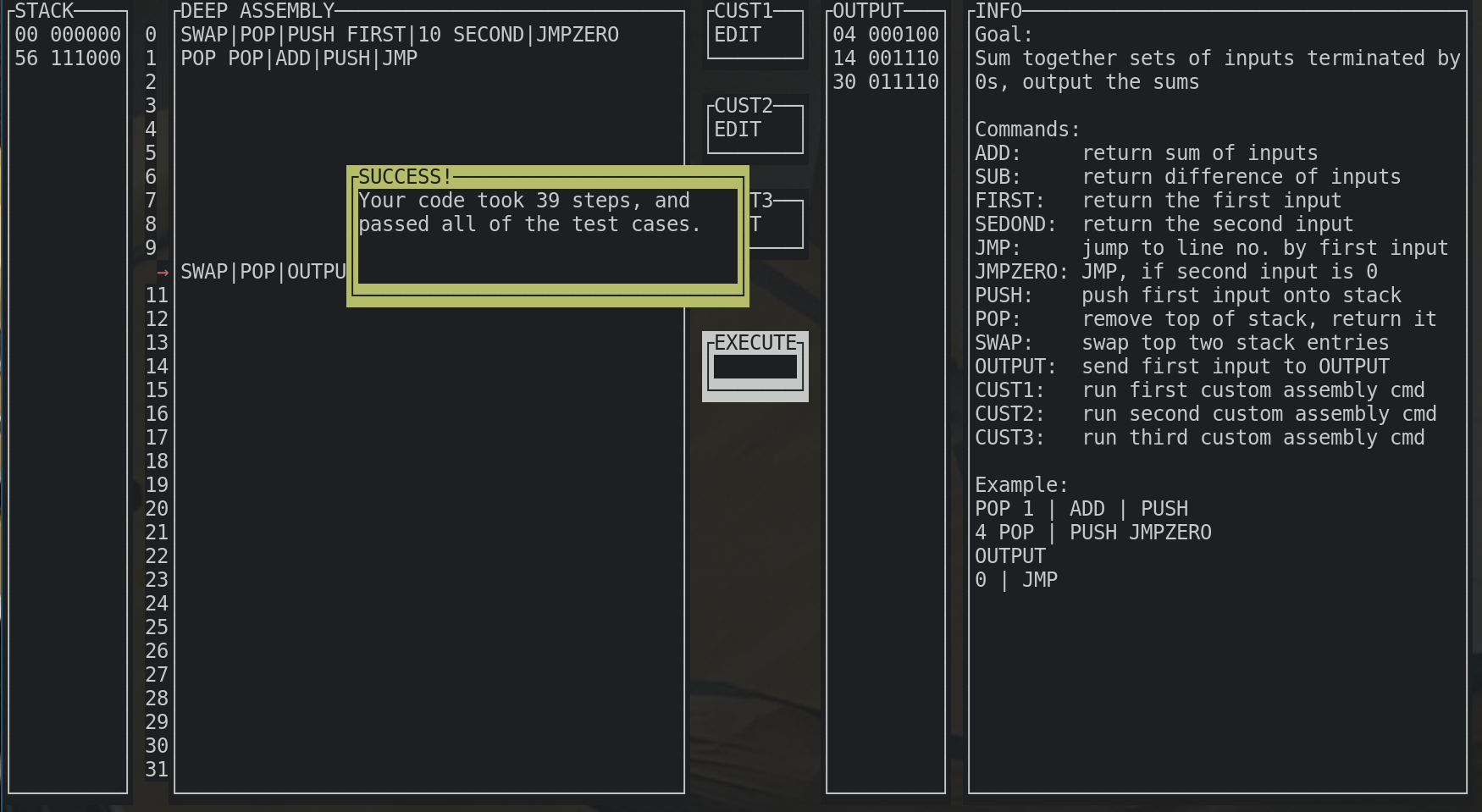
OOps, just got rid of that solution screenshot, realize it's not good to share the answer.
Very interesting. I hadn't even considered command line games for Ludum Dare submissions before this, but this plays excellently. It has a SHENZHEN I/O-kinda vibe to it, and some intriguing challenges.
This brings me back to middle school. Classmate made an even/odd function that was 10,000 lines of if statements
Creating a programming language for a game jam is pretty sweet. I love the TIS80 and Shenzhen I/O style puzzle games.
The experience on Windows is pretty rough, lots of stuttering. A proper Windows release would be sweet, and hopefully get more people would try this game, because it's pretty cool!
I really want to play this game cause I'm currently taking a class in low level CS stuff including assembly language. But I can't figure out how to download the game on Windows. I downloaded Python 3 and Blessed, but where do I type the "python3 game.py" command?
I'll save this for later to try on a Mac system, I think it should just work. In the meanwhile, I'm just glad I discovered this Blessed library, looks really fun to tinker with.
@greg-the-egg: Sorry about the stuttering! I'll add a warning about that. I wonder if it would run smoother in PowerShell?
@sirfist19: First, add Python to your PATH. After you do that, in a command prompt or PowerShell, the command `python` should do something, rather than saying "command not found". Then, in the cmd prompt, go to wherever you downloaded the game code, and run `python3 game.py`. As Greg the Egg said, you might get some stuttering.
I'm running it in PowerShell, and in the new Windows terminal and it's stuttering yeah Might install Ubuntu just to play this game lmao, it's really fun so far
EDIT: just remembered i installed it on a small laptop so i'll use that instead
Heyy i'm really having a lot of fun with this, but a few things did bother me so here are a few suggestions: - add in the tutorial that bits are ordered from most significant to least significant - if you press right arrow at the end a line it should probably move the cursor to the next line, same thing for left at the beginning of a line - ~~if you have a line, a blank line and a line, you can't erase the blank line, bug?~~ (edit: i was wrong)
@temulgeh : Yeah, the editor has a lot of edge cases and almost-bugs... at least I have the excuse that I'm pretending to be a really simple computer! =P Unfortunately, I don't think I can fix this one, that would be adding a feature after the fact.
There's a brief mention of "big-endian" in the documentation, I figured folks would mostly figure it out by trial an error. This game already has a four-page manual _instead of_ a tutorial, lol.
Wow this is really cool! I the only bit of feedback I can give is it wasn't clear at first how the (up to) 2 commands in one pipe section would both take the same 2 inputs, and would constitute all the inputs for the following command(s). The wording of the manual made me unsure if it was like a post-fix ordering with implicit nesting, or if each pipe section was one input, or what. I did figure it out though. Really nice work on this one I plan to play all the puzzles!
Wow, a stack based programing puzzle game for a Compo. Just wow. And also python based 😍 . Only thing missing thing for full Zachtronics-like experience is a printable PDF manual :)
Great idea to add `Deeper` custom user code functions.
To be fair, I had struggled quite a bit to get down to it, as I had wrap my head again (read - remember) stack based programming. What would really have helped is an ability to `debug` step through my code rather than executing everything at once. I think it would make the game a lot more accessible to wider audience, as it would make it easier to see, understand and learn how it's working. Would love to see a bit improved navigation, debug-stepping and more puzzles, but overall it's already very impressive. P.S. Thanks for showing Blessed, time to go make `Space DwarfFortress | ADD|OUTPUT` => SpaceFortress.
It would be nice if there were a way to copy "Deeper" code between puzzles. I spent a lot of time just reimplementing my custom "Less than" operation. Done 7/9 puzzles. Love this, the most time I've spent in a LD game by far
I think I may have found a bug. In the sorting program, it looks like the first test input is missing "0" in the expected output. https://github.com/aselker/ld48_computer_1/blob/main/puzzle_list.py line 48 (forgive me for digging into the source). My program outputs 0 1 2 3 4 5 6 7 8 9, but it never enters the second test case.
Despite being a game about low-level programming languages, it's remarkably accessible; the on-screen documentation and stack/output information was surprisingly smooth for a 48-hour game. In terms of the IDE, the only thing I would have added would be a debug mode or at least a way to "underclock" to follow execution more easily (although I'm not surprised you didn't have time for it).
The puzzles were well-constructed and force you to tackle them in different ways, between the deep assembly language and the deep deep microcode. The language itself made enough sense, but the additional restrictions --- mostly memory-related --- made you have to think really carefully. It would have been nice to have a couple more ways to interact with memory, like maybe a separate stack for the inputs and general use, or a couple registers to store values. That said, just the stack was technically enough and certainly made the earlier puzzles more interesting.
Performance on Windows wasn't the best, and it took a couple seconds holding down delete to clear a line. I never expect great optimization for a game jam game though.
I still haven't beaten all the puzzles but I'll probably come back to it! Great work and creative use of the theme.
Great entry! I solved the first three, but I'll definitely be coming back to look at the rest when I have time. Would be nice to have a confirm dialog before quitting, as a couple of times I instinctively went for the VIM command to save my code, and instead quit the entire program from pressing escape.
@gnevesdev : That's not supposed to happen! Mind sending a screenshot of the code that causes it? Can you tell if it's a graphical artifact or if the stack is actually gone?
@Homlet : Haha, I've left so many accidental ":w"'s in the code =) Really, your code should be autosaved, but I didn't have time during the jam, so now it's on the Post-Jam Improvement List. Hope you didn't lose too much time!
@adam-selker in my game, there was no output. And the code was for the first puzzle btw. I can see it does not actually print numbers from 0 to 10 lol :P
An actual console game I can run natively on Linux, very nice! I did enjoy playing Shenzhen I/O a lot 🙂
First of all, congratz on making this within 48 hours! There are some things I would change though: - While in general the UI works fine, the code editor itself is kind of obstinate, especially when it comes to inserting or removing lines. - Despite the "levels" having a didactic progression, I still think the learning curve might be too steep. It might be worth considering to start out with 2 or 3 instructions, and then getting to know the other ones later. - There is some weirdness with the interpreter, I was often not sure whether this was my fault (probably) or bugs manifesting. This was especially tough in the beginning, where the example program wouldn't even run: no feedback, no stack action, no output.
I did like the fact that the editor does input checking in real time. The weird machine language kind of reminded me of some of the Advent of Code ones 😆
Oh by the way, if there was audio, it wasn't playing on my machine, don't know 🤷
Nice programming game! I have not seen language in which you pipe pairs of values so that's something novel. I wonder how it compares with Forth. The custom instructions is cool too.
It's hard to debug. Step by step execution would have been nice.
I have found a bug: this code should return 1 when the second input is greater than the first. It works when I test values in the editor, but not in the main program.
I really wanted to like this, and I realise what I think is wrong with this game is exactly the same thing I found wrong with Human Resource Machine: The assembly is too low-level and the machine is limited in a deliberate attempt to make programming into more of a puzzle, which makes it more cumbersome than a puzzle game and less fun than coding for a real computer.
I just won't rate on fun, or innovation, or graphics I guess. I am just really conflicted.
Reminds me of the Dijkstra quote: APL is a mistake, carried through to perfection.
@blubberquark : If you want less-restricted coding puzzles, check out Project Euler! They're a bunch of mathy code challenges / logic puzzles, and a great way to learn a new language. For extra mathiness, try them in Haskell!
When working with PDF documents, I often convert them to other extensions to make it easier for me to edit information. It's not really difficult, but it's still cool that you can read articles like https://www.pdfplatform.com/blog/how-to-convert-heic-to-pdf-on-mac/ to find a better solution for converting PDF documents.
Comments33
I'm gonna be diving into the rest of the levels for sure! Though i might need my ortho keyboard that's got arrow keys instead of the 60% i'm on right now!
OOps, just got rid of that solution screenshot, realize it's not good to share the answer.
I managed to get down from 67 ops to 45 :D
But I'm a programmer so I just love it!
A inspiring idea of the theme 'deeper and deeper'.
Good work.
Creating a programming language for a game jam is pretty sweet. I love the TIS80 and Shenzhen I/O style puzzle games.
The experience on Windows is pretty rough, lots of stuttering. A proper Windows release would be sweet, and hopefully get more people would try this game, because it's pretty cool!
@sirfist19: First, add Python to your PATH. After you do that, in a command prompt or PowerShell, the command `python` should do something, rather than saying "command not found". Then, in the cmd prompt, go to wherever you downloaded the game code, and run `python3 game.py`. As Greg the Egg said, you might get some stuttering.
Might install Ubuntu just to play this game lmao, it's really fun so far
EDIT: just remembered i installed it on a small laptop so i'll use that instead
- add in the tutorial that bits are ordered from most significant to least significant
- if you press right arrow at the end a line it should probably move the cursor to the next line, same thing for left at the beginning of a line
- ~~if you have a line, a blank line and a line, you can't erase the blank line, bug?~~ (edit: i was wrong)
There's a brief mention of "big-endian" in the documentation, I figured folks would mostly figure it out by trial an error. This game already has a four-page manual _instead of_ a tutorial, lol.
Thanks for playing!
Only thing missing thing for full Zachtronics-like experience is a printable PDF manual :)
Great idea to add `Deeper` custom user code functions.
To be fair, I had struggled quite a bit to get down to it, as I had wrap my head again (read - remember) stack based programming. What would really have helped is an ability to `debug` step through my code rather than executing everything at once. I think it would make the game a lot more accessible to wider audience, as it would make it easier to see, understand and learn how it's working.
Would love to see a bit improved navigation, debug-stepping and more puzzles, but overall it's already very impressive.
P.S. Thanks for showing Blessed, time to go make `Space DwarfFortress | ADD|OUTPUT` => SpaceFortress.
Despite being a game about low-level programming languages, it's remarkably accessible; the on-screen documentation and stack/output information was surprisingly smooth for a 48-hour game. In terms of the IDE, the only thing I would have added would be a debug mode or at least a way to "underclock" to follow execution more easily (although I'm not surprised you didn't have time for it).
The puzzles were well-constructed and force you to tackle them in different ways, between the deep assembly language and the deep deep microcode. The language itself made enough sense, but the additional restrictions --- mostly memory-related --- made you have to think really carefully. It would have been nice to have a couple more ways to interact with memory, like maybe a separate stack for the inputs and general use, or a couple registers to store values. That said, just the stack was technically enough and certainly made the earlier puzzles more interesting.
Performance on Windows wasn't the best, and it took a couple seconds holding down delete to clear a line. I never expect great optimization for a game jam game though.
I still haven't beaten all the puzzles but I'll probably come back to it! Great work and creative use of the theme.
@Homlet : Haha, I've left so many accidental ":w"'s in the code =) Really, your code should be autosaved, but I didn't have time during the jam, so now it's on the Post-Jam Improvement List. Hope you didn't lose too much time!
I thought this was gonna work, but it didn't :(
https://imgur.com/a/1tqGbDv
It looks like the code consumes three stack elements each loop, which makes sense since there are three POP instructions.
Do you see something different?
Thanks!
First of all, congratz on making this within 48 hours! There are some things I would change though:
- While in general the UI works fine, the code editor itself is kind of obstinate, especially when it comes to inserting or removing lines.
- Despite the "levels" having a didactic progression, I still think the learning curve might be too steep. It might be worth considering to start out with 2 or 3 instructions, and then getting to know the other ones later.
- There is some weirdness with the interpreter, I was often not sure whether this was my fault (probably) or bugs manifesting. This was especially tough in the beginning, where the example program wouldn't even run: no feedback, no stack action, no output.
I did like the fact that the editor does input checking in real time. The weird machine language kind of reminded me of some of the Advent of Code ones 😆
Oh by the way, if there was audio, it wasn't playing on my machine, don't know 🤷
The custom instructions is cool too.
It's hard to debug. Step by step execution would have been nice.
I have found a bug: this code should return 1 when the second input is greater than the first. It works when I test values in the editor, but not in the main program.
I just won't rate on fun, or innovation, or graphics I guess. I am just really conflicted.
Reminds me of the Dijkstra quote:
APL is a mistake, carried through to perfection.