Windows build could be released in near future. Still can't figure out mingw-w64 (if someone knows how to set it up properly on MacOS or Arch Linux, please email me to [email protected])
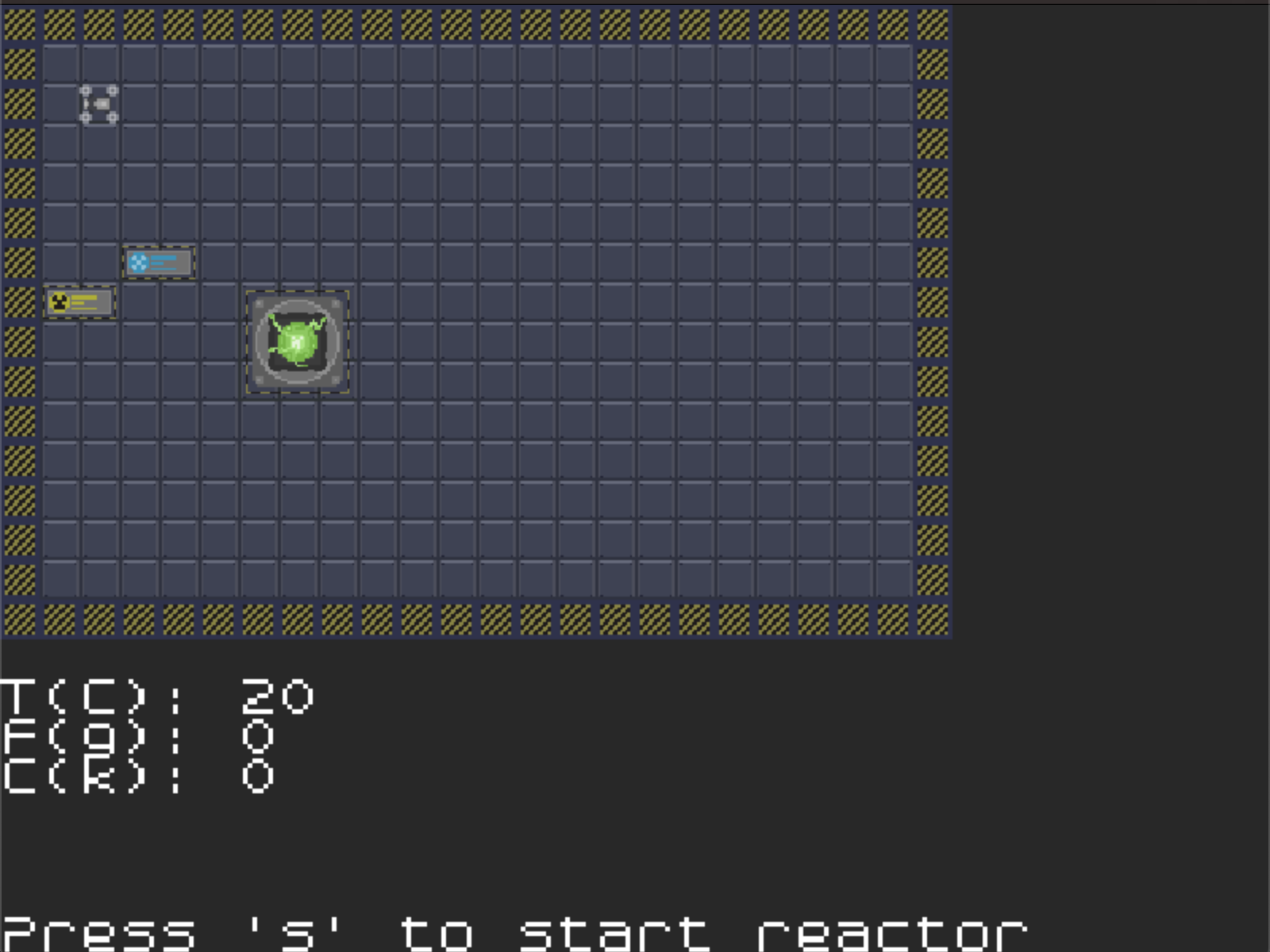
You are assigned to operate reactor, to supply entire facility with electricity. This is extremely important task, so if power goes out even for a second you are in serious trouble.
Reactor requires fuel to operate, and coolant to prevent it from turning into room-sized inferno. Lack of fuel will result shutting down, and therefore lose of power.
Use robots to deliver everything in time and load it into reactor, program them to support stability of the reaction process.
Robot has six possible actions: 1. Move by x axis to specified coordinate (MX@X) 2. Move by y axis to specified coordinate (MY@Y) 3. Load specific amount of fuel or coolant from nearby tank to internal storage (LO@N) 4. Unload fuel to reactor (UF@N) 5. Unload coolant to reactor (UC@N) 6. Wait N ticks (WA@N)
After selecting robot with arrows and pressing 'space' you will result in programming mode. You can type in commands, or use buttons with on-screen keypad to enter them. Mouse is not yet supported, so navigation is done with arrow keys.
You can summon addition robots with 'a' key, new one will appear next to previous.
Hi I tried to get it to make on macos but got this error ```src/graphics.hpp:5:10: fatal error: 'SDL2/SDL_image.h' file not found ``` tag me in a comment here if you know what to do and I might be able to try it again.
@fabdynamic You probably need to install the libsdl2-image-dev package (that's what it's called in Debian, may be slightly differently named on other distributions).
I downloaded the code from github and (after installing the sdl2 and sdl2-image packages) got it to start building. But it tried to link libSDL2_Image, which was named libSDL2_image (no capital i) on my system. After that change, it runs.
I like the idea of the game; I also immediately thought of radioactivity with this theme. I didn't get very far with it though, because it seemed to be quite unstable (which is great for the theme, but not so much for playability ;-) ) For example, forgetting to add a number to a command made it crash. It would also have helped if there were coordinates on screen.
But don't get me wrong: it's a cool idea and it's great that you got it finished in time! That's something to be proud of. :-)

Comments4
``` tag me in a comment here if you know what to do and I might be able to try it again.
I downloaded the code from github and (after installing the sdl2 and sdl2-image packages) got it to start building. But it tried to link libSDL2_Image, which was named libSDL2_image (no capital i) on my system. After that change, it runs.
I like the idea of the game; I also immediately thought of radioactivity with this theme. I didn't get very far with it though, because it seemed to be quite unstable (which is great for the theme, but not so much for playability ;-) ) For example, forgetting to add a number to a command made it crash. It would also have helped if there were coordinates on screen.
But don't get me wrong: it's a cool idea and it's great that you got it finished in time! That's something to be proud of. :-)