Space Station 8
About
Space Station 8 is a `Micro Platformer` created in 72 hours for Ludum Dare 49 based on a game I used to play on my original Macintosh called Spacestation Pheta. Space Station 8 is also heavily inspired by Bitsy and my Fantasy Console, Pixel Vision 8, which I used to create the game.The goal of Space Station 8 is to escape before you run out of oxygen. To do that, you will need to navigate the level, find the key, and make it to the exit in time. Each level is self-contained, and you are scored based on your ability to complete it within the amounted time and lives. There are also some prized gems you may want to collect on your way out while avoiding aliens and other deadly obstacles like spikes.
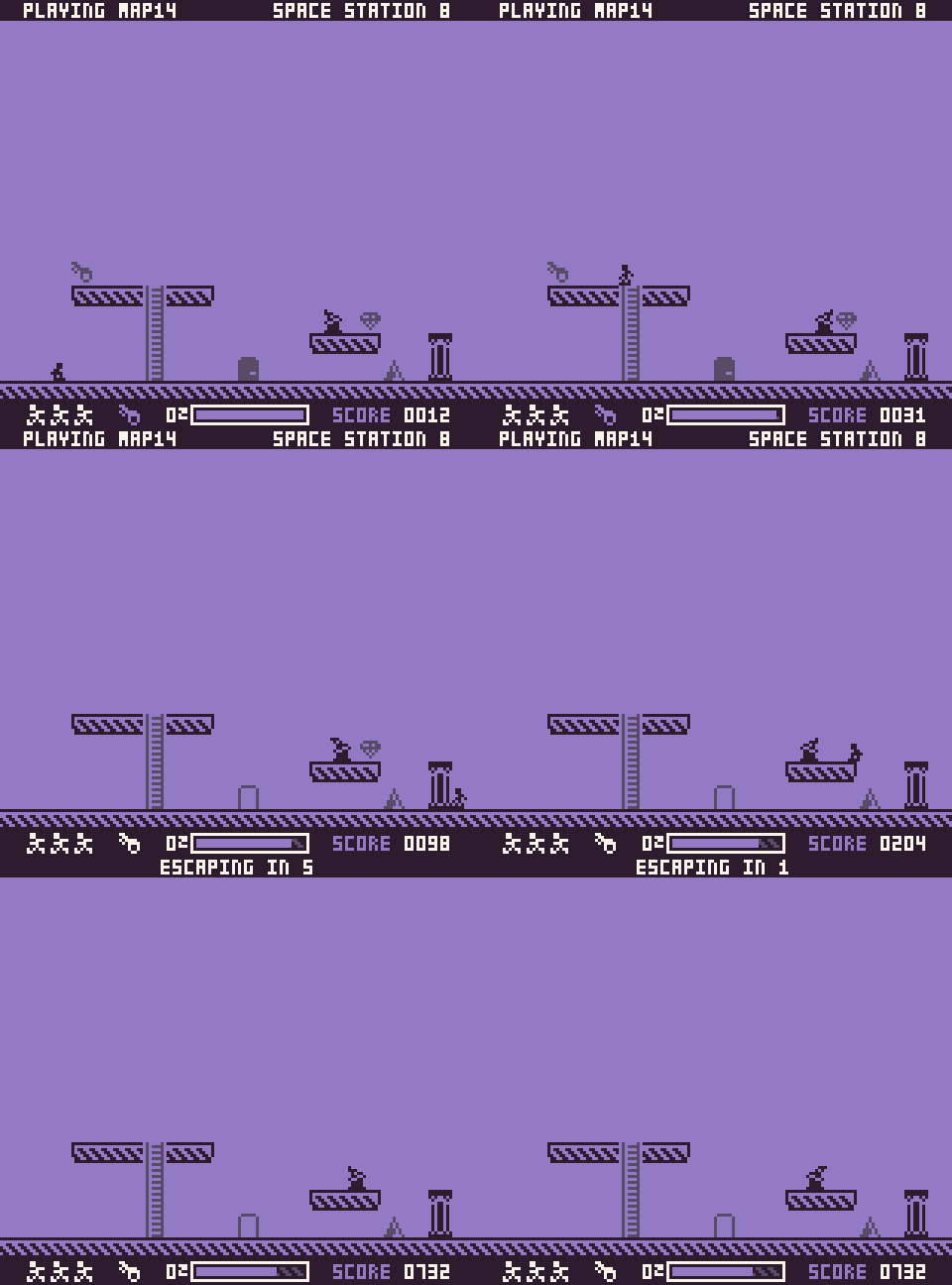
Like the original game this is based on, there is a built-in map editor. In fact, there are no pre-made maps at all! The twist is that I lost them after space junk hit the station, so I need everyone's help to make new ones and share them below in the comments (see the Editor & Sharing sections below).
Ready to get started? The documentation will teach you everything you need to know for making, sharing, and playing your Space Station 8 maps.
Controls
Pixel Vision 8 supports a keyboard, mouse, and controller. Space Station 8 supports all three but was designed around the controller mapping. You can modify the mapping at any time by hitting `ESC` and going into the settings.
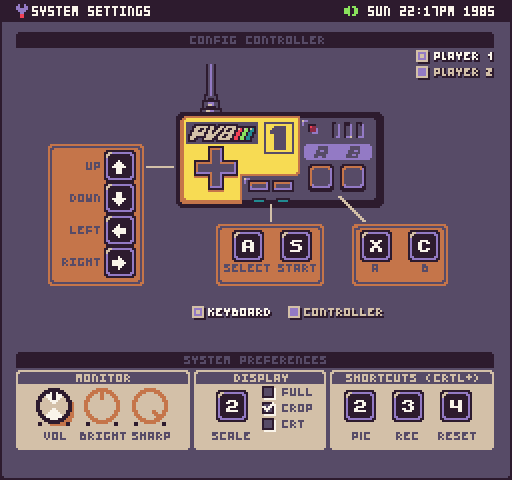
Here are all the input options based on what screen you are on:
Splash
| Action | Keyboard | Mouse | Controller | Note |
|---|---|---|---|---|
| Start | S | N/A | Start | |
| Settings | ESC | N/A | N/A | Works on every screen |
Editor
| Action | Keyboard | Mouse | Controller | Note |
|---|---|---|---|---|
| Play | S | N/A | Start | Hold for 3 seconds |
| Quit | A + S | N/A | Select + Start | Hold for 3 seconds |
| Up | Up Arrow | Move Up | Up | Mouse shows up when moving |
| Down | Down Arrow | Move Down | Down | Mouse shows up when moving |
| Left | Left Arrow | Move Left | Left | Mouse shows up when moving |
| Right | Right Arrow | Move Right | Right | Mouse shows up when moving |
| Tile | A | Click on Tile | Select | Cycles to the next tile |
| Paint | X | Left-Click | A | Draws tile |
| Flip | C | Right-Click | B | Flips the tile if it can be |
Game
| Action | Keyboard | Mouse | Controller | Note |
|---|---|---|---|---|
| Quit | A | N/A | Select | Hold for 3 seconds |
| Up | Up Arrow | N/A | Up | Moves up ladders |
| Down | Down Arrow | N/A | Down | Moves down ladders |
| Left | Left Arrow | N/A | Left | |
| Right | Right Arrow | N/A | Right | |
| Jump | X | N/A | A | |
| Jump | C | N/A | B |
Editing
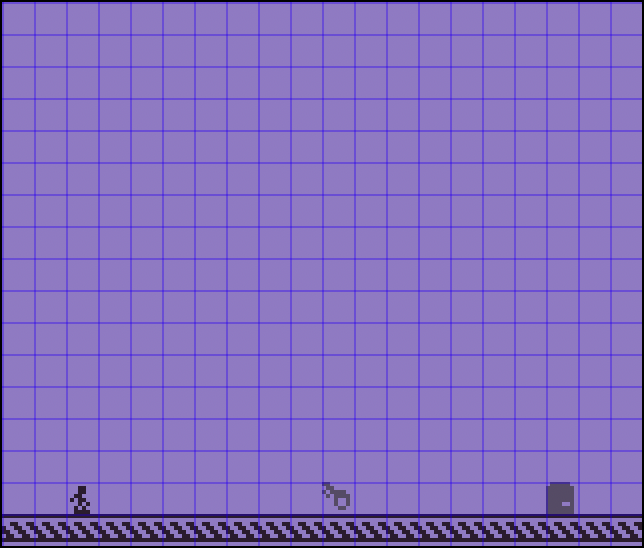
When you first load Space Station 8 up, you will be presented with the default map. You can immediately begin editing it, or you can drag a `spacestation8.png` map onto the game and load that up.Space Station 8 map's should be at least `160` x `132` pixels:
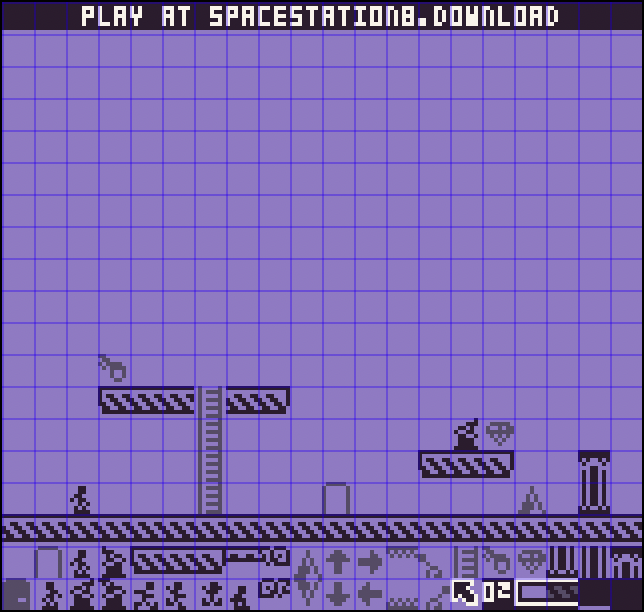
You can also provide a map that is `160` x `152`, where the last two rows are the sprites for the map:
Whenever you go to the splash screen, Space Station 5 will automatically create a new `map.spacestation8.png` for you in your `/Levels/` folder:
| Version | Path |
|---|---|
| Windows | C:\\Users\\UserName\\Documents\\SpaceStation8\Levels\\ |
| MacOS | /Users/UserName/SpaceStation8/Levels/ |
| Linux | /Users/UserName/SpaceStation8/Levels/ |
Before you can play a map, you'll be taken to the map editor. The editor has two main areas, the map and the tile picker on the bottom:
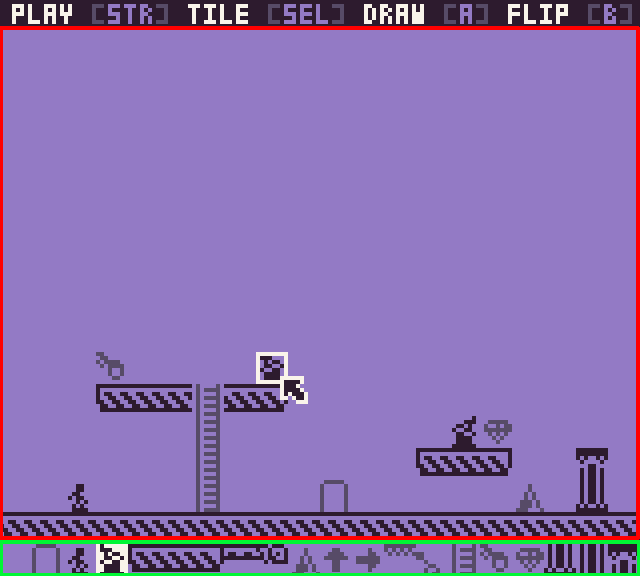
The white blinking box in the map area previews where the tile will be drawn. You can move the tile highlighter via a controller's d-pad, the keyboard arrows, or the mouse. By default, the mouse is hidden unless you move it.
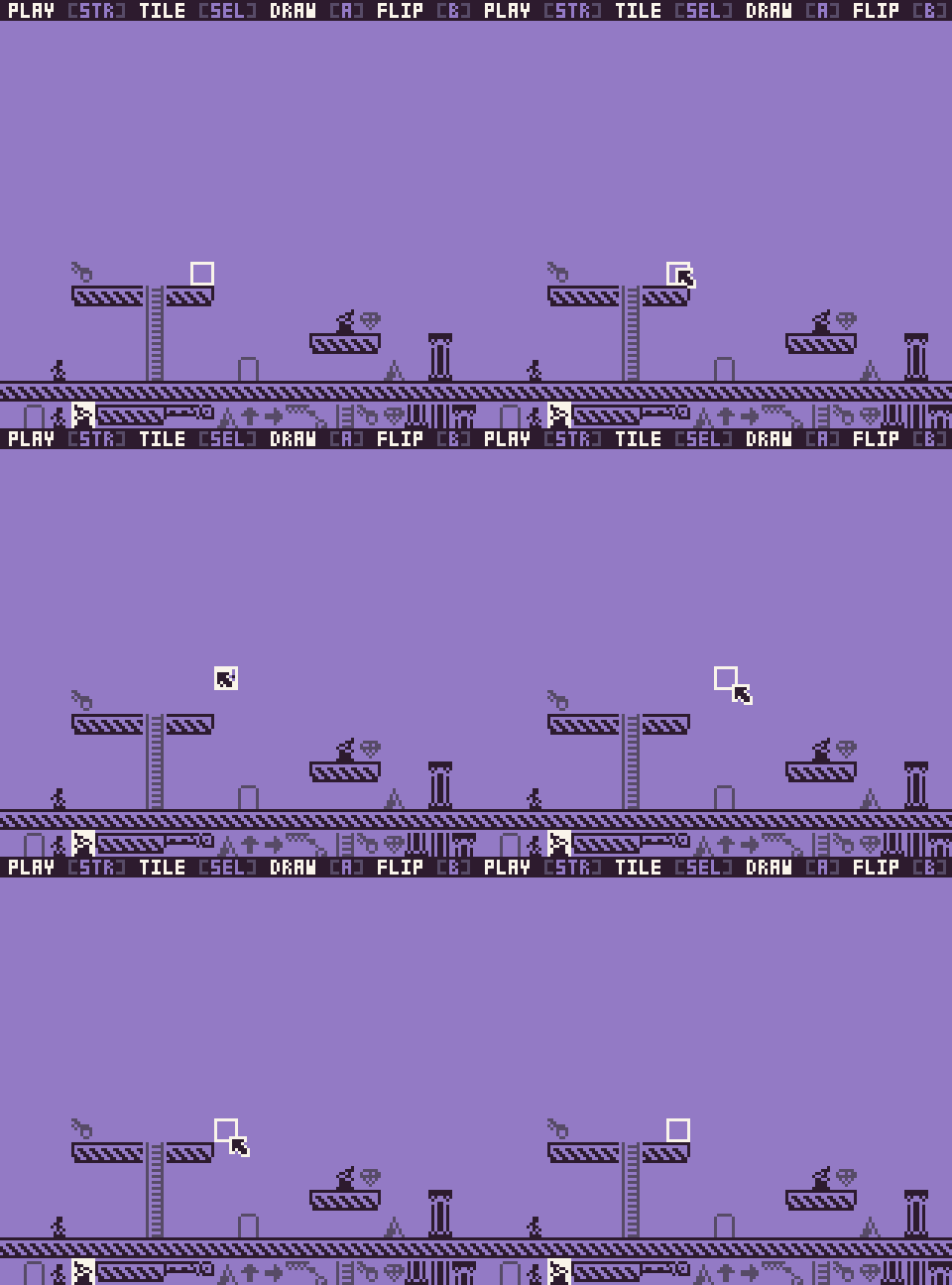
You can pick from any of the 20 tiles on the bottom of the screen to draw with. The tile with the white background is the currently selected tile. You'll also see it previewed on the map. Some tiles have a flip or alternative state. This can be used for changing the direction of an enemy or spikes.
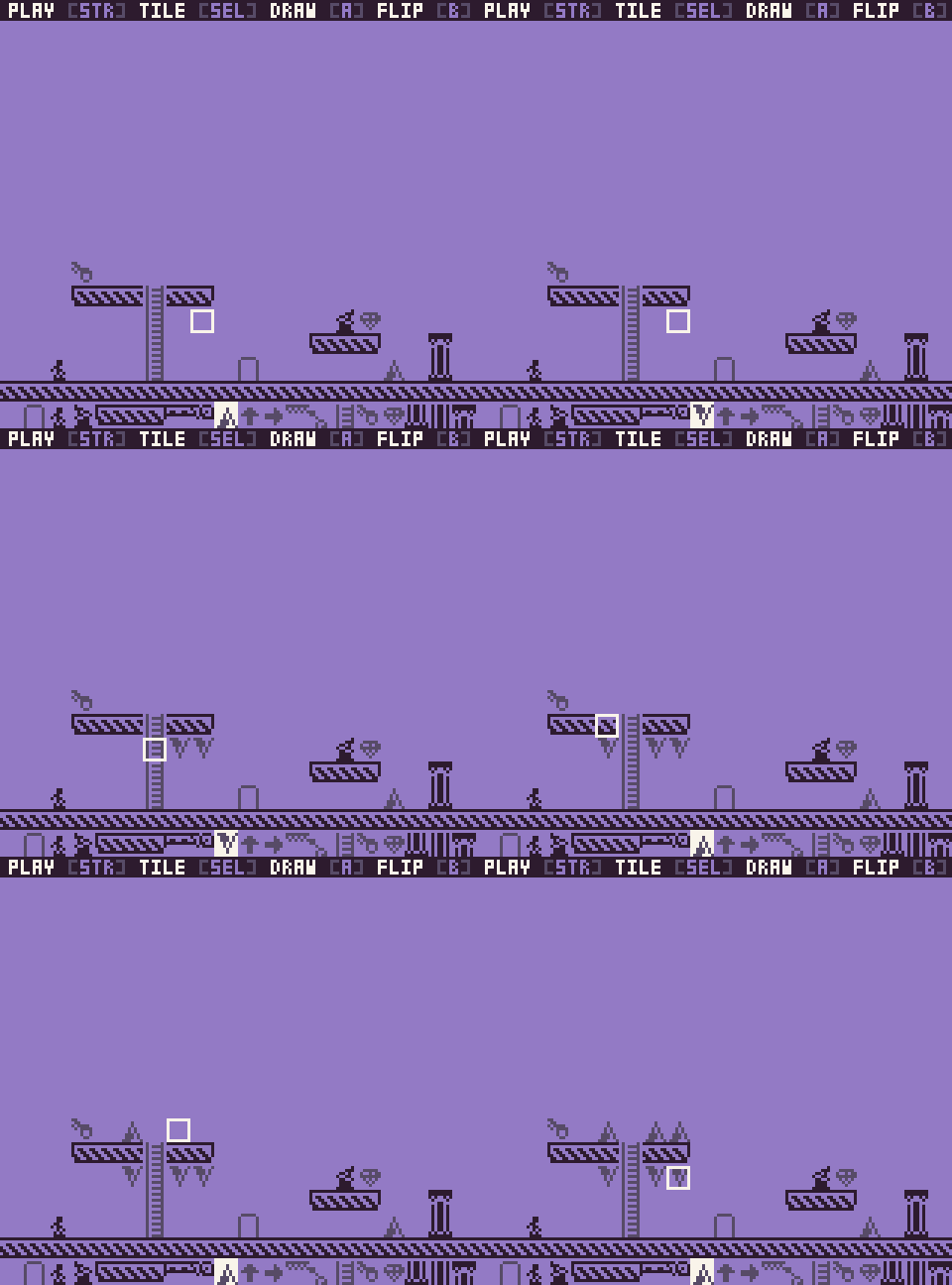
Finally, for a map to work, you need three things: a player, a key, and a door. When you start the game, if these things are not present, it will bring you back to the editor. There is no cap on how many players, keys, or doors you can draw on the map, but the game will only use the first of each when it processes all the tiles.
Playing
Once you start the level, you have to make your way to the exit before running out of oxygen. To open the door, you will need to find the key then walk through the door:
Along the way, you will have to avoid the following collectibles and hazards:
| Sprite | Name | Value | Description |
|---|---|---|---|
 | Alien | N/A | Avoid these guys, or they will instantly kill you. |
 | Door | 500 pts | Starts as locked and will unlock once you pick up the key. |
 | Key | 50 pts | Opens the door to escape. |
 | Gem | 100 pts | Collect this for extra points. |
 | Ladder | N/A | Allows you to walk up and down. |
 | Platform | N/A | Allows you to jump onto from below and drop down from when on. |
 | Spikes | N/A | Spikes will kill you if you land or jump on one. You can walk past spikes without taking damage. |
 | Switch | N/A | This is not implemented yet. |
Sharing
Once you are happy with a level, you can share it with someone else by sending them the `map.spacestation8.png` file. There are several ways to do this. You can attach it in a comment below, send it directly to them, or file a ticket on GitHub and include it there.One thing to note is that some social networks like Twitter may compress the image. This will break the tilemap parser unless the image is pixel-perfect at 160 x 132 or 160 x 142.
The default map template looks like this:
As you can see, a map is comprised of a `20` x `17` tile grid where each tile is `8` x `8` pixels. The top row is ignored, and for map images that are `142` pixels high, the last two rows (`18` and `19`) are used for the game's sprites.
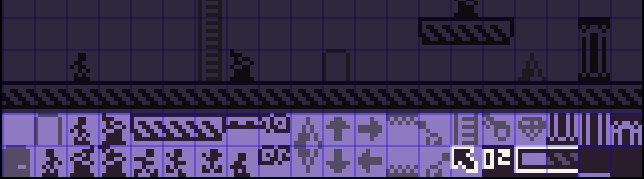
There are `40` sprites which you can also modify if you want to reskin the game. Each sprite is fixed to a corresponding element in the game, so while you can re-skin the graphics, you will not make new ones or change the internal sprite mapping.
The last thing to keep in mind when modifying the sprites, or even using a drawing too like Aseprite to modify map files, is that you will have to use the following four colors (`#2D1B2E`, `#574B67`, `#937AC5`, #F9F4EA) .



Comments35
I like this game! Other people have to post their own levels for it to actually be playable though. :d As a level editing tool it's simple but powerful. I love how the levels are saved as images, and that you can change the graphics! The only kinda annoying thing about this game is that you have to wait around to play the level, restart, and even game over. What's the reason for that? Anyway real fun!
Also beat the level after a few tries. Noticed how off my collision logic is so glad I have something new to test with :)
Good job!
I struggled some with understanding what to do though! 😅
Though I had a little trouble with controls.
Hope it loads properly! Editing and saving it as an image was nice and convenient. Even though the switches don't do anything yet, they still make for some good background decor when reskinned, I like that. The retro feel is wonderful too - making it with Pixel Vision 8 just makes it even more authentic! Very impressive what you can do with PV8, it's really great! Well done!
I had a lot of fun making it, spectacular entry 👍
It seems that the player is invincible while climbing? There are cases where I could cross enemies without dying.