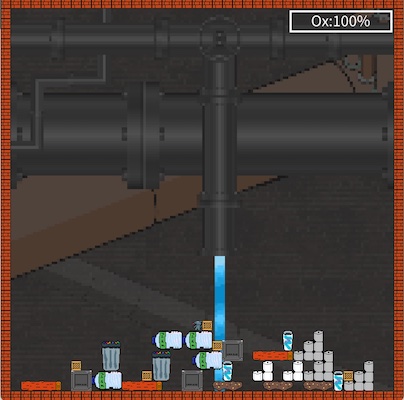
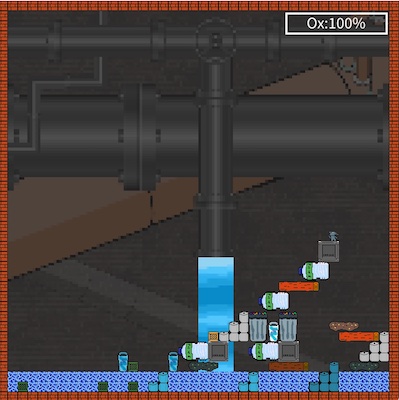
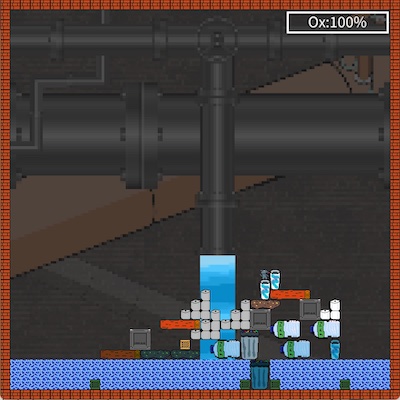
The water is coming, and you have to stay alive! Stack as much of the sewer trash on top of each other to make a raft. Unfortunately things soak and you can only postpone the inevitable - but for how long?
Cursor keys to control the rat, space to pick up and drop items, c to remove thinks you carry, and m to mute!
Give it a bit time to load at the start, music and images take a moment.
A nice game when you actually get a good stack going, but sometimes the objects spawn in such a jumble at the start it feels like you can't move anything without something else being in the way and it turns into more of a rat clean-up.
when i played this game i noticed that the controls feel very rigid. the core concept is good i think the execution could be better. i liked the end screen but just felt limited by the movement
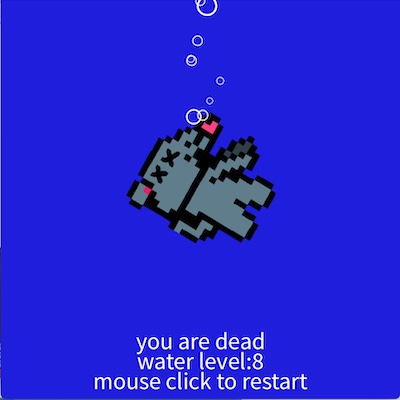
My highscore was 19 water level before drowning. I have to agree with @leviathon on this one: the controls felt too rigid. I understand from a development standpoint that this was probably due to the grid-based nature of the game, and honestly I kinda liked the way you could move things around to stack them. The death animation was also pretty neat, fitting for a game delaying the inevitable.
@codebug - interesting! We got the same error when running it on openprocessing and we also have no clue where this comes from. Especially when we take into account that is compiles fine on the other systems. I assume this has something to do with us using processing 4.0 and that it is still somewhat buggy. We used different 4.0 releases during development so that we catch more of those issues. For example, the Windows version compiled on OSX didn't run on Windows - sorry for that. My conclusion is to either use Unity again next time or develop on openprocessing directly as that would also solve the hosting issue. Cheers Arend
@arend-hintze I tried running it in Processing 3.5.4 and it didn't run but it gave me a more meaningful error. At first it required the directory to be named the same as the sketch. It then ran the start screen with music. The mute toggle worked but when pressing any key to start it crashed with: textMode(3) is not supported by this renderer. Processing 4 still does nothing.
Update: by commenting out the 2 uses of textMode(CENTER) in Scene, I got it to work in 3.5.4. A truly baffling bug.
It's an interesting game and definitely on theme. The rising water is definitely an unstoppable force. I did feel that the character was quite small and the movement could be a bit awkward at times. Also, I felt that seemed to be a fair amount of unused screen space, but that might have been that I didn't live long enough to make use of it.
@codebug - awesome catch! I think the text in processing sometimes requires a font, and it might not be packed with the game ... I had something like that before. That the error comes from textMode and not text is weird indeed.
We discussed the resolution, and now that I played it a bit more often, I tend to agree, the arena is 40x40 and 20x20 would probably have been fine. The main reason why I shied away from that is the somewhat clunky keyboard control. We actually don't smoothly move the rat but it jumps from tile to tile. That becomes more obvious with larger tiles. We all had to work on Monday, so we never improved the rat motion. With more time (on our side) we would have improved it, and then probably gotten to the larger tiles.
Anyways, a ton of thanks for finding that bug! Cheers Arend


Comments16
Happy to give it another go, if you can tell me what I might be doing wrong.
Processing 4 still does nothing.
Update: by commenting out the 2 uses of textMode(CENTER) in Scene, I got it to work in 3.5.4. A truly baffling bug.
It's an interesting game and definitely on theme. The rising water is definitely an unstoppable force. I did feel that the character was quite small and the movement could be a bit awkward at times. Also, I felt that seemed to be a fair amount of unused screen space, but that might have been that I didn't live long enough to make use of it.
Other than that, a solid effort. Well done!
We discussed the resolution, and now that I played it a bit more often, I tend to agree, the arena is 40x40 and 20x20 would probably have been fine. The main reason why I shied away from that is the somewhat clunky keyboard control. We actually don't smoothly move the rat but it jumps from tile to tile. That becomes more obvious with larger tiles. We all had to work on Monday, so we never improved the rat motion. With more time (on our side) we would have improved it, and then probably gotten to the larger tiles.
Anyways, a ton of thanks for finding that bug! Cheers Arend