Harvest Roar
PLAY OUR GAME HERE :arrow_down:
https://helixngc7293.itch.io/harvest-roar
Requires microphone + headphone for playing~
Windows version is recommended for best experience!
:warning: WARNING : When playing our game, you will need to make some noise. Please be mindful of your surroundings and consider the potential impact on your neighbors before starting a game session. Try to keep the volume at a reasonable level to avoid disturbing those around you.
OBJECTIVE
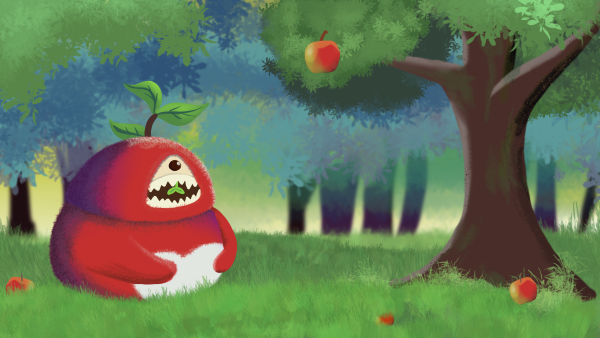
Get ready to SHOUT and bounce your way through the harvest season in our exciting new game! With a cute forest guardian by your side, join our lovable moon rabbit as you collect apples from the trees, using your voice to control the action.Simply SHOUT OUT to shake down the apples, and use your pitch to bounce them higher in the air. And don't forget to use the arrow keys to guide your rabbit through the forest as you catch the falling fruit.
HOW TO PLAY

Shout out in a higher pitch: make the apples bounce higher
Left & Right Arrow Key: control the movement of the rabbit
Be mindful of your volume and pitch - too loud or too high and the apples will bounce too far away, making them difficult to catch.
FEATURES
- Unique voice control gameplay: Your microphone and voice are unique, so the power and performance of your shout will vary based on the sensitivity of your microphone and the characteristics of your voice.- A cute forest guardian to support you during your harvest adventures.
- A combination of physical (voice control) and keyboard controls for an immersive gameplay experience.
TROUBLESHOOT
If you encounter problem, please check:
Be sure to select the correct microphone input. Some people may have multiple microphone options available.
Use your normal volume for the calibration.


Comments25
Maybe I could try to play it with a synthesizer ;)
This is a fun concept and the visual aspect itself is very good, with the apples' expressions as they fall, the bounciness of the rabbit and the guardian shouting. However the voice detection is a bit too unreliable for the gameplay to really work: there is usually a substantial delay before your shout affects the game, the audio feedback is sometimes very noisy, and a single shout is often recognized as two distinct bounces. I'm using a headset with a decent mic (Logitech Pro X) so my setup shouldn't cause any issues.
I think the idea is very good and I could definitely play an updated version with improved voice detection! I particularly like the idea of screaming in a higher pitch to bounce the apples higher, and I had fun with that. I think you could probably remove the audio feedback in the game (after the initial setup) since it's always a little weird to hear yourself. You could replace it with music!
If you plan on taking this further, here are some thoughts:
- I get the reason for no music and audio during the gameplay, but I miss it regardless. Especially when I have to hear my own voice, blech (lol). Rather than hearing my own voice, it would be cool to hear a roaring sound that maybe shifts in pitch to match my tone so there's still feedback on what I did? And of course some music would make things more exciting
- I think offering some visual guidance on how to use your voice could be helpful. My immediate impression was that I could only shout once to shake things lose and the volume of that one shout was it. It would be cool to have prompts to do things like try to hit certain notes or make the player sing without realizing. At the moment it's completely up to the player and sometimes players aren't great at making their own fun (me included)
Great work!
I did experience some strange latency issues and distortion with the audio--e.g. my voice would cut out pretty often, and it seemed like the audio would be delayed for a couple seconds before playing back...? I was using the downloaded version if it helps, although the web version seemed to have similar issues.
This did make it somewhat hard to intentionally control much, as the amount of time between when I would say something and when it would actually affect the game was longer than the period of time that it took apples to fall from the tree... so my best bet seemed to be to just continuously shout so that the apples would keep bouncing.
But it was still fun to play around with, and the graphics are gorgeous. The design of the monster is great -- it's just such a fun concept to have a shouting, apple harvesting monster.
I managed to get some apples though and it was a very cute art-style to it too. The nice music at the start screen could well have continued in the background during the game too.
Again very interesting concept
The game is solid, core loop should always strive to the easy to play and fast to learn and this one shows it.
Nice entry.