Pixel Repair Agency
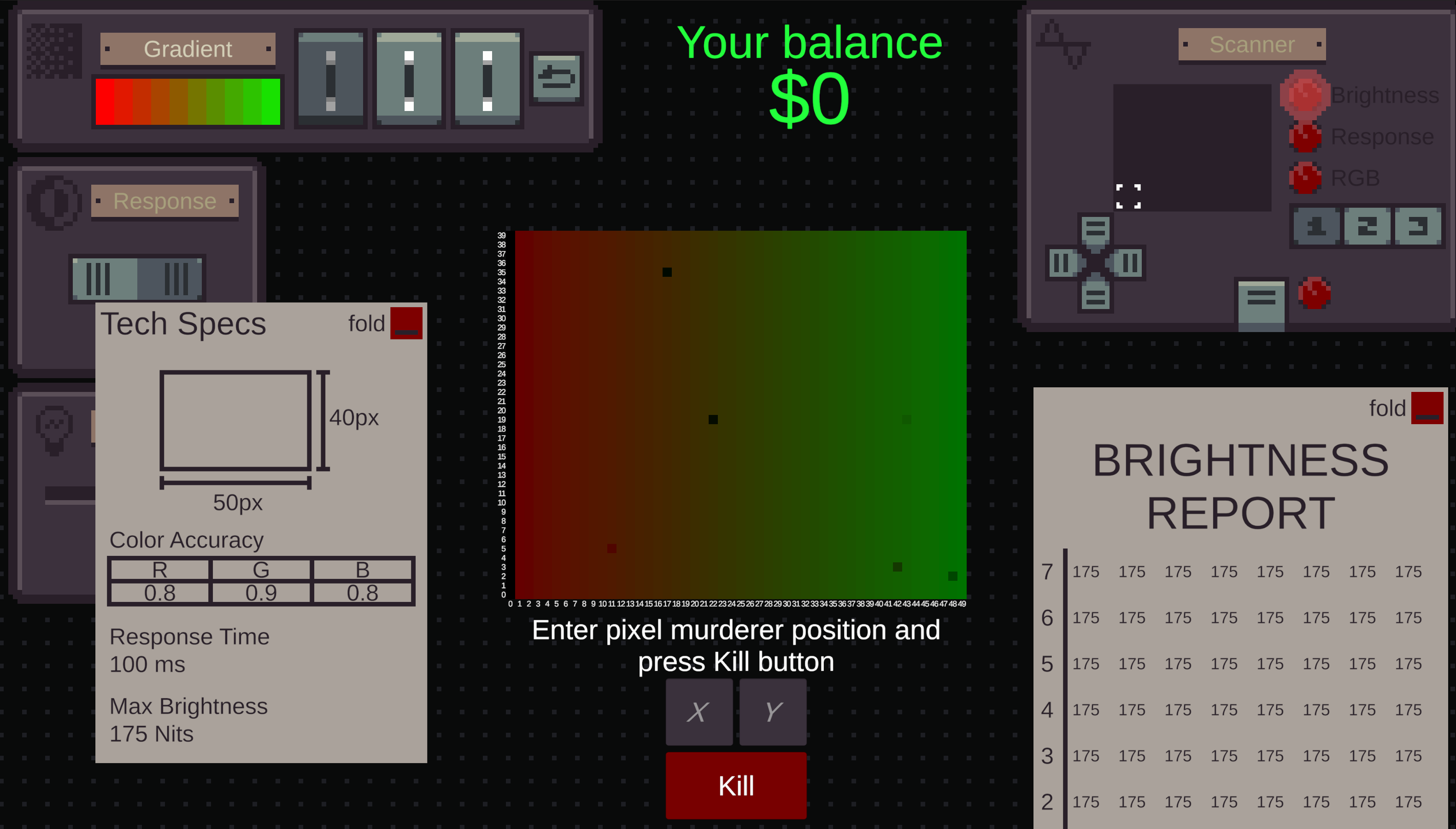
Have you ever had to deal with dead pixels on a monitor? We have!
And this experience made us learn that every monitor is its own world of pixel creatures.
And just like any society - it has its own psychos.
In this case there's a murder pixel that kills other chill pixels.
You as owner of a repair shop have to get monitors, find the murderer and kill it. After that you can sell the monitor for profit.
Lucky for you, we know that the pixel murderer is the one that has the most defects. You need to check suspicious pixels by metrics against the "Tech Specs" paper you get in the begining about the monitor and the pixel that has the most defects is the killer
The properties are just like in real life:
- response time is how was the pixel changes from one color to another
- color accuracy is how much of RGB color a pixel can output
- max brightness is how bright a pixel can be
At your shop you have various tools to help you identify the killer correctly:
- Gradient module allows you to apply a gradient to the monitor or reset to black. _Useful to check color accuracy_
- Response module applies either white or black. _Makes it easier to check pixels' response_
- Brightness module helps you control how bright pixels are
- When you have a suspect - use Scanner to get accurate data about a range of pixels. Select a region using a Dpad, select a metric you want to get data about and press Submit at the mid bottom of the module to receive a report
When you made a decision - enter suspect's coordinates into the submit form at mid bottom of the screen and press Kill. The reward will be applied instantly, but a customer could get a 100% refund if you made a wrong conclusion and didn't kill the killer pixel and now the monitor is destroyed with all pixels dead.


Comments29
Thanks for checking out the game!
Interesting.. You should be able to type values in here (see picture) with a keyboard.
Could you elaborate what kind of issue do you have please?
Yeah. A tutorial is a must I agree. I will add a text one on the page. My 2 am brain forgot to mention that the killer pixel is the one that has the most defects. You would need to check suspicious pixels by metrics against the Tech Specs you got in the begining and the pixel that has the most defects is the killer.
Yeah, I can relate to the state of the mind after the jam 😆 It's quite a blocker for a many puzzle games on the jam
Thanks for checking out though! Glad to hear it reminded you of such amazing games ✌
Thanks for the suggestion! Good thinking 🤝
But it's 100% possible to find it. A bit clunky and sometime values could appear like they are defective by being too close to the normal ones.
I'm not surprised that people have troubles staying profitable in the game 😆
Thanks for the quality feedback!
A bit faster in the jam build would be more comfy that's for sure though
I totally agree with you. We even had an info button on every module but had to rm them due to time.
Gotta 100% have a proper tutorial and bring info back if we ever will push this game further.
Thanks a lot for the feedback! Hope to see you jamming again next time ✌
People say that it is overwhelming at first and I can understand that. Maybe if you would introduce the different functions step by step it would solve this problem. For example: After finishing a level you would unlock a new ability.
I couldn't hear any sound. Are there no sound effects in the game? If there are please let me know, so I could try it on a different browser.
I think you did a great job creating this game, which feels unique. I'm curious if this game will be expanded in the future. Greetings from Germany. :)
I wish i could get rid of the reports, because i fumble the placement of the scanner a lot! Also it would be cool to control the dpad with the arrows.