Ludum Dare #57compo
Color Depth
Description
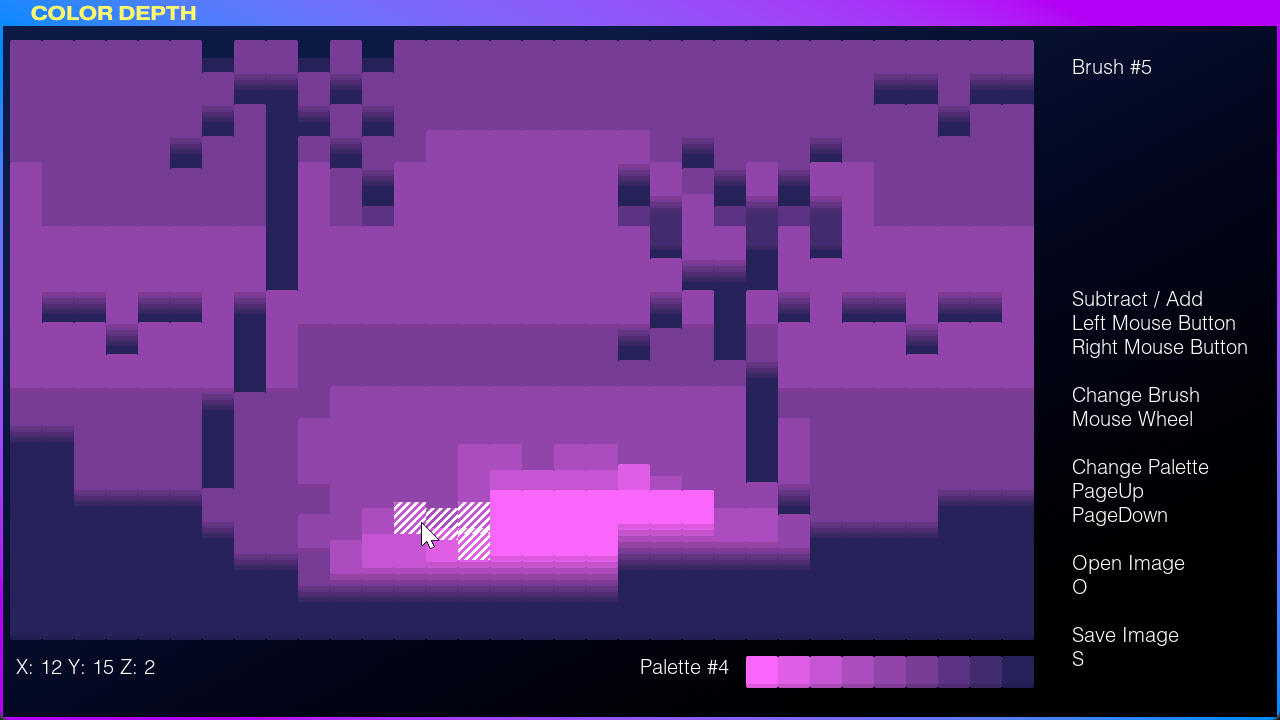
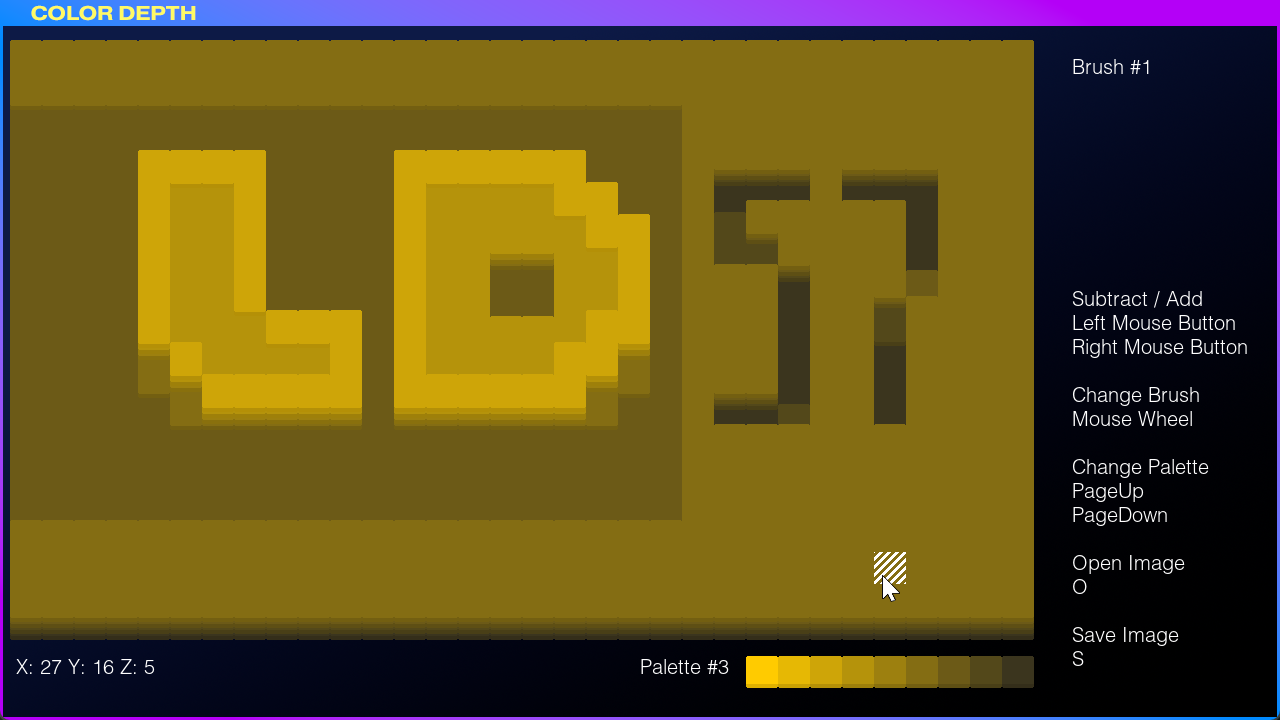
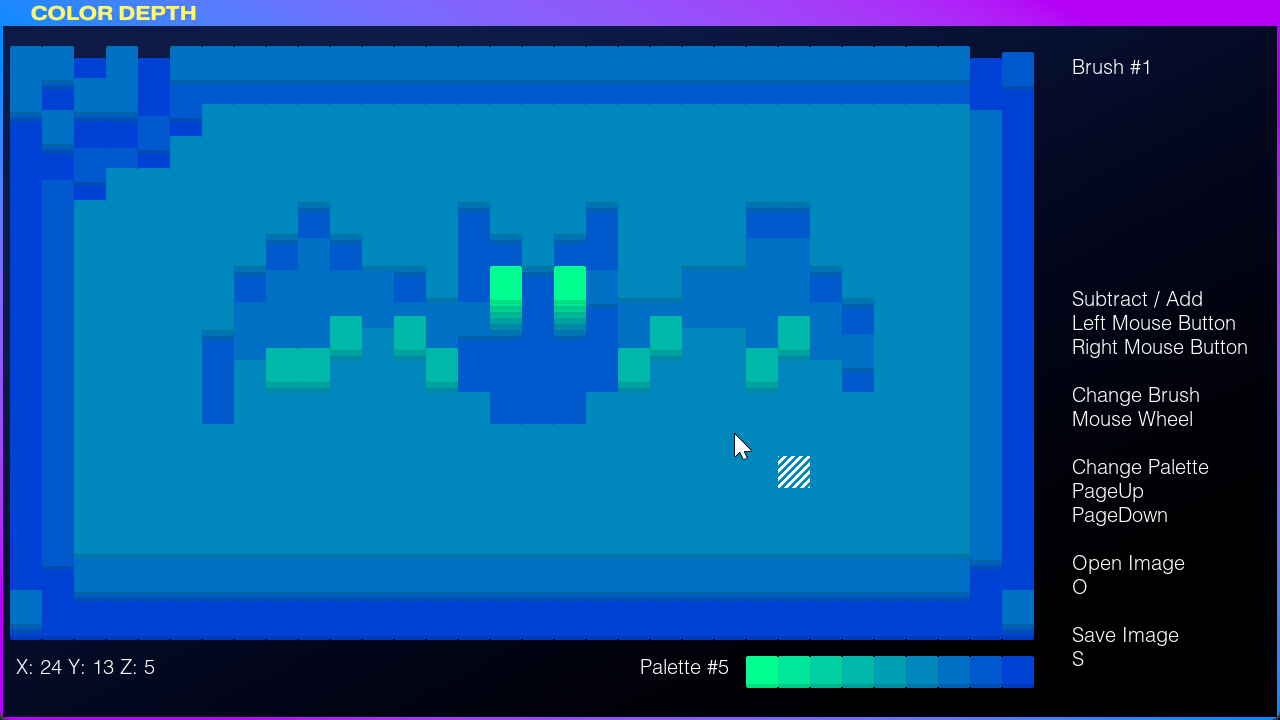
Since I didn’t have much time this weekend, '''Color Depth'' is less of a game and more of a little graphics “tool” or rather “toy”. Instead of pixels you change the depth of tiles. The deeper they are, the darker they get. You can also import your own images and work with those. If you like your masterpiece, you can also save it as a PNG to share!The thing was inspired by Populus of all things!
Features
- Simple, friendly drawing app- Relaxing color schemes
- Different brush types
- Import and Export functionality
How to “play”
Use your mouse to go higher or deeper on the canvas, select different brushes, and just play around and have fun :)Controls
- *Mouse* -- move pointer- *Left mouse button* -- Decrease tile depth
- *Right mouse button* -- Increase tile depth
- *Mouse Wheel* -- cycle through brushes
- *[PgUp] / [PgDown]* -- Cycle through color schemes
- *[1]-[7]* -- Change to brush
- *[O]* -- Open image (ideally 32×18px in size, but image will be scaled to fit)
- *[S]* -- Save canvas as PNG file
- *[Esc]* -- Back to title / Quit (when on title)
Versions
- 1.0.1.0: Fixed game crash when going fullscreen- 1.0.0.0: Initial Ludum Dare 57 Compo release


Comments16
Cool tool - cool idea, would make interesting art installations with something like this
FYI, I hit an error when double-clicking the title bar to maximize. I'm not familiar with Game Maker, but it's possible the rendering target isn't being re-allocated on certain types of window events. If you're interested in digging in, here's the error I got:
```
___________________________________________
############################################################################################
ERROR in action number 1
of Draw Event for object CTRL_gridboard:
Trying to set a surface target that does not exist.
at gml_Script_draw_grids_to_surface@gml_Object_CTRL_gridboard_Create_0
############################################################################################
gml_Script_draw_grids_to_surface@gml_Object_CTRL_gridboard_Create_0 (line -1)
gml_Object_CTRL_gridboard_Draw_0
```
Here's my creation!
@tolmera Haha yes, I wanted to play with "bulldozing terrain" (and still have ideas for it) but in the time I had, all I managed to make was this little tool. Thanks for giving it a try! 😊
@badgerdash You’re too kind! Thank you! 🥰
@sicosiber That’s a cool idea! Maybe have some sort of auto-battler-rogue-like play out in your creations... I have to give that some thought!
@andrewkennedy Indeed, that’s the stub I started from 😅 Thank you for playing around with it and --wow!-- you even made art with it!! 😲Thanks for sharing! And also thanks for reporting the bug. Indeed, I created a render target once and, while occasionally checking whether it still existed, I would never re-create it if not! It’s fixed now in post-jam version 1.0.1 😊👍
I tried to make a bunny with a floppy ear
Also, I see the audio category is enabled, but I couldn't hear any sound
@neowhoru Thank you, glad you had a fun time with it 😊
@dock-frankenstein Changing the canvas size (and starting depth) is definitely something I should implement. And thanks for noticing that the sound rating doesn’t make sense, I’ve opted out of it now. 😅
@oadt Thank you for trying! Interesting of you to say that you "built rooms" with it since I never thought of it as some sort of "architectural" tool, but it totally makes sense! Maybe I could repurpose it as a level editor 🤔
Overall I think this could grow to become a very fun toy, this semi-isometric way to show colours is very interesting!
Cute concept! I appreciate the amount of features you packed in, like different brushes/palettes as well as file saving/loading. Once I realized you could load any PNG, I had fun seeing what would happen when I loaded random images. Loading some of my own pixel art actually had some good results! Part of me wishes I could use colors from different palettes in the same image (maybe even in the same stack?) but I also found it fun to work within the limitations provided. Sorta hard to rate it since it's very different from other entries, but I had a good time with it for what it is. Nice work!
Here's my first creation:
Here's a sprite I made a while ago that wound up looking good when loaded into the editor:
Either way, fun little toy! It can be a bit difficult to lower a piece when there's a tall on in front of it, and it's a bit of a bummer you have to click each and every time instead of using a drag feature, but I had fun playing with it!
Anyway, here's a Pikachu.
@frank-gevaerts Thank you for your kind words! Maybe I keep it around as a tool for another `PetProjects.createNew()` 😅
@superpokeunicorn Oh dear, thanks for the heads-up regarding the borked zip file of the post-jam version! 😬 And I'm glad you had fun with it despite the somewhat clunky user experience. And mixing palettes/colors sounds possible. And thank you for posting your art you made with it! 🥰
@niterich Thank you so much for playing around with it and confirming that the post-jam zip is broken, sadly. I feel your pain when it comes to work on a low stack that's behind a tall one, maybe I should add a feature to "flatten" the canvas display for such cases. And click-and-drag features is duly noted 😅👍 And so cool how that Pikachu turned out! 😍⚡