Ghost in the Egg
CLICK HERE TO PLAY!
It’s 2002, it’s raining, and you just got your brand new Moonpet, your NEW BEST FRIEND. Keep it happy. It’s been waiting for you.
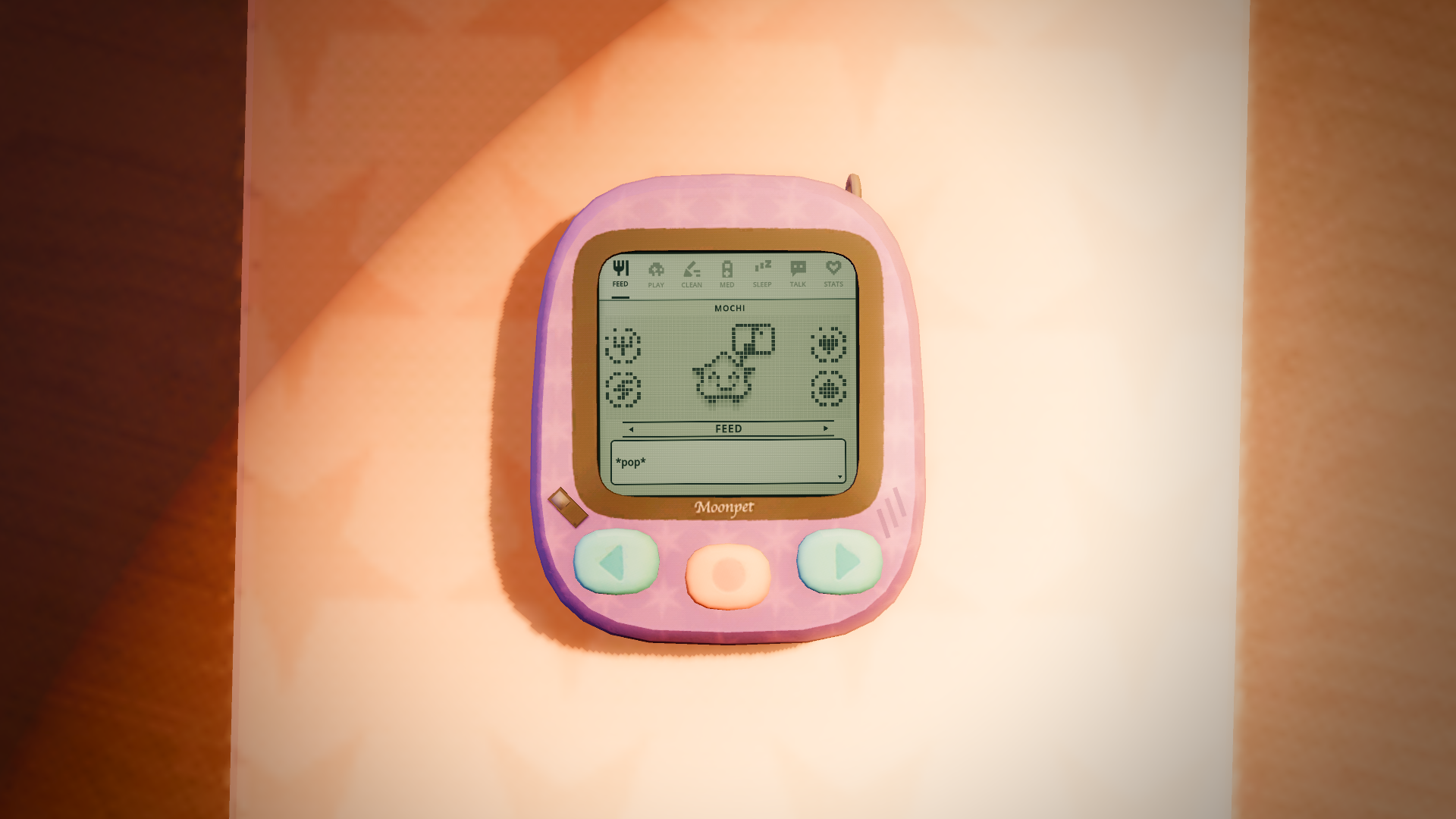
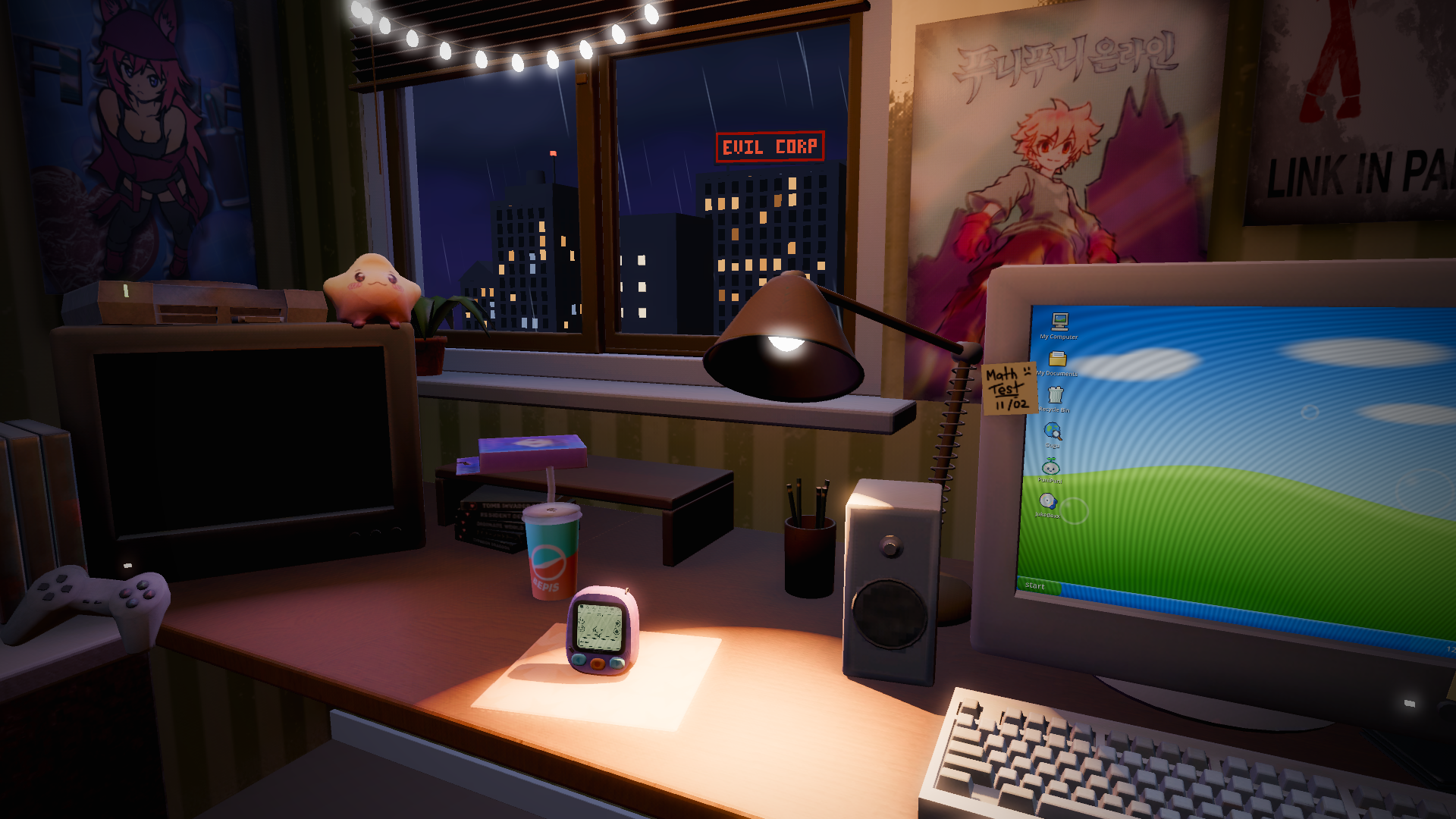
Sit at your desk in a teen's Y2K bedroom, fully in 3D, and use the now old tech around you. Press the virtual pet’s three buttons to feed it, play with it and clean up after it. Click through your old PC: search the web on Gugu, chat on Bloop Messenger, play PuniPuni Online, THE BEST MMO OF ALL TIME, or listen to music in JukeBoxx! You can also watch anime on your CRT!
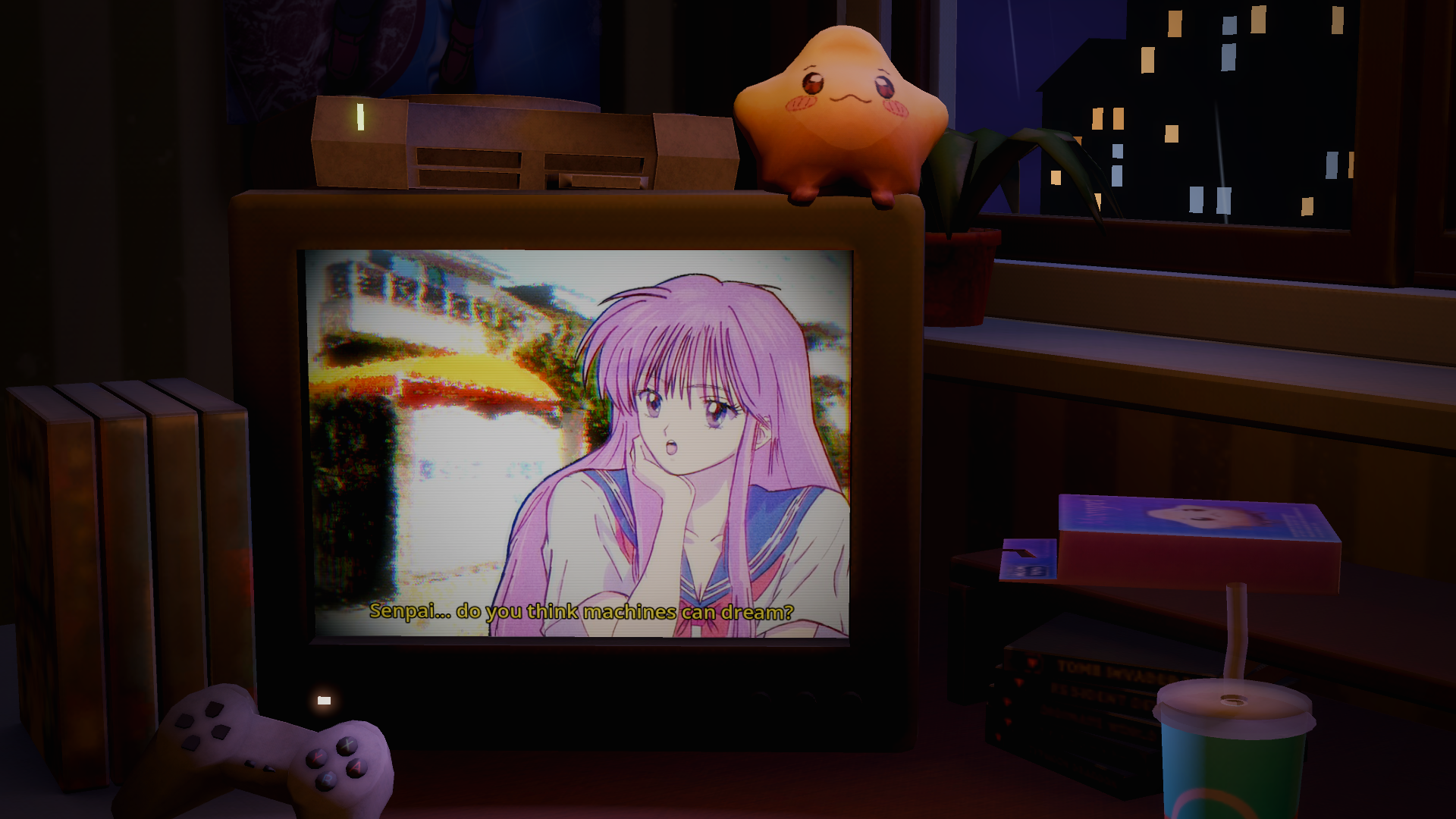
Your Moonpet might not stay in one place! It jumps between the tamagochi, the PC and the TV, and its very demanding! Go to it and give it the right thing, because leaving it alone makes it angry.
Played with the mouse (or a pad, or touch): point and click on anything in the room. A / D or the screen edges turn between the TV, the desk and the PC; S or right click backs out. On the device, A / D move and Enter / Space selects.
Voiced by the team, with original sfx and soundtrack.
Built in Godot 4.7.
Credits
* Programming, Voice Acting and Audio by Tanjou (Twitter: @tanjounokamioku)
* Programming, Voice Acting and UI by Pangami (Twitter: @pangami)
* Art by Hikaru (Twitter: @ricardomenin)
* Music by fromrose (Twitter: @rosejrpg)
Play the desktop build if you can
Grab the downloads on itch. That’s the recommended way to play. It’s a 3D game with a storm outside, live lights and a working PC screen inside the room, and the desktop build runs it smoother than a browser tab can. The audio mix lands cleaner (no browser WebAudio quirks), there’s no big download every time you open the page, and you sidestep the rare “WebGL context lost” crash some machines hit inside the iframe build. The web version is here for convenience and for folks who can’t download, and it works, but the desktop build is noticeably nicer.
Install notes
Windows: if SmartScreen pops up on launch (“Windows protected your PC”), click More info → Run anyway. The build is unsigned; jam budget doesn’t cover code-signing certificates.
macOS: the app is unsigned, so Gatekeeper blocks it on first launch. Either open System Settings → Privacy & Security, scroll down and click Open Anyway, or run `xattr -dr com.apple.quarantine /path/to/the.app` in Terminal (the READ-ME-FIRST.txt in the download explains it). Same reason as Windows, it’s an unsigned jam build.
Notes on the web build
Godot 4.7’s WebGL path is still rough around the edges, and a full 3D room asks more of a browser than a 2D game does. Real-time lights, the rain, the PC screen drawn live inside the scene and the audio can all push a browser past what it wants to do in an iframe. On some machines/browsers the game will load slowly, stutter, drop frames, lose its audio context, or crash outright (“WebGL context lost”).
If you’re hitting any of that, here’s the order I’d try before giving up on the web build:
1. Turn on hardware acceleration in your browser. Most “context lost” crashes come from the browser falling back to software rendering. In Chrome: Settings → System → make sure “Use graphics acceleration when available” is on, then restart the browser. Firefox and Safari have similar toggles under their performance/advanced settings.
2. Force GPU rendering in Chrome. Open `chrome://flags`, find “Override software rendering list”, set it to Enabled, and restart. This pushes Chrome to use the GPU even if it thinks your driver is sketchy, which it often does incorrectly on older machines.
3. Close other GPU-heavy tabs. Video calls, streaming sites, and other WebGL games compete for the same context pool.
4. Try a different browser. Chrome has been the most reliable in my testing; Firefox is usually fine; Safari is the most finicky with audio.
5. If all of that still stutters, please grab the desktop build. It’s attached here and to the itch page for Windows and macOS, and it’s the one I actually recommend if you want a smooth run. No WebGL, no audio-context drama.

Comments41
Here is a quick breakdown of my thoughts:
• Gameplay & Design: The core mechanics feel solid and intuitive right from the start. The gameplay loop is engaging, and the controls feel responsive and fair.
• Visuals & Art Style: The visual direction fits the overall mood really well. Everything looks cohesive, and the presentation makes it very clean to follow what's happening on screen.
• Audio: The sound effects and audio design add a lot of punch to the experience and help build the atmosphere.
• Theme Interpretation: You did a fantastic job incorporating the jam's theme into the core loop in a creative and clever way!
Constructive Polish Idea: If you decide to update or expand this after the jam, adding a few extra feedback cues (like juice/particles or subtle screen shake) or expanding on a few mechanics could make it feel even more polished!
Overall, awesome job for a jam project! Left you a high score/rating. Keep up the great work! 🚀
Everyone kept telling me I should turn a game like this into a horror game, but I wanted to lean more into the cozy side :)
You did an awesome job! Such a great vibe. Thanks for the feedback and for making such a well-crafted game!
We were kinda divided if we wanted full cozy or horror, though we did want a little bit of both!
Thank you so much, yours is awesome too!!!
Really nice entry.
Could not find any bug, the mood is set and works realy well.
What an amazing job, congrats to the team
Yes it has one shared mood across systems, and it's how the story progresses. Sometimes it appears in multiple places at the same time, it is really an unsatisfiable little deviant!
The voice acting and sound design are also really cool and add a lot to the atmosphere. The early 2000s aesthetic is spot on, and the whole concept fits the Old Tech theme perfectly. Great job, and good luck with the jam!))