!!! The only supported input device is the Leap Motion Controller !!! (Without, the game will not start properly. In this case close "EvecSrv" manually)
This is more of a sandbox for some experiments but is also fun for some time.
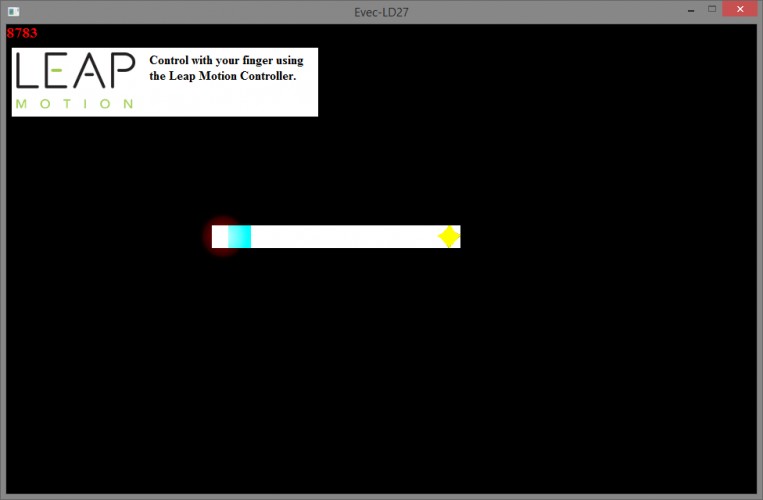
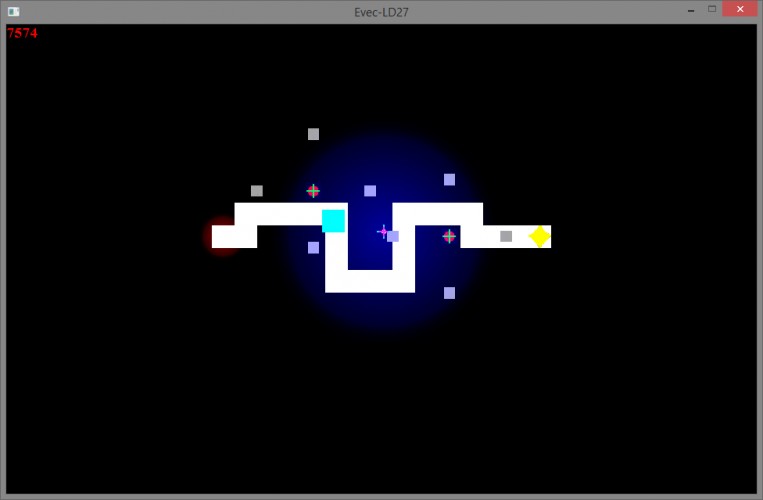
There are 9 levels in which the bluish player moves within 10 seconds from the start to the goal (yellow). The timing of the movement can be influenced with your finger using the Leap Motion Controller. Either in order to increase or decrease the movement speed. The distance of the finger to the display or of the cursor to the player influences the strength of the influence. This is the first time I really use the Leap for development and I hope that the position calculations are not only usable on my PC. Avoid hitting bullets from enemies or running out of time. There is no real "winning condition" the last/win level is just impossible to beat ;).
Hmm, restricting the controller was probably not a good idea :) I haven't got that controller; probably the reason why the game window doesn't come up in the first place.
From a game jam perspective I have to apologize for this entry in many ways :). Also tried out Awesomium for the first time which alone adds about 20-30 MB (unpacked) to the game. At the moment I don't know how the executable behaves when no LeapMotion software is installed (would've assumed that it opens at least), as soon as I find out I will add some comment about that.
Regarding the controls. I didn't manage to think of a good way to provide a fast enough z-axis in time. The effect and intensity of the cursor is controlled using the z position and for some passages this needs to be controlled very quickly :).
Seems that without a Leap Controller, the actual game not starting correctly is the expected behavior. Probably some unchecked call I do when initializing.
(Had to get used to Lightworks and accidentally deleted parts of the project multiple times.. also there is still some stutter which is not in the source material but quality is acceptable)




I haven't got that controller; probably the reason why the game window doesn't come up in the first place.