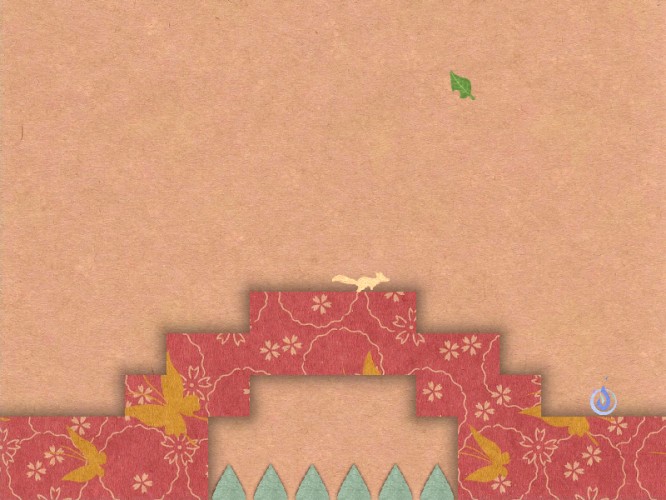
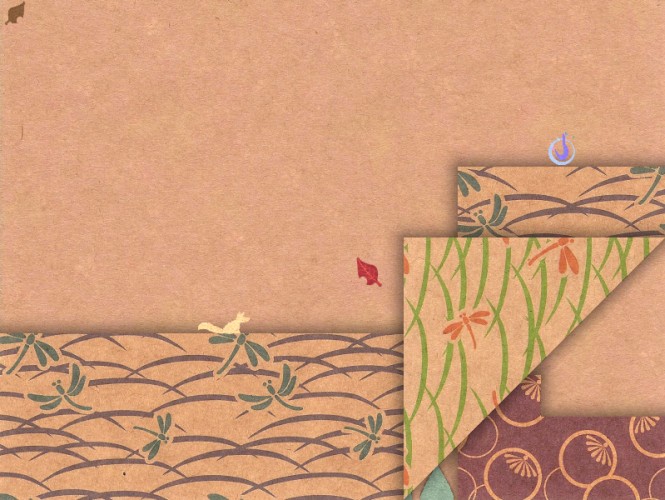
OVERVIEW: O-Inari Origami is a game about a paper fox in a paper world.
NOTE: To play the Java version, download and run the Start.bat file for Windows, or Start.sh file for Mac and Linux. Make sure you have the latest version of Java, found here: https://www.java.com/en/download/
GAME CONTROLS: - WASD + Space to move and jump - Left-Click and drag to fold - Right-Click to unfold - [R] to restart level - [Esc] to go to menu
LEVEL EDITOR CONTROLS: - Left-Click to place tile - Right-Click to remove tile - [Q] to cycle tile type - [P] to set player spawn point - [Shift] to edit reverse side - [Alt] to edit underside - [Number Keys] to set level Par - [Tab] to test play - [S] to save - [L] to load - [Shift+S] to save level to clipboard as a text string - [Shift+L] to load level from clipboard as a text string
Share your levels with us in the linked Google Doc, or in the comments below! We're looking forward to playing all of them. Happy folding!
CREDITS:
Marius (MagmaMcFry): Programming, Game Mechanics, Puzzle Design
I really liked the art, the puzzles seemed more like luck than skill though. The second level was confusing, and I got stuck again on one of the 3 fold levels.
One of the best I've played so far. Brilliant design. I love the art. Sometimes it was frustrating to no be able to fold a page and not have feedback on what was preventing it.
This is a pretty cool concept, and very well graphically realized. I found it was a bit frustrating to deal with the paper on the edge because I sometimes had to try multiple times to grab a corner or middle section of the paper. This frustration was amplified by the fact that the puzzles mostly amounted to trial and error. That being said, I enjoyed it. Well done.
This is an absolute genius idea, very impressive. The only thing it really feels it's lacking is music - something calm and unintrusive could be nice. If you wanted to turn it into a full game you could just add proper level selection, music, and a bunch more levels, and you'd be done - it would be something I'd be willing to pay for. Seriously, great work on this.
Absolutely incredible. I mean, genious, I'm really impressed. I didn't mind the lack of music at *ALL* and if there was any, I'd expect it to be unobtrusive like the victory music at the end, so I can feel the lovely paper fold and listen to the soothing sound of it. I'm blown away by this, and by the fact that you left such a nice comment on my half-done engine. Can we be friends?
Your game is beautiful, brilliant, and includes a level editor!? Can I work with you guys next time?!
Thanks for commenting on my game, Four Seasons! I responded:
>> Wow, what a brilliant game, with such a well-defined and fun mood! I managed to get all of the crystals except that one in the middle-bottom of the screen... I think you have to step on little patches of snow or something, but I couldn't figure out at all which path I was supposed to take and ended up getting stuck :< If I didn't have so many other games I need to rate I'd honestly go and play your 1.01 version just to get to the end. Thank you for the game!
@Victory Garden -- don't feel bad, that one is really hard! It's part of the reason the game has extra crystals so you don't have to get them all ^.^ the 1.01 version has some extra hints as to the solution to that one, although I'm sure you would have figured it out if you weren't so good at rating games :D You are most welcome, I make games mostly to bring happiness.
I've had an idea for a game like this for the longest time. I couldn't express it in my own code at the time. It's satisfying to see it in action at last. Easily my favorite so far.
Level design is intuitive and smart, animations are smooth and the controls are just beautiful, theres little i can say in terms of areas which could need work because this is one polished game. Audio is obviously something you could add to it, but i honestly lost myself in the puzzles.
This is a lovely game, Im glad i was watching Taunia's stream so i got a chance to play it. We need more paper folding fox stuff!! more :D
Amazing and inspiring entry guys thanks ^^
P
PIXEL^311 Dec 2014, 09:36
The graphics were great and everything moved really smooth. the level design had a great 'ah-ha' factor to them and they were fun to explore and see what was possible. It would've been nice to have a soft soothing track playing in the background. Otherwise great game!
This game is so gorgeously stunning! And you threw in a level editor that's wondrously easy while simultaneously revealing how difficult it must have been to design these levels?
*stands and begins slow clapping* Absolutely love the art. Love the concept. Bravo.
This game... is so good. You have something here, so please build on it in the post jam. Also, the level editor? Really!? Wow.
I think, though, that this level set suffers from having been built in 48 hours. When making puzzles in a strange space, it is really hard to avoid making the solutions kind of brut-forcy. In my playthrough, I usually had to pull down every side and corner in order to familiarize myself with the layout of the levels. If there was some way of broadcasting to make this process less painful, that would be cool. Maybe by starting each level all folded up, and then slowly unfolding them? Who knows! I'm sure you'll be able to figure it out in the post-jam.
Time WELL spent guys. Bravo! Lovely aesthetic and design. A really unique puzzle platformer. I wanted to fold as I platformed, but only because this game set my expectations really high.
One of us manage to get under the bottom fold so we can't finish the level since the exist is in the top right corner i have a screenshot if you want and i don't remember what level it was
I wish I could fold the level more freely. But I see how this could make level design harder... I also kept trying to unfold the level toward me (to make a platform get closer to me, for example), even though I knew that it wasn't possible... I think this would have helped me, in some stages...
Wonderful visuals and very innovative mechanics. I loved the take on the theme, even though I suppose "entire game" counts as each individual level in this case.
As much as I loved the mechanics conceptually, it grew a bit tiresome after a while pulling at each corner to figure out which ones would lead me to building pathways to the goal. But it's really clever, and I think this idea of having a platformer tied into the paper-folding mechanic could be explored much further.
Really, really great job coming up with such an interesting concept in such a limited amount of time.
Fantastic! I am really impressed. I found it quite difficult to incorporate the theme any any special and interesting way. But your does this perfectly and adds an extra twist to it. Well done! Technically I think it is also quite impressive. I really like the art-style and all the graphics fit the paper style very well. Gave you high scores on innovation and theme! (and fun! :) )
The entire game feels very solid. Not just a quick prototype. Since there were many puzzles and very interesting ones as well.
And just so I am also a bit constructive and not just giving you well deserved praise :) I thought the page turning mechanism felt a bit slow. I don't think it would hurt if the game made some assumptions on when and where to let go of the paper. The control of the mouse I have feels a bit to exact and I feel spend to much time moving the paper into the exact place to have it work (even though I already see the solution).
But that is just a tiny comment in an otherwise fantastic submission!
// Written by Peter (ludumdare.com/compo/author/Macint/) // Vidar's teammate in this Jam.
It eventually felt like a classic adventure game, where you click on everything unitl you find what you had to do by chance. But at the same time it's a fun thing to look behind the papers at each possible fold.
Clever use of the theme.
Visually the patterns do a great job, though I feel only what you've folded should give out shadows, but I might be wrong.
Music or ambience sound would go a long way to make this a very moody game.
This is a beautiful and brilliant game. It's too bad you can't fold 3 or 4 corners at the same time, but this was an absolute treat to play, nonetheless.
Mac OS 10.10 Yosemite with Java 8 Update 31 Exception in thread "main" java.lang.UnsupportedClassVersionError: ld31/LD31 : Unsupported major.minor version 51.0 at java.lang.ClassLoader.defineClass1(Native Method) at java.lang.ClassLoader.defineClassCond(ClassLoader.java:637) at java.lang.ClassLoader.defineClass(ClassLoader.java:621) at java.security.SecureClassLoader.defineClass(SecureClassLoader.java:141) at java.net.URLClassLoader.defineClass(URLClassLoader.java:283) at java.net.URLClassLoader.access$000(URLClassLoader.java:58) at java.net.URLClassLoader$1.run(URLClassLoader.java:197) at java.security.AccessController.doPrivileged(Native Method) at java.net.URLClassLoader.findClass(URLClassLoader.java:190) at java.lang.ClassLoader.loadClass(ClassLoader.java:306) at sun.misc.Launcher$AppClassLoader.loadClass(Launcher.java:301) at java.lang.ClassLoader.loadClass(ClassLoader.java:247)
M
Mike Hansen14 Feb 2015, 09:29
Only had JRE 8 on my Mac. Installed JDK 8, now runnig! ;-)





Great that you even build in a level editor!