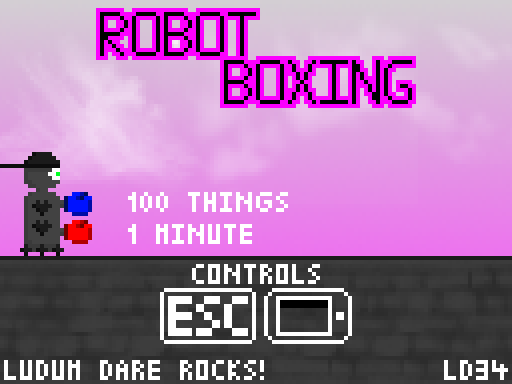
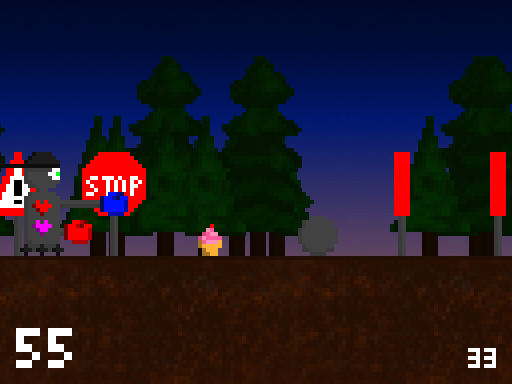
In this game you are a robot punching random things in front of a hopefully appealing parallax background.
You must use the appropriate glove to hit the next thing or you will lose a life. Hit tall things (traffic signs and balloon) with the blue glove and small things (balls and cake) with the red glove.
To punch with the blue glove use the A key or the left arrow key or tap on the left side of the screen. To punch with the red glove use the S key or the right arrow key or tap on the right side of the screen. Use the ESCAPE key or tap on the upper 10% of the screen to go back to the menu (if you are in the menu this will show you the controls).
I initially planned to have a boxer punch things in a somewhat coherent world. However, I couldn't draw a boxer, so I drew a robot and I couldn't draw a nice coherent world, so I drew totally random things and two nice backgrounds. I hope you don't mind ;)
Technical notes:
The online version requires WebGL and the desktop version requires Java. The source code is provided as a zip file containing the LibGDX project and git directory. To import the source code, extract the contents of the zip file, open Eclipse and select File - Import... - Gradle - Gradle Project, then select the extracted folder, hit build model, select all projects and click on finish. If this does not sound familiar to you, please google and follow some LibGDX tutorials, because your computer needs to be set up correctly for development with LibGDX.
Not bad! Took me a bit to figure out that I was hitting low and high, I thought it was color coded or something like that. Once I figured it out though I thought it was pretty good!
Controls took a bit to figure out, especially since the 'punchable things' come fast from the start, but pretty neat once I got the high/low idea. Liked the music and audio! Changing rate of movement would be a cool addition - start out slow, speed up the longer the player stays alive.
Thanks for the comments everyone. I thought about adding little indicators below the things showing you which boxing glove to use, but I didn't have enough time :(
The controls took a minute for me to figure out. At least for the web version I tried right click for the bottom punch and it brought up a context menu.
A great entry in my opinion ^^ It lacked a bit of music and the choice of key seems odd (up and down would have been way better i suppose) I loved the pixel art and the sound effects. This incoherent world bring the fun and it finally is a good experience ! :)


Comments15
It lacked a bit of music and the choice of key seems odd (up and down would have been way better i suppose)
I loved the pixel art and the sound effects.
This incoherent world bring the fun and it finally is a good experience ! :)
Good job. :)
really funny and very good use of the theme. good job. :)