Greeting all. I made this for LD 34 Compo solo Theme 2 button controls
The game Star Something... by me Liquid Media Games.
UP Date 2
YouTube Video Warning Spoilers
Web site
www.liquidmediagames.com
UP Date WebGL is running Full screen is working for the button scroll Down and Right in the player window it's not showing on the page at startup
(below are other known bugs in WebGL).
The game player controller is almost the standard FPS with out it's limits
“P” = pause menu at any time T = Tractor beam “Q” speed down / “E” speed up
I have only tested the game on Mac OS. I will try to test on Web player, Windows, and Linux
I used Unity 5.2 for the game engine
Blender 2.7 for the 3d modeling
Gimp for the art
GarageBand / lmms for the Music and sound efects.
Enjoy the Game
Hello everyone. UP DATE the web player seems to not be working correctly ( never loads )
I have rebuilt the web player did not change any part of project and put the new link in.
I will try the “Unity WebGL (Preview)” now running.
The WebGL build known bugs.
Some times No audio (if no audio hit "P" and select level 1 normally fixes it).
Intro missing green LASER just before exploding text (shows as a black line).
Main game much lower graphics settings.
Missing most reflections / and real time lighting from red shot flares
I think it's just part of how WebGL is for now some cutbacks but it runs fast.
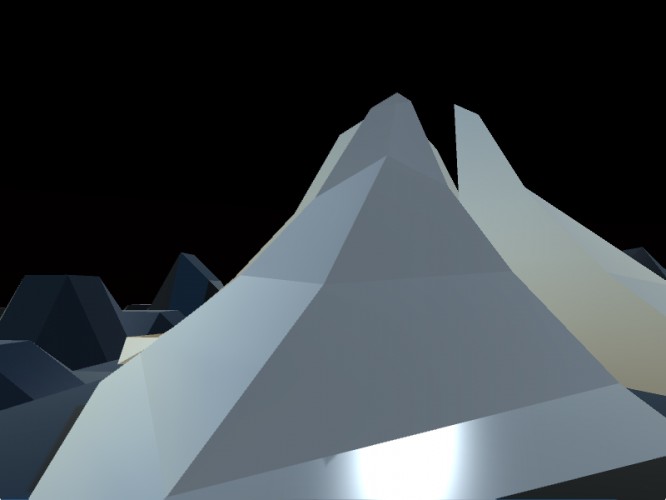
The game some more info when you start the main scene you can see 2 glowing “buttons” that control the red and green glowing doors when you fly over them or place the glowing red and green keys on the buttons the doors open.
You can use the “T” key for the Tractor Beam to move the glowing keys on to the 2 buttons.
Extra the “E” increases your speed by %10 every time you press it down if you press it about 10 – 20 times you can pass through most solid objects in the game.
Didn't really understand the goal of the game, I ran around shooting red a blue things, but they didn't seem to do anything. Maybe the voice at the start explained that, but I couldn't really understand it. Still, looked interesting.
Your Web link doesn't quite work; I get a [useless] download of the .unity3d file rather than an actual web build. I got the Windows version going though - short of flying around and knocking some shapes around I wasn't totally sure what to do... Also, it seems that there are [way] more than two buttons used to control your game...
Hello eerongal Thepattybeast and internetpaulicy and all others Thanks for playing my game
The game goal is to get the 2 button control pressed at the same time. Find the Green and Red keys to do that. They are not on the surface. Go under ground.
The idea that I had was to make something with global illumination and real time lighting, also to try some video the opening scene.
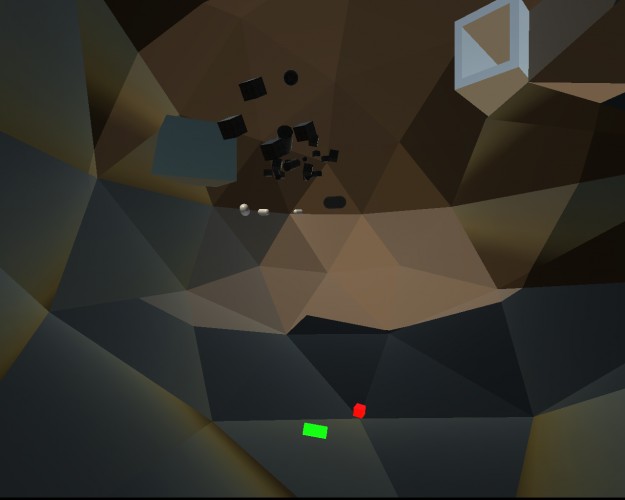
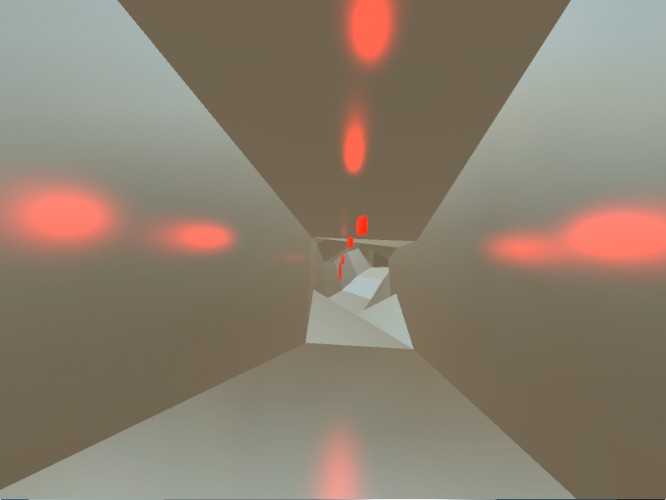
The green shots add force to small physics objects, and the red shots are lights ( might be hard to see in the day but at night or underground they light up the area for a few seconds )
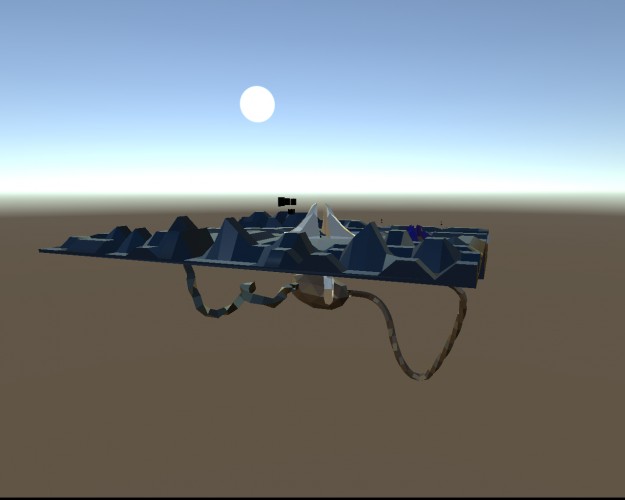
I used the low poly trying to keep the game small and running smooth the just map including the underground part is still about 6000 triangles for a single blender fbx model.
I had the same issues, I could fly around in editor mode, but I couldn't seem to get a tractor beam working. I could shoot, but I didn't know what to shoot. Maybe the wrong build was uploaded? It shows promise.
I flied in various directions with great pleasure, admiring your various shaders and low-resolution shadow maps. Didn't really understand what was expected of me, and the visual design didn't help (I was not sure what I was looking at most of the time).
But, heeey, shiny.
Oh and I got in a secret-passage-bowel-like thing. Then got out of it due to a collision bug I suppose. That was rather nice, got to see the whole map from the outside and all that. Felt like doom II!
RE: oparisy you can also fly around the side of the map no rules about how you get to the glowing keys in the underground part. all 3 pyramid like objects have tunnels going down.
The "E" key will increase your speed hit it about 15 times and you can fly through almost anything. it's not a bug it a feature.
Use the "T" key to pick up the glowing red and green objects (keys) and bring them back to the start to open the doors.
The 2 button controller is where you start the Red and Green buttons on the big white box :)
I was mostly going for some 3d real time lighting / reflections, and object interactions like the red flares
(WebGL will turn down most lighting settings)
K
kabel16 Dec 2015, 01:17
This was more like tests for a game than a game, I am now reading instructions in the comment section, but you should've explained this during the game or before it.
Needs some dub shake on the logo box in the intro :) Also, agree with many comments above, I flew around, spewing bullets, but the bullets didn't seem to interact with that much so I guessed you had run out of time and released what you had.
The green bullets only inter act with the star field objects the small black and white near the start and in the underground area.
The red flares don't work correctly in the WebGL version They will light up the area around them in the other versions I will have a YouTube Video up soon
I did not understand what I just played. But shooting green and red stuff is still kind of fun. The music alternate eraticly between two tracks. It's a bit annoying
My mouse was bugged and I couldn't move it around because it would "leak" outside of the game to one of my other 2 monitors either to the left or right. Because of that I couldn't really move around. I like the music but I think you could give us an option to see the help screen for longer and have a little tutorial level. Good effort.


Comments23
The game goal is to get the 2 button control pressed at the same time. Find the Green and Red keys to do that. They are not on the surface. Go under ground.
The idea that I had was to make something with global illumination and real time lighting, also to try some video the opening scene.
The green shots add force to small physics objects, and the red shots are lights ( might be hard to see in the day but at night or underground they light up the area for a few seconds )
I used the low poly trying to keep the game small and running smooth the just map including the underground part is still about 6000 triangles for a single blender fbx model.
I have now had a couple of people say “in editor mode” There is no editor mode in the game.
I have updated the link for the Web based player to the WebGL version on Monday morning.
The Tractor beam only works on the red and green keys some times it can be a bit picky about needing direct ray cast hit to lock on.
But, heeey, shiny.
Oh and I got in a secret-passage-bowel-like thing. Then got out of it due to a collision bug I suppose. That was rather nice, got to see the whole map from the outside and all that. Felt like doom II!
The "E" key will increase your speed hit it about 15 times and you can fly through almost anything. it's not a bug it a feature.
Use the "T" key to pick up the glowing red and green objects (keys) and bring them back to the start to open the doors.
The 2 button controller is where you start the Red and Green buttons on the big white box :)
I was mostly going for some 3d real time lighting / reflections, and object interactions like the red flares
(WebGL will turn down most lighting settings)
The red flares don't work correctly in the WebGL version They will light up the area around them in the other versions I will have a YouTube Video up soon
The music alternate eraticly between two tracks. It's a bit annoying