Hit 'em harder
The theme
For the theme, we decided to combine the almost incompatible genres of beat 'em up / fighting with a text-based controlling system. That means that you have to be quick on the keyboard!
The gameplay
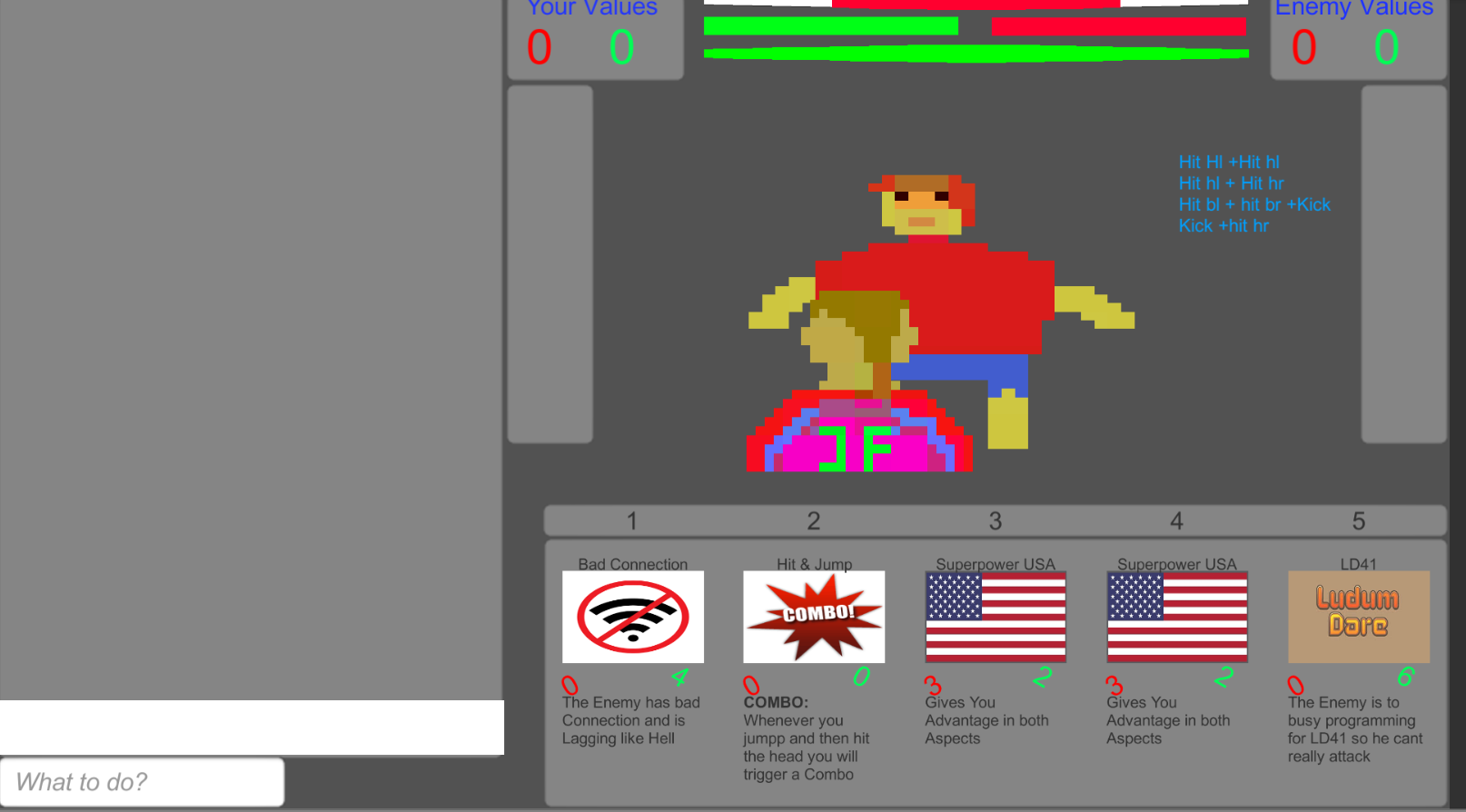
You control your character by telling him, how to block and how to hit your enemy. There are five regions in total, H(ead) L(eft), H(ead) R(ight), B(ody) L(eft) , B(ody) R(ight), and the legs. Each of These regions can be combined with a "hit" or a "block" command (except from the legs). The legs are targeted with "kick", the defense is "jump". In addition, head hits can be avoided by "duck"ing.
Always first write the action, then [enter], then the region!
But there are not only plain commands you can use. You also unlock a variety of Cards that improve your damage, decrease you opponents defense or give you cool (and slightly stereotypical) extra boni.
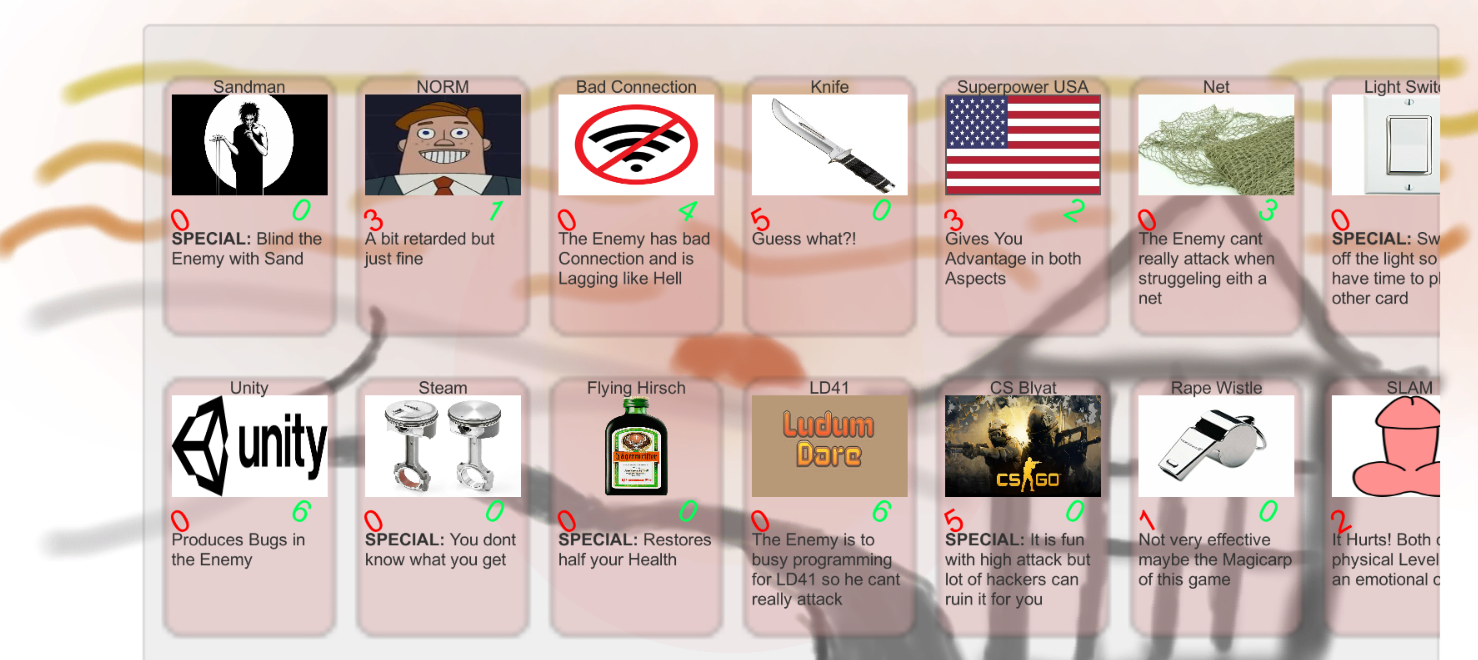
Combos and Combo Cards lead to a variety of ways to kill your Opponent- the only important Thing is that you can type and think at the same time: because that is what you will be generally lacking.
The combos are:
- hit hl, hit hl
- hit hl, hit hr
- hit bl, hit br, kick
- kick, hit hr
Note: For combo cards, first play the Card (by writing "play card" + number of the card in one line), then do the offensive part, THEN the defensive part. That is due to the way, combos are registered!
Also, don't send a command when the blue bar is recharging, or you will lose the current combo!
For a detailed tutorial, check out the tutorial video mentioned in the comments (for some reason the links can no longer be embedded / added).
The first link provides you with an LD, and an Post-LD version, where we updated some of the graphics to be more handmade.
We recommend for the web version to play it fullscreen, because the canvas is too big for the screen. For that go to Options and check the fullscreen option.
Have fun!
Contact
If you have questions, need help or want to report a bug, do so at moretolooseteam[at]gmail[dot]com
SPOILER ALERT:
If you want to take a shortcut, unlock all cards by typing "gimmeall" in the command line in one of your fights!After ending the fight you have unlocked all Cards. Don't be confused if you get no feedback, we didn't add that.
If you still want to feel the joy of unlocking the cards, write "reset" into the command box.
We recommend these otions for rating purposes, because it takes some time (approximately 10 fights) to unlock all cards.
*Note: The reset only works in the web version!*


Comments15
- Jonas Michael.
Perhaps some polishing of the commands could make it a bit easier to play because now you have to play with the manual next to you.
As said before, the idea of the game is really interesting, and gamifying a topic like this is quite a challenge, perhaps this text based combat style isn't what best suits this narrative.
But thanks, the review for your games will come tomorrow evening.
youtube.com/watch?v=RiPPw3nPAGc&t=1s
Btw if you wanna try out my game too, its here: https://ldjam.com/events/ludum-dare/41/memebumps
Cheers!
Also, I found the "rape wistle" and NORM" cards to be a bit classless. Don't poke fun at things like rape or call things "retarded", even in jest.
Lastly, I don't usually point out typos in things like LD games because we're all rushed and make stupid mistakes, but the English in the game's text was consistently bad enough that it was distracting.
Also, in regards to the bad english, you are right. We are all rushed and mistakes can happen. Additionally, english is neither mine nor @der_finski's mother tongue, so there is a high Chance of mistakes just slipping into our game.
Lastly, to comment on your criticism of our Chosen Humor, we are still experimenting around to find the right Kind of Humor to use in our games, and we decided to try a very dark Humor, just to test, how that works. Thank you for your comment on that!
Thanks for your feedback!