Combining optical logic games and top down action games!
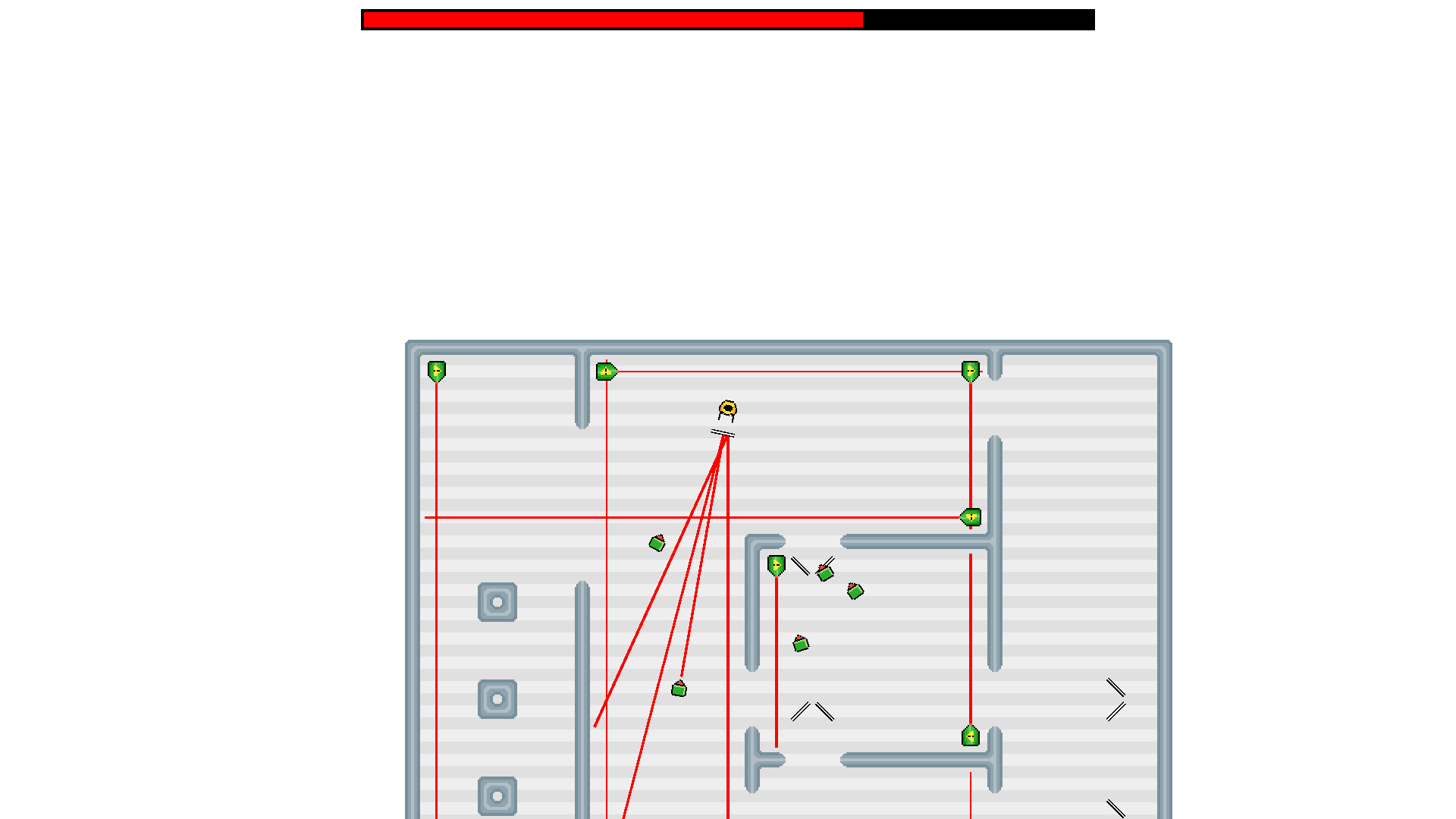
Your goal is to survive as many waves of enemies as you can. You don't have a weapon, but you don't really need one; fortunatelly, there are a few high power Helium-Neon lasers around. Oh and your enemies also have lasers attached. But if the beams hit you, it is very harmful to your body; the same things that helps you survive is also your nemesis. The only usable object you have is a mirror, that can reflect the laser beams, you must use this to aim concentrate the beams towards the enemies.
Playable with keyboard and mouse, or a gamepad (though the buttons / axes may not be compatible with your gamepad too, and there's currently no option to set controls).
Use `WASD` to move, and on difficulties other than easy, left mouse button to use your mirror.
Made in libGDX.
NOTE: You must have Java >=8 installed on your system!
Building instructions: Go into the root directory of the project, and execute `gradlew desktop:dist`
Very solid game! The laser mechanics are implemented quite nicely, didn't have a single problem with them. The minions move around naturally and even have some nice tactics to avoid the obvious way to kill them (spinning around) which is ingenious. The music also fits the atmosphere quite well and doesn't get too irritating, good job. One thing I would've added is maybe fixed points where the critters can enter the game (now they sometimes spawn behind you randomly) or that they maybe crawl over the walls or something. ALso It would've been really cool if you could move the mirrors yourself :) very nice game!
@bobismijnnaam Thanks for the feedback! The spawn points are actually fixed, but upon spawning a random one is chosen, maybe it could use some polishing so that enemies spawn outside of your line of sight. I though about giving the player option to move map objects around, but didn't have time to implement it.
Nice idea ^^ I liked the game even though it was hard too hard for me ^^ The music was nice and fitting but I also think that the game might be to hard. The graphics were good and it was fun to play.
Great mechanic! Even Easy mode is pretty hard though, and I'm not convinced the mechanic actually uses the defining features of laser logic puzzles. But it's well thought-out, well executed, fun and has loads of potential!
Good idea, it's there for sure. Just one or two things in graphic's... When you hit with the laser, it's doesn't feel like you are doing it, so this really confuses me. Maybe like something to tell you are doing it right. It's fun, really fun.


Comments8
The music is good too !